New in SwiftUI: @State is no longer a Property Wrapper! It’s now a macro, and @nilcoalescing explains how that impacts our apps.
Curated in this week's #swiftleeweekly https://t.co/lW59ssO60H
Here are the skills that ship with Xcode 27.
Apple did a fantastic job with these (no surprise) from what I've poked around and looked at. Baseline SwiftUI guidance, and nuggets on how to use the new stuff like the reorderable APIs.
$ xcrun agent skills export --output-dir ~/Desktop/xcode-skills
DeliveryHero migrated to Tuist to make their complexities of their modular whitelabel projects, and improve their build and test times:
https://t.co/Is2AkOR1XJ
“Las pantallas táctiles son una ‘tecnología incorrecta’ para los controles principales del coche, asegura Jony Ive, diseñador del iPhone y actual responsable del diseño del Ferrari Luce EV
✅ "Desarrollamos la función táctil [para el iPhone] porque estábamos desarrollando una idea para resolver un problema"
✅"Nunca habría usado la función táctil en un coche [para los controles principales]. Es algo que jamás se me habría ocurrido hacer, porque requiere apartar la vista de la carretera. Así que esa tecnología no es la adecuada para ser la interfaz principal"
Fuente: Entrevista AutoCar
@Dimillian A small clarification: the agent can generate and view previews, and use those screenshots to iterate autonomously on the design. The blog from Anthropic describes this under "Visual verification with Previews": https://t.co/TgoXH8pSaR
Apple has released an MCP server as part of Xcode 26.3!
It extends the IDE and requires the IDE to be running and your project open. It can:
- Browse + search the Xcode project structure (ls/glob/grep)
- Read/write/edit/move/delete files and create groups/dirs
- Build the project and pull structured errors + full build logs
- List Xcode Issue Navigator issues + per-file diagnostics
- Discover tests, run all or targeted tests, with pass/fail summaries
- Render SwiftUI previews to a snapshot and run small Swift snippets
Looks really nice and has some really useful tools, but somewhat limited. It extends the Xcode IDE rather than using the Xcode Command Line tools, so it uses the schema, build config, and project you have open in the IDE. You need to have the IDE open and running in the background.
I don't think this replaces XcodeBuildMCP, which doesn't require the IDE to be running and has more capabilities like UI-automation and debugging support.
It might be possible to utilise Xcode MCP via JSON-RPC with XcodeBuildMCP to add the IDE specific-capabilities if running, will look into this.
Good to see Apple making progress in that area!
XcodeBuildMCP is safe for now!
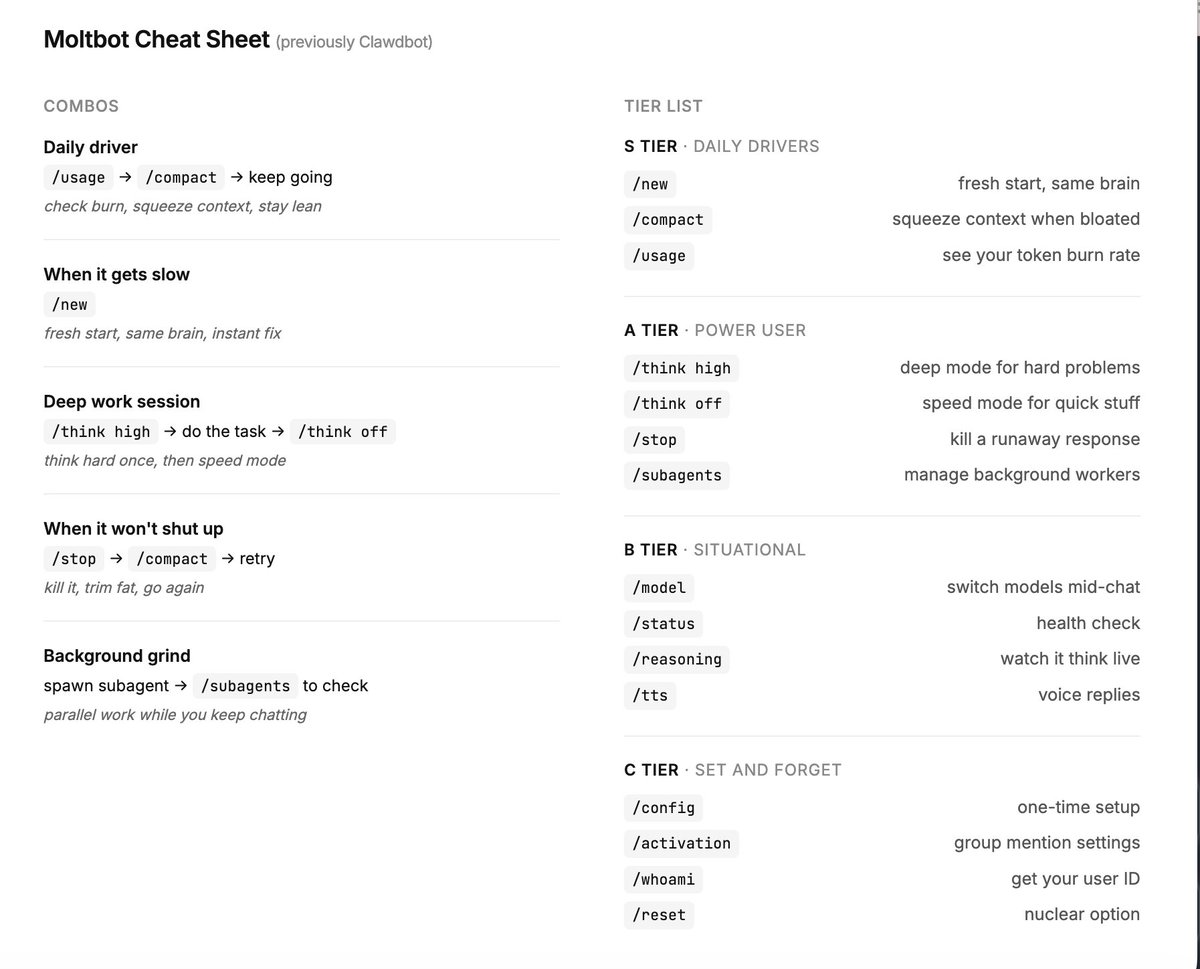
I bet most people aren’t even using the basic Clawdbot ( now Moltbot) commands.
the problem is, if you prompt everything and let the bot guess, you’re just wasting tokens and running in circles.
there are a lot, but these are the ones you need, added some combos too below..
Clawdbot creator @steipete describes his mind-blown moment: it responded to a voice memo, even though he hadn't set it up for audio or voice.
"I sent it a voice message. But there was no support for voice messages. After 10 seconds, [Moltbot] replied as if nothing happened."
"I'm like 'How the F did you do that?'"
"It replied, 'You sent me a message, but there was only a link to a file with no file ending. So I looked at the file header, I found out it was Opus, and I used FFmpeg on your Mac to convert it to a .wav. Then I wanted to use Whisper, but you didn't have it installed. I looked around and found the OpenAI key in your environment, so I sent it via curl to OpenAI, got the translation back, and then I responded.'"
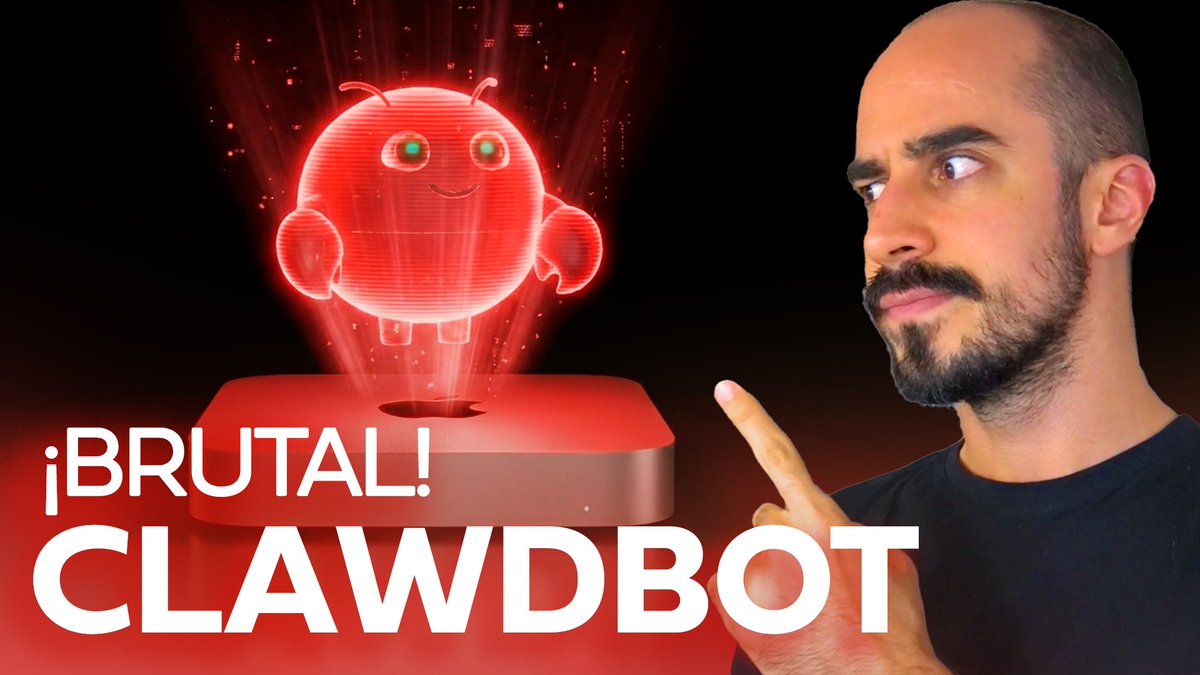
🔴 ¡NUEVO VÍDEO en el LAB!
Toca hablar de Clawdbot.
Tras 48 intensas horas probándolo tengo claro que este es el futuro hacia el que nos movemos.
¿Por qué? Link a continuación! 👇
New in Swift 6.2.3, available both separately and as part of Xcode 26.2: a way to express enums that can add new cases over time without breaking compatibility: https://t.co/meKkSdxy1D
Sunday Watch Tip ☕️
When I open a fresh Xcode project, I never trust the defaults anymore.
After fixing too many projects over the years, I’ve learned that Xcode’s out-of-the-box settings quietly add tech debt and hurt build performance – even in senior-level codebases.
In this week’s video, I walk through the 7 changes I now make immediately in every new (and existing) project:
- Enable approachable concurrency and set default actor isolation to MainActor
- Review “Upcoming Features” and decide what to enable intentionally
- Switch the Swift Language Version to Swift 6 with strict concurrency
- Remove unused targets like UI tests and clean up the project folder
- Fix general build settings (compilation mode, optimization level, build active architecture only, debug info format)
- Add an App Group from day one so you can share data with future extensions
- Set up a sensible folder structure and Swift packages early
If you want a cleaner foundation and faster builds, this one’s worth a watch:
🎥 Watch here: https://t.co/XZt42ZstET
#swiftdevelopment #iosdevelopment #swiftui #swiftlanguage
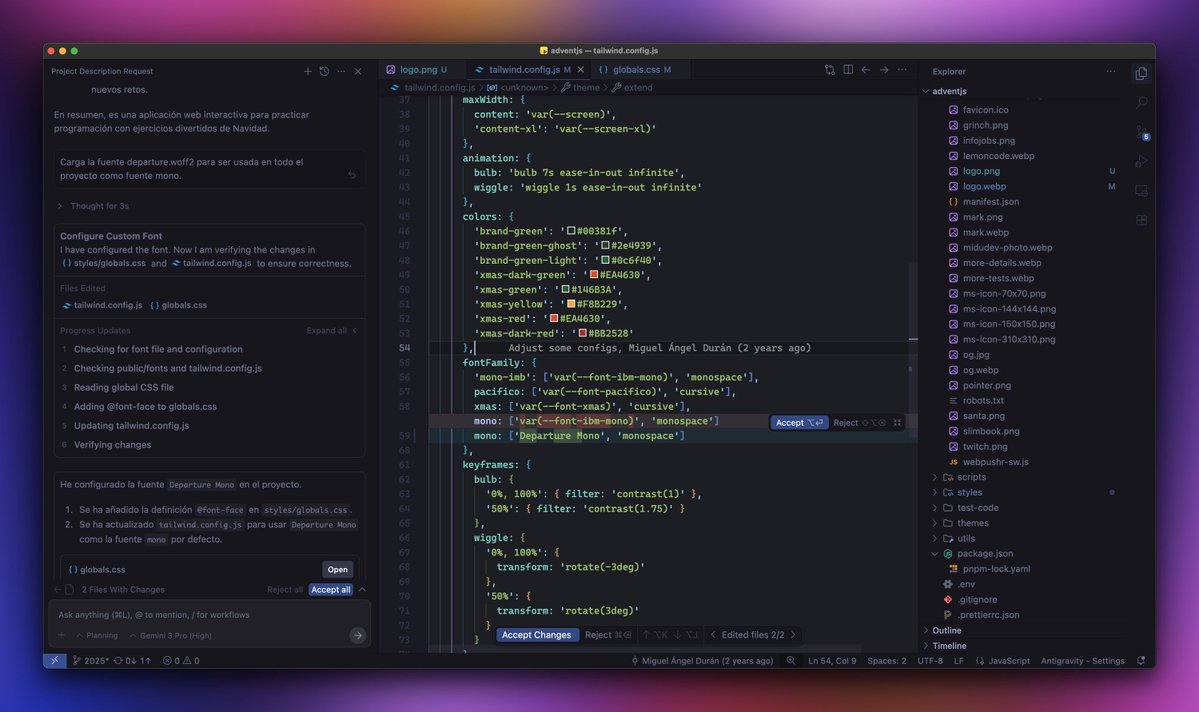
¡Bombazo! Google lanza su propio editor de código.
Se llama Antigravity y es un fork de Visual Studio Code.
Pero... ¡Tienes acceso gratis a Gemini 3 Pro!
También a Claude 4.5 Sonnet y GPT-OSS.
Disponible en macOS, Windows y Linux:
→ https://t.co/dtADdVjCEF
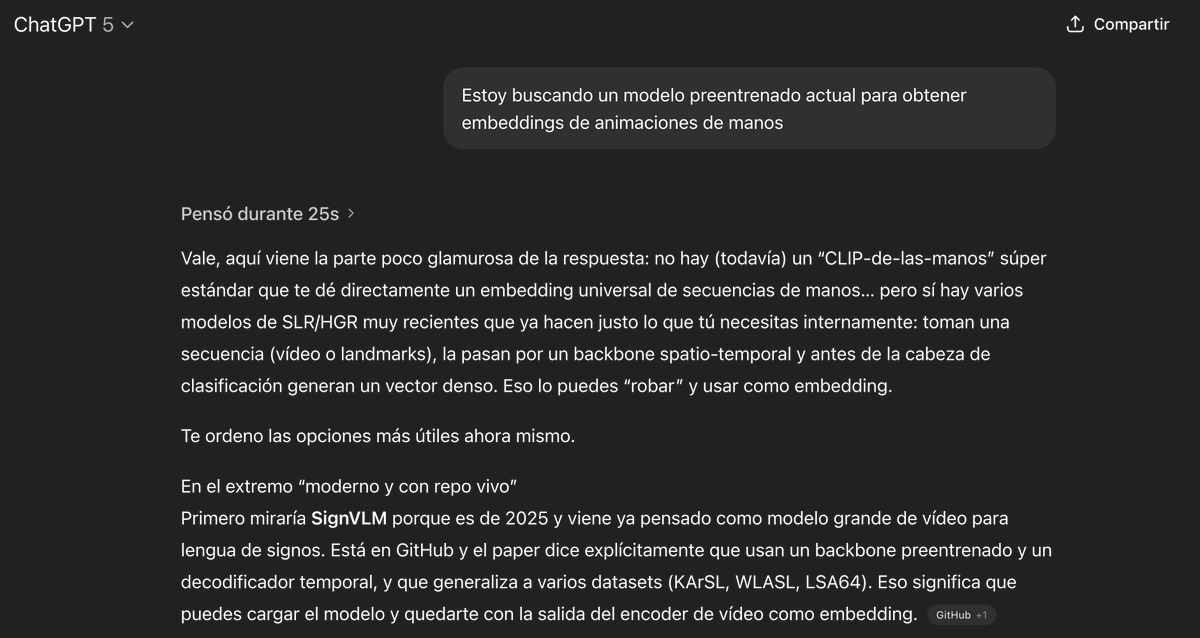
Hace no tanto ChatGPT hubiera preferido alucinar una variedad de opciones inexistentes o cortarse los cables de alimentación antes que darme una respuesta negativa como primera respuesta.
50 acrónimos y términos técnicos que cualquier programador debería conocer.
De SPA a CI/CD pasando por SOLID y TDD.
Los vas a ver en PRs, reuniones y documentación.
Guárdalo. Te vas a cruzar con todos:


![Mau_Albornoz's tweet photo. “Las pantallas táctiles son una ‘tecnología incorrecta’ para los controles principales del coche, asegura Jony Ive, diseñador del iPhone y actual responsable del diseño del Ferrari Luce EV
✅ "Desarrollamos la función táctil [para el iPhone] porque estábamos desarrollando una idea para resolver un problema"
✅"Nunca habría usado la función táctil en un coche [para los controles principales]. Es algo que jamás se me habría ocurrido hacer, porque requiere apartar la vista de la carretera. Así que esa tecnología no es la adecuada para ser la interfaz principal"
Fuente: Entrevista AutoCar](https://pbs.twimg.com/media/HBCEyW-bUAAbCra.jpg)





![Mau_Albornoz's tweet photo. “Las pantallas táctiles son una ‘tecnología incorrecta’ para los controles principales del coche, asegura Jony Ive, diseñador del iPhone y actual responsable del diseño del Ferrari Luce EV
✅ "Desarrollamos la función táctil [para el iPhone] porque estábamos desarrollando una idea para resolver un problema"
✅"Nunca habría usado la función táctil en un coche [para los controles principales]. Es algo que jamás se me habría ocurrido hacer, porque requiere apartar la vista de la carretera. Así que esa tecnología no es la adecuada para ser la interfaz principal"
Fuente: Entrevista AutoCar](https://pbs.twimg.com/media/HBCE0ktbsAA8_gB.jpg)