Working on a small Mac detail in PasteBack: text previews should behave like text.
Press Space for a focused preview. ⌘A and ⌘C work as expected. Space or Escape closes it.
No custom gestures to learn—just standard Mac interactions where you expect them.
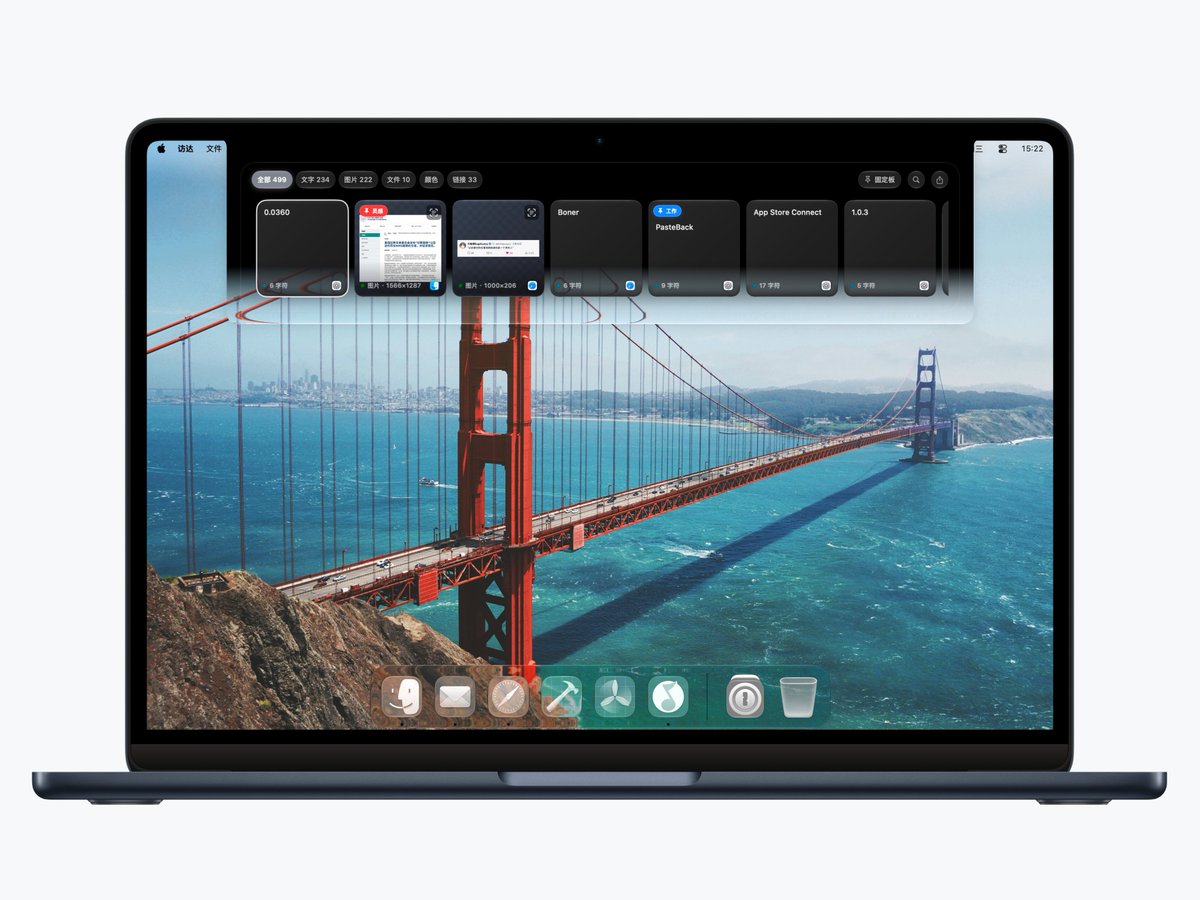
Exploring a third way to open PasteBack on Mac: Clothesline.
Instead of a full panel, recent clipboard items hang along the top of the screen—quick to scan, easy to drag, and out of the way when you’re done.
Still tuning the interaction, but the direction feels right.
Cross-device clipboard history raises a trust question: where does that content go?
For PasteBack, the design is simple: use Apple CloudKit for supported history and pinboards, with no separate clipboard server. iCloud sync can also be turned off.
https://t.co/SIIUBTMY7v
The frustrating part of copying something isn’t the copy. It’s finding it again later.
PasteBack lets you search clipboard history by text and content type, then keep the useful pieces in pinboards.
History is temporary. The things you reuse shouldn’t be.
Clipboard history on iPhone and iPad shouldn’t mean constantly switching apps.
PasteBack’s mobile workflow is built around the places you already work: save from the Share Sheet, then bring content back through the keyboard.
Less bouncing between apps. More staying in context.
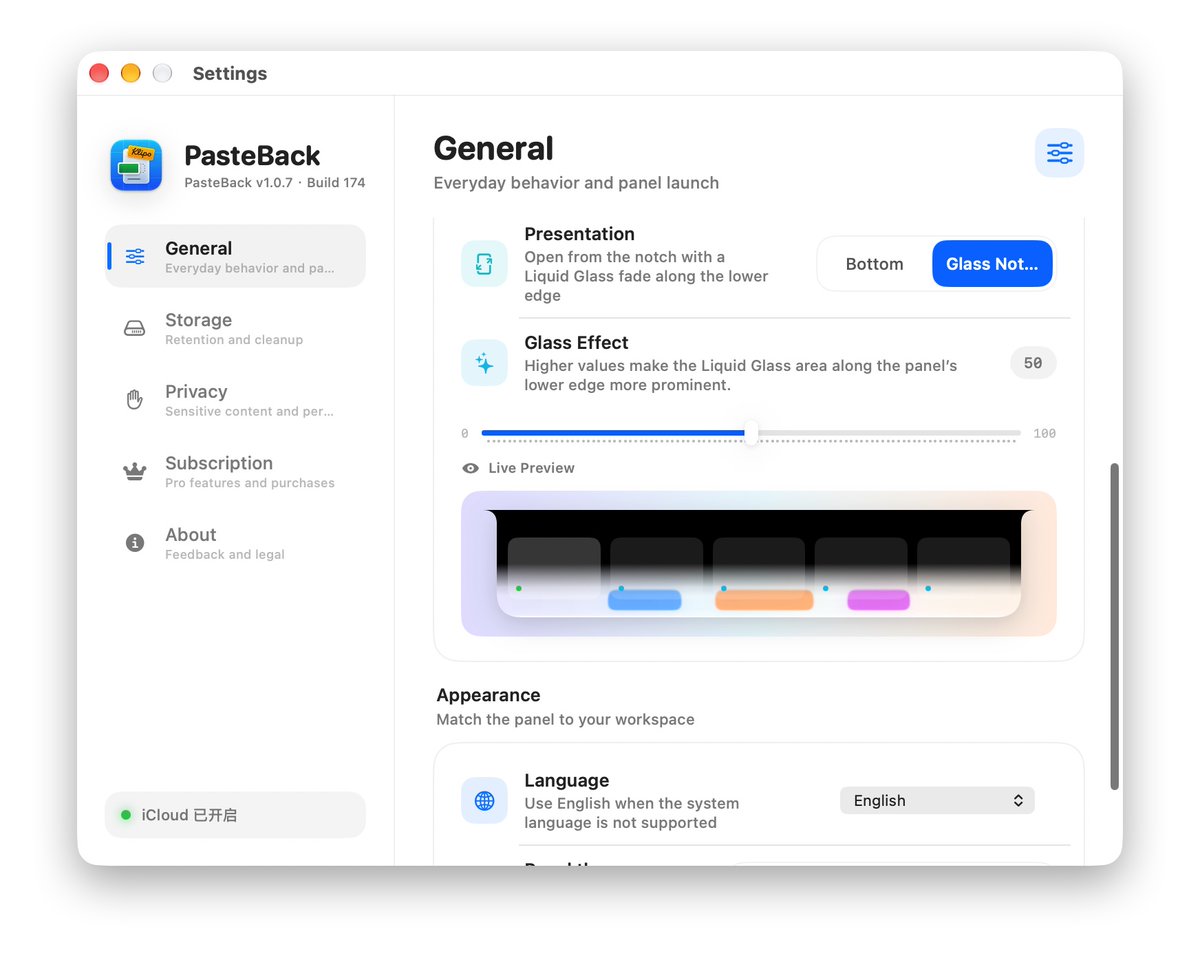
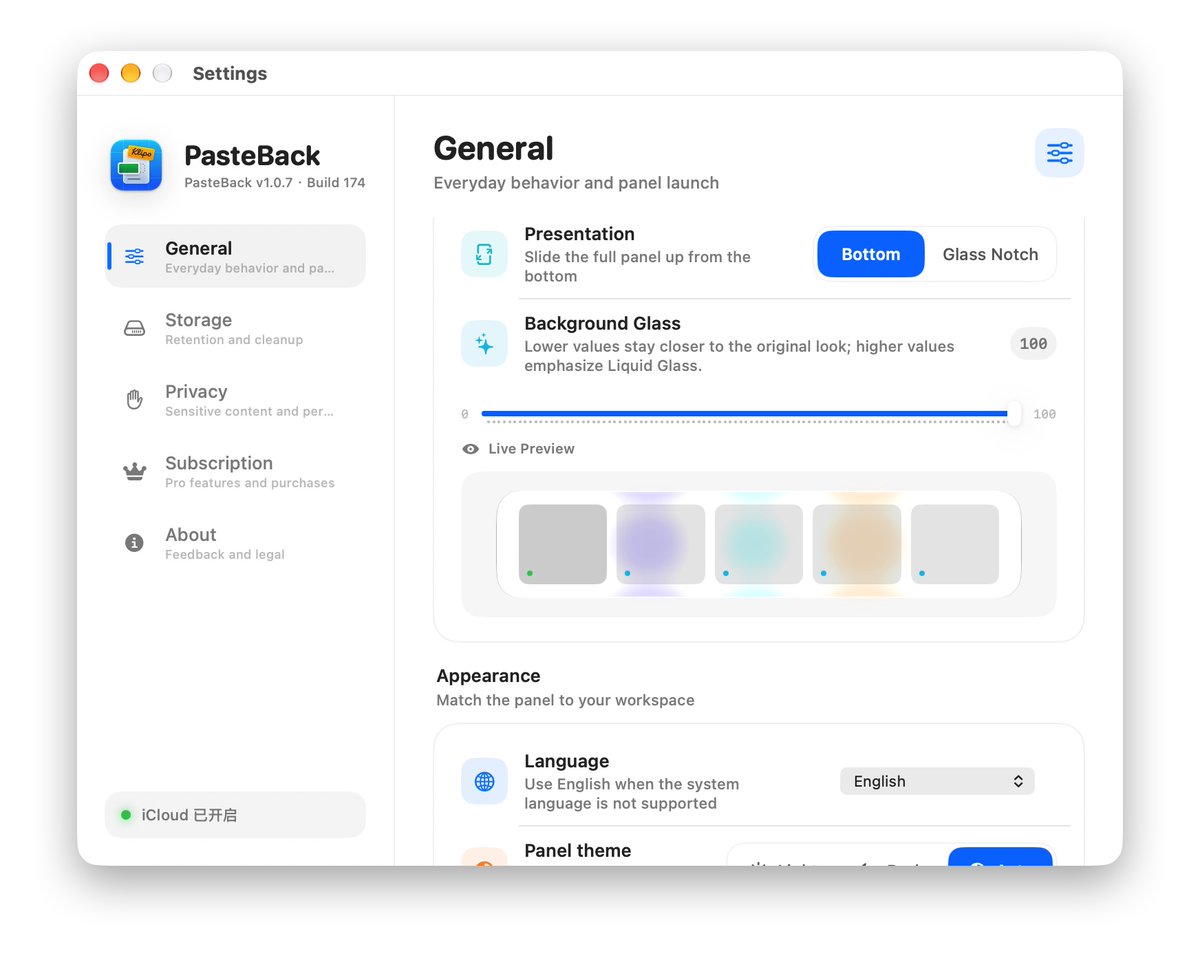
Designing PasteBack around Liquid Glass.
Choose a bottom panel or Glass Notch presentation, tune the glass intensity, and preview the result live.
The goal is simple: clipboard history that feels native to macOS—present when you need it, quiet when you don’t.
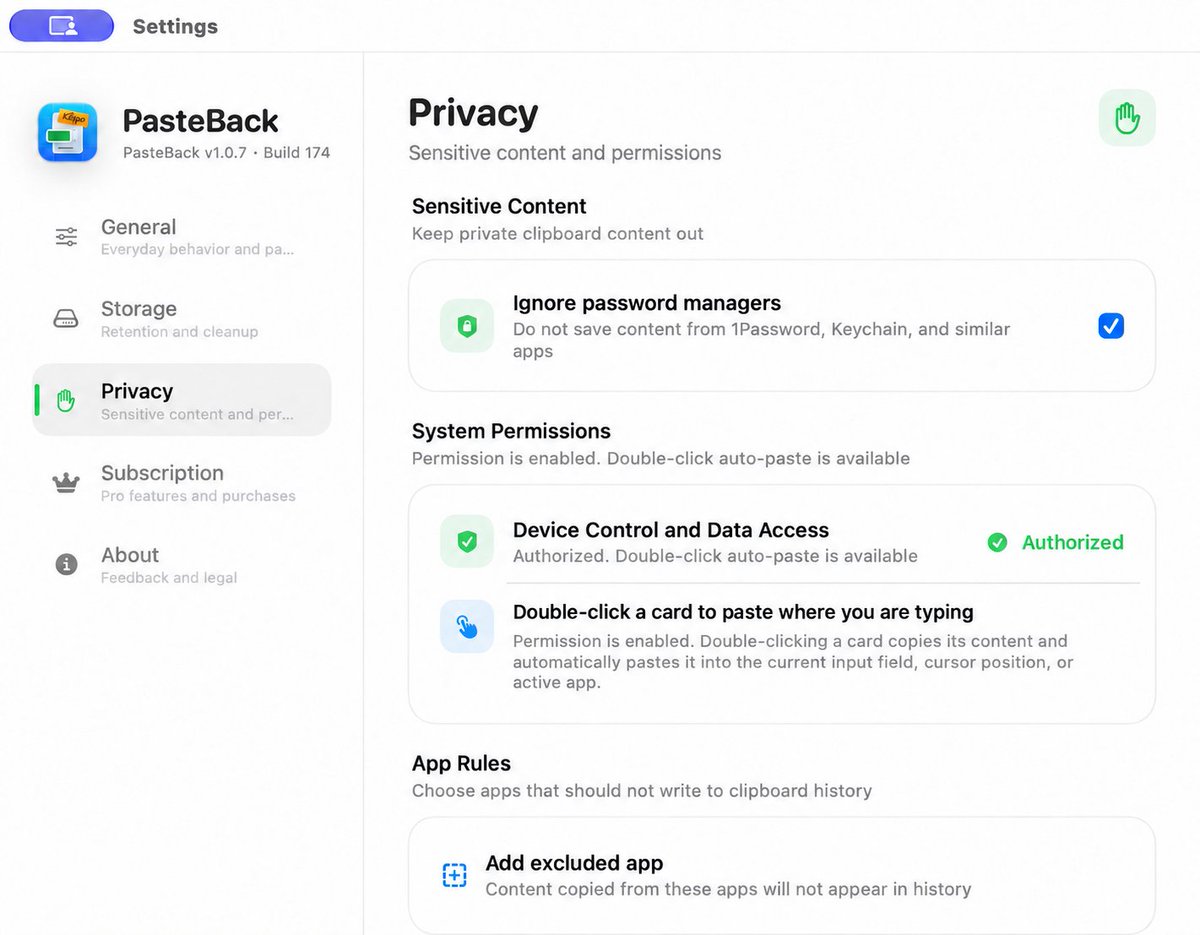
Clipboard history is useful—until it saves something it shouldn’t.
A privacy control we’re building into PasteBack: ignore content copied from password managers, plus per-app exclusions for anything you never want in history.
A clipboard should also know when not to remember.
Klipo is becoming PasteBack.
Same Mac clipboard workflow. A clearer name. A new experience for iPhone and iPad.
The next version is being prepared for App Store review.
Copy once. Keep moving.
https://t.co/SIIUBTMY7v
The new Klipo update is here — redesigned with Liquid Glass. ✨
A more fluid MacBook notch experience, smoother motion, and instant access to your clipboard history, search, and pinboards.
Available now on the Mac App Store.
#Klipo#macOS#LiquidGlass#MacApps
The Mac notch finally does something useful.
Klipo now brings your clipboard into a Liquid Glass-style notch interaction on macOS.
Native-feeling, fluid, and surprisingly satisfying.
#macOS#indiedev#SwiftUI#Klipo
Klipo is now available on the Mac App Store 🎉
A beautifully crafted clipboard manager featuring a Liquid Glass design, fluid interactions, and a unique experience built around the MacBook notch.
Copy anything. Do anything.
Download: https://t.co/lFgk4OSceV
#macOS#indiedev
#buildinpublic#macOS#indiedev I turned the MacBook notch into a clipboard.
Press the shortcut — it slides out from the notch.
Press again — it disappears back in.
This is Clipo. Now on TestFlight 👇https://t.co/QB1vPIMeWI
#indiedev#macos#buildinpublic I turned the MacBook notch into a clipboard.
Press the shortcut — it slides out from the notch.
Press again — it disappears back in.
This is Clipo. Now on TestFlight 👇https://t.co/QB1vPIMeWI
#indiedev#macos#buildinpublic I turned the MacBook notch into a clipboard.
Press the shortcut — it slides out from the notch.
Press again — it disappears back in.
This is Clipo. Now on TestFlight 👇https://t.co/QB1vPIMeWI