System design is basically:
Slow database? Add a cache.
Too many requests? Add a load balancer.
Tasks taking too long? Add a queue.
One server struggling? Add more servers.
Repeated failures? Add retries.
Traffic getting expensive? Add a CDN.
Data getting huge? Add database sharding.
In the coming few years, most engineers will heavily rely on AI to build software. Loops will produce and review code, while engineers will be out of the loop, figuratively and literally.
The final product, which is supposed to be used by humans, is unrecognizable by the engineers who built it. Bugs and performance issues will arise, and the engineers will go back to the loops to fix them.
The loops will fix the bugs but produce more others. Eventually, we will reach a stage where we can’t possibly know what is wrong with the system, because the agent built its own framework, libraries and abstraction that only it understands.
The product will get into a state where no one can read or understand the code and only the loops can fix them.
Loops need tokens, and engineers will have no choice but to shovel them like coal into the Titanic’s boilers.
Very few engineers will be able to understand and troubleshoot systems. Those rare engineers who kept their skills sharp will be in high demand when we reach that state.
By all means use AI but not to an extent it dulls your critical thinking.
@yosikei1210 better idea: we invent a USB drive that exists in a state of quantum superposition, so it only collapses into the "correct" orientation until the exact moment it hits the port
what people dont get about transparent chains is that the lack of privacy is an insanely dangerous network effect if not mitigated ASAP
you might have 10 pseudonymous wallets onchain
now assume that you slipped up just once and leaked information via a CEX or a chat (or even just your friend did and told the CEX a wallet belongs to you. Canada and EU ask for this information)
someone can now link you to those 10 wallets and see everything you've ever done
but what's worse is that they also know all the wallets you have ever interacted with whether friends or other txs
so now there's an entire network of linkage to you AND your counterparties and hence also THEIR counterparties indefinitely into the past and the future
as more people come onchain, such networks exponentially increase in size and there becomes an abundance of information linkage
combine with this the fact that frontier AI models have already shown to do positive analysis on pseudonymous networks and unstructured data and you have a financial system where you can not do anything without being watched
this is even worse than the existing system because i) you have cash, ii) your accounts across different banks, especially across different jurisdictions, would require a ton of paperwork to get permission to (and many jurisdictions won't even allow it)
but in crypto, it's infinitely easier, since they are open networks
the longer that privacy is not enacted with force into crypto, the worse this gets
the time to act is now
If you sit 8 hours a day, one 45-minute workout does not undo it.
Sitting compresses lymphatic flow, reduces glucose uptake, and stiffens arteries.
New rule:
Every hour → 3–5 minutes movement.
Walk. Squat. Hang. Stretch.
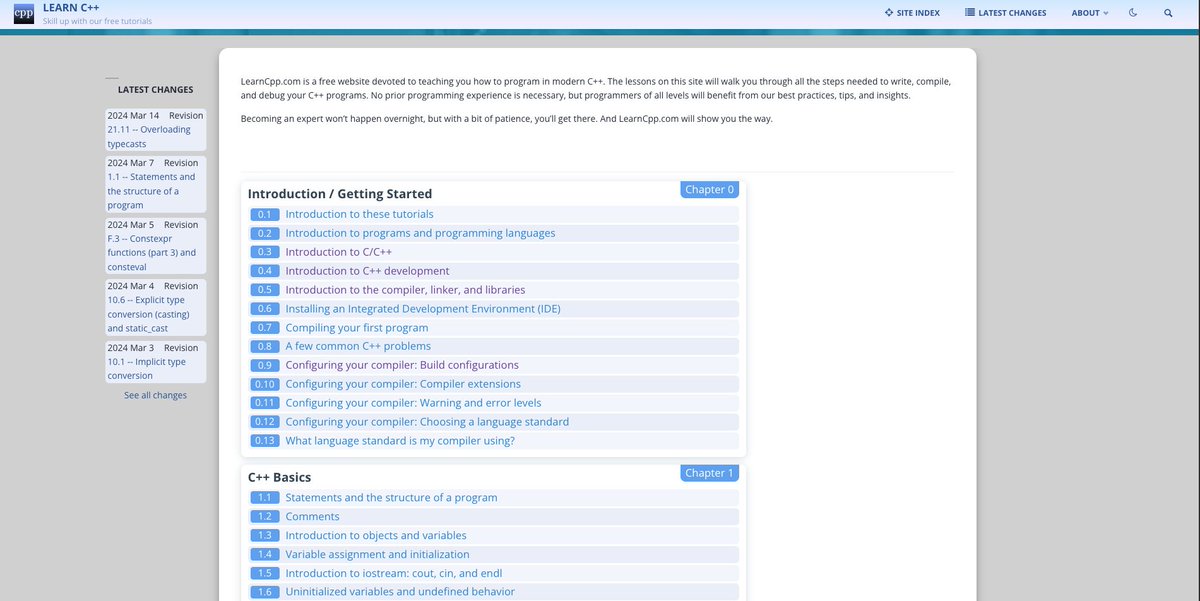
learn.cpp is hands down the best free tutorial for learning C++ from beginner to advanced concepts.
the missing topics can easily be covered by random videos/blogs/books.
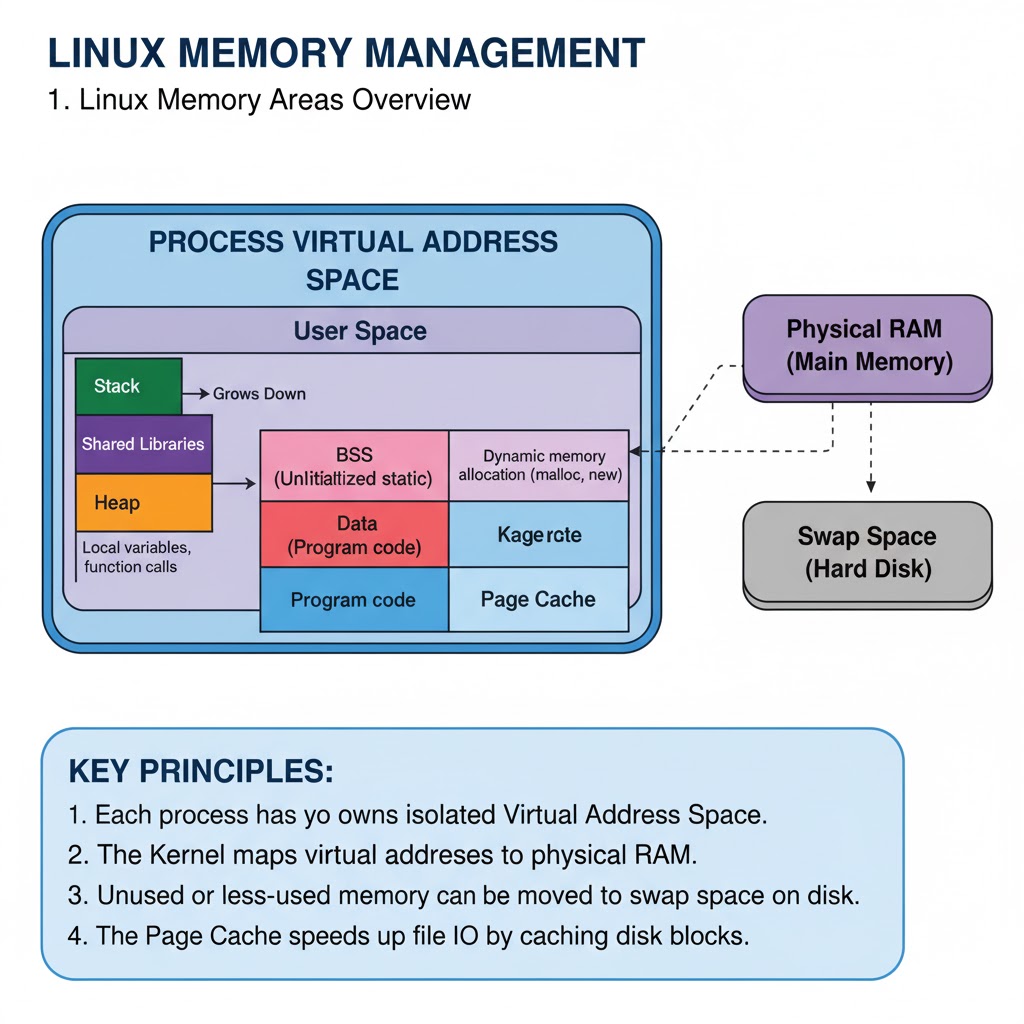
Linux Memory Management
1. Introduction.
→ Linux Memory Management controls how the operating system uses RAM, swap space, and virtual memory.
→ The kernel ensures every process gets the memory it needs while maintaining system stability and performance.
→ Linux uses a virtual memory system that gives each process its own isolated address space.
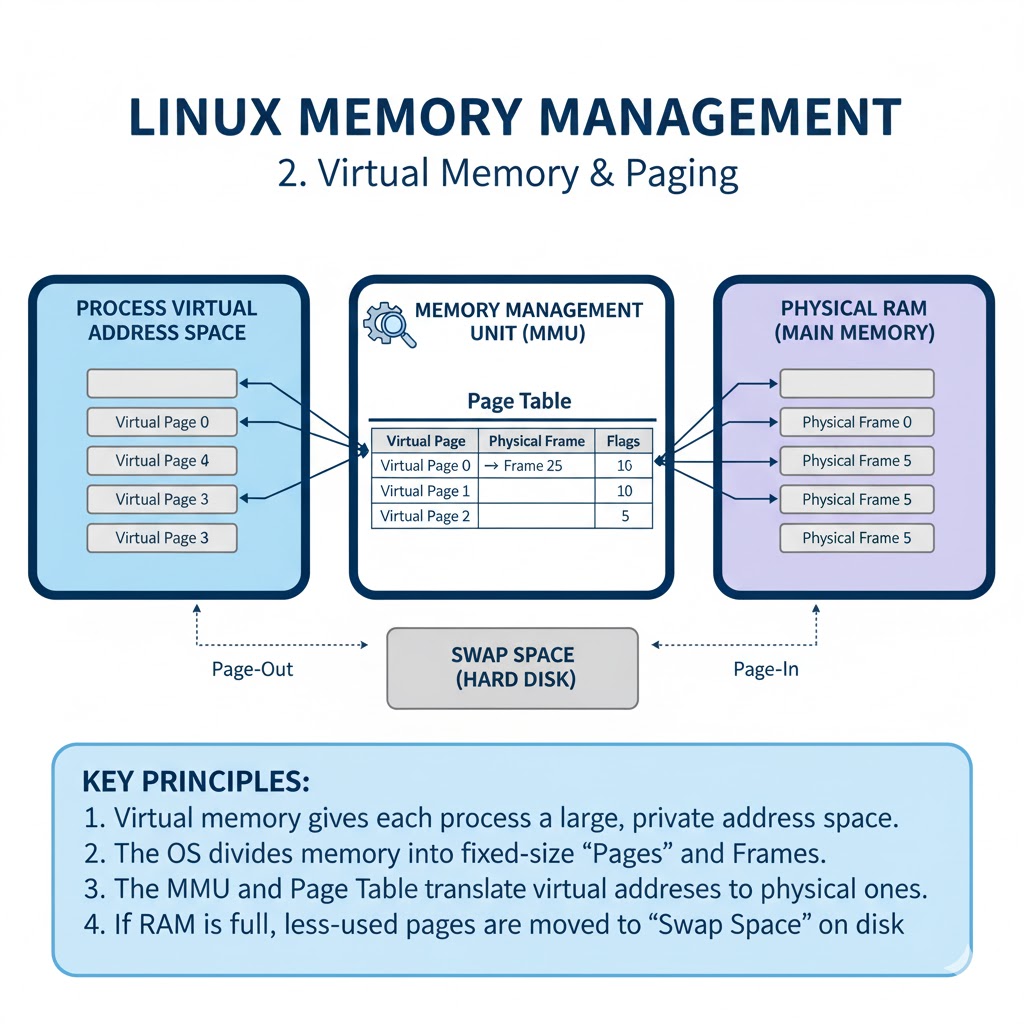
2. Virtual Memory
→ Virtual memory allows processes to act as if they have access to large continuous memory even if physical RAM is smaller.
→ Linux maps virtual memory to physical memory using page tables.
→ Ensures:
→ Isolation between processes
→ Efficient use of RAM
→ Support for large applications
3. Paging
→ Memory is divided into small fixed-size blocks called pages (usually 4 KB).
→ The kernel loads pages of a program into RAM when needed.
→ If RAM is full, unused pages are moved to swap space.
→ Paging improves multitasking efficiency.
4. The Role of the MMU (Memory Management Unit)
→ The MMU is hardware that translates virtual addresses → physical addresses.
→ Stores translations in a cache called the TLB (Translation Lookaside Buffer).
→ Faster memory access depends on efficient MMU and TLB usage.
5. Physical Memory Allocation
→ Linux uses two main allocators:
→ Buddy System – allocates large contiguous blocks of memory.
→ Slab Allocator – allocates memory for kernel objects (inodes, file descriptors).
→ Ensures minimal fragmentation and faster memory allocation.
6. Swap Space
→ Swap is disk space used as an overflow area when physical RAM is full.
→ Pages that are inactive are moved to swap.
→ Helps keep the system running smoothly but is much slower than RAM.
→ Commands:
→ swapon -s — view swap
→ free -h — check swap usage
7. Memory Zones
→ Linux divides physical memory into zones based on hardware constraints:
→ ZONE_DMA — memory used for direct memory access.
→ ZONE_NORMAL — regular memory accessible by the kernel.
→ ZONE_HIGHMEM — high memory not directly mapped by the kernel (32-bit systems).
→ Helps the kernel allocate memory depending on the system architecture.
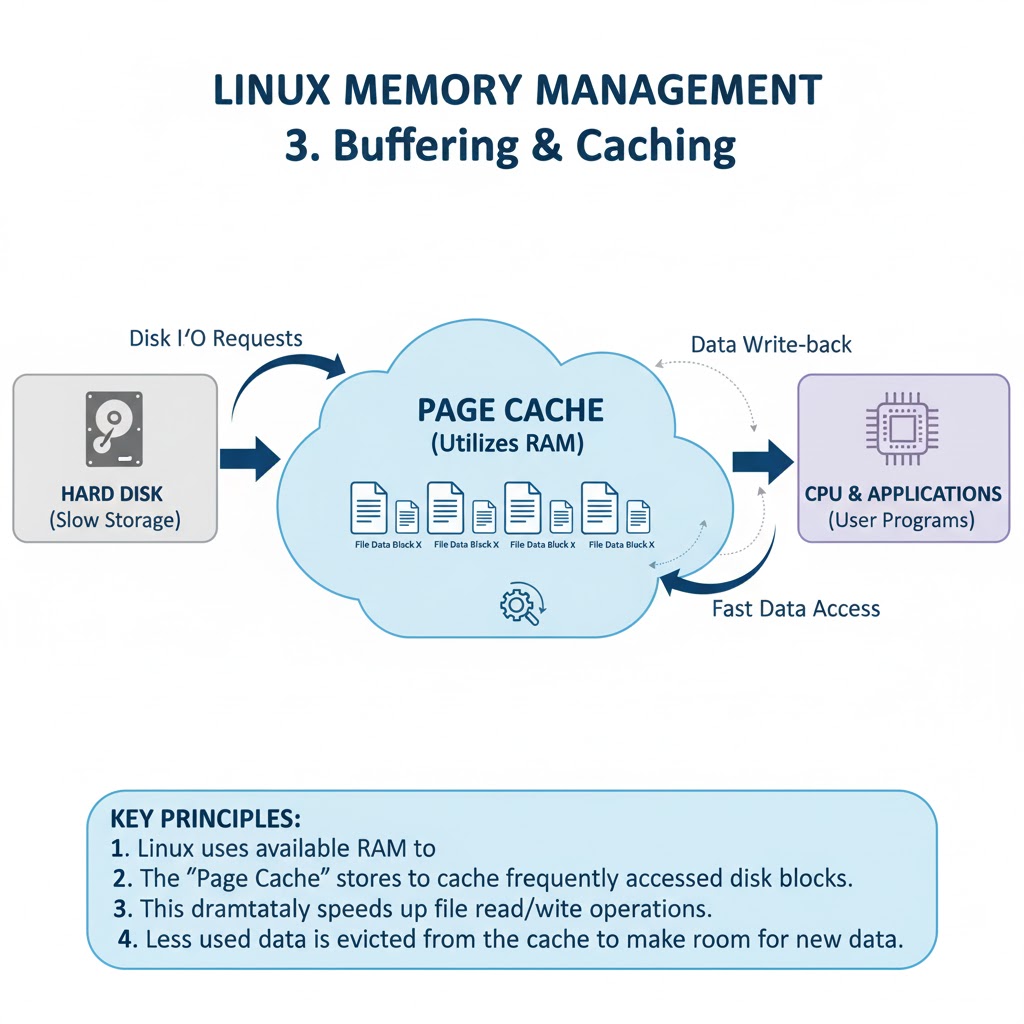
8. Caching and Buffers
→ Linux uses free memory for caching to speed up performance.
→ Types:
→ Page Cache — stores recently accessed files.
→ Buffer Cache — stores metadata for faster disk access.
→ Cached data is released automatically when programs need more memory.
9. OOM Killer (Out-of-Memory Killer)
→ When memory and swap are fully used, Linux invokes the OOM Killer.
→ Selects and terminates memory-heavy processes to free RAM.
→ Prevents the system from freezing.
10. Memory Monitoring Tools
→ Common commands for checking memory usage:
→ free -h — overview of RAM and swap
→ top — real-time usage by processes
→ htop — interactive memory monitor
→ vmstat — virtual memory stats
→ cat /proc/meminfo — detailed memory info
11. /proc Memory Interfaces
→ Linux exposes memory information using the proc filesystem:
→ /proc/meminfo — memory overview
→ /proc/<pid>/maps — process memory layout
→ /proc/<pid>/smaps — detailed usage per memory segment
→ Useful for debugging memory leaks and analyzing process allocation.
12. NUMA (Non-Uniform Memory Access)
→ On multi-CPU servers, memory access time varies by CPU.
→ Linux supports NUMA-aware memory allocation to optimize performance.
→ Ensures processes use memory closest to the CPU running them.
13. Quick tip
→ Linux Memory Management is robust and efficient.
→ Uses virtual memory, paging, and caching to optimize system performance.
→ Ensures fairness, isolation, and stability across all running processes.
→ Understanding memory tools helps in tuning and troubleshooting the system.
✅ Learn More About Linux in This Ebook:
https://t.co/mCaIRlvD0A
Learn x86-64 assembly by writing a GUI from scratch by Philippe Gaultier.
https://t.co/a9Qe1YSVUk
I loved how the blog dives into various aspects of assembly - unraveling one layer at a time.
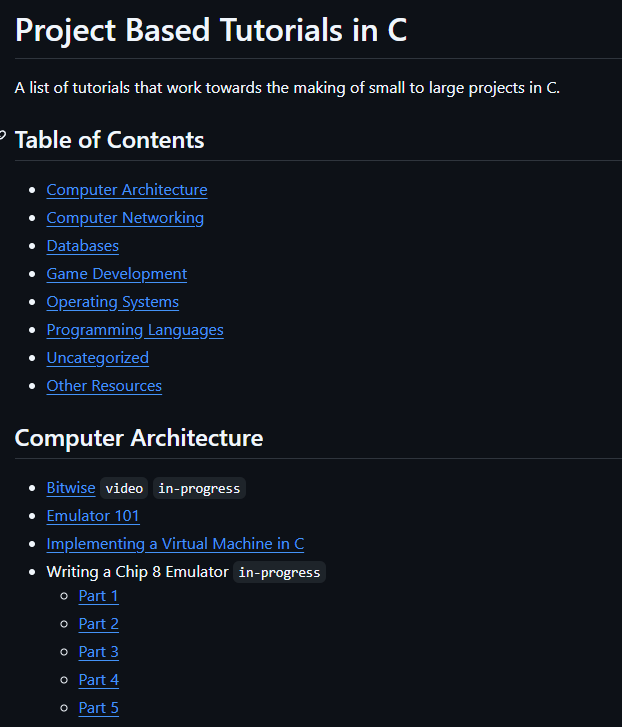
Here's a repo with Project Based Tutorials in C! Pick out any of these projects, implement it, and you will understand C a lot better than if you just follow some online guide!