SideNotes 1.6.1 is also here. Small update, but useful: new option to disable automatic spaces on paste + stability fixes (Launch on Startup, Hot Side behavior, emoji panel closing, bottom bar note count, and a font-related crash)
https://t.co/lJOkvbmgbo
SideNotes Mobile 1.2.1 is now live.
This update brings UI polish and fixes, including setting a Classic Toolbar Layout, improved Pasteboard note behavior, link-only note editing fix, Chinese keyboard font rendering fix, and bottom bar fixes after rotation.
https://t.co/H2X92gExkx
And... SideNotes Mobile 1.2 is here, as well!
New text editor that hides Markdown markup, refreshed iOS 26-style UI, note folding, pinning notes / folders, and more
https://t.co/1vKTqpwego
SideNotes 1.6 for macOS is out!
Biggest changes: Note Folding, Pinning notes/folders, redesigned Settings, Quick Formatting Toolbar, Underline + Horizontal Separator, and lots of other new features & improvements.
Full release notes: https://t.co/073PuAhlV8
License Store 1.1 is out. You can now import licenses from JSON and CSV, making it easier to move data from spreadsheets and from other apps that can export in those formats
https://t.co/ZHcN3S8qCm
It also supports iCloud sync, automatic local backups, app importing, attachments like invoices, and export to JSON, CSV, or License File (.ls).
30-day trial on our website + App Store.
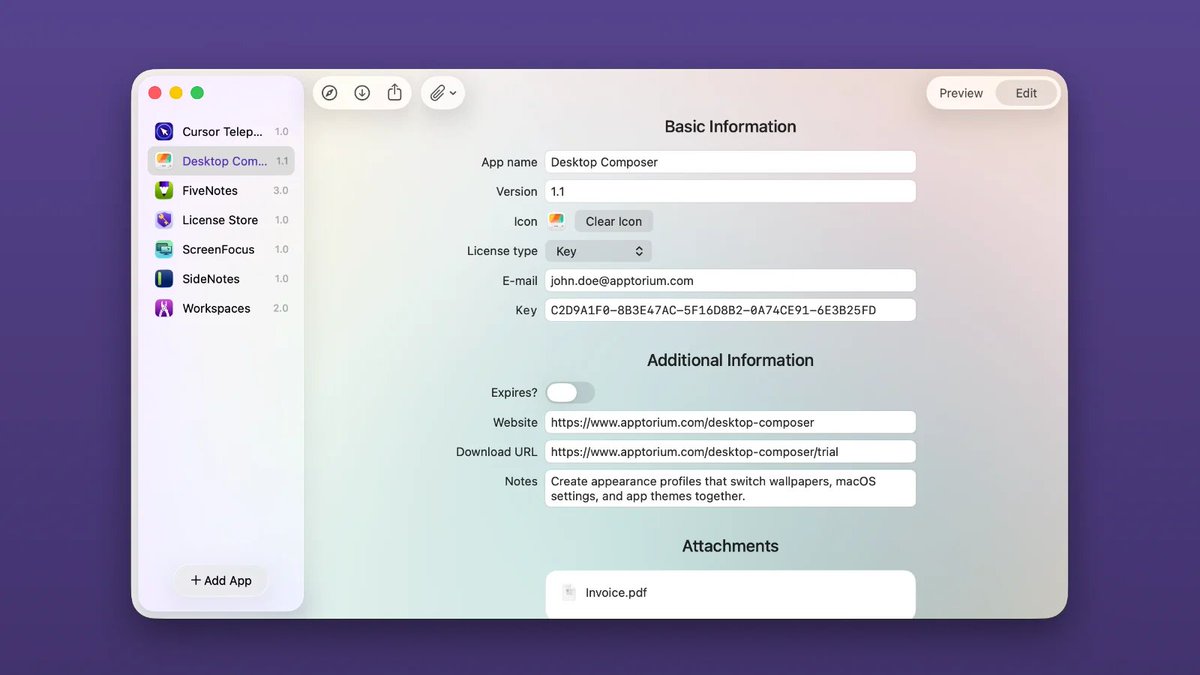
Meet License Store!
It’s a new macOS app for keeping app licenses, license files, invoices, download links, notes together in one place.
https://t.co/Gz487WFmQ0
We spent a lot of time on the interface.
License Store has separate Preview and Edit views, and the background adapts to the colors of the selected app icon, so it feels more alive and less like a generic database.
SideNotes 1.6 Beta is getting really close.
Just added note folding: double-click the bottom bar (or use a shortcut) and the note collapses to a single line. Click again and it’s back.
You can also fold/unfold all notes at once
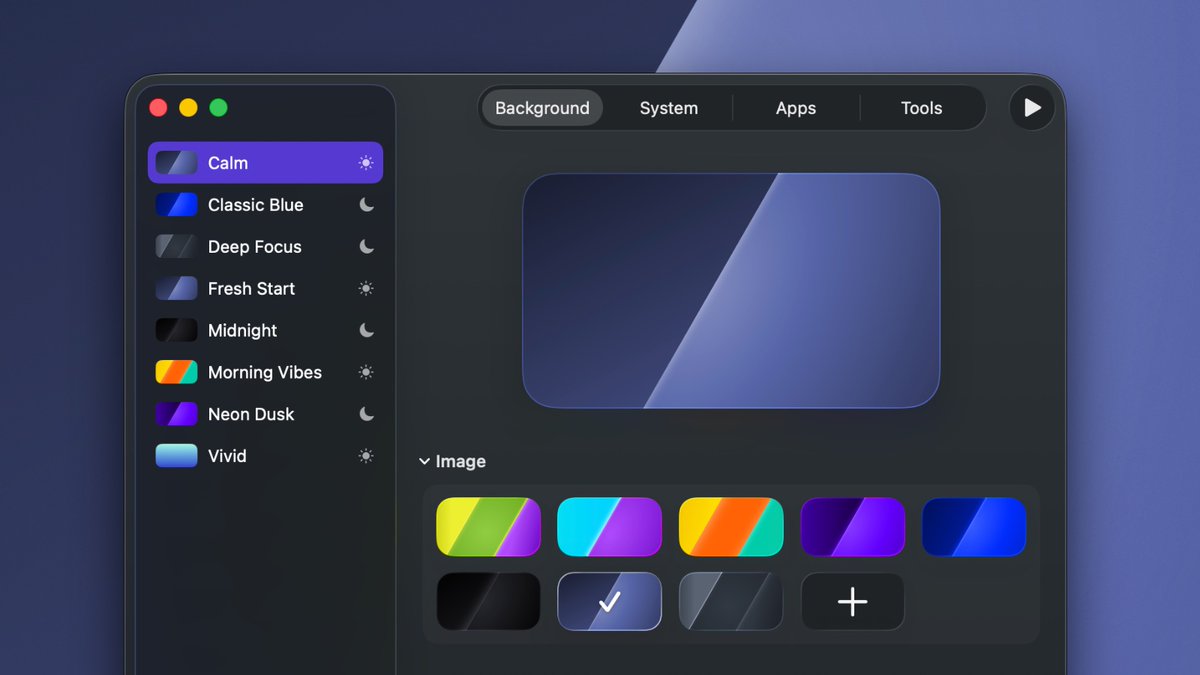
Desktop Composer 1.0 is out 🎉
Create appearance profiles (wallpaper, system settings, app themes) and switch your Mac’s look in one click
https://t.co/FUK9GygrEl
New app is here! It’s called LiquidFetch and it’s a yet another *fetch. But this time, it comes with a graphical interface.
Get it for free: https://t.co/Cab16Tv0kJ