This command works as follows:
1. `git branch lists` all the local branches in your Git repository.
2. `grep -v "master"` filters out the master branch from the list.
3. `xargs git branch -D` takes the filtered branch names and deletes them using the `git branch -D` command.
Just had a 'branch' new perspective on life! 🌿📷 Deleted all my Git branches except 'master' like a coding ninja! My repo is cleaner than ever, and my programming game just leveled up! Git(good)-bye clutter, hello streamlined success! 📷#LifeHack#GitGuru#CodeMaster
I got one Xbox series X!!! It was pretty easy, my strategy was simple.... hope for a miracle... and after 1 hour of trying... miracles do happen 😂 ... I’m a believer 😎🎮 #XboxSeriesX
@EmmaBostian you really crushed it with your book, this is by far one of the best resources I’ve seen out there on the subject, thank you so much for taking the time and producing such an amazing winner! It’s easy to understand and to relate to. Great job! You rock!
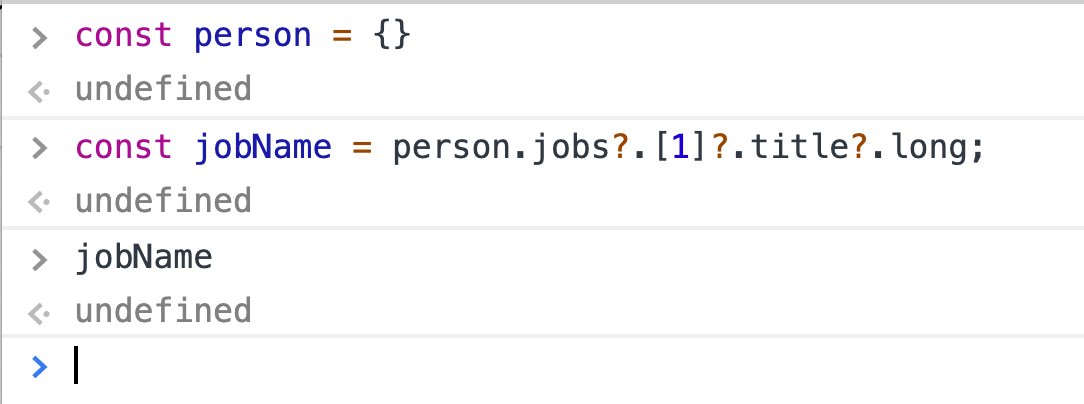
🔥 Optional Chaining (deep property checking) is now in Chrome, Firefox and babel-preset-env 7.8.0.
This is a huge improvement in checking if nested properties exist!
I have been avoiding formatting my laptop for so long just because I forgot all the steps to get my machine development ready... well not anymore, thanks @taniarascia this is awesome! https://t.co/Q4RlvORwsV