🆕 Clearer View of Asset Flows on #Aptoscan with New Filter Added
You can now easily separate inflow and outflow transactions in the Balance Changes tab. Available on Account and Coin/Fungible Asset pages.
Small but practical update to track asset flows clearly and efficiently.
4/ You can explore the DeFi Dashboard right from the Defi section in our homepage or directly from this link 👉 https://t.co/xAbzpOeCLs
For DeFi protocols interested in being featured, kindly reach out to us via DM.
🆕 Introducing the new DeFi section on Aptoscan
We’re taking Defi analytics to the next level! With meticulous parsing and indexing, we have aggregated data from 8 major Defi platforms to bring you comprehensive, real-time dashboards.
Here’s what you can track 👇
3/ Transaction Details: Simplified Insights
The Main Action in the Transaction Details page will help break down raw data into clear and easy-to-understand actions.
Warmode this year. Let's start with Day 1 of Aptos related material.
Let's get you started on Aptos.
Want to explore the transactions? Check out
https://t.co/dmoq5t4Oeg
https://t.co/mtyds88V3j
https://t.co/MptOn00zh9
With this, you can query all on-chain information of any fungible assets on Aptos.
You can access this endpoint from the Fungible Asset’s endpoints category or directly from this link 👇
https://t.co/KR8EKFElNm
Thank you for using Aptoscan!
Kicking off 2025 with a new addition to our API package! Introducing:
#Aptoscan New API Endpoint: fungible_assets/{address}
This endpoint will be free to use and hasn’t been available elsewhere.
Wishing you a fantastic New Year from all of us at Aptoscan!
Looking ahead into 2025, we're excited and committed to being more engaged and focused on creating amazing things with you.
Thank you for being part of our community—let's make this year unforgettable! 🚀✨
One last update before year-end.
🆕 Feature: #Aptoscan Address Highlighting
Do you notice when you are hovering over an address, the same addresses on the given page are also highlighted?
This new feature will be practical to find other txs involving the same address quickly.
🚨 An upgrade to the CSV Export function on #Aptoscan
Instead of manually sorting out your exported data, you can apply all the filters on UI, hit the Export function and retrieve that specific set!
This will help narrow down the tx feed as a pre-measure. Here’s an example 👇
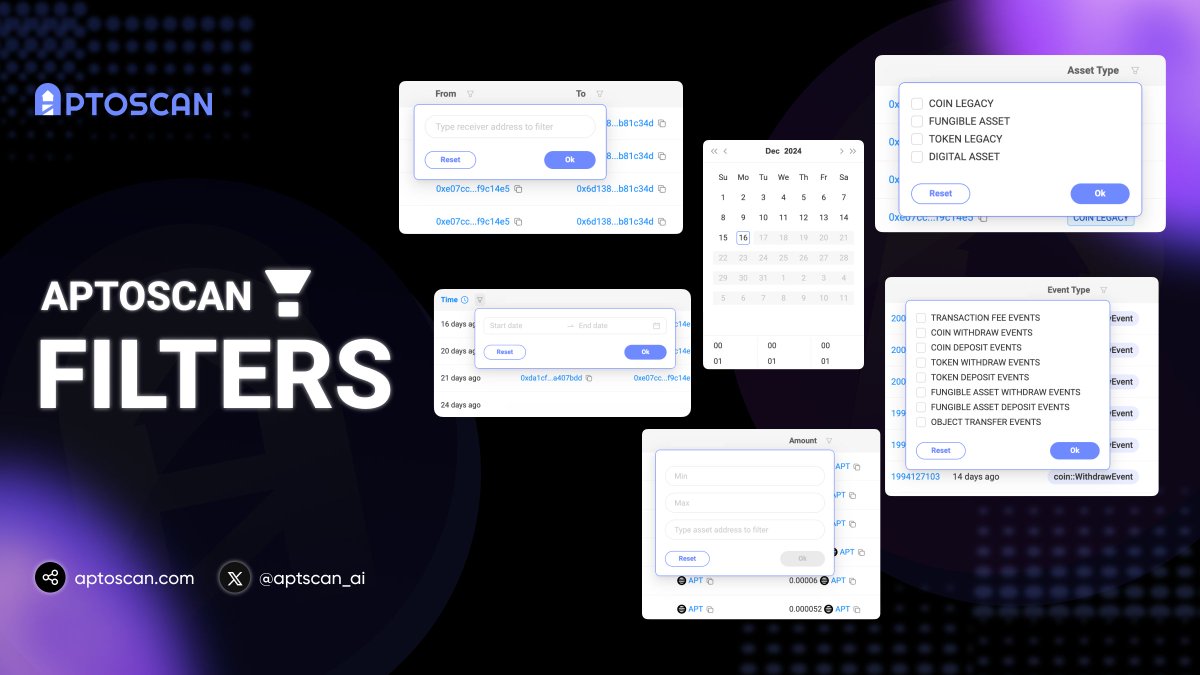
Introducing a Powerful Addition to #Aptoscan: Column Filters 🔍
Look at the compact filter icon next to the column header and take note. It will become one of your most used features.
Let’s dive into some important filters on Aptoscan and see what you can do with them!
5/ Basically, every activities tab will have a set of different filters that will help you dig into the history of an account.
Give it a try and let us know your thoughts on this new addition! 🤗
Introducing a Powerful Addition to #Aptoscan: Column Filters 🔍
Look at the compact filter icon next to the column header and take note. It will become one of your most used features.
Let’s dive into some important filters on Aptoscan and see what you can do with them!
4/ Asset & Amount Filters
If you want to easily and quickly check a wallet’s activities of a specific token, paste the token address in the Asset filter.
Even better, you can advance to the Amount filter to filter transactions of a specific token by value range!