Ever wondered if you can get your documents typed in an orderly manner to suit your taste while you leverage the time to focus on other important tasks?
Aro-Global Services gat you covered to help modify & refine them into a more appealing output in the quickest time possible.
I have always told you this:
You are the determining factor.
Nothing moves except you do.
If you stay under the covers, no one will find you.
If you step out, you'll find out it wasn't that bad after all.
If you don't try, you won’t know.
I have also told you time and time again that the best of the best are winging it.
They are showing up to their crafts with pains and all, hoping that one day, by a stroke of luck, they'll win.
Nobody can say with 100% certainty that they have every single thing figured out.
There will always be a chase, imperfections, and days of pain & hurt, but ultimately, all will work out.
So, take a seat in the front row.
Give yourself a chance.
Invest in yourself and watch how the universe makes space for you.
Make Sense?
Go and be fantastic today.
5 Websites to get Data Sets for your Projects.
1. KAGGLE: https://t.co/km0QvgkZEU
2. United Kingdom Gov Datasets https://t.co/WxDxBnMrYe
3. By Paper With Code Datasets: https://t.co/PEMN3faXUT
4. Data World: https://t.co/gR1EBOOqFU
Please learn these Tech skills
Please learn a Tech skill
Please learn a Tech skill
Please learn a Tech skill
I don’t have any scholarship offers available for you right now🥹 but take this YouTube resource & Start
👉🏽 https://t.co/R8yLl3izUu
We’ll help you market it. Start!
Locked-in for 2 hours per day for the remaining days of 2025 will give you an amazing 2026
Let’s say you choose to learn data analytics, then potential study hours may include:
✅ Week 1–4: Excel for Data Analysis (Days 1–30)
Key Areas: Basics, Functions, Pivot Tables, Data Cleaning, Dashboards
✅ Week 1: Excel Basics & Formulas (Days 1–7)
✅ Day 1–2: Introduction to Excel, navigation, shortcuts.
✅ Day 3–4: Data entry, formatting, data types.
✅ Day 5–6: Basic formulas: SUM, AVERAGE, COUNT, MIN, MAX.
✅ Day 7: Conditional formulas: IF, AND, OR.
✅ Week 2: Advanced Functions (Days 8–14)
✅ Day 8–9: Text functions: CONCATENATE, LEFT, RIGHT, TEXT.
✅ Day 10: Lookup: VLOOKUP, HLOOKUP.
✅ Day 11–12: Data validation, conditional formatting.
✅ Day 13–14: INDEX & MATCH, Dynamic Named Ranges.
✅ Week 3: Data Cleaning & Pivot Tables (Days 15–21
✅ 15–16: Cleaning: remove duplicates, missing values.
✅ Day 17–18: Creating Pivot Tables.
✅ Day 19–20: Pivot Table calculations & summaries.
✅ Day 21: Pivot Charts & Slicers.
✅ Week 4: Excel Visualization (Days 22–30)
✅ Day 22–23: Basic charts: Line, Bar, Pie.
✅ Day 24–25: Advanced charts: ✅ Histogram, Waterfall, Combo.
✅ Day 26–27: Sparklines, conditional formatting visuals.
✅ Day 28–30: Build a mini Excel dashboard project.
✅ Portfolio Task (End of Week 4): Create an Excel dashboard showing sales trends, customer demographics, and top products from a sample dataset (Kaggle).
Week 5–8: SQL for Data Analysis (Days 31–60)
Key Areas: SQL Basics, Joins, Aggregation, Subqueries, Optimization
Week 5: SQL Basics (Days 31–37)
Day 31–32: What is SQL? DB structure.
Day 33–34: SELECT, WHERE, ORDER BY.
Day 35–36: Filtering with LIKE, IN, BETWEEN.
Day 37: Aliases & Sorting.
Week 6: Intermediate SQL (Days 38–44)
Day 38–39: INNER/LEFT/RIGHT/FULL JOIN.
Day 40–41: Aggregations: SUM, COUNT, AVG, GROUP BY.
Day 42–43: HAVING with aggregation.
Day 44: UNION, INTERSECT, EXCEPT.
Week 7: Advanced SQL (Days 45–51)
Day 45–46: Subqueries (single & multi-row).
Day 47–48: Correlated & nested queries.
Day 49: CTEs (WITH).
Day 50–51: Window functions: ROW_NUMBER, RANK, PARTITION BY.
Week 8: Databases in Practice (Days 52–60)
Day 52–53: Database design & normalization.
Day 54–55: Indexing for performance.
Day 56–57: Import/export data (CSV → SQL).
Day 58–60: CRUD operations (Create, Read, Update, Delete).
📌 Portfolio Task (End of Week 8): Analyze a company’s sales database with SQL
e.g., "Find top 5 customers by revenue," "Monthly revenue growth," "Churned customers." Publish queries & results.
✅ Week 9–11: Power BI for Data Visualization (Days 61–81)
Key Areas: Power BI Basics, Data Modeling, DAX
✅ Week 9: Power BI Basics (Days 61–67)
✅ Day 61–62: Install Power BI, interface tour.
✅ Day 63–64: Import data (Excel, SQL).
✅ Day 65–66: Power Query for cleaning.
✅ Day 67: Simple visuals (bar, line, pie).
✅ Week 10: Data Modeling (Days 68–74)
✅ Day 68–69: Relationships between tables.
✅ Day 70: Calculated columns & measures.
✅ Day 71–72: Time intelligence: YTD, QTD.
✅ Day 73–74: Drill-downs, hierarchies.
Week 11: DAX (Days 75–81)
✅ Day 75–76: SUMX, COUNTX.
✅ Day 77–78: CALCULATE, FILTER, ALL.
✅ Day 79–80: DATEADD, PREVIOUSMONTH.
✅ Day 81: Conditional logic in DAX.
📌 Portfolio Task : Build a Power BI interactive dashboard (e.g., sales performance report) and publish it on Power BI Service.
✅ Week 12 (Days 82–88): Capstone Project
Choose a dataset (finance, retail or healthcare).
✅ Day 82–83: Data Cleaning (Excel/Power Query).
✅ Day 84–85: SQL Queries & Insights.
✅ Day 86–87: Build Power BI Dashboard.
✅ Day 88: Document & publish your project on GitHub/LinkedIn.
Final Days (Day 89–93): Career Prep
Resume & LinkedIn tailored for Data Analytics.
If you want to learn from those doing data analytics in different fields like baking, Healthcare, Finance & FMCG, then I recommend @Evolve__HQ . They are currently accepting new students and you can sign up here https://t.co/W2zY3ARok3
We just launched 🚀
RescueFi helps you move tokens out of compromised wallets — even if sweeper bots are waiting.
Now live on Ethereum, Base, Arbitrum, Optimism & BNB.
Check it out on product hunt. Feedbacks are welcome. ❤️
🔗 https://t.co/MDtRTmM3te
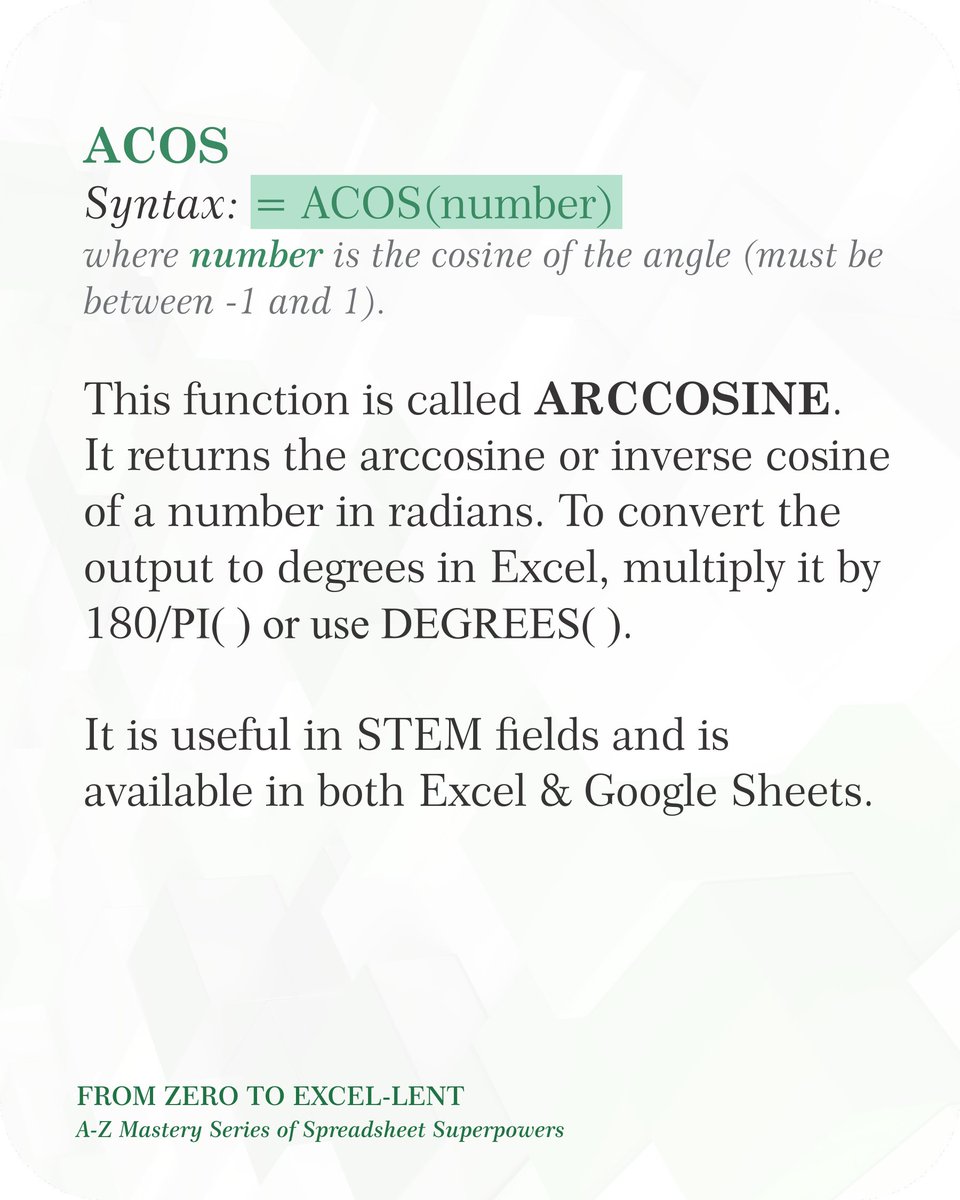
If you been looking for tutorials to help you learn and understand Excel Functions. Check out these YouTube videos.
Highly recommended. Retweet for others 🧵
📍Freelancers, here’s one small but mighty LinkedIn feature you’re probably underusing 📍
“What feature?” you ask.🗓️
It’s the “Open to Work” setting, not the green banner everyone sees, but the one quietly working behind the scenes.
🛣️ This feature allows you to signal to recruiters (especially those using LinkedIn Recruiter, a premium tool) that you're open to opportunities, even if you're not shouting it from the rooftops.
Why should this matter to freelancers?
🔍 Many hiring managers and clients filter candidates by location. If your profile isn’t marked as "open to work" in a specific location, you might not even show up in their searches even if you're a perfect fit.
📍 For example, a Nigerian freelancer can list the US, UK, Canada, or Australia as preferred locations. If you don’t set this, you’re effectively invisible in those markets.
Follow these steps to activate the feature:
➡️ Go to your LinkedIn profile and click the “Open to” button.
➡️Choose “Finding a job.”
➡️Under “Location preferences,” add cities or regions you’d be open to. You can even list broad regions like Europe or EMEA.
➡️Want remote roles too? There’s a toggle for that.
➡️If you don’t want to go public with your job search, choose the option that hides this from your network. It will only be visible to recruiters
💡 This takes just 2 minutes but can change your visibility dramatically.
I challenge you to do it before you sleep tonight. Challenge accepted?
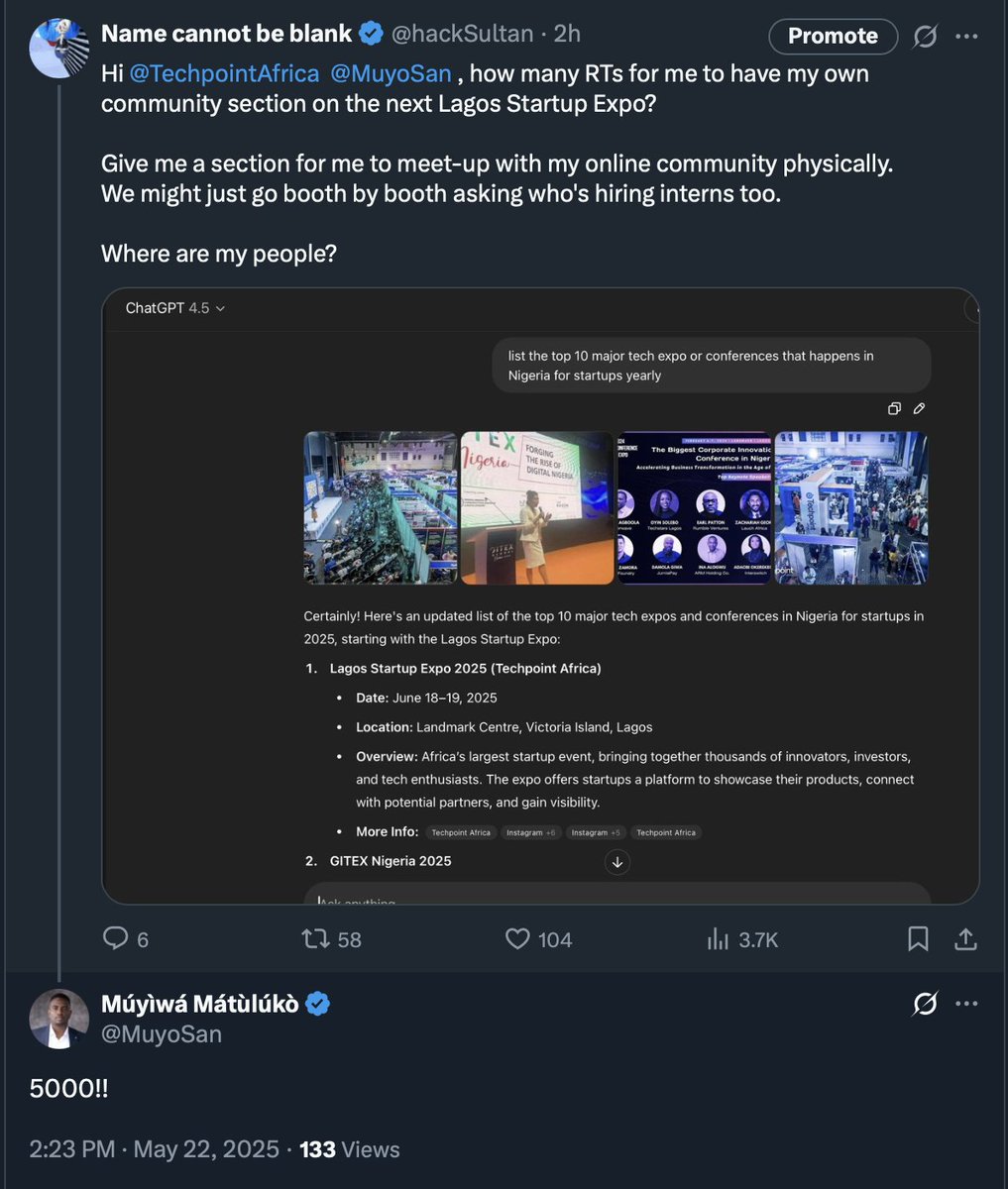
For 5k RT on this tweet, @TechpointAfrica will create a community section on the upcoming Lagos Startup Expo coming up in June. #500Interns
I'll use this to speak to alot of companies to hire interns.
kindly RT let's get this done.#lagosstartupexpo25
https://t.co/avPuoxD77Z
Death could not hold Him
The veil tore before Him
He silenced the boast, of sin and grave
The heavens are roaring the praise of His glory
For He's raised to life again
...
Happy Easter Fam🎉
A reminder that any student in Nigeria attempting the WASSCE, UTME or SAT exams in 2025 has no reason to perform poorly as long as they use this platform to practise and learn: https://t.co/0tbmFjDhN8.
With enough practice, good performance on the exams is guaranteed. Best of all, it is completely free to access for everyone.
If you're a school administrator and you're not using it yet, then what are you doing?