Explored GSAP basics & built this fun landing page! 🎭 Added smooth scrolling with Locomotive—still learning, but with some help from the internet, got it working with GSAP.
LIVE: https://t.co/RUsBW5hZyt
Code: https://t.co/ncfpkKCfN3
#WebDev#100DaysOfCode
Here's the link to the code :
Added a little JavaScript to maintain an active state on icons—because a touch of customization always makes it better!
https://t.co/BSgXWXMede
#100DaysOfCode#javascript#FrontEnd#developers
🎯 Setting a goal to complete the W3Schools 'How To' section! Building strong foundations is key. Starting with an icon bar project. https://t.co/ZKYmS5SnbJ 💪 #WebDev#100DaysOfCode#LearningJourney#javascript
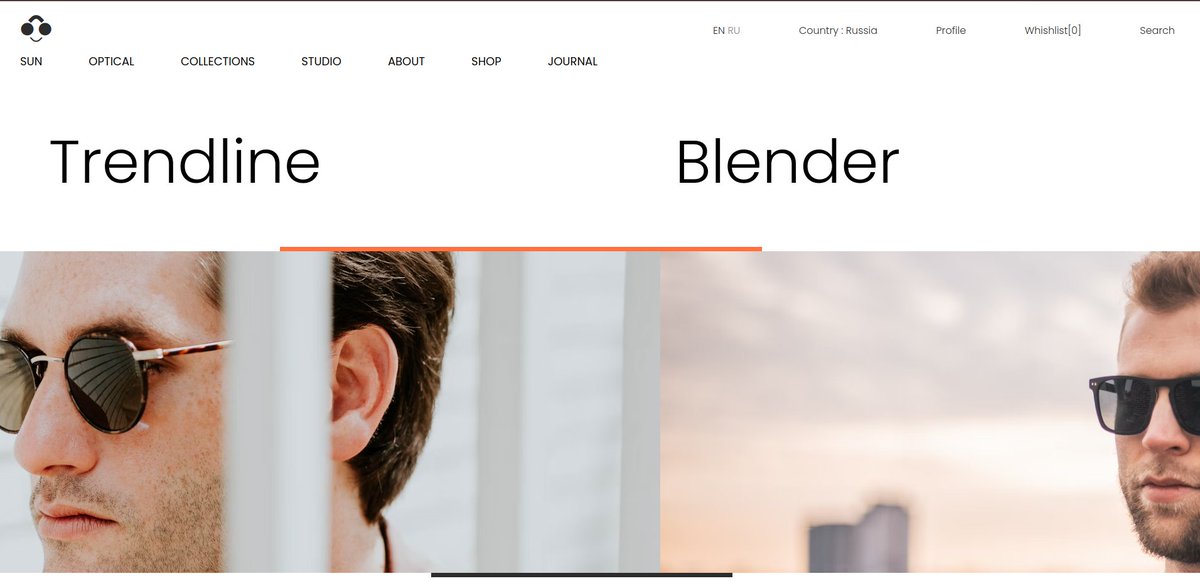
Cloned the design of https://t.co/d7Hp5ICTa5. All the previously learned concepts helped in building the project.
You can take a look at :
https://t.co/1baTfUXjuc
Code:
https://t.co/o8mxYgRq01
🧵 Just finished transforming another design into code! Built a fashion site with custom scrollbars and smooth animations. Here’s what I learned about creating a visually cohesive experience. #WebDev#CSS#100DaysOfCode
Integrated the custom scrollbar I previously created and added media queries for responsiveness. Used 'vw' and '%' units to ensure the design adapts seamlessly across different screen sizes.
Building this scrollable, stylish page taught me a lot about efficient layout structure, responsive scaling, and how small adjustments in CSS can make a huge difference in the final result. 🚀#Frontend#100DaysOfCode#CSS#HTML
🧵 Built a new project with scrollable items and custom-styled scrollbars! Here's what I learned about structuring, styling, and creating a smooth scroll experience. #WebDev#100DaysOfCode#CSS#HTML
5️⃣ Fine-Tuning with Flex-Shrink: Learned the power of flex-shrink: 0 to prevent scrollable elements from shrinking within flex containers. This kept images and other elements fully visible and proportional, especially in responsive layouts.
Cloned another design, learning to break down each element for structured styling. Mastered % units in parent-child elements and added icons via CDN links, styling them for a polished look. Used unsplash to get the images. It’s all in the details!#100DaysOfCode#WebDev#Frontend
Cloned an online store's webpage to practice Flexbox! 🎨 Learned the power of absolute positioning for precisely placing elements like product buttons and descriptions. Structuring in increments really helped with debugging and cleaner design. 💻 #100DaysOfCode#WebDev#Frontend
Learning basics! 🚀 Experimented with grid-template-areas for structured layouts and recreated the same with Flexbox to understand layout flexibility. Practiced absolute positioning and making designs responsive using media queries, vw, and %. #100DaysOfCode#WebDev#Frontend