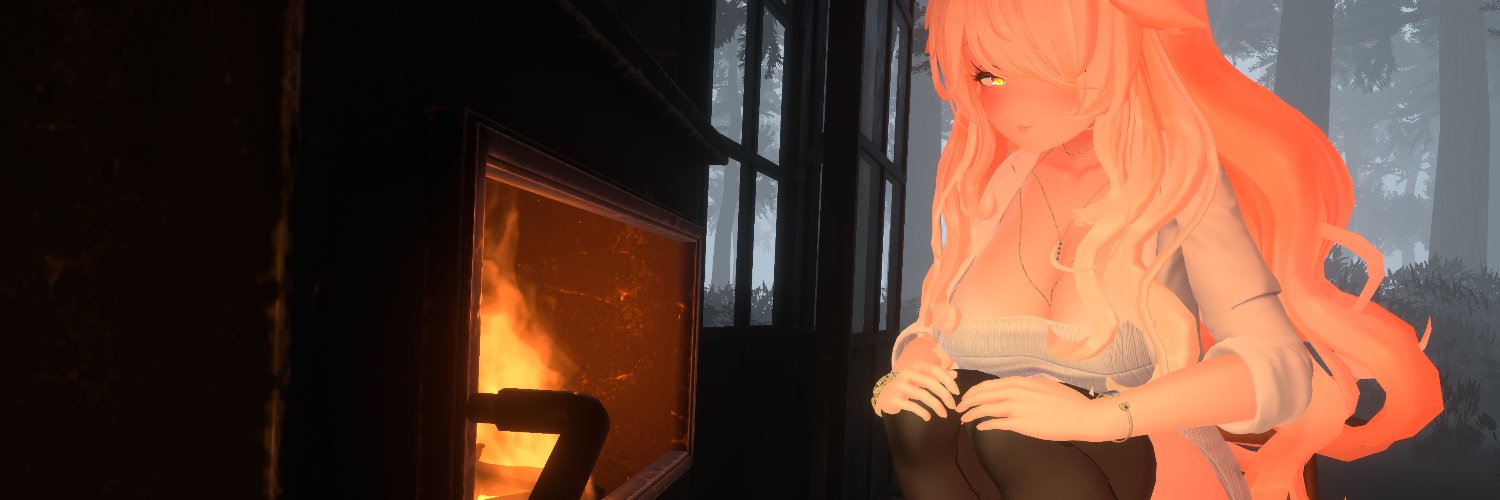
Right now everyone is talking about switching from LilToon to Poiyomi Pro only because it has SSAO, Contact Shadows or Squish but you don’t even realize how many amazing features this shader has that you probably don’t know about.
You just need to explore all the sections and let your creativity run free.
For example at this video (Use full screen for better immersion) you can see an effect from Poiyomi Toon called "Wind/Flag" in the "Basics & Fun" section. Who would’ve thought that something that seems completely silly and that no one would even want to touch could be used to create such a beautiful wind-blown hair effect? Exactly ;3
#Poiyomi #Unity #VRChat #Milltina3D #selestia3d
It's for that rather pointless content filtering system in VRChat where you can choose what types of content you don't want to see.
For example, if you don't want to see horror or gore content, you can simply enable the filter and it will be hidden from you.
It was also supposed to help with underage users. The idea was that if you're under 18, certain content options are permanently restricted and can't be turned off.
The problem is that kids just enter a fake age when creating their accounts. ;p
That was happening back in the 2000s, and honestly, nothing has changed since then. xD
VRChat moderation moment xDDDD
Imagine banning the person who created the biggest shader in VRChat, the shader that the vast majority of the community has been using for years, packed with incredible features that no other shader can really match.
Honestly, Poiyomi should have received some kind of award from VRChat a long time ago for everything they've contributed to the community. Instead, they get banned. ;ppp
Pretty sad, honestly.
About sync if you want to emulate this correctly in unity, you can use AV3Emulator instead of GestureEmulator (They can be both in this same project, then you will still get radial menu in AV3Emulator, they working in combo)
AV3Emulator have option to spawn remote player and look into values in Unity by simply clicking on clone.
About other hard questions its good to ask on VRLabs Discord, they can tell you everything about animators.
If you don't want to talk then still they have nice website where is a lot of informations:
https://t.co/F0MCvkfsco
Motion time is normalized then if you drop two animations, one 60 frames and second 140frames, he will try to make 60 frames animation as 140frames. Its just good to not adding motion animations to blendtree or they must have this same value of frames.
Second option if you want to make some fake motions like disolve, you can make two animations and add smoothing to them (like this what we using for smoothing eyes across network), with this trick you can make working discolve in motion but this have some problem. (FPS!!!) If someone will get more FPS then animation will be faster but for lower FPS will be slower. There is no good solution i think. Im using motions in Blend trees but like i said they all have this same framerate and they are in small Blendtrees.
For ints you need to take 1/127 formule. I mean if you sync parameters they are sync in 0-1 but in intervals done by 128. In short if you have 128 positions, you doesn't need to use int in true, you can still use float but with premade number from 0-1.
I will write this like this:
If you trying to make int for 0, 1, 2, you can use 0, 0.5 and 1 but there we have problem, because you can't use 0.5 because this will be wrong sync across network. Now you need to make fast calculation by taking 1/127 and you will get 0,007874.
Now take 0,007874*63 or 64, because you want to get half of it and for 63 you will get 0,496062, this is your value for 0.5 to use in blend tree.
You wanted Airi? Here she is~ ;333 All regulars and newcomers are welcome to check out my booth ;D
Airiが欲しかったんだよね? ほら、Airiだよ〜;333 常連さんも新規のお客様も、ぜひ私のブース覗いてみてね!;D
https://t.co/WIfheDGalK
#AstraeaSoftworks#VRC#VRChat#BOOTH#Airi_3D #愛莉
You asked a lot for Shinano, so here she is :D
She has just joined the Dreamy Omanko lineup, so feel free to check out my shop :333
シナノをたくさんリクエストいただいたので、ついに登場です :D
Dreamy Omanko のラインナップに新しく加わりましたので、ぜひショップをご覧ください :333
https://t.co/1F0iZA6E8w
#AstraeaSoftworks #VRC #VRChat #BOOTH #Shinano3D #しなの
The Komado avatar family has just joined Dreamy Omanko — feel free to visit my shop!
KomadoアバターのファミリーがDreamy Omankoに新しく加わりました。ぜひ私のショップもチェックしてみてください!
https://t.co/LWD81k6pgW
#VRC#VRChat#BOOTH#Plum3D#Chocolat3D#Lime3D#Chiffon3D #プラム #ショコラ #シフォン #プラム #ライム
Dreamy Omanko is now also available for Kumaly! If you're interested, I warmly invite you to check it out: Dreamy Omanko が Kumaly にも対応しました!ご興味のある方は、ぜひご覧ください:
https://t.co/x3LBhBSwdz
#VRC#VRChat#BOOTH#Kumaly#Kumaly3D#クマリ
From now on, Lumina also includes Dreamy Omanko and the new PhysBones update! Feel free to purchase it!
これからは、Lumina に Dreamy Omanko と新しい PhysBones アップデートも追加されました!ぜひご購入ください!
https://t.co/AeCAFIlQBL
#VRC#VRChat#BOOTH#LUMINA_EX#ルミナ3D
Today’s post will be a little naughty💖
I finally opened my BOOTH shop along with my very first asset!
If you’re looking to spice up your Milltina experience, check it out✨
https://t.co/t1bnHwxoQL
#VRChat#VRC#VRChatアバター#VRChatアイテム – #BOOTH#Milltina3D #AstraeaSoftworks
One of the most beautiful avatar textures I've ever seen on booth. The quality and attention to detail are incredible. I really hope creator @aoringo_booth makes textures for more avatars in the future 🥺 Support they work if you like it 😉
https://t.co/9G3iaAohRA
#VRC#VRChat #BOOTH #Kumaly #Kumaly3D #クマリ
Right now next is Selestia>Manuka>Mayo (maybe? im not sure)
I didn’t consider Misaki because she’s still too new — she could still end up being a flop like Shuan (Poor Shaun, that was a very nice avatar). Besides, Lumina already filled the gap left by the missing Shinra really well, so I’m not sure if there’s even room for another avatar like this here.
You wanted Airi? Here she is~ ;333 All regulars and newcomers are welcome to check out my booth ;D
Airiが欲しかったんだよね? ほら、Airiだよ〜;333 常連さんも新規のお客様も、ぜひ私のブース覗いてみてね!;D
https://t.co/WIfheDGalK
#AstraeaSoftworks#VRC#VRChat#BOOTH#Airi_3D #愛莉