Your all-in-one AI assistant:
AI Keyboard, Chat, ✨Dictation & Transcription, Smart Notes.
Join 253,597 happy (4.7 🌟) members!
Download on the App Store ⤵
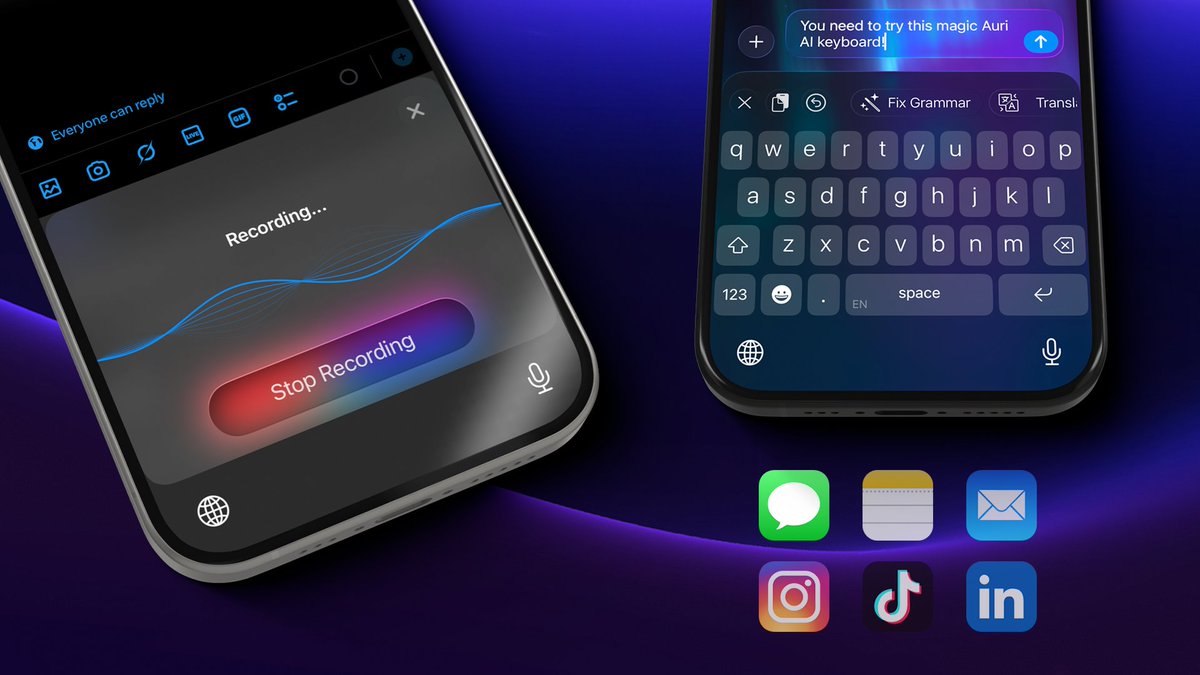
✨Introducing Auri AI Keyboard 2.0.
- The keyboard has been redesigned from the ground up based on your feedback – it's 2X faster and more accurate, much easier to use, and has all the features you need!
- New languages: Auri AI Keyboard now supports 80 languages! Select your favorites in the app settings and switch between them with a single space bar swipe;
- Slide to Type: Slide your finger across the letters to spell the word you want;
- New AI Writing Tools Views: Choose between a full screen or compact view in the app settings;
- New Keyboard Layouts: Choose between QWERTY, QWERTZ, AZERTY, Colemak, and Dvorak;
- A much better autocorrect and predictions (including emojis!);
- New keyboard themes.
With custom layouts, writing engines, themes, and much more, Keyboard 2.0 is the most advanced keyboard ever made for iOS.
Search for Auri AI on the App Store or tap the link below!
Quick reminder:
Auri’s ultra-accurate voice dictation and full AI keyboard (QWERTY, Dvorak, Colemak -- whatever you're into) handle grammar correction, translation, paraphrasing, and more -- anywhere you work.
No more switching keyboards to dictate or type.
A friendly reminder that you can always customize your AI Keyboard, add custom dictation vocabulary, change your writing and transcription engines, and much more in the app settings.
Please go to the App Store to update to v3.5.7: https://t.co/q2D5vh5zwY
🆕 v3.5.7 is now available on the App Store!
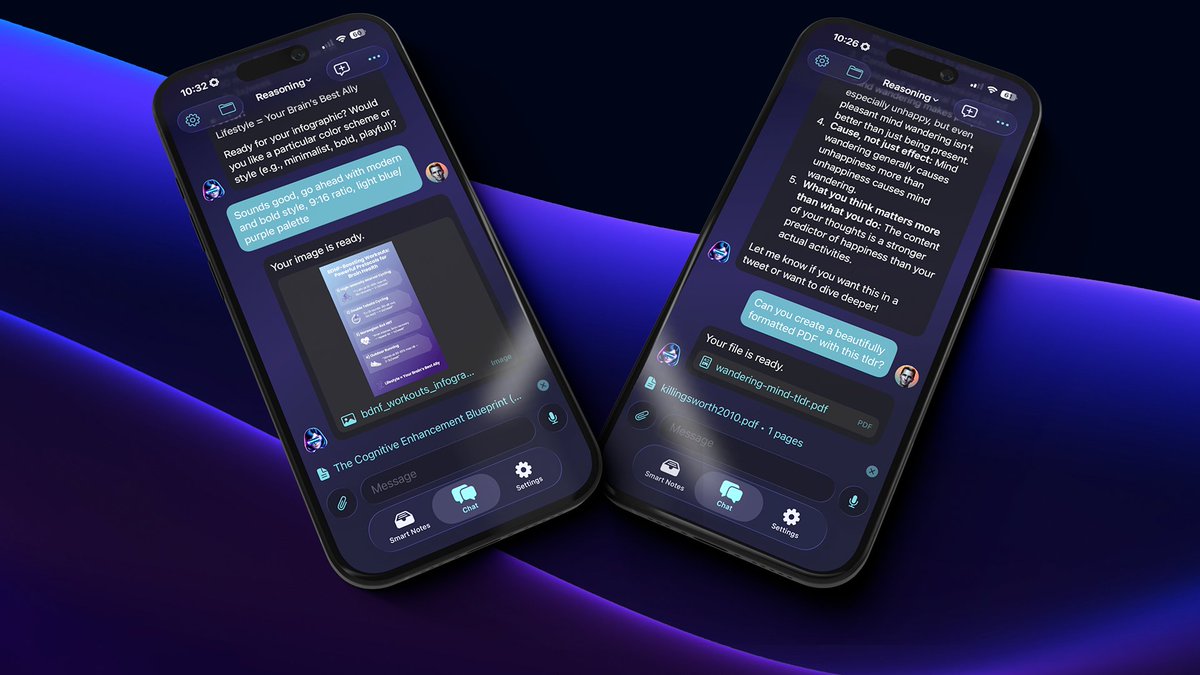
🖼️Create Images: Auri can now create images, infographics, and art -- simply ask her in the chat.
📄Create Files: Need a PDF, CSV, MD, or JSON file with data? Simply ask Auri to create it.
🔄 v3.5.6 is live on the App Store:
🆕 Chat with any PDF: Attach a PDF and explore it with Auri -- ask questions, summarize, or extract key insights. Fast and easy.
🛠️ Improved the reliability of the in-keyboard voice typing flow.
🛠️ Fixed iPad-specific bugs.
🛠 Thanks to your feedback, I've fixed all the reported bugs and improved the speed of the Magic Keyboard Dictation flow.
🔄 v3.5.2 is live on the App Store: https://t.co/q2D5vh51Hq
Oh, and here's the voice-to-text stress-test text from the video:
“Get a Mac Mini, install Homebrew, Node.js, GitHub CLI with brew install gh, Claude, Codex, Clawdbot, connect Clawdbot to iMessage or Telegram, and manage your Claude, Code, and Codex sessions from anywhere.”
Introducing v3.5.1 with a lot of exciting upgrades:
🎙Keyboard Dictation Pro upgrade: I streamlined and redesigned the Magic Keyboard Dictation (Voice Typing) flow -- it now happens INSIDE the keyboard, which saves you two taps and a lot of precious seconds!
This monster of a podcast was the ultimate test for @auri_ai's new video-to-note feature.
Results:
An 8.5-hour-long video processed in 28 seconds
Transcribed in 3 minutes 19 seconds
Created a summary in 23 seconds
@TMichaelPlatt@memdotai@sindresorhus Direct transcription from links is only available for YouTube videos for now!
But you can always send any audio/video file (downloaded or from other apps that support sharing files) to the app and have it transcribed: https://t.co/viaP5wshAN
v3.1.1 is now available on the App Store 🥳
Here's what's new:
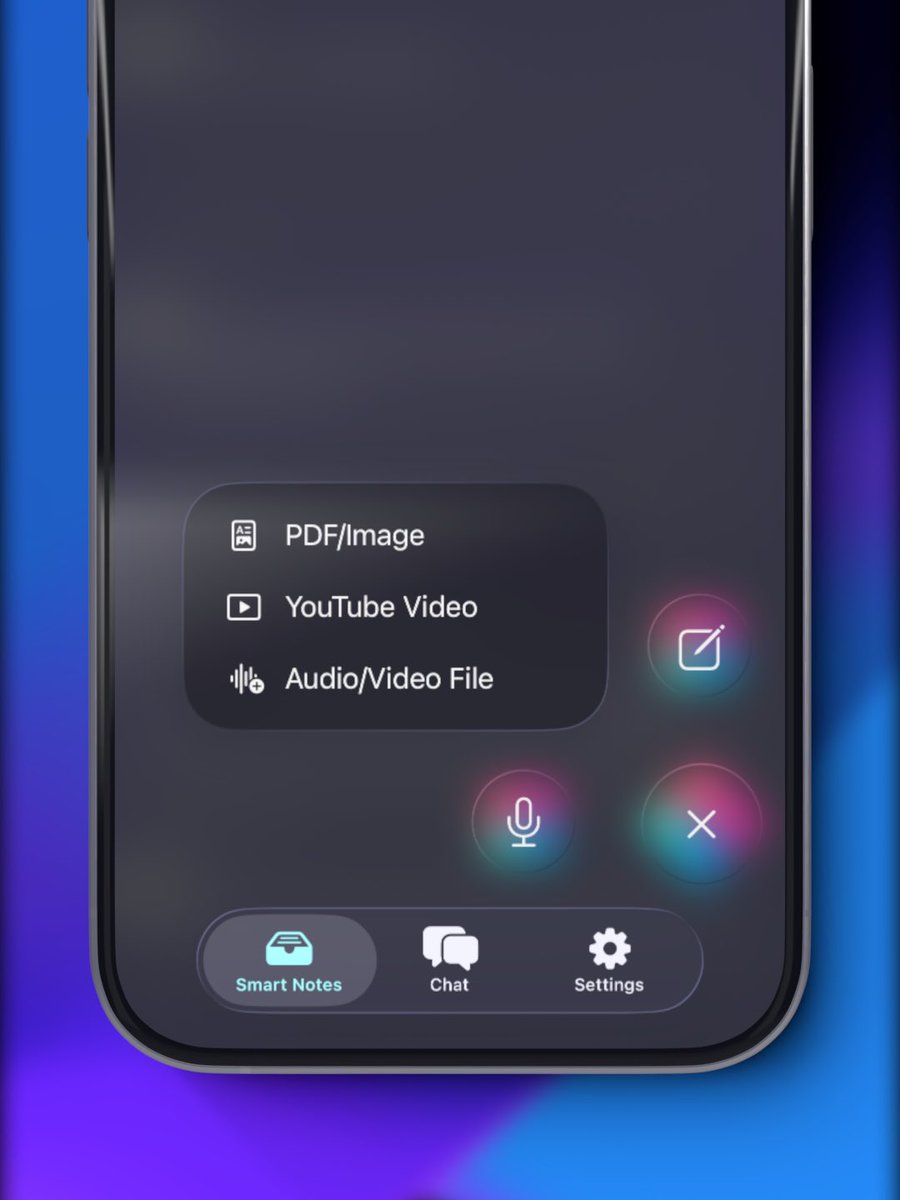
📺 YouTube video -> Smart Note.
Paste a link, get a perfect transcript in seconds, generate detailed notes, a blog post, an essay, and more.
Watch me transcribe a Peter Thiel video and create notes in 30 seconds:
📄 New export formats: export your Transcript Magic content in PDF, RTF, plain text, or Markdown format.
📝Create a Smart Note by importing a file: audio, video, image with text, or PDF.
As always, please go to the App Store to update the app: https://t.co/MjfeZH2VWO
🆕Pro Dictation now supports a global custom keyboard shortcut!
1. Set your custom shortcut in the app settings;
2. Use it from anywhere to start/stop dictation;
3. Press Cmd+V to paste the result.
✨Type 5 times faster anywhere on your Mac with Whisper-powered Pro Dictation.
I feel like not enough people know that our macOS app has a system-wide, shortcut-supported, privacy-first, ultra-accurate dictation, so you can type five times faster anywhere on your Mac.