My submission for the @NianticLabs x @effecthouse Challenge for @playperidot
In the beginning of building this project I was thinking how can I add most of the important things to fit this Effect to show the same experience as the start of the Peridot App. I took the intro of the app as the start for the Effect to showcase the world then Hatch a Dot button to then show the Peridot’s with 3 buttons on the screen as for the beginning:
From the Left you can see a hand on the button this button is to show/hide the following buttons:
Adding more than one character of the Peridot was challenging in one Effect so I add a change for the same character as for: Bloo, Mari, and Shadow Peridot. Once you select it you can go back to see three other buttons the same as the in the beginning
After that to the second button: The Peridot Moves: it has 6 different buttons with different moves/animations such as sit, beg, playful, and Peridot etc.. and then after doing all that you can go back with button on the left.
And you’ll again see the three buttons on the screen back again you can decide to change the character or the moves/animation of the character or tap the button on the left to hide it from screen and start recording so you don’t distract the user while watching your video with all these UI Buttons.
I was planning to use some of the other 2D provided assets with this project but I ended up with 4.9MB and I am happy with the results.
Try it: https://t.co/DTY4fGyQPg
ML Retouch • Lens Studio
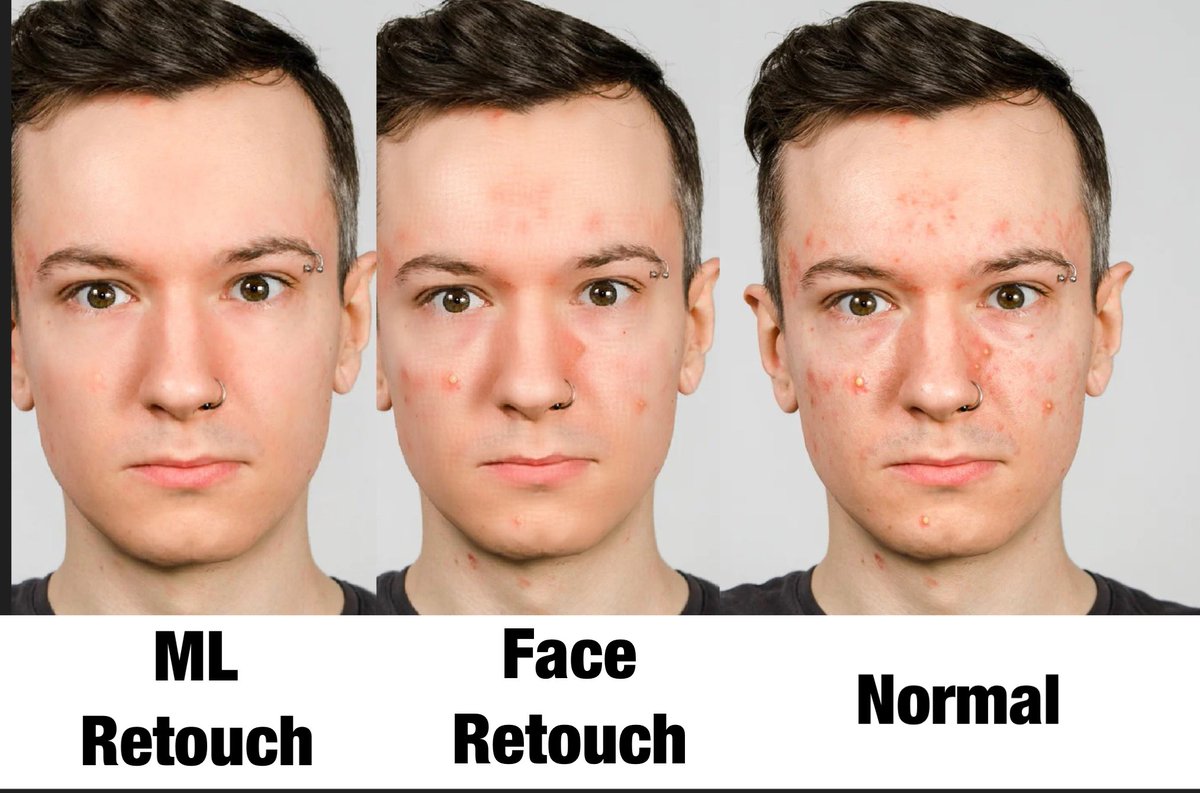
Have you checked the new Item in the Asset library inside Lens Studio? It’s crazy how the difference are between Face Retouch and ML Retouch!
The example below 👇
A lot of pimples you can see how it’s different between
In the ML Retouch the results are crazy you can see the look on the face are natural and the pimples are gone while on the Face Retouch is using all its power to hide it still some of the pimples are showing on the face and the face has a lot of texture that doesn’t look natural.
That’s great! What do you think?
#lensStudio #AugmentedReality #snapar
So I had a free time and I decided to train a custom segmentation machine learning model on road lane.
I combined it with @SnapAR sky segmentation.
Let me know what you think guys.
#AugmentedReality#ar#ai
35 hours of hard working I can officially announced that the Beginner Templates series for Lens Studio is out now!
And so far in 4 days 6 of the Templates I shared is shown Popular 🔥 in Lens Studio, that means everyone is learning and I am so proud 🥹.
Check out the 29 Tutorials in here:
https://t.co/1n2Y2HDF6R
#AugmentedReality #snap @Snapchat@SnapAR@Snap #ar #xr @sophiaedm@evanspiegel@boona11 #snapchat #tutorial
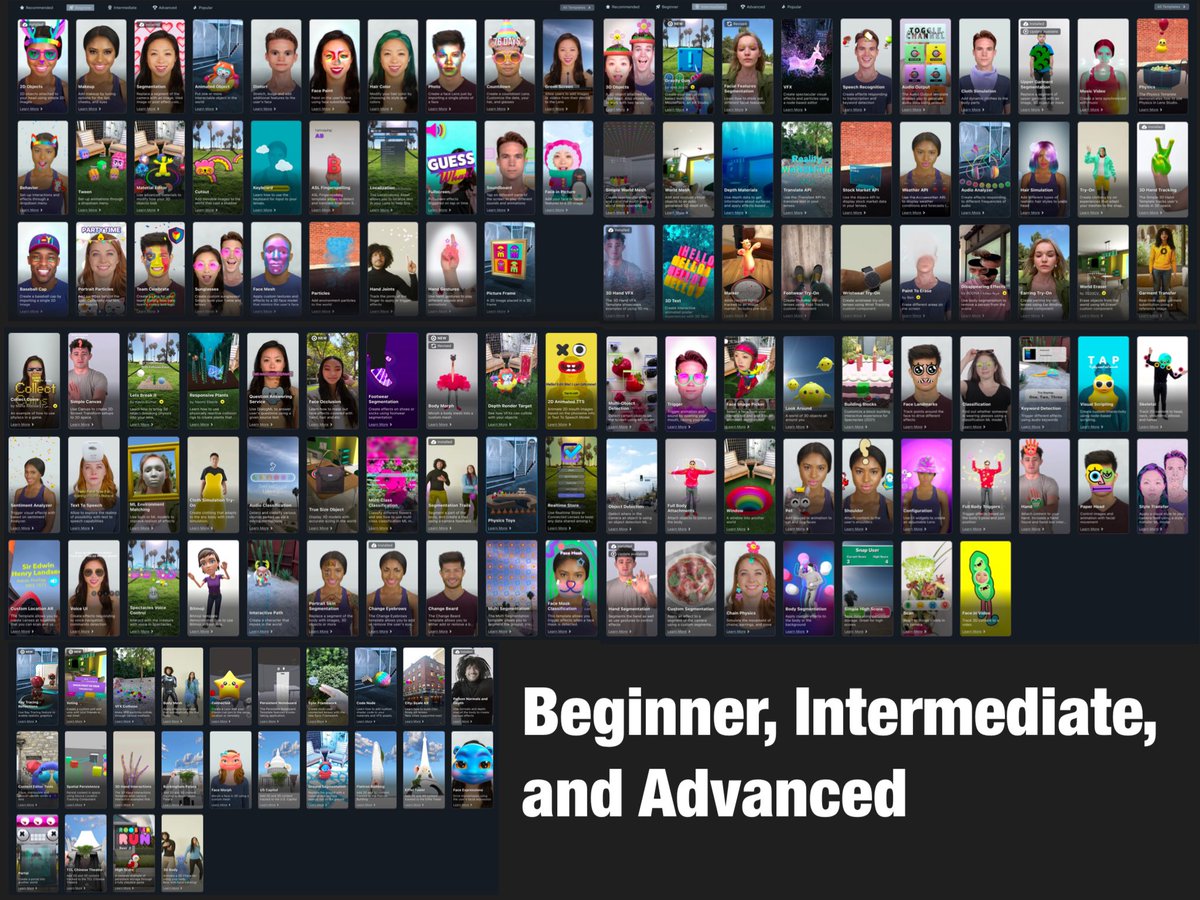
140 Lens Studio Tutorials for FREE!
I have been creating with Lens Studio since 2018 and helping creators/Developers to learn more about AR by sharing my knowledge so I decided this:
Lens Studio has a total of
140 templates = 140 Tutorials 🤯.
I challenged myself to create a Tutorial for every single Template in Lens Studio.
It’s going to be 3 serieses based on the Lens Studio level category:
“Beginner” with 29 Templates I am going to share 29 Tutorials about every single one!
Following by series two “Intermediate” with 87 Templates I will share 87 Tutorials for every single one!
Last but not least “Advanced” with 24 Templates I will share 24 Tutorials for every signle one!
I am not crazy but I like to share my knowledge, the power of Augmend Reality and Lens Studio combined.
Join me in my journey:
29 Beginner Tutorials: https://t.co/JfVphbRutU
87 Intermediate Tutorials: https://t.co/WFzIdW6lEM
24 Advanced Tutorials: https://t.co/MApjV1BaMa
#augmentedreality #snapchat #snap #lensstudio #snapar #tutorials @Snapchat@SnapAR@evanspiegel@Snap