You can remove preinstalled Microsoft Store apps such as Clipchamp, Xbox, Weather, and Feedback Hub. Follow our guide to learn more:
https://t.co/ag8YAaQSle
#MSIntune#Microsoft#Apps#SCDudes
Join me next Friday, June 26 for the @RecastSoftware Right Click Tools Release Show for the latest updates
https://t.co/I1NFC19ol3
#RCT#ReleaseShow
... and get a first look at the #OSDCloud Preview for July's #OSDDay
OneDrive transitions to the new Microsoft domain!
OneDrive is transitioning to the https://t.co/9sQIo8o8nO domain. Users will start seeing new URLs as part of their OneDrive experiences.
Existing links continue to work. Both domains will operate side by side indefinitely.
As part of this transition, OneDrive URLs will change:
Previous domain: https://t.co/rpuaEjhOFy
Unified domain: https://t.co/fMCB2Snnia
Rollout Schedule:
General Availability (Worldwide): Rolling out in early July 2026 and expect to complete by late June 2027.
Who is affected:
- All users accessing OneDrive.
- Admins managing Microsoft 365 environments, network configurations, and custom solutions.
Platforms/Services:
- OneDrive (web primarily)
What will happen for users:
- Users will start seeing the https://t.co/9sQIo8o8nO domain in their OneDrive experiences (e.g., https://t.co/ppFTQ5XgpQ instead of https://t.co/Y6uCllrwLt).
- When users access content from geos different than their own, they will see a globe icon.
- No changes to file access, sharing, or collaboration functionality.
- The previous domain and unified domain will continue to exist side by side. Existing links will continue to work.
What will happen for admins:
- No changes to admin functionality.
- The SharePoint URLs used for file storage and APIs remain unchanged (e.g., https://t.co/Y6uCllrwLt continues to work for API calls).
- Important: Organizations with custom solutions that rely on OneDrive URL patterns should review those dependencies. Official Microsoft APIs (Microsoft Graph) will continue to function without changes. Custom solutions that parse or hardcode browser URLs may require updates.
What is NOT changing:
- Existing links and bookmarks will continue to work. Links to previous domains are backwards compatible and will remain supported.
- There are no forced redirects from legacy URLs. Both domains will work side-by-side during and after the transition.
- SharePoint site URLs (e.g., https://t.co/xlZQT27OGV) are not affected by this change.
- Microsoft Graph APIs and other official APIs are not changing.
- File ownership, permissions, and sharing settings are unchanged.
- Consumer OneDrive URLs are not changing at this time and remain on https://t.co/598Vjuz5Wk domain.
Action Required/Recommendations:
No immediate action is required, but we recommend the following:
- Review any custom solutions that depend on OneDrive URL patterns.
- Ensure network rules allow traffic to *.cloud.microsoft.
- Update internal documentation and training materials with the new URL format.
- Prepare helpdesk teams for user questions about URL changes.
- Educate users to recognize the https://t.co/9sQIo8o8nO domain as trusted.
Optional administrative considerations:
- Review tenant allow list settings for external sharing.
- Evaluate Tenant Restrictions v2 if applicable to your organization.
- Consider upcoming capabilities such as anonymous link controls.
#Microsoft365 #OneDrive #SharePoint
‼️🚨 Unauthenticated attackers are gaining SYSTEM on domain controllers with crafted packets.
The vulnerability being exploited is CVE-2026-41089, a CVSS 9.8 hole in Windows Netlogon, and exploitation in the wild has been confirmed.
A patch has existed since May 12. Every DC still behind is not just vulnerable, but according to the Centre for Cybersecurity Belgium are also actively being pwnd.
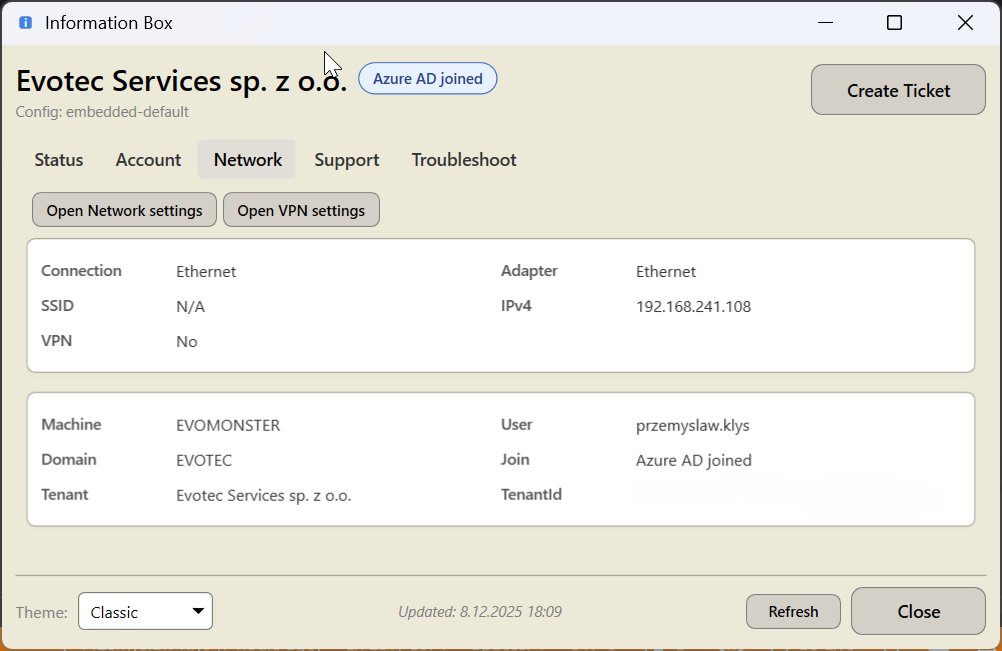
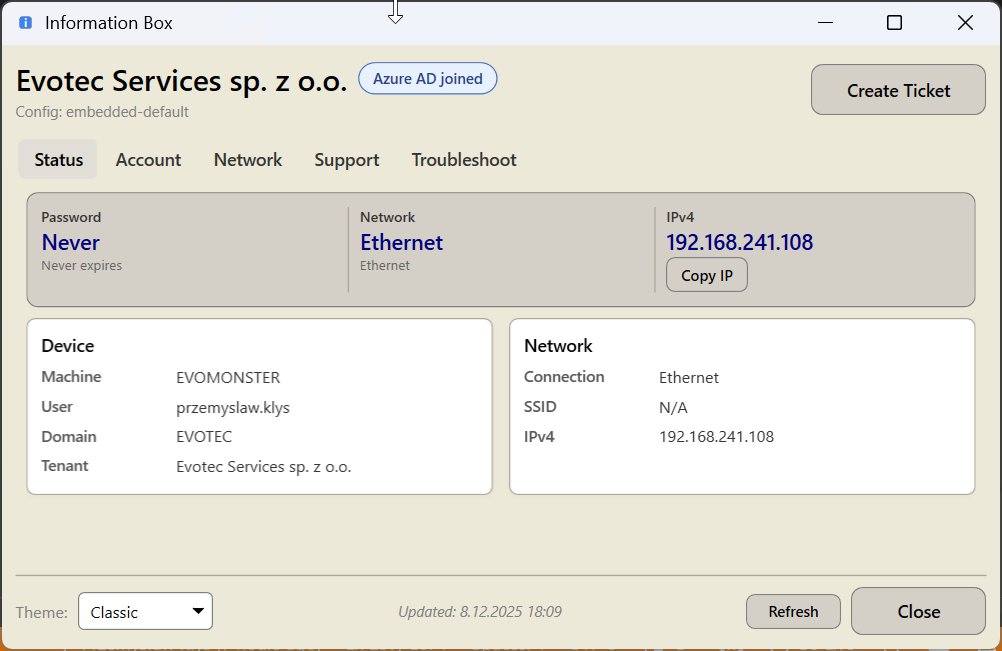
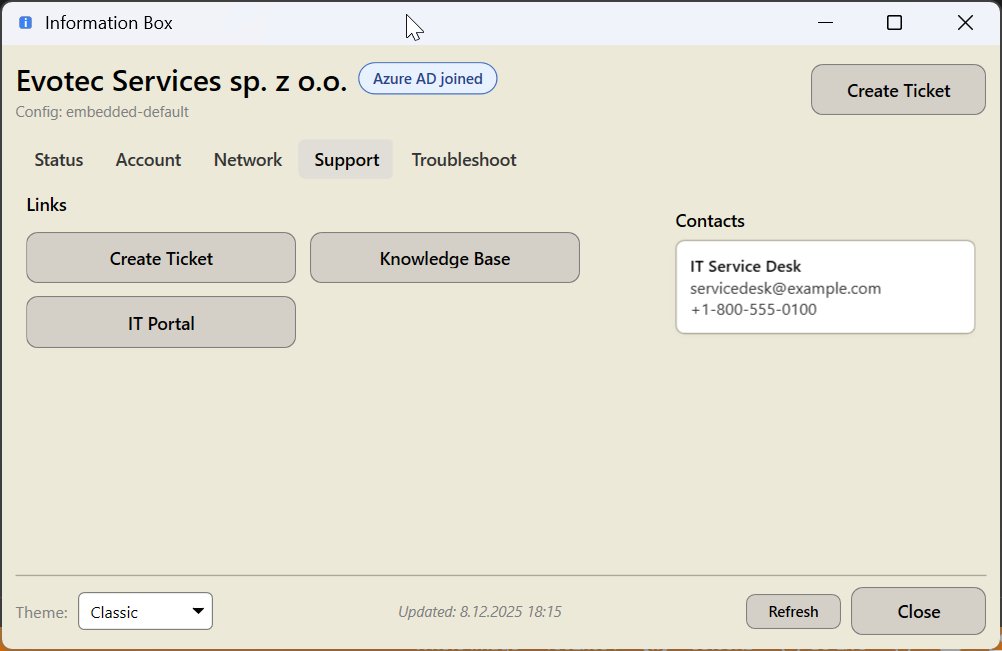
For those that don't really want/can't apply backgrounds to help their users I also have Information Box project which does similar thing, is super configurable, but it's a tray app instead of BGInfo alternative.
It works with both ActiveDirectory and EntraID.
https://t.co/hu761zrswR
🔒 Secure Bits 💡
𝗗𝗶𝗱 𝘆𝗼𝘂 𝗸𝗻𝗼𝘄 𝘁𝗵𝗲 𝗟𝗼𝗰𝗮𝗹 𝗔𝗱𝗺𝗶𝗻𝗶𝘀𝘁𝗿𝗮𝘁𝗼𝗿 𝗮𝗰𝗰𝗼𝘂𝗻𝘁 𝗰𝗮𝗻 𝗴𝗲𝘁 𝗹𝗼𝗰𝗸𝗲𝗱 𝗼𝘂𝘁?
For years, the built-in local admin account couldn’t be locked out—attackers loved this loophole.
𝗕𝘂𝘁 𝘁𝗵𝗶𝗻𝗴𝘀 𝗵𝗮𝘃𝗲 𝗰𝗵𝗮𝗻𝗴𝗲𝗱:
✅ Since 2022, there’s a GPO to control this behavior.
✅ In Windows Server 2025, the default is that the built-in local admin can be locked out.
𝗪𝗵𝘆 𝗱𝗼𝗲𝘀 𝘁𝗵𝗶𝘀 𝗺𝗮𝘁𝘁𝗲𝗿?
Because the local admin password is often:
❌ Simple and weak
❌ Shared across many servers
Attackers exploit this to move laterally without touching domain accounts.
Lockouts help stop brute-force attacks—but keep in mind:
⚠ 𝗧𝗵𝗶𝘀 𝗼𝗻𝗹𝘆 𝗮𝗽𝗽𝗹𝗶𝗲𝘀 𝘁𝗼 𝗻𝗲𝘁𝘄𝗼𝗿𝗸 𝗹𝗼𝗴𝗼𝗻𝘀, not console logons.
Also, I hope you’re not using the same password across all servers!
If you are → 𝘀𝘁𝗮𝗿𝘁 𝘂𝘀𝗶𝗻𝗴 𝗟𝗔𝗣𝗦 (Local Administrator Password Solution) to rotate and manage local admin passwords securely—this was here long before 2022 as a protection for the same scenario.
👉 Did you know about this change?
#CyberSecurity #ActiveDirectory #Windows #SecureBits
Patch your #MSIntune endpoints without trusting another vendor's cloud.
@PowerStacks App Store for Intune → runs in your Azure tenant. Zero client secrets. Zero data egress. 12,000+ apps. Live in under an hour.
https://t.co/fgMzYdCxHg
Microsoft updates mitigation guidance for Windows BitLocker security feature bypass vulnerability with a NEW script!
The updated guidance replaces previously documented manual mitigation steps with a script that helps reduce exposure while a future security update is developed to address this vulnerability.
The Windows versions below are affected:
- Windows 11 26H1
- Windows 11 25H2
- Windows 11 24H2
- Windows Server 2025
Windows devices that use BitLocker may be exposed to this vulnerability if mitigations are not applied.
Organizational environments that previously implemented the documented manual mitigation steps do not need to take additional action, as the script only simplifies deployment of the existing mitigation.
Learn more: https://t.co/jbLXPHfnhu
#Microsoft #Windows #Bitlocker #Cybersecurity
The IntuneWin Downloader got a small upgrade
The first version depended on the local TokenBroker cache. Find the .tbres, decrypt it, pull out the token, and hope the right one was there.
That worked, but it always felt a bit too fragile.
So during #MMSMOA I changed that whole approach.
The new tool now requests the needed tokens through WAM, uses the Company Portal catalog flow to discover the available apps, and then uses the IME SideCar flow with the local MDM device certificate to resolve, download, and process (decrypt) the content.
Tomorrow morning I will post the blog with the Download link and the "how to" ...as requesting IME and CP tokens on my own with an app Reg is funny :)
#Intune #MSIntune #PatchMyPc
Maintenance Windows were announced for the Intune Settings Catalog.
That sounded pretty nice...
OS updates, drivers, firmware, install actions, restart actions, all wrapped inside a proper maintenance window Settings Catalog
But then the "What's in development announcement" suddenly disappeared.
The Settings Catalog announcement is gone, but luckily, the Windows Update CSP still documents the maintenance window settings.
So the Update policy itself is still there. The Intune UI part is the bit that vanished.
For now, it is back to using the Custom OMA URI if we want to deploy and test this new maintenance window
https://t.co/pYwOrDMJ8n
#Intune #MSIntune #WindowsUpdates
I made some PowerShell scripts for Dell SupportAssist:
✅ Check registration & run selfdiagnosis
✅ Cleaner CIM output function for custom scripts
Grab them here ⬇️
https://t.co/vi5W78gGhp
#Dell#SupportAssist#Iwork4dell
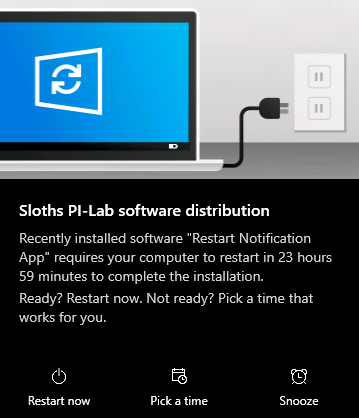
Tired of forced reboots interrupting your users?
I built a solution using Intune's Win32 app framework to trigger graceful, user-aware restarts on demand - toast notification, snooze, grace period and all.
https://t.co/UawJfztp14
#Intune#MicrosoftIntune#PowerShell
Microsoft Teams introduces Efficiency Mode to improve app responsiveness!
A performance-optimized experience designed for hardware-constrained devices.
This change improves app responsiveness and meeting quality by adjusting resource usage based on device capabilities.
This applies to:
- Teams for Windows desktop
- Teams for Mac desktop
𝐖𝐡𝐞𝐧 𝐭𝐡𝐢𝐬 𝐰𝐢𝐥𝐥 𝐡𝐚𝐩𝐩𝐞𝐧:
General Availability (Worldwide): Rollout begins in early May 2026 and is expected to complete by mid-May 2026.
𝐇𝐨𝐰 𝐭𝐡𝐢𝐬 𝐚𝐟𝐟𝐞𝐜𝐭𝐬 𝐲𝐨𝐮𝐫 𝐨𝐫𝐠𝐚𝐧𝐢𝐳𝐚𝐭𝐢𝐨𝐧:
Users running Microsoft Teams on hardware‑constrained devices (for example, devices with limited CPU and memory).
𝐖𝐡𝐚𝐭 𝐰𝐢𝐥𝐥 𝐡𝐚𝐩𝐩𝐞𝐧:
- Efficiency Mode is enabled by default on eligible devices.
- An Efficiency Mode indicator appears in the Teams app title bar.
- Video resolution sent from the user's camera is dynamically adjusted in meetings.
- Users can opt out via Settings > General > "Never use efficiency mode." in the message pane.
- Users can opt out via Settings > General > "Never use efficiency mode."
𝐖𝐡𝐚𝐭 𝐲𝐨𝐮 𝐜𝐚𝐧 𝐝𝐨 𝐭𝐨 𝐩𝐫𝐞𝐩𝐚𝐫𝐞:
- No action is required if the default behavior works for your organization.
- Consider informing helpdesk teams about the new mode and opt-out option.
- Update internal documentation if applicable.
#Microsoft365 #Teams #Microsoft
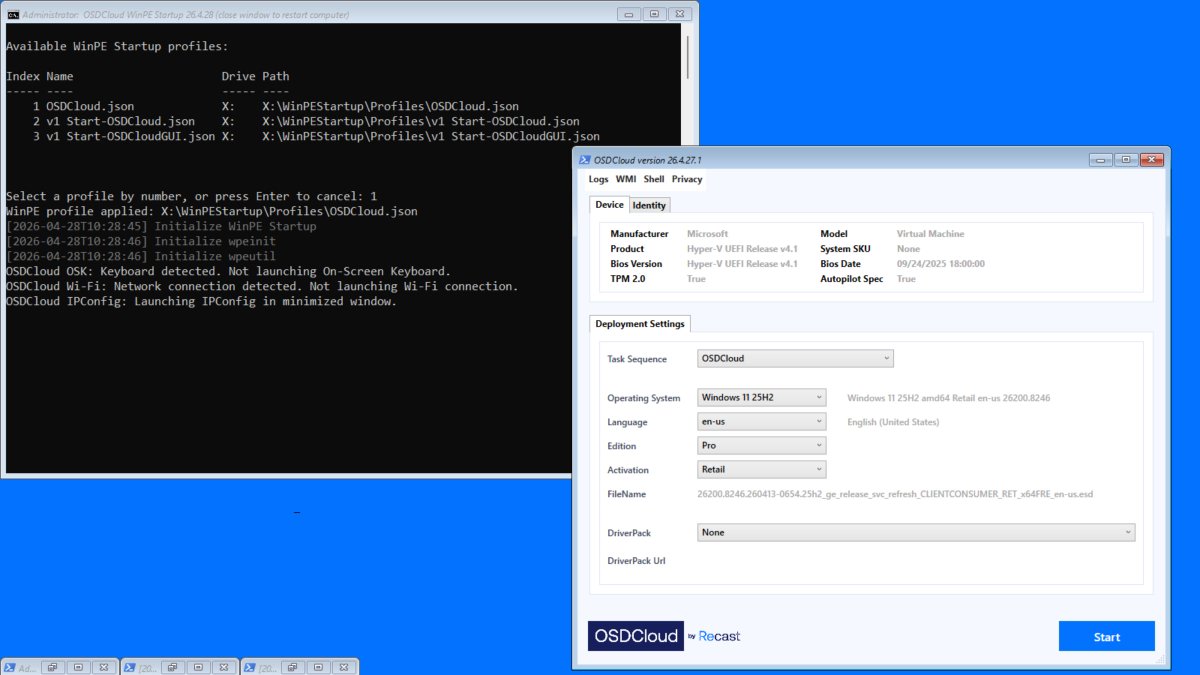
I'll be releasing several new #OSDCloud features with #RockStart@EskimoRuler at #MMSMOA next Tuesday
These features will be released only to attendees (for a while) so SCHED us https://t.co/DsR0ULinDG
🚀 MMSMOA Feature: WinPE Startup Profiles
@RecastSoftware@mmsmoa