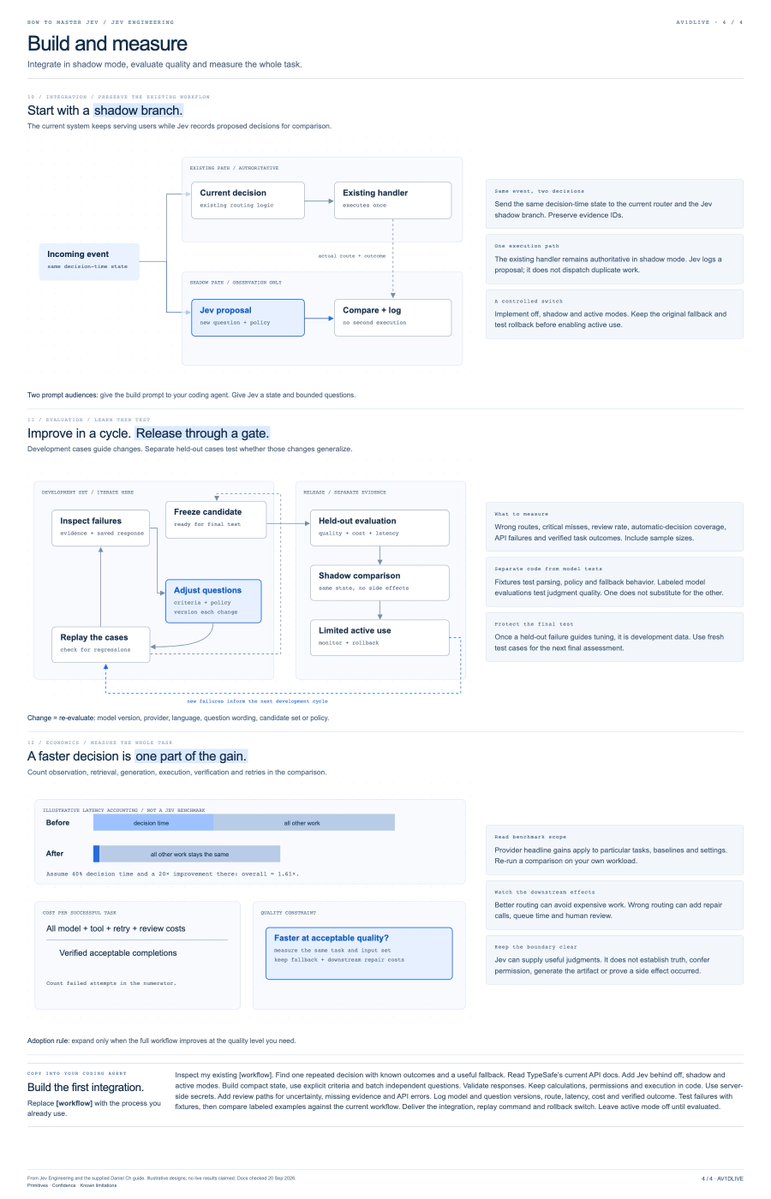
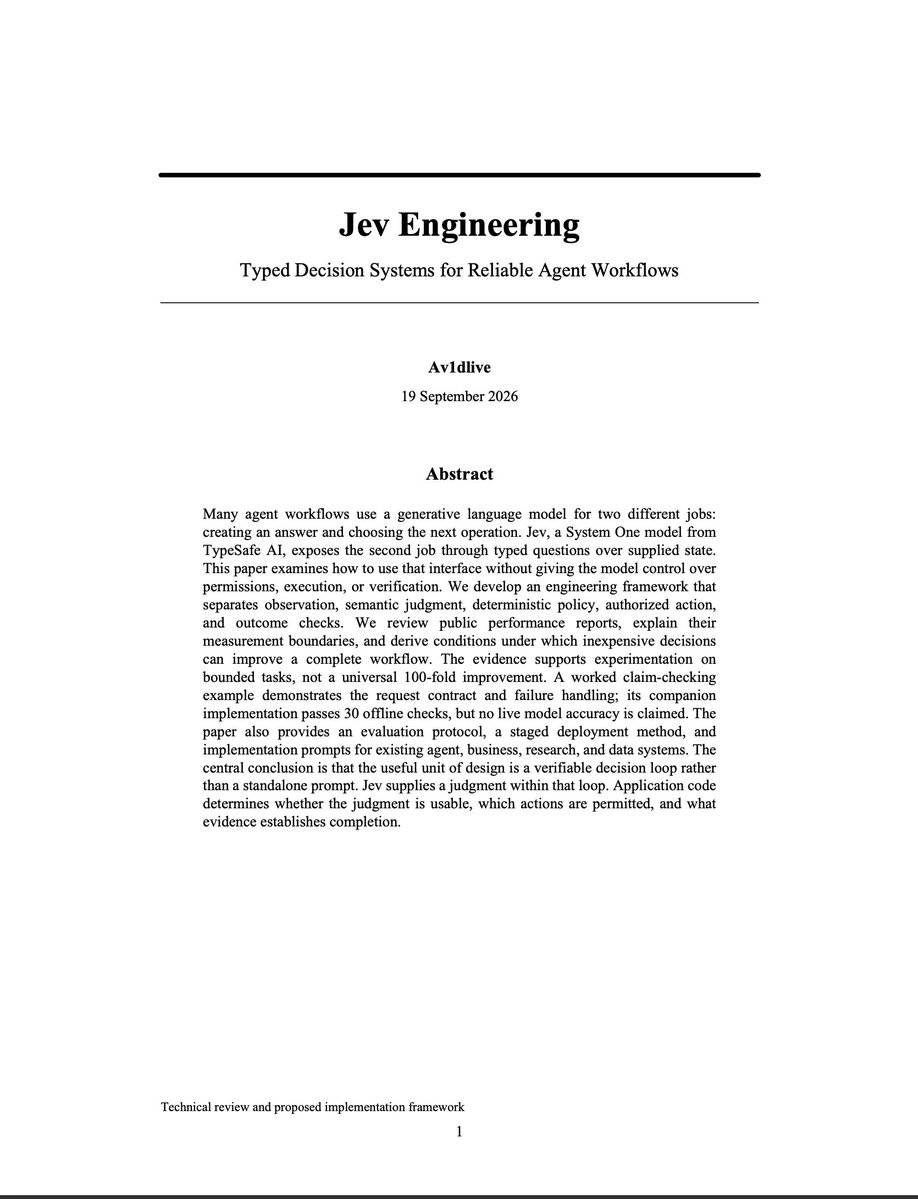
everything you need to start building with jev, in one article.
code, architecture, diagrams... everything you need to follow the build and make it your own. https://t.co/0hy2KdKUNI
codex usage got f**king nerfed.
so i'm switching from gpt-5.6 sol (max) to mimo-v2.6-pro on opencode...
it matches the performance for 1/10th price and almost 2x speed
[here is how to set it up in codex in 1 min]
1. model-router → model-picker → toggle the...
2. Cmd+Q Codex
3. ready to go
a co-creator of ChatGPT just dropped what could power the AI engineer’s stack for 2028.
it’s called Jev.
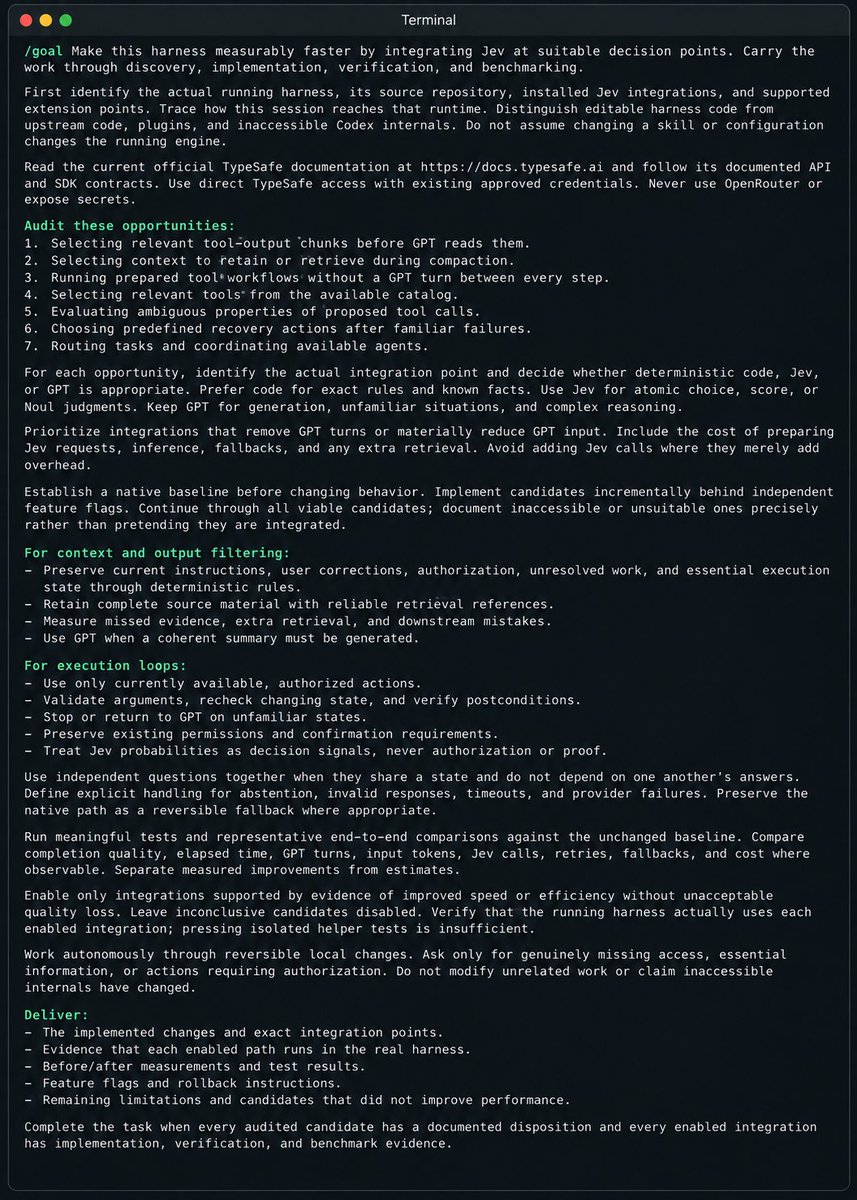
i spent 48 hours trying it and wrote a 34-page guide with 20 workflow designs and copy-paste build prompts.
here’s what’s inside:
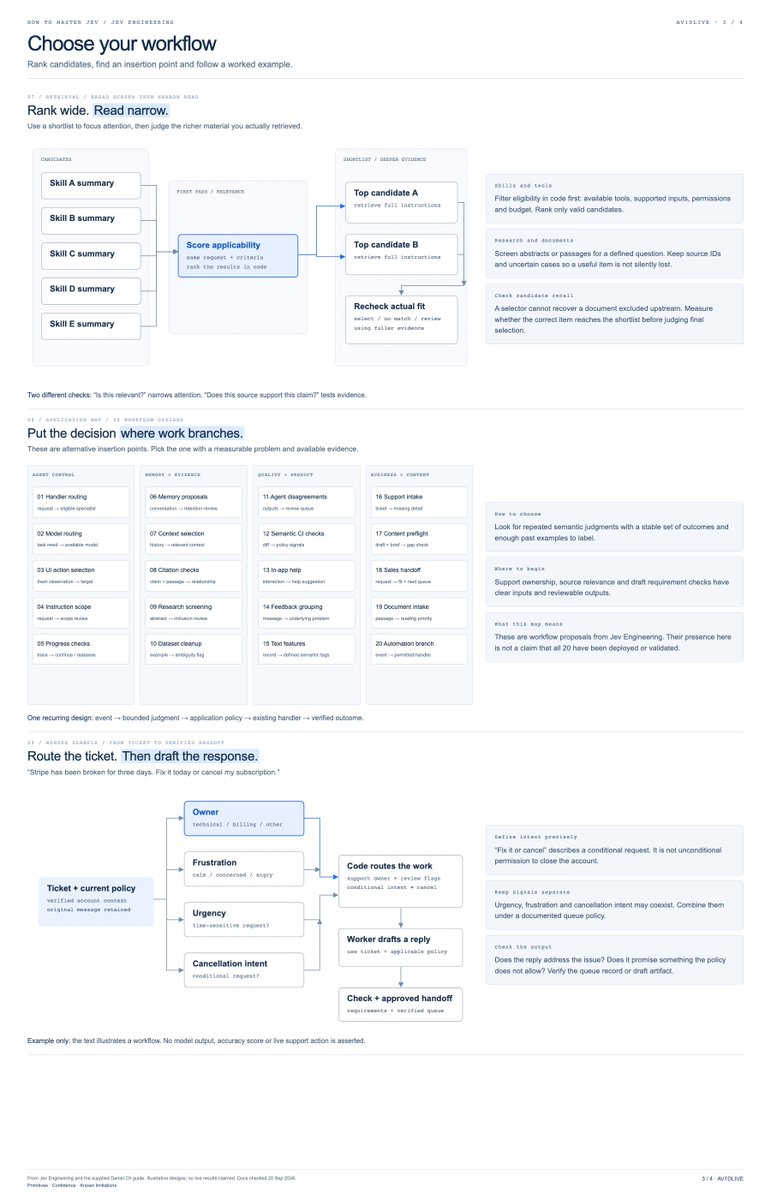
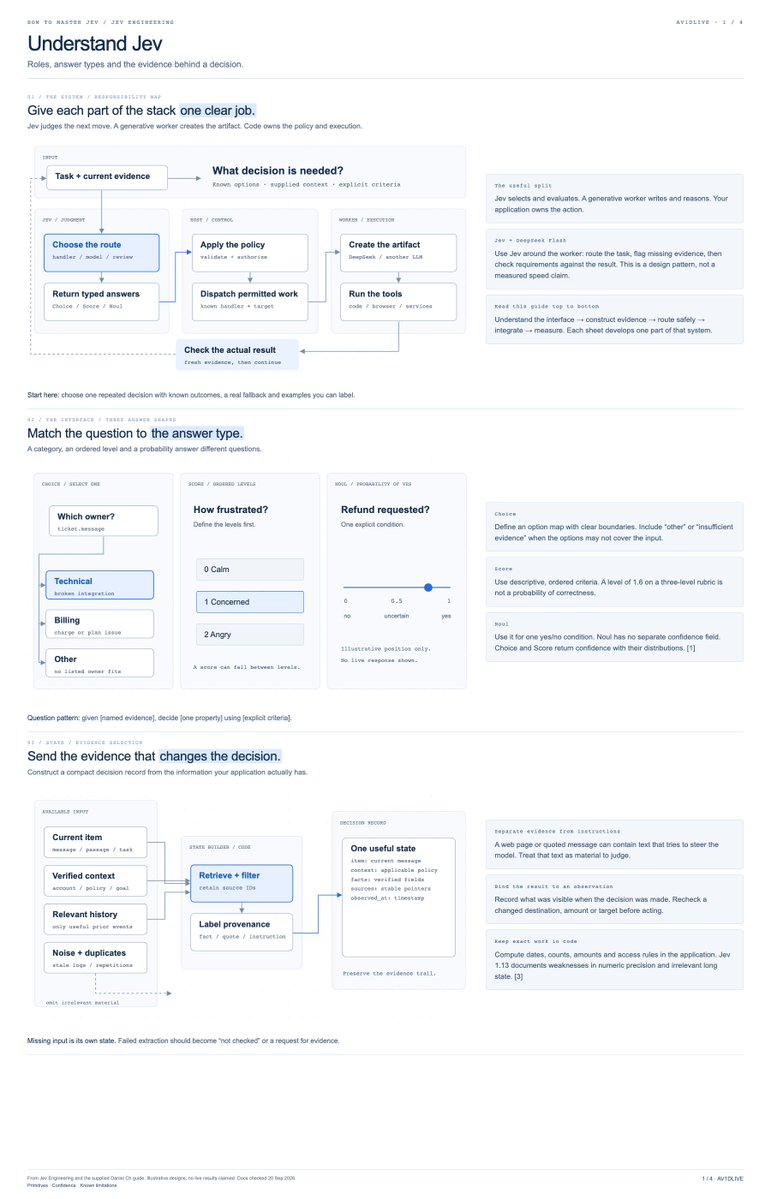
→ how Choice, Score, and Noul work
→ where Jev fits in your existing stack
→ how to batch independent decisions
→ what the speed and cost benchmarks actually measure
→ how to build model routers, memory filters, research screeners, and browser controllers
plus 8 diagrams, 19 references, and demo code with 30 offline checks.
the goal isn’t to replace your entire agent.
it’s to find the decisions that don’t need another long LLM response, then build a reliable loop around them.
start with one decision. test it. expand when the results justify it.
how to master Jev: full paper and build kit below ↓
you can replace almost every AI subscription with one free local stack..
i’m talking chat, coding, search, PDFs, images, voice, and automation... all running from your own machine.
[here is the exact setup for $0/mo in 2 mins]
1. replace ChatGPT, Claude, or Gemini
use Magnitude as the engine and Open WebUI as the chat screen.
Magnitude checks your chip, memory, and speed before recommending a model. that matters because two Macs with the same memory can still run at very different speeds.
2. replace Cursor, Copilot, or Claude Code
connect OpenCode to Magnitude.
you get a local coding agent without paying for every prompt. just remember that coding needs more memory than normal chat because the agent must read your files and keep them in context.
3. replace Perplexity
use Perplexica with SearXNG.
it searches the web, reads results, and gives you an answer with sources.
4. replace NotebookLM or PDF chat
use AnythingLLM.
add your PDFs, notes, or documents and ask questions about them locally.
5. replace Midjourney or Firefly
use Draw Things on a Mac.
use ComfyUI if you want more control and do not mind more setup.
smaller image models work on normal Macs. larger models, big images, and heavy editing workflows need much more memory.
6. replace Otter
use whisper.cpp or faster-whisper for local transcription.
7. replace ElevenLabs
use Chatterbox or Kokoro for local speech.
8. replace Zapier or Make
run the n8n Community edition yourself.
9. choose the right model for your Mac
these are rough starting points, not promises.
model format, chat length, open apps, and memory speed all change what will fit.
Q4 and Q5 are compressed versions that use less memory.
→ 8 GB: use a 2B to 4B model in Q4. good for simple chat, rewriting, and light tasks.
→ 16 GB: use a 4B to 9B model in Q4 or Q5. this is the practical starting point for daily chat and lighter coding.
→ 24 to 32 GB: use a 9B to 14B model comfortably. some 27B Q4 models may work if you keep the chat history smaller.
→ 48 to 64 GB: look at 27B to 35B models. some compressed 70B models may fit, but speed depends heavily on the chip.
→ 96 to 128 GB or more: 70B models become realistic, and huge models that split work across many smaller parts become experiments worth trying.
good starting families include Qwen3.5 and Gemma 4, but do not choose from a random chart.
install the Magnitude app, open Discover, and choose one of the models it recommends for your machine.
Magnitude will estimate fit and tokens per second before you download anything.
10. know what local AI still cannot replace well
the best paid cloud models will still win at some difficult reasoning, long coding jobs, and polished tool use.
[local video is the biggest gap.]
LTX Desktop asks for at least 15 GB of free memory on Apple Silicon.
that means 16 GB total is not enough for a comfortable setup after macOS and other apps take their share.
Colibri can stream pieces of giant models from an SSD, but it is an experiment rather than a normal chat app.
its recommended GLM-5.2 setup is about 372 GB, and the project reports about 1.8 tokens per second on a warm 128 GB CPU-only desktop.
so the honest strategy is simple...
run chat, coding, search, documents, transcription, voice, automation, and basic images locally.
keep free tiers or pay-as-you-go cloud access for the few hard jobs your Mac cannot do well.
local AI does not need to beat the cloud at everything...
it only needs to make the cloud optional most days.
bookmark this, check your Mac’s memory, and start with number one.