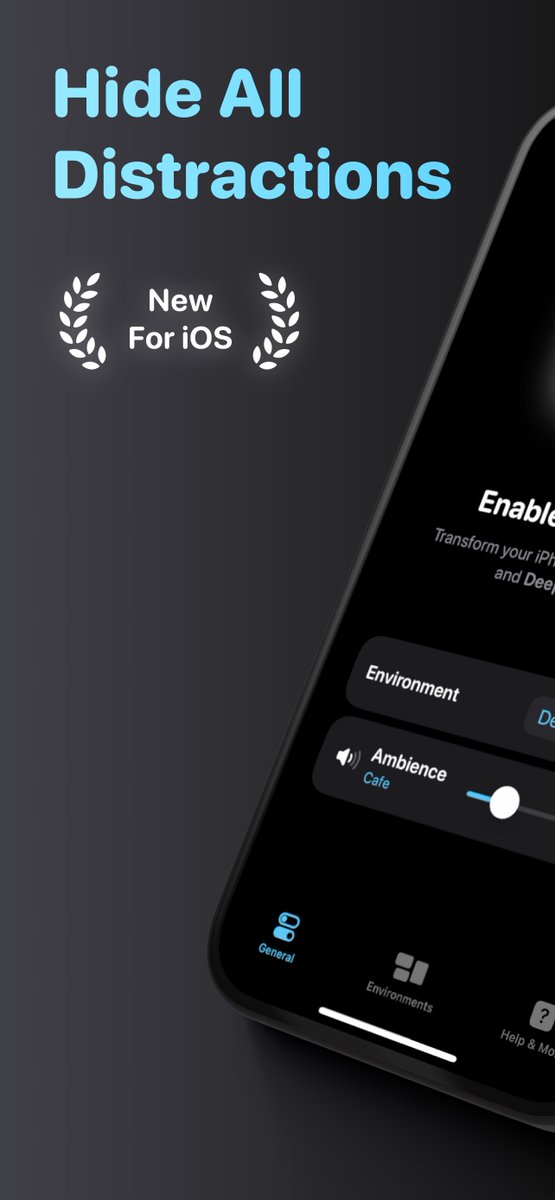
🚀 @focusOS_ is now live on the App Store!! 🥳🎉
focusOS is a super-utility for Mac & iOS that hides all distractions with one click.
It seamlessly adjusts your devices for work and supercharges your productivity.
Download ➡️ https://t.co/9zRqZTaBjU
Here are some of the cool things it does;
1️⃣ Dim inactive apps, limit visible apps, hide the wallpaper, and more (on Mac)
2️⃣ Block news, social media, and other distracting apps & websites
3️⃣ Play ambient sounds to improve concentration, as if you were working from a cafe or listening to the sound of light rain
And also;
4️⃣ Turn on Do Not Disturb automatically with Shortcuts
5️⃣ Link your Mac, iPhone, iPad together - to sync environments in real-time
It’s become essential to my workflow, especially when I just want to focus on work without a hassle. Simply flick the switch and get straight into it.
See it in action ➡️ https://t.co/1lHO3LXIXi
Download on the App Store ➡️ https://t.co/9zRqZTaBjU
Try it out and let me know what you think!
Thank you to every single person that has supported focusOS during the last few weeks, I really appreciate it! 🙂🙂
🏙️ WIN your app up on Times Square for a week 🎁
This June, we're putting up 20 apps on a Times Square billboard. Your app could be one of those!
🎁 10 apps will be picked randomly from the RevenueCat userbase (no need to do anything: We'll let you know if you win)
🎁 The other 10 will be randomly drawn from folks that:
1. Comment on this post with a link to their app, and
2. Share this post with their network
Read our blog for details on the giveaway 👉 https://t.co/b0wdiv2mF2
👋 Hope to see you on a New York billboard, soon!
@FocusedWorkApp 5 is launching today! 🚀🥳
Featuring a new design improving what makes it so unique and helpful for people trying to focus and get stuff done. ✨
➡️ https://t.co/YeZ5WZZgoI
(Likes / RT appreciated! 🙏)
#buildinpublic#productivity#focus#AppleVisionPro
@JoshuaSkelly Otherwise, send me an email with any details you remember about the account (Profile names, unique chore names etc). I may be able to look it up in the database.
@JoshuaSkelly Did you already try recovering the email password, or signing in with apple?
Do you remember the household id? If so you can just create a new account and join it. If any of your family devices are still connected go to Settings/Household Settings.
@Shpigford@DetangleAI Dedicated Transactions table:
- timestamp
- amount
Get current balance by adding all transactions.
If/when that gets slow, add "DailyBalances" table that is refreshed from transactions by a backend process.
Current balance is today's starting balance + transactions from today
@jeiting Knowledge is valuable, I understand why people pay. I've spent years of sifting through well intentioned bad advice.
In tech, it seems to get top tier coaching/mentorship you give away equity.
Or figure out who actually knows their stuff and build relationships.