Implemented two actions today:
- Copy
- Merge
Copy just gets the file from any public repository, and just overwrites because it’s an upgrade.
Merge gets the file from public repository, but uses AI to merge. This preserves if you have made any changes to source code.
And you don’t need to make this decision, the tool itself does this automatically.
Very close to the goal. Use source code in your project and contribute to it right from your own project.
No more using build code from npm and then investigating source code via fork for issues or to understand source code.
Next: “Contribute” workflow - It directly raises PR if you want to optionally.
Just done with open-code-cli “contribute” feature.
If you have synced any folders or files from a public GitHub repository, how would you contribute back to it? (Use case: How do you contribute back to your own component registry if you are using them in multiple projects, but you use the source code directly)
“contribute” of open-code-cli helps you in executing following flow:
- Sync code from any GitHub repo, entire repo or some folder or files.
- Keep updating yourself with upstream
open-code-cli github-sync commands lets u do above
You made some changes and want to contribute back to original repo via your fork, contribute does the following:
- Find the files u changed in your local
- Merge them to a new branch on your fork
- Raise a PR to upstream
- If the PR is not merged, keep pushing to same one
- Keep your fork updated with upstream
So, two commands, GitHub is your registry, locally tracked changes. Use source code, contribute to source code.
The idea is to push open source contributions much further, using built packages and then simulating the issue or something in a fork repo is time consuming.
open-code-cli update: Tested it for 3 of our open source packages and successful raised a PR using contribute workflow.
It’s time to now write documentation and launch it!
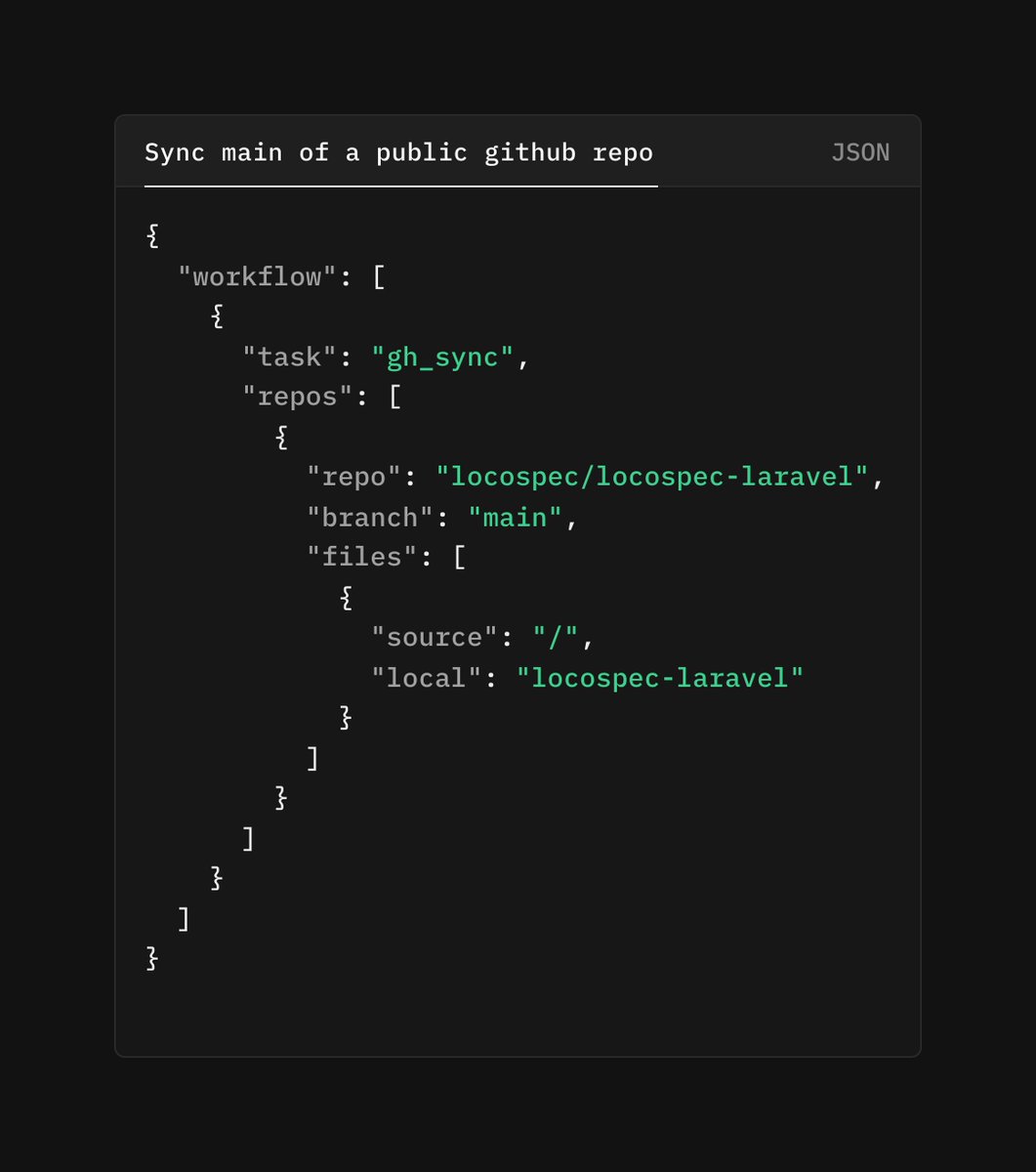
open-code-cli has a workflow file using which you can do "github sync", pull folders, files from a public repo into your local. And keep them in sync by just running:
open-code-cli workflow <workflow-file>.json
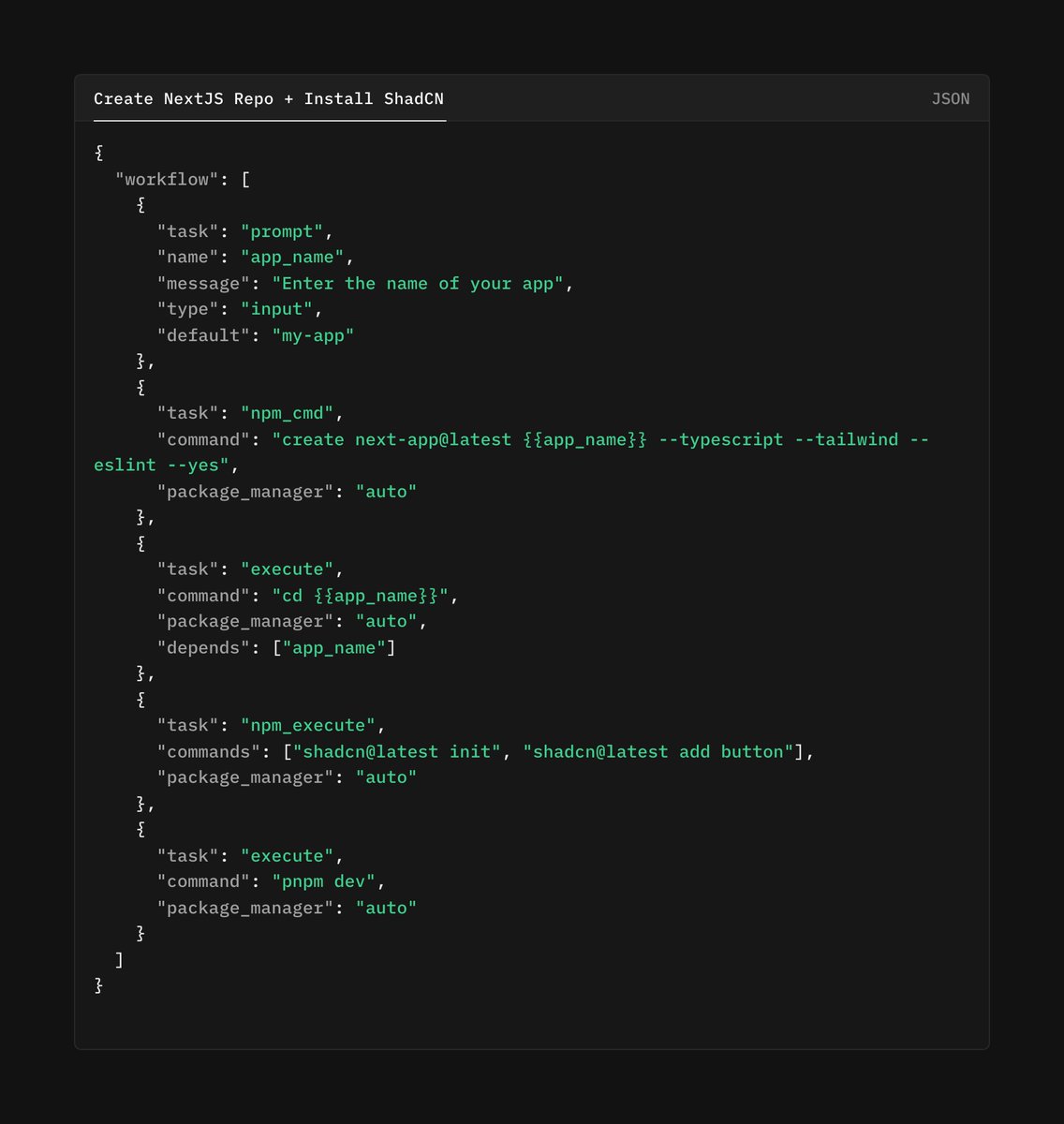
npx open-code-cli <following-workflow>.json
- Ask for name of app
- Create a nextjs app
- Install shadcn
- Run dev
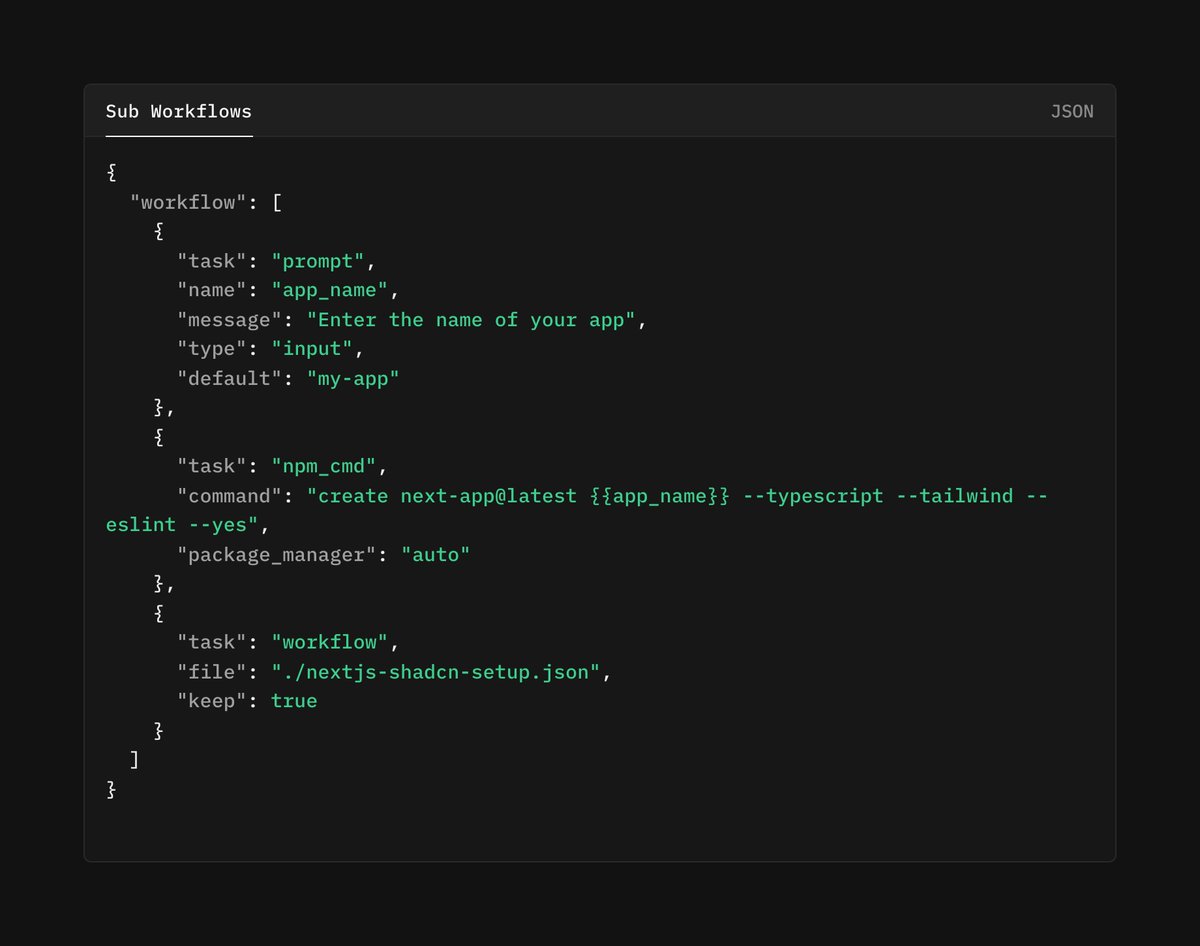
This is small demo of where open-code-cli is heading, a mini ai-agent which you just write in your system and open-code-cli will execute it.
If you are adding broadcasting to existing Laravel.
- Add channels route file to app.php
- php artisan install:broadcasting --pusher (doesn't work), follow manually
- ably (pusher flavor) didn't work for me, if you are breaking your head, not sure if it's worth it. Had to do lot of trial and error, and some blind flukes, still didn't work 😢
- Finally switched to using pusher
- Reverb worked fine (but going with Pusher)
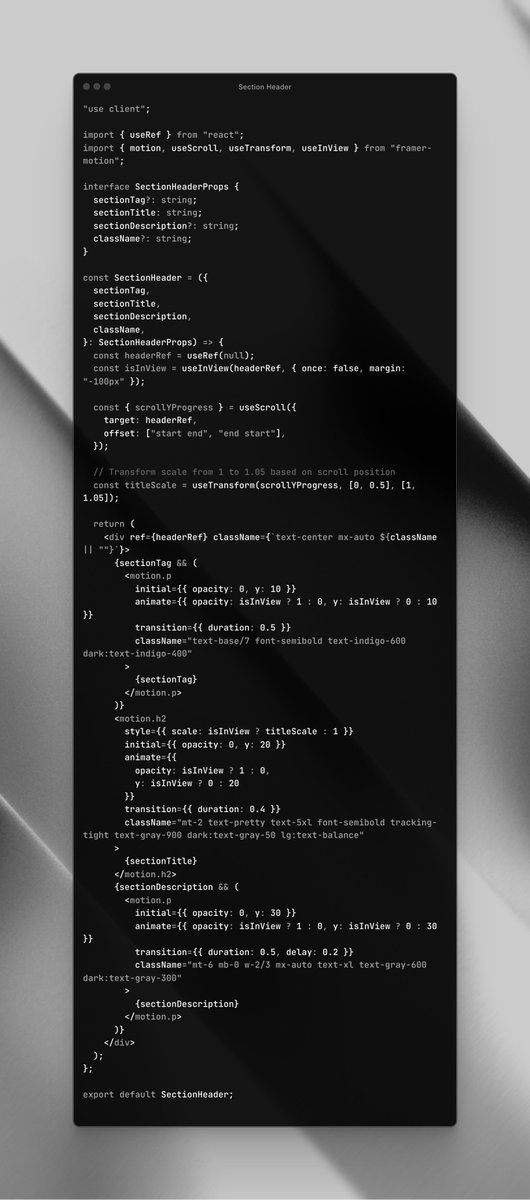
Section Header component with framer animations which work with scroll of the page. Section header has title, description, tag.
- While scrolling down, size of title increases
- While scrolling up, size of title decreases
Final example in about transforming origin.
Let's say there is a box and on hover, you want it to scale or rotate 45 degrees - by default it scales or rotates from center - it's origin being center.
We can change the origin using origin-top-left (transform-origin: top left;)
We can do the same with motion using originX and originY
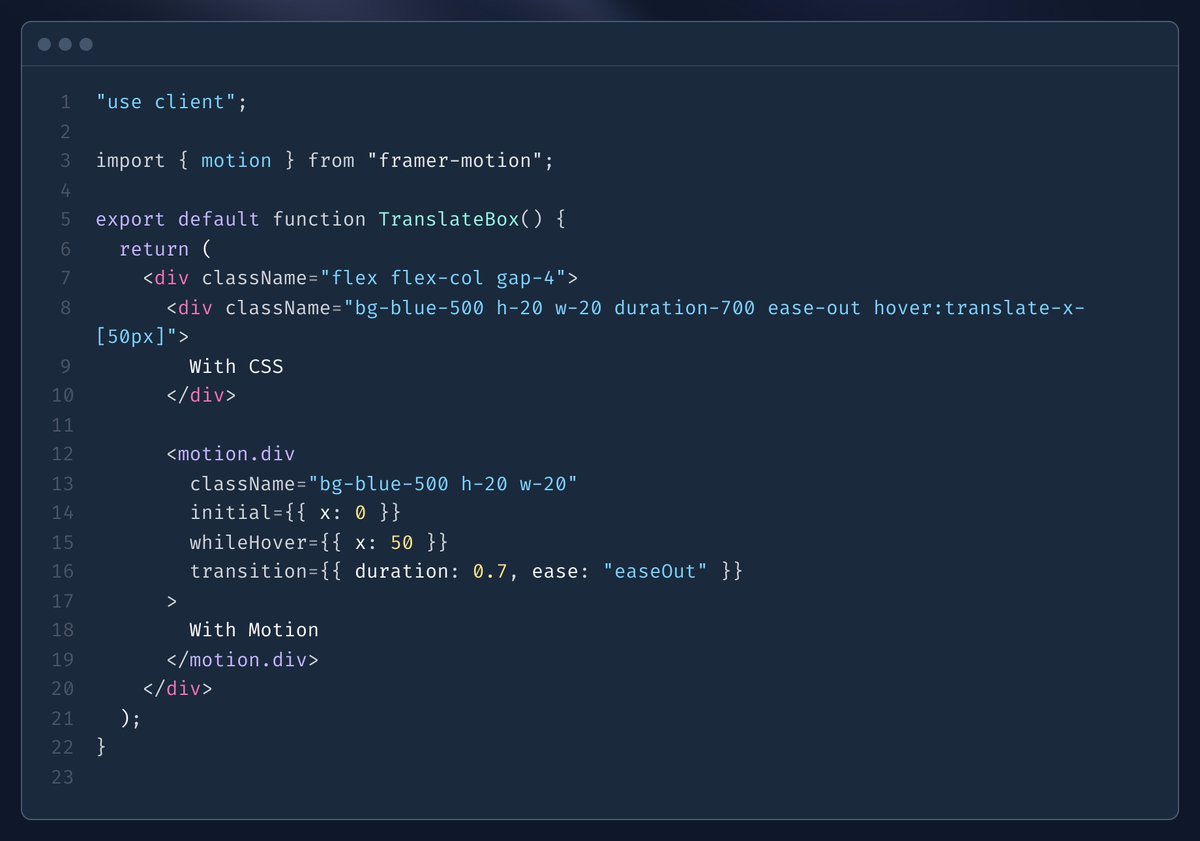
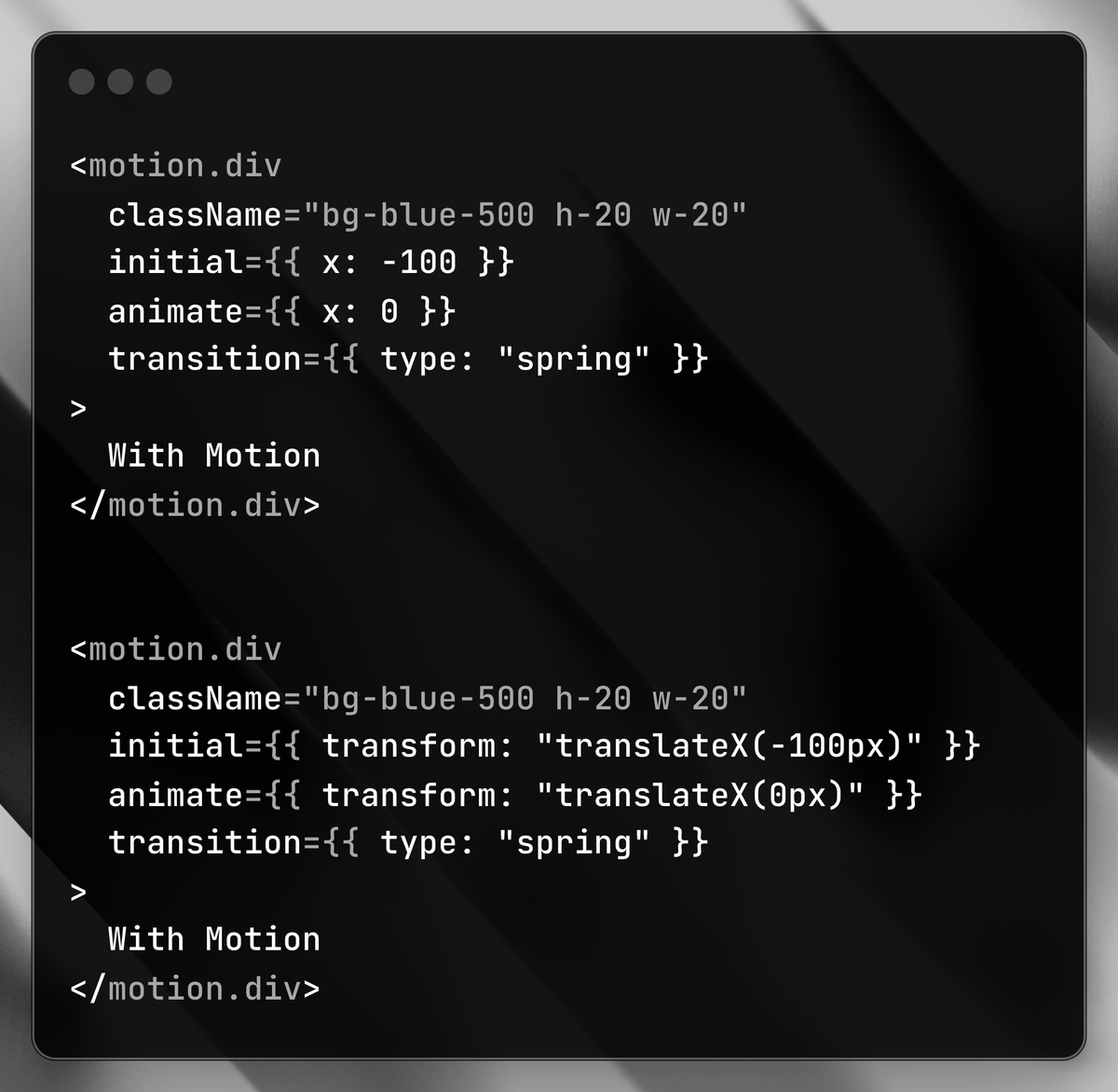
CSS has concept of translate, it basically shifts the position of an element using x,y coordinates. Oversimplified, we write as translate: x y
We can do same using motion too, the same props again.
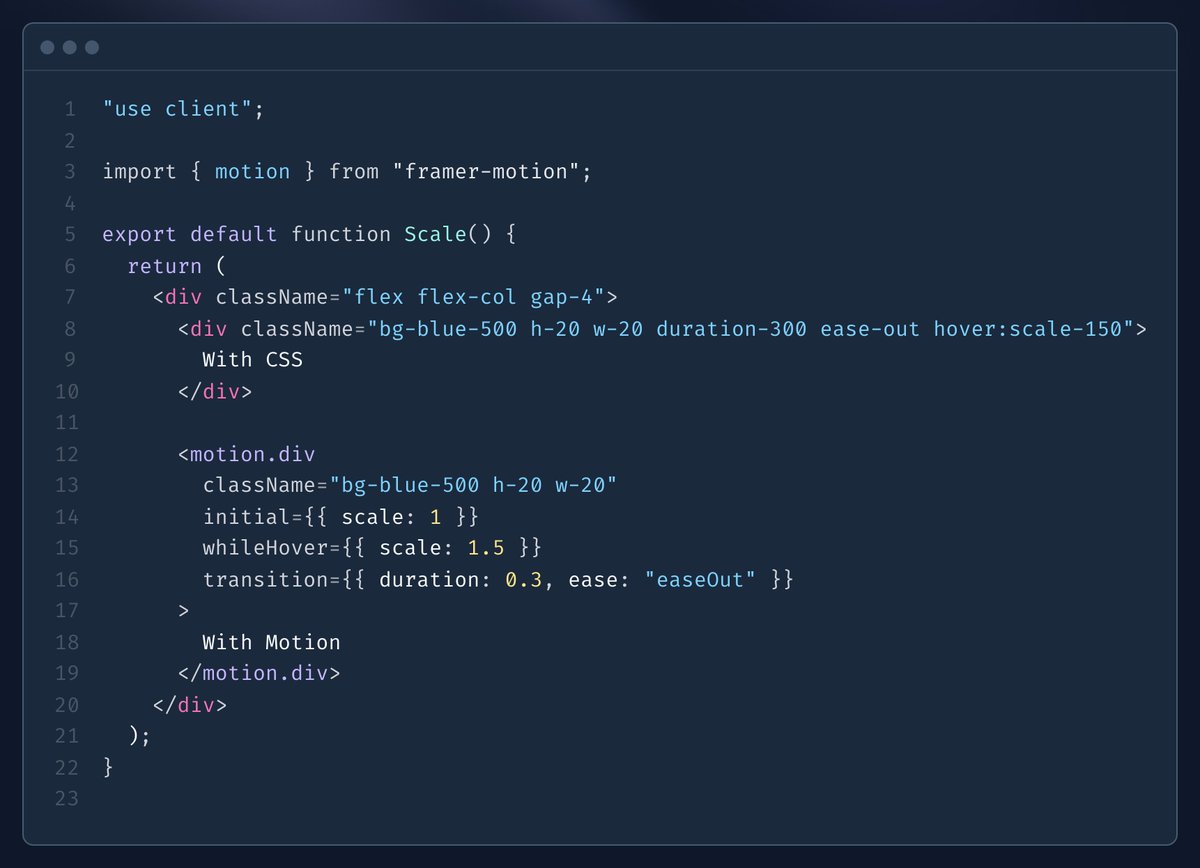
Following is an example for "scale".
scale-150, duration-300 tailwind classes help with this, and you can do same with motion using "scale".
The props are same for motion.div, little repeatitive from above, but:
- initial: declare initial state
- whileHover: Just like hover: of tailwind, u can scale, rotate, opacity etc.,
- transition: declare duration and ease
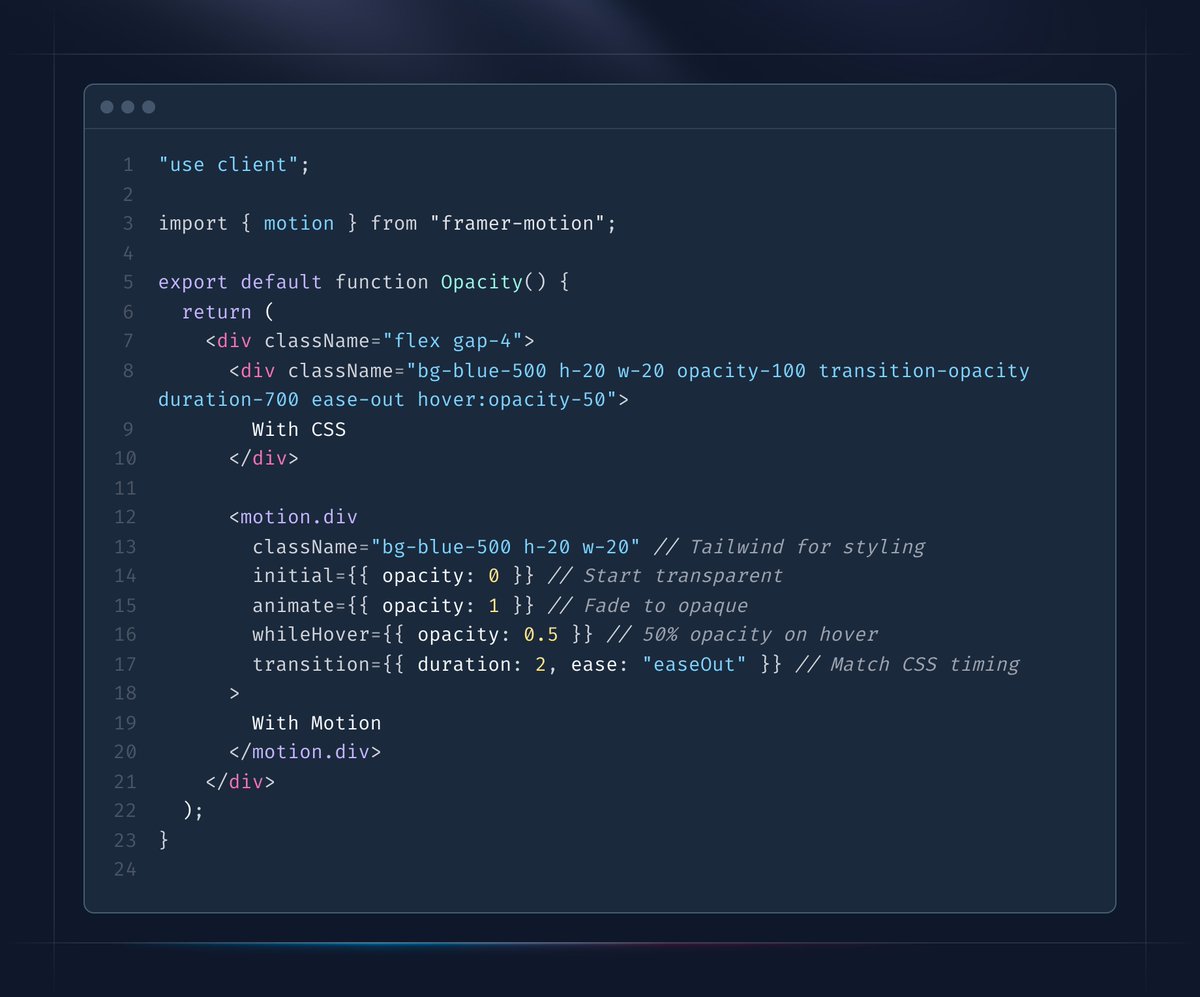
Following shows a box where on hover transparency increases gradually with time. You can just use tailwind classes like opacity-100, duration-700, ease-out.
The same thing can be done with motion, this is how it goes:
- initially (as in when component loads) it has opacity 0, so it won't be visible
- And it becomes visible through an animation: we declare this using animate prop
- Then on hover, we decrease the opacity to 50% but we take 2 seconds and we use ease out
As we are getting closer to finalize the specifications for Locospec.
Terms of Locospec: A JSON-based framework for defining data-driven apps! Here are the core terms to know:
- Schema: Standard JSON structure for all specs.
- Spec: User-defined JSON for models, queries, or mutations.
- Model: Data structure (e.g., user, order) tied to a database.
- Attributes: Fields of a model (e.g., id, name).
- Validators: Rules for data integrity, at attribute or model level.
- Generators: Auto-generate attribute values (e.g., UUIDs).
- Transformers: Modify output attributes (e.g., format dates), at attribute or model level.
- Relationships: Links between models (e.g., user has many orders).
- Query: Read items from a model, with filters and optional subscriptions.
- Mutation: Modify items (create, update, delete).
- Item: A single record (e.g., one user).
- Filter: Standard object to select items in queries.
- Subscriptions: Opt-in query flag for real-time updates.
Build smarter, faster with Locospec! #Locospec #JSON #API #DevTools
I'm developing Locospec, an open-source JSON-based framework to transform app development!
- Features:
- Universal JSON files define data structures, validation, and operations (read, update).
- Language-agnostic, switch to high-performance languages like Rust easily.
- Front-end React library, back-end JavaScript and PHP engines first.
- Real-time updates for dynamic apps.
- Goals:
- Eliminate errors with standardized JSON.
- Simplify front-end/back-end collaboration.
- Enable scalable, modular architectures.
Use AI to generate specs and iterate data modeling, focusing on great data models to build robust solutions.
Currently its in beta, we have used it to build 2 full stack apps. Lot to iterate.
Will keep you updated. Join me!
#DevTools #JsonSchema