If you have Chrome, Brave, Edge, or Opera, you're dealing with MAJOR Stutters & Input Lag
Do these Settings to Optimize Your Browser for Max Performance on Windows 10/11 while open and gaming
(Increased FPS + Reduced Latency) More Info Below!
🚨 Discord is STILL secretly killing your FPS in 2026 games
Even after previous fixes…
background processes keep spiking and eating your performance.
Here's the updated 30-second fix working right now for most people (+35-80 stable FPS gains):
Fix:
1. Open Task Manager → Go to Details tab
2. Search for Discord.exe and DiscordSystemHelper.exe
3. Right-click each → Set priority → Normal
Bonus:
Discord Settings → Advanced → Turn OFF Hardware Acceleration
Discord Settings → Voice & Video → Turn OFF Noise Suppression
Restart your game and check FPS.
Reply with your before vs after FPS (Valorant, CS2, Fortnite, etc.)
Follow @raunak_yadush for daily PC gaming fixes, free AI tools & Windows hacks that actually work.
More coming tomorrow 👇
Windows 11 has been secretly running a keylogger in the background
this whole time
and sending every keystroke to Microsoft servers.
Here's the fix they don't want you to know about
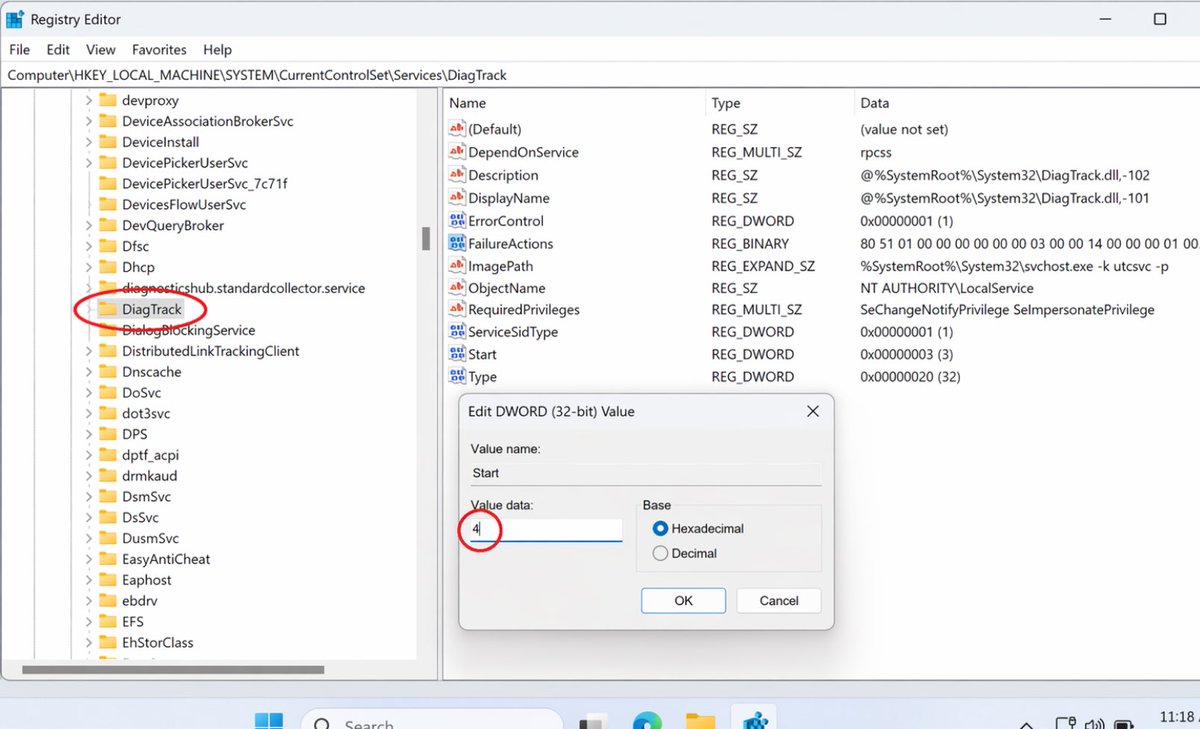
Win+R → regedit → HKEY_LOCAL_MACHINE\SOFTWARE\Microsoft\Input\TIPC → Double click "Enabled" → Set value to 0 → Restart PC
Stop Microsoft from reading every word you type in Valorant chat, Discord, and Chrome.
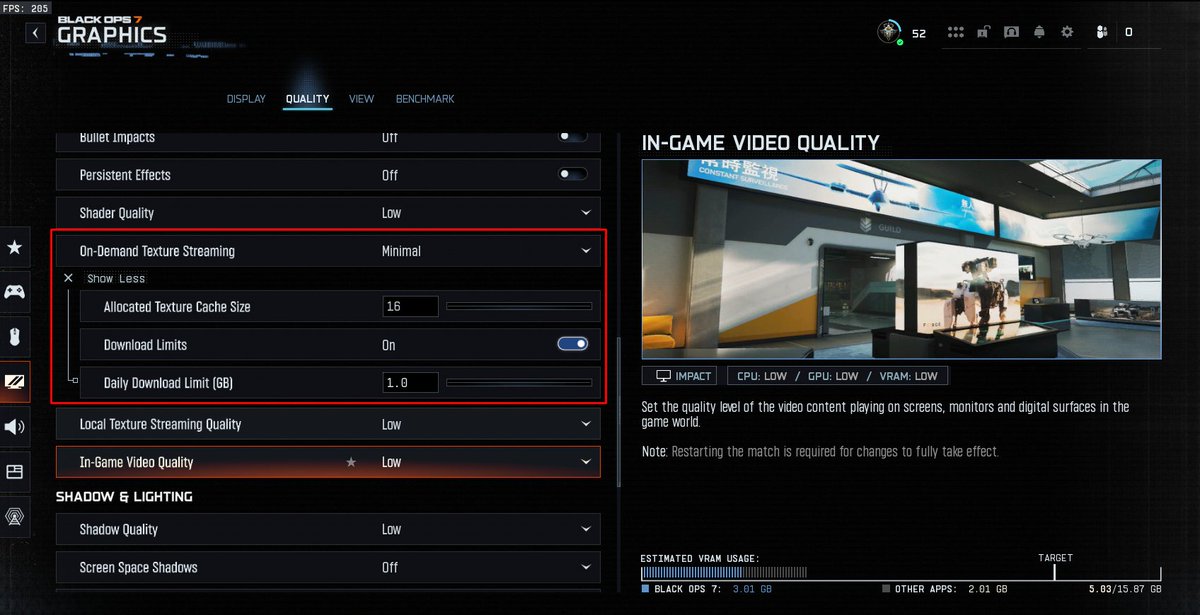
If your connection feels fine but BO7 still keeps showing packet burst, check your texture streaming settings.
Lower On-Demand Texture Streaming to Minimal, reduce the texture cache, and turn on download limits so the game is not constantly pulling extra data while you play.