@eClassDesigner You (or students, faculty, etc.) can create graphics with Spark Post, videos with Spark video, web pages with Spark Page. They have templates available for all of these options, or you can start from scratch. Also very user friendly! 😀
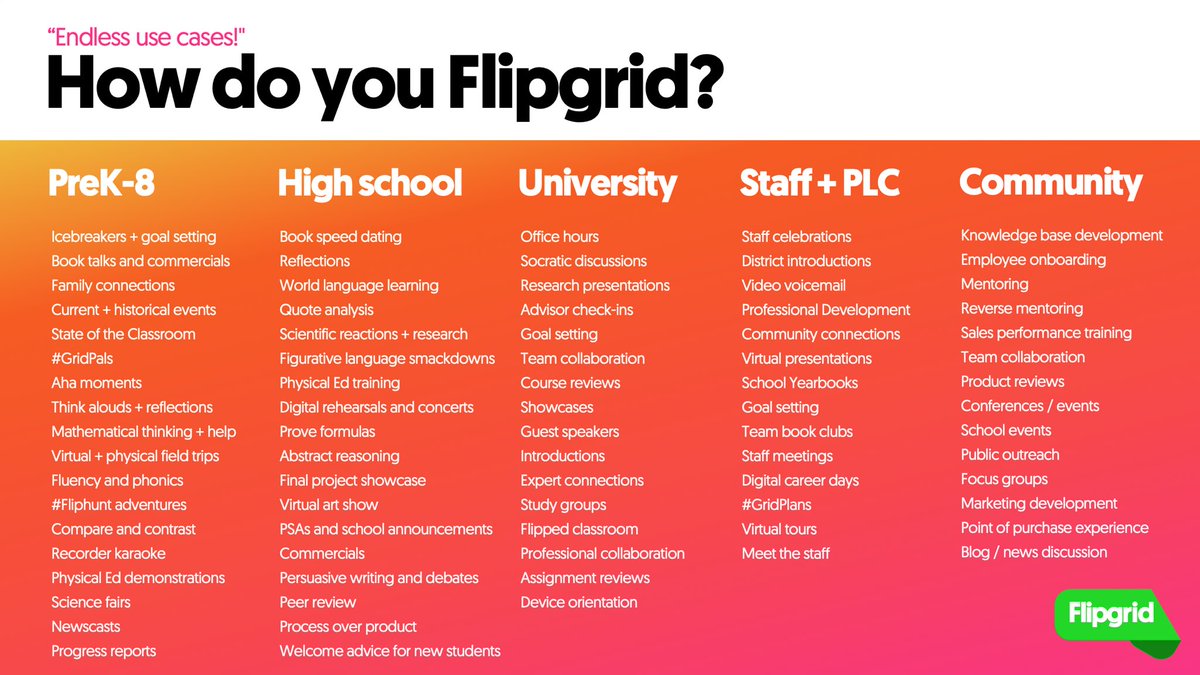
🚨UPDATED: How do YOU Flipgrid?
Happy #FlipgridFriday and THANK YOU #FlipgridFever 💚 for your help + inspiration behind all these ways you #AmplifyEveryVoice with Flipgrid!
🌈 RT + Reply with how you Flipgrid for a chance to win a brand new #StudentVoice shirt!
Windows #OfficeInsiders, add live captions or subtitles to your PowerPoint presentations in the latest #InsiderFast build! Speak in one of 12 languages, and have subtitles in one of 60 languages display on screen in real time during your presentation! https://t.co/W2lppuxx3M
Flipgrid is now COMPLETELY FREE for everyone! 💥💥💥
Huge #flipgridfever news today. No more promo codes. No more finding funding.
Student replies, unlimited grids, teacher controls ... ALL FREE! See below post for more info! #ditchbook#edtech#googleedu https://t.co/KayjdZ72jA