🔴 Emergency Access Account setup tip
Microsoft’s guide for emergency access accounts says to alert on SigninLogs.
If you also add AADNonInteractiveUserSignInLogs, you keep getting alerts after the first hour, for as long as that session is active. 🧵👇
1/4
A lot of people don't realize that Windows has a built-in feature called Windows "Sandbox" that boots up a brand new virtual Windows machine in seconds. So I made an MCP server so you can test your apps inside a throwaway machine in seconds. https://t.co/huB9hAoxSv
Wrote this a while ago but like most of the stuff I like to share, the lessons and advice is evergreen.
Developers are highly targeted for a reason.
If you’re a CISO or IT Manager or anything in between you need a strategy for this…
TIL: Microsoft Copilot keeps conversation history and personalization memory, stored in the user’s Exchange mailbox, so retention and eDiscovery apply.
Prompt history, data artifacts, and memory data are stored in hidden folders in the user's Exchange online mailbox, similar to Teams messages.
This means that an attacker with full access to mailboxes can pull this information.
https://t.co/p0bBRAh0eY
ACTIVE DIRECTORY SECURITY: REMOTE MANAGEMENT ACCESS METHOD
For remote management we do the following:
1: Not allow all Domain/Enterprise Admins from the Internet via no membership (RD Gateway Group)
2: 2FA on ALL Servers that can accept it (DUO)
3: Domain User Account in RD Gateway Group
4: Above User has Remote Desktop Access local on the Jump Server _only_
5: User has to right click and Run As Admin on RSATs
6: RD Gateway _only_ for remote access
7: DUO for RD Gateway in place
*** This kills virtually ALL remote user based attack vectors especially VPN ***
DUO is set up to prompt on the RD Gateway. Internal resources also have the DUO RDP/Windows Logon setup configured to prompt for 3-5 numbers on the user's mobile via the DUO app.
Repeat after me:
- VPN is evil.
- VPN is a yuge hole in the security perimeter
- VPN Vendors _have been compromised_
Show me one RD Gateway compromise since it was delivered in Windows Server 2008 RTM.
Starting on November 4th, Entra ID users will be able to create agent identity blueprints unless this capability is disabled. I strongly recommend you disable this capability so you don't have users creating agent identity blueprints.
There's a setting to turn this off in Entra ID under User Settings: "Users can register agent blueprints".
Switch it to "No" to prevent users from being able to do this.
Agent identity blueprints are templates that define identity configuration and credentials for AI agents. This is similar in capability to app registrations but for agent identities.
Allowing all users to create blueprints has similar risk to allowing all users to register applications (default is enabled as well). When a user creates an agent identity blueprint, they become the owner of it until removed. This provides full control access to the blueprint.
Agent ID Developer and Agent ID Administrator will still have the ability to create them.
More details here (including searching for existing blueprints):
https://t.co/gSz5RiqU9I
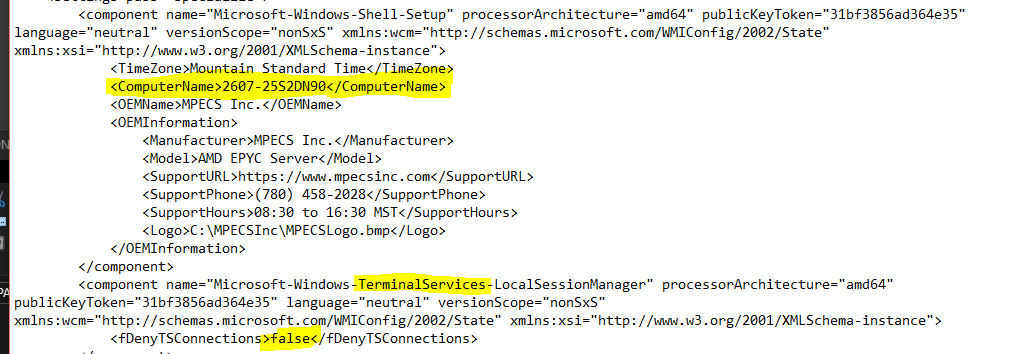
WINDOWS SERVER INSTALL TIPS! AUTOUNATTEND.XML DISM and OSCDImg
1: AutoUnattend.XML makes Physical and Virtual OS installs a dream
2: We use DISM and OSCDImg to curate images for custom installs
3: Our custom images save _a lot_ of time!
Out of the box we can have the server's name, RDP inbound enabled, the local administrator password set (to be changed once we run the finishing steps), and more.
In fact, we can go so far as to have custom images for a variety of Windows Server Roles ready to go.
And we do.
We have images for physical deployment and for virtual deployment.
Our Hyper-V VM setup script is a single step with the VM OS installed and components ready for us to finish up.
The following is a bit dated but still relevant:
https://t.co/IGBHMakT3U
We curate folders that are then used to create .ISO images for VM install and for the flash drives we plug in to a Hyper-V server or cluster node forever.
The To Do List priority for updating the above has gone down because Microsoft has since delivered monthly slipstreamed images saving us some time and steps.
PowerShell for DFIR, by @co11ateral
Part 1: Log Analysis and System Hardening https://t.co/VVhankUEUY
Part 2: Finding Persistence https://t.co/c5JPs30nsi
Part 3: Audits and ACL Security https://t.co/SMBCu4XOfc
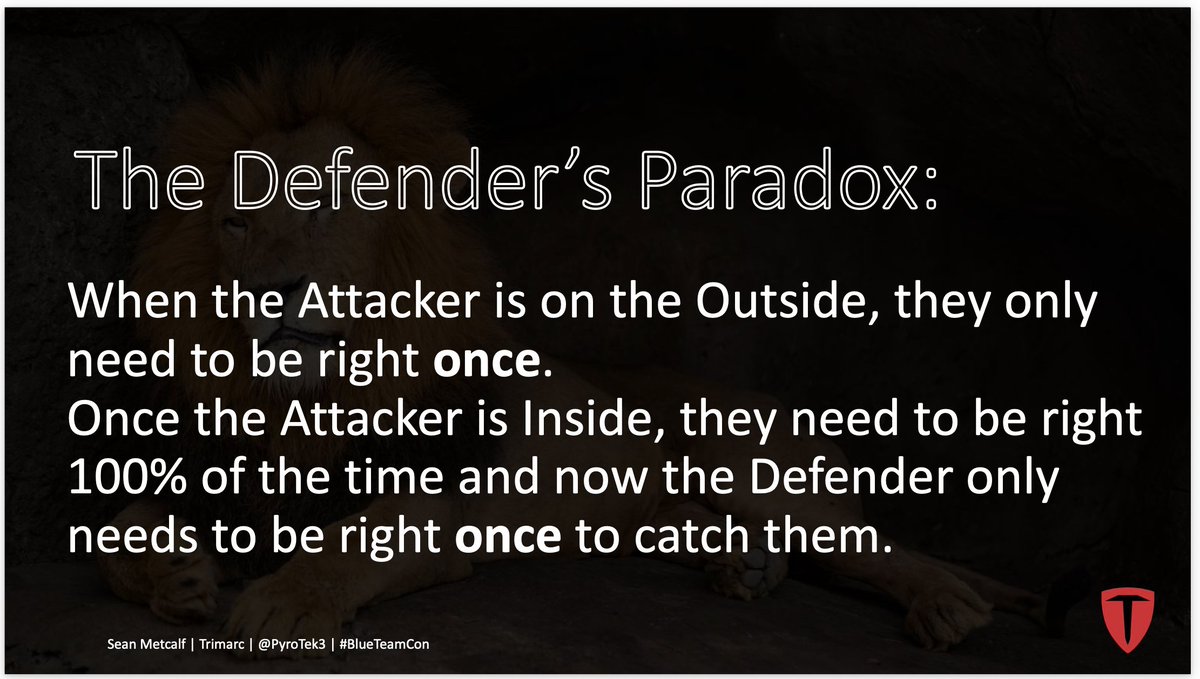
The Defender's Paradox:
When the Attacker is on the Outside, they only
need to be right once.
Once the Attacker is Inside, they need to be right
100% of the time and now the Defender only
needs to be right once to catch them!
New video: basic reversing of a Windows kernel driver.
WESP, the new endpoint security driver in Insider builds, has no device objects and no dispatch routines. Its imports tell you how it really talks to user mode: a filter communication port.
Full write-up: https://t.co/ZWtza7feUt
The AD Forest As A Security Boundary And the Impact of Trusts on That Security Boundary – The Revisited Still (In)Secure Sequel, by @JsQForKnowledge
https://t.co/SukgFlsjc4
🪟💡 Ever wonder what's really happening when Windows quietly says “that operation succeeded”? Raymond Chen dives into another delightfully deep corner of Win32 internals, unpacking API behavior, edge cases, and the historical decisions that still shape modern Windows development. ⚙️🧠
A reminder that every “simple” API call has a story. 😄
📖 Read: https://t.co/gZqu2IZpwF