If you had to bet on one for a hard customer question
→ your best agent's memory or your help center, which one wins?
Every support leader we've asked picks the agent.
Brainfish MCP changes which one wins. The article gets surfaced inside Claude as the agent listens — drafted, cited, ready to send before the customer finishes asking.
Knowledge base and top agent give the same answer. The rest of the team rises to it.
(The other 6 ways support teams are using this in the comments below.)
Head-to-head at your company: top agent or help center?
Where this week's product change is documented:
— Slack thread, Tuesday
— Linear comment, Wednesday
— Notion page, half-written
— Two customer call recordings
— Yesterday's standup notes
IT'S NOT DOCUMENTED IN YOUR HELP CENTER.
One SaaS social platform engineer got tired of this. He asked his team channel: "can Claude push articles into Brainfish via API, pulling from what we've already written?"
Yes, it can! He shipped the workflow in a day.
Now the fragmented docs feed Claude. Claude grounds the draft in the existing knowledge base. The article lands in Brainfish for review.
The help center stops being a workstream and becomes an output.
What would your help center look like if no one had to own "keeping it updated"?
Open your help center. Find the doc for the feature you shipped two weeks ago.
We'll wait.
Here's the problem most teams face daily: the product moved, the docs didn't.
Here's the playbook one enterprise AI platform used to fix it:
1. Connect Brainfish to your product and support surfaces via MCP.
2. Point a real-time agent at it. Every builder question gets a live answer, with the source article cited.
3. Point a second agent at your product updates and meeting notes. It drafts new articles automatically.
4. Drafts queue up for human review. Approve, and they land back in Brainfish.
5. The support agent cites the new version on the very next ticket.
Five steps. No manual handoff. No stale docs.
The knowledge base finally moves at the speed of the product.
A miracle? No. ✨ Brainfish MCP. ✨
What would it take to close the product knowledge gap on your team?
Your support team already knows what's missing from your knowledge base.
They flag it in syncs. They explain it on the same 12 tickets every week. Then they watch customers churn out of flows they could have documented months ago.
But the article never gets written.
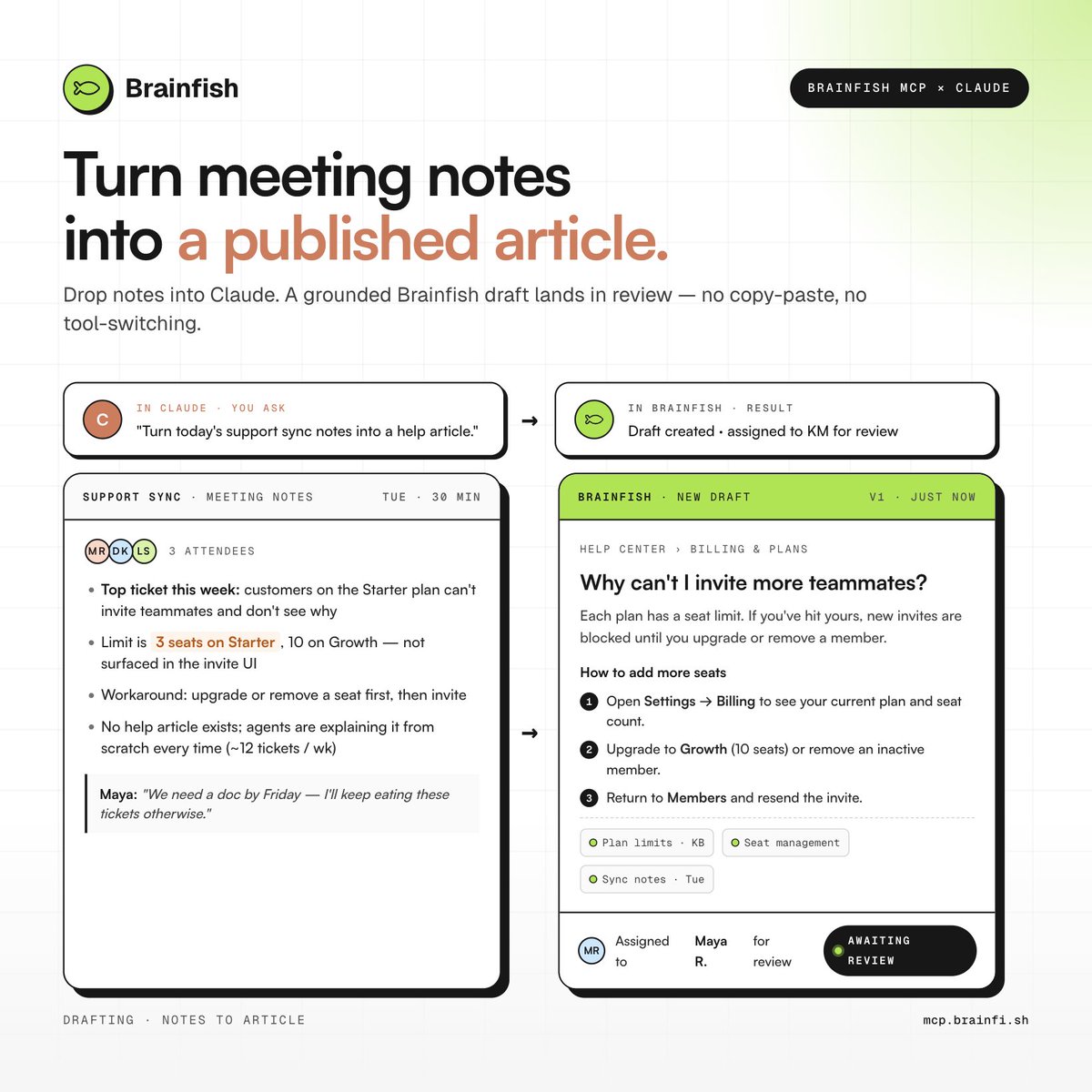
Example from this week: a customer asked support why they can't add a teammate. No article exists. Agents are explaining it from scratch. The support team flagged it in the product sync, again.
With Brainfish MCP, you drop those meeting notes into Claude, ask it to have Brainfish create and publish the article. No copy-paste and no tool-switching, all under a minute.
Meeting notes to published article in one ask. The knowledge base catches up the same day the problem gets discussed.
Imagine your agents never explaining the same workaround twice and your customers finding the answer before they ever open a ticket.
7 things support, CS, and product teams are doing with Brainfish MCP and Claude → https://t.co/UG5sdJuHGw
AI support that doesn't know your product doesn't deflect tickets. It creates them.
A bigger model won't fix that. A better knowledge layer will.
This month, that knowledge layer shows up in three more places your team already works.
→ Brainfish MCP for @AnthropicAI's Claude
Stop re-briefing Claude every session. Drafts, answers, and conversation guides grounded in what your company actually knows — instantly. Hours back per week, per person.
→ @MicrosoftTeams integration
Every internal question answered in-thread, with citations. New hires ramp in days. Senior people stop being human help desks. Your most knowledgeable teammate is now everyone.
→ @Zendesk live agent handoff
Customers stop repeating themselves. Agents pick up with the full conversation already in front of them. Faster resolutions, higher CSAT, fewer dead ends.
If your AI support isn't pulling its weight, the knowledge underneath it is usually why.
Watch the video ↓
Claude is only as useful as what it knows about your product.
Out of the box, it doesn't know your knowledge base intimately.
It doesn't know what changed in last week's release.
It doesn't know the articles your team has spent months keeping current.
And that's the gap Brainfish MCP closes!
Connect Claude to your Brainfish knowledge base and you can audit it, search it, draft into it, and test it for coverage gaps.
Without leaving your AI assistant.
Without replacing anything your team already runs.
We've watched what teams do once they make the connection. One ran a full knowledge base review in an afternoon that used to take two weeks. Another built real-time coaching for CS agents during live calls. A third turned meeting notes into published articles without switching tools.
Full breakdown in the comments.
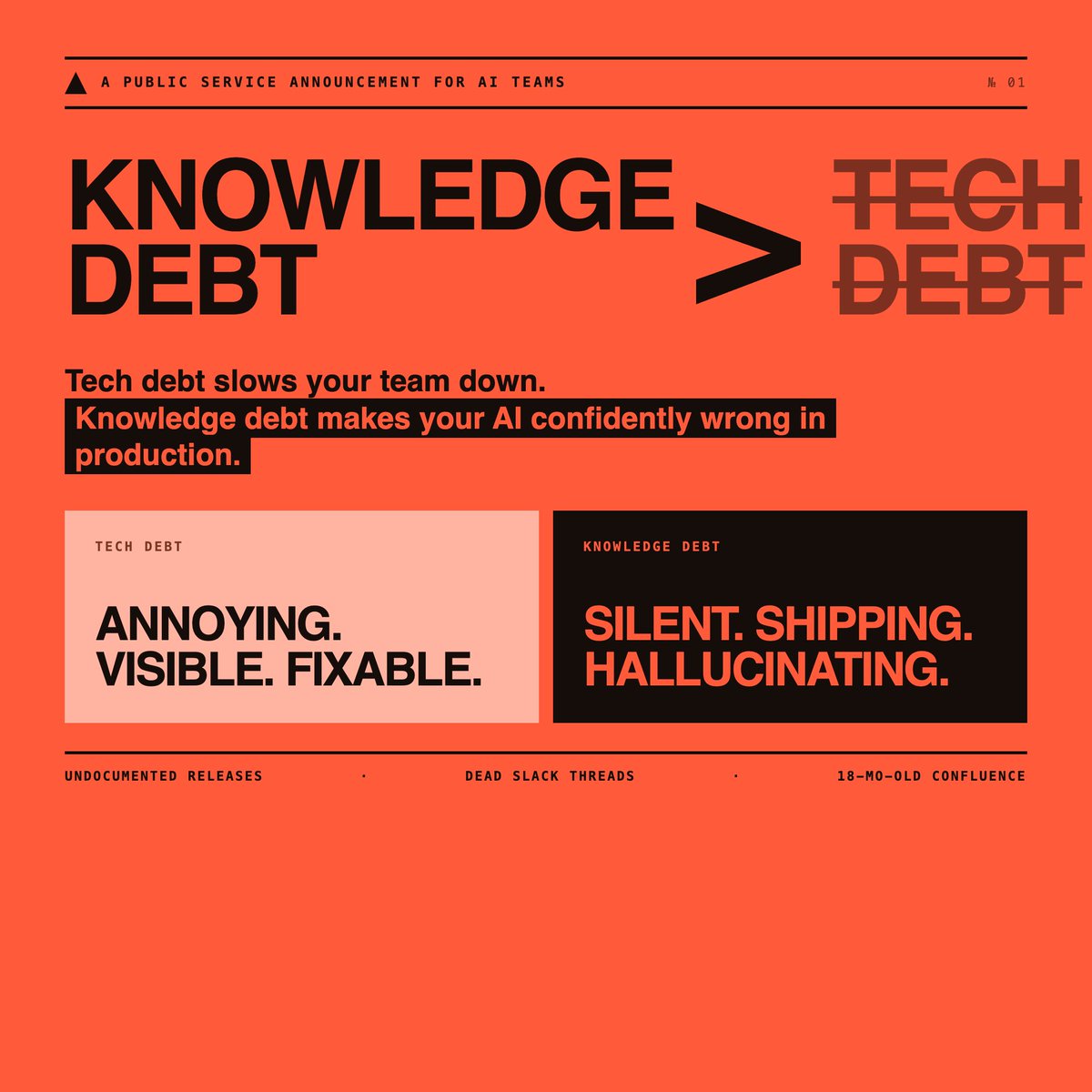
Knowledge debt is much worse than technical debt.
Technical debt slows your team down.
Knowledge debt makes your AI confidently wrong in production. (demo looked great though, I'm sure)
Every undocumented release. Every dead Slack thread. Every Confluence page no one has opened in 18 months.
That's your AI's training data.
You wouldn't ship code without version control.
Why are you shipping AI without a knowledge layer?
Everyone's shipping AI agents.
95% of those agents fail.
That's an MIT stat, not ours.
May 7, @_dankimber talks about what the 5% are doing to succeed.
hosted a Women in AI event in SLC yesterday.
ended up with room full of educated women passionate about AI
ready to share their ideas, what’s changing, and where it’s going
plus we had fish bowl punch (important)
seattle, you’re next.
Over the last 2 years, we've looked inside hundreds of SaaS support setups.
Different industries. Different team sizes. Different tools.
Almost all of them had the same problem.
It wasn't a staffing problem.
It wasn't a ticket volume problem.
It wasn't even an AI problem.
It was a knowledge problem.
Specifically: their AI was answering from dead knowledge.
Here's what that looks like in practice:
→ Help docs written 18 months ago, never updated
→ FAQs that reflect the old product, not the current one
→ AI confidently answering questions with information that's just... wrong
→ Customers getting frustrated. Tickets going up. CSAT going down.
→ The team blaming the AI
The AI isn't the problem.
The knowledge underneath it is.
---
Here's the thing most teams don't realize:
A knowledge base is not AI-ready.
A knowledge base is a filing cabinet. You put things in. They sit there. They get stale.
A knowledge layer is alive. It updates when your product changes. It learns from every interaction. It knows what users are actually stuck on — not what you *assumed* they'd be stuck on when you wrote the article two years ago.
The 3 out of 50 that didn't have this problem?
They had one thing in common: their AI was built on live, connected product knowledge — not a static upload.
---
There are 5 specific failure points that show up in almost every broken help center.
Most teams are hitting at least 3 of them right now and don't know it.
I've turned this into a 5-point health check — the same diagnostic we run with every new Brainfish customer before we start.
**Comment "AUDIT" below and I'll DM it to you.**
---
If you want us to run this audit on your setup:
We do a 30-minute session where we go through your current support stack, identify where knowledge is breaking down, and show you exactly what a living knowledge layer would look like in your product.
No pitch deck. Just a real look at your setup.
→ Book a session at https://t.co/Mp9pYxDeud
Same question. Different answer on replay.
That's not an accuracy problem. That's a non-determinism problem.
If you can't replay a query and get the same trace, you can't debug it. You can only guess.
Every sprint that ships without a docs update creates accuracy failures downstream.
The AI doesn't know the feature changed. It returns the old answer. Confidently.
And someone gets paged at 2am wondering why.
You can monitor what your AI outputs.
You can't see what it retrieved to produce that output.
That's not a logging problem. That's a retrieval architecture problem.