BrightIntosh v5.3.1 introduces a new toggle control to the macOS Control Center.
The redesigned settings window now also allows you to control whether the app icon appears in the Dock. https://t.co/X9iQII6i4G
BrightIntosh now features a glassy look! Plus, a new automation toggles increased brightness automatically based on whether your MacBook is running on battery or plugged into power.
Good news, beta users! BrightIntosh is working again on the latest macOS Tahoe 26 Beta (5). Get that extra brightness you need to power through your summer projects ☀️
Wondering if the new MacBook Pro with an M4 chip solves brightness issues? 🌞 It can reach up to 1000 nits in bright settings. But if you want constant access to that brightness, BrightIntosh could be a helpful add-on.
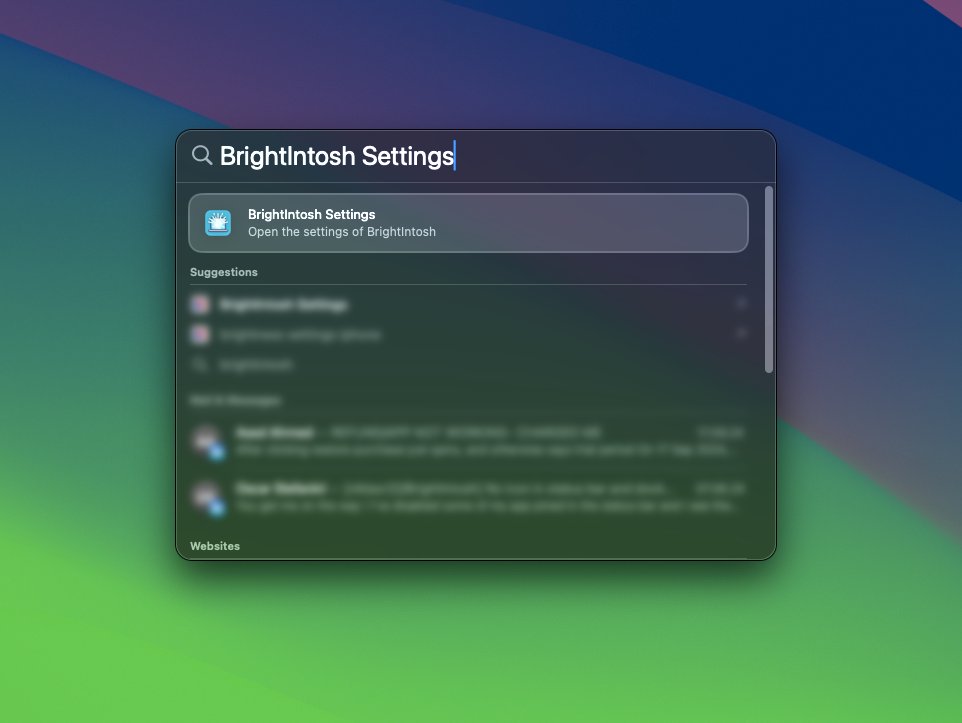
With the latest update to BrightIntosh, you can now hide the BrightIntosh menu bar item and open the preferences window using macOS Spotlight search!
If you don't know BrightIntosh yet, give it a try. Check out the link in our profile!
#macbook#Apple
🚀 #BrightIntosh v3.0.0 is here with a FREE 3-day #trial for new users! 🌟 Download it now on your #MacBook Pro through the Mac App Store and see what you've been missing!
Stuck on the train but need to get some work done? 👩💻🚅
BrightIntosh makes working in bright environments on a #MacBook Pro much more enjoyable! ☀️
Get it now: https://t.co/bydykCq14F
By the way: we also translated #BrightIntosh to German, French, Spanish and Portuguese! 🌎🌍