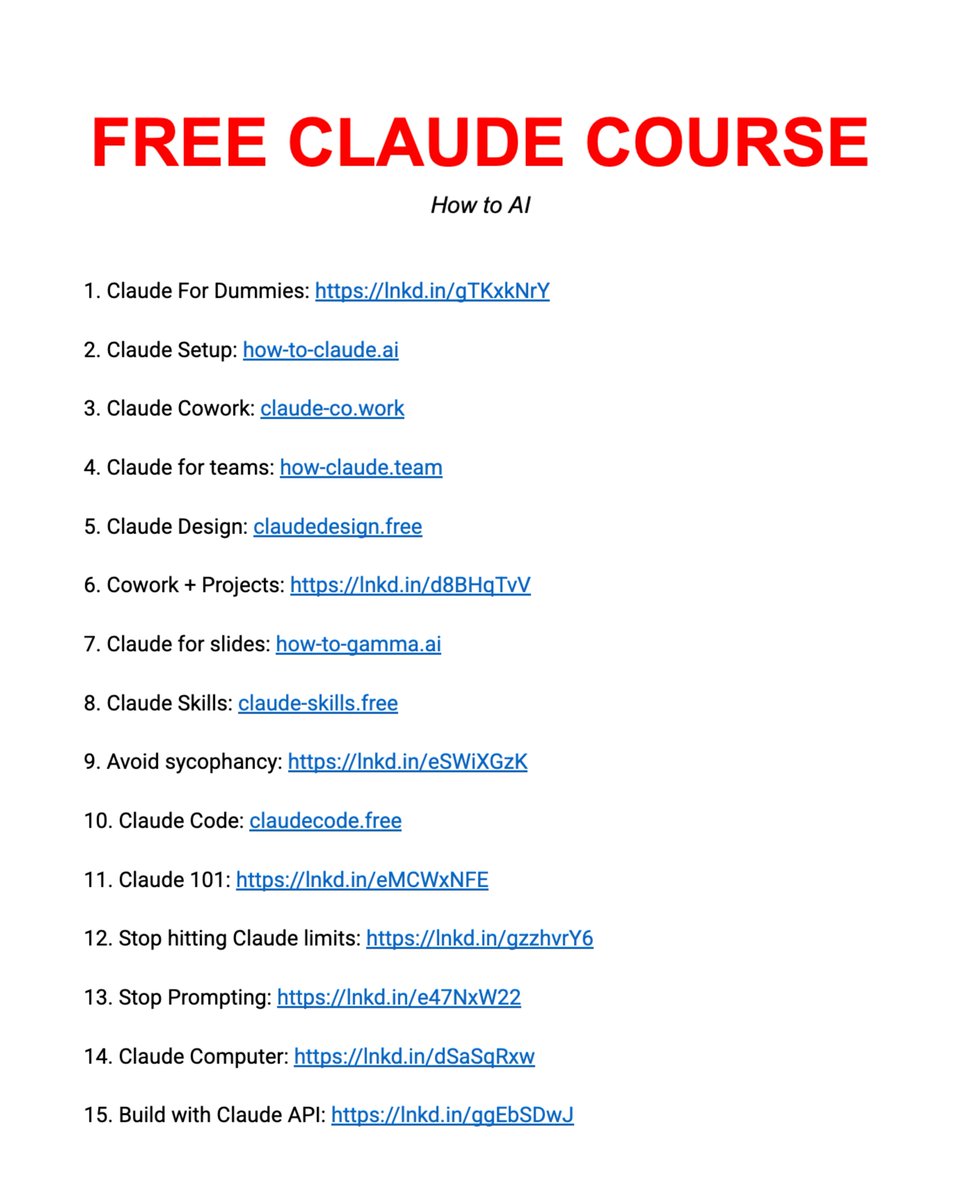
Stop buying expensive $500 courses to learn AI.
I’ve already done it for you. With one list:
Straight to the point. Zero confusion. And no fluff.
Spend a day mastering Claude here: https://t.co/Vn60ElPrcK
→ Level 1 - 24 min: The basics.
Claude For Dummies: https://t.co/QQDmzBAoH5
Claude Setup: https://t.co/jw2qdIbLxJ
→ Level 2 - 1 hour: Real workflows.
Claude Cowork: https://t.co/uWTpOI3oyE
Claude for teams: https://t.co/qxlcqheAme
Claude Design: https://t.co/ZY8Fg5CuoC
Cowork + Projects: https://t.co/xU97EpdrEe
Claude for slides: https://t.co/L0bPMgWEsy
Claude Skills: https://t.co/6cHYYfjpP2
→ Level 3 - 3.5 hours: The pro moves.
Avoid sycophancy: https://t.co/wVYoIeHXln
Claude Code: https://t.co/UgE9xBXnm6
Claude 101: https://t.co/3fO4fPkrwD
Stop hitting Claude limits: https://t.co/Yu24rPQafQ
Stop Prompting: https://t.co/45xPLDRB6Y
→ Level 4 - 8 hours: Expert mode.
Claude Computer: https://t.co/tQDrcs8drQ
Build with Claude API: https://t.co/ww5EsMChvG
___
1. Save this list for later (three dots, top right).
2. Share it with a friend by ♻️ reposting this image.
3. Subscribe to my free newsletter: https://t.co/psB7XxAv8w.
You can now ask Gemini to create Docs, Sheets, Slides, PDFs, and more directly in your chat. No more copying, pasting, or reformatting, just prompt and download.
Available globally for all @GeminiApp users.
first impressions on the @Apple Vision Pro after ~2 hours of use:
- the screen is INSANELY high resolution. way better than any other headset i’ve used. when you are in the immersive mode, the experience is absolutely remarkable
- pass through video isn’t the pin sharp video you see in the YouTube reviews. it is definitely dithered, but is serviceable for being able to stay aware of your surroundings
- watching movies on it is incredible. i have a 120” inch projector screen at home, but this is something else
- UI is very intuitive, but i do find the eye-tracking controls a bit finicky. i suspect my experience will improve with time and practice
- moving windows around and resizing them is a breeze. right now, i have my MacBook desktop open, a native Safari window, an iPad app, and Messages all open. there does not appear to be any restrictions on how many windows you can have open
- FaceTime is pretty crazy on this thing. have only done it with people who have iPhones, but it feels very natural. i can make real eye contact with the person on the other side, which is something which is usually awkward to do when you have to look at a camera
- digital Personas def at the uncanny valley, but reaction has generally been positive
- have watched a couple of spatial videos and they are indeed cool. as are viewing panoramas i’ve taken in the past, and my photos in general. just super-immersive experience
- feels in general like a device best used when seated, though i have not moved around with it much yet
- the headset is heavy, but it’s definitely usable for up to a couple of hours straight (though I’m a VR veteran). included dual loop band is way more comfortable to me than the solo knit band
- a plus is that you can really relax and lean back while wearing the headset. i’m typing this now from my MacBook while sitting in a lounge chair, but viewing the display in front of me as 15 ft screen. don’t need to crane my neck to look down at my phone or laptop!
will experiment more with new apps designed for Vision Pro and report back
overall, i’m REALLY impressed so far. and with software updates, i expect this will only get better and better