Video editado. Mañana, a las 18h hora española, vuelvo con el contenido regular.
Tengo mucha ilusión por esta nueva etapa, una etapa que espero os guste compartir conmigo, libre de monetización para mi propia paz mental. ¡Espero que os guste el nuevo rumbo del proyecto!
CORRE TUS JUEGOS DE STEAM, EPIC Y GOG NATIVOS EN ANDROID
Sin streaming. Sin PC. Sin suscripción extra.
GameNative te deja jugar los juegos de PC que ya tienes directamente en tu teléfono o handheld Android.
Lo que incluye:
→ Steam + Epic + GOG + Amazon
→ Ejecución local (no cloud)
→ Cloud saves (continúas donde lo dejaste en PC)
→ Controles táctiles + mandos
→ Configs automáticas de la comunidad
Open source. 8.8k stars.
¿Ya estás jugando tus juegos de Steam en Android o todavía dependes del streaming?
Repo en comentarios 👇👇
❌ Conectar el PC a la TV así es un error
💡 Si quieres conectar tu PC a la TV sin cables para jugar... ¡Prueba Sunshine y Moonlight!
💬 ¿Te ha funcionado? 👇
🐠 Aquarium Guide, Everything You Need to Know!
The Aquarium system in NTE is much deeper than most players realize. There are hidden mechanics that can affect your fish, and if you ignore them, you can even lose them.
Here's everything important in 1 place:
🐟 Not every fish can be displayed.
Many players don't know this.
Open your Fish Hold, select a fish, and press the 🔒 Lock button.
Once it's locked, a message will appear next to the fish's name telling you whether it can be:
• Displayed in an Aquarium
• Displayed on your vehicle
• Or both
If you don't see the message, that fish cannot be displayed.
🌊 Freshwater & Saltwater
Fish belong to either Freshwater or Saltwater tanks.
Always place them in the correct aquarium.
🌡️ Water Temperature
Every fish has its own preferred temperature.
Keeping different species together makes temperature management more difficult.
You can enable Auto Temperature Control to automatically keep the water within a safe range.
⚗️ pH Value
Every species has its own ideal pH range.
The pH changes over time, and if it moves outside the safe range, your fish will start losing health.
Use:
• Acidic Dewdrop
• Alkaline Dewdrop
to bring the pH back to the correct range.
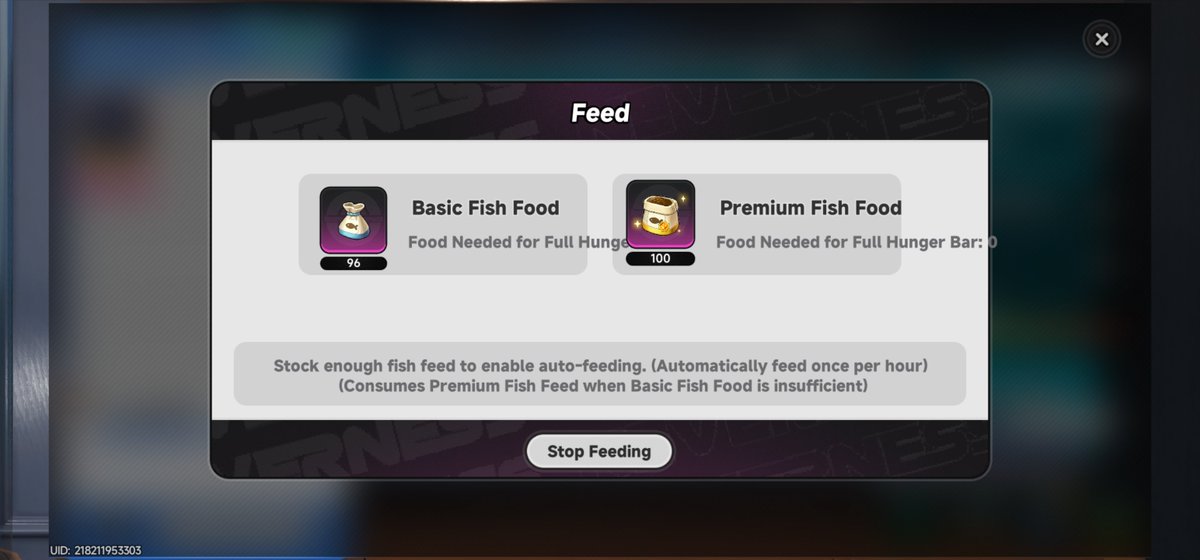
🍽️ Auto Feeding
Different fish require different food.
Once you have the proper food, enable Auto Feeding.
The game automatically feeds your fish once every hour.
If Basic Fish Food runs out, Premium Fish Food will be used automatically.
👥 Fish Density
Every aquarium has a maximum capacity.
Adding too many fish makes maintaining healthy conditions much harder.
❤️ Fish Health
Fish lose health if:
• They're hungry
• Water temperature is incorrect
• pH is incorrect
If left like this for too long, the fish can be lost.
Fix the conditions and their health will gradually recover.
🐋 Fish Weight
The heavier the fish you catch, the larger it will appear inside your aquarium.
If you want an impressive display, go for the biggest catches!
💡 My Tips
✅ Lock valuable fish immediately.
✅ Enable Auto Feeding.
✅ Enable Auto Temperature Control.
✅ Check your pH regularly.
✅ Don't overcrowd your tanks.
Aquariums are honestly one of the coolest housing features in NTE, and there's much more depth to them than I expected.
Did you know all of these mechanics? 👇
#NTE #NevernessToEverness #NTEネバエバ #NTECreator #NTEFishing
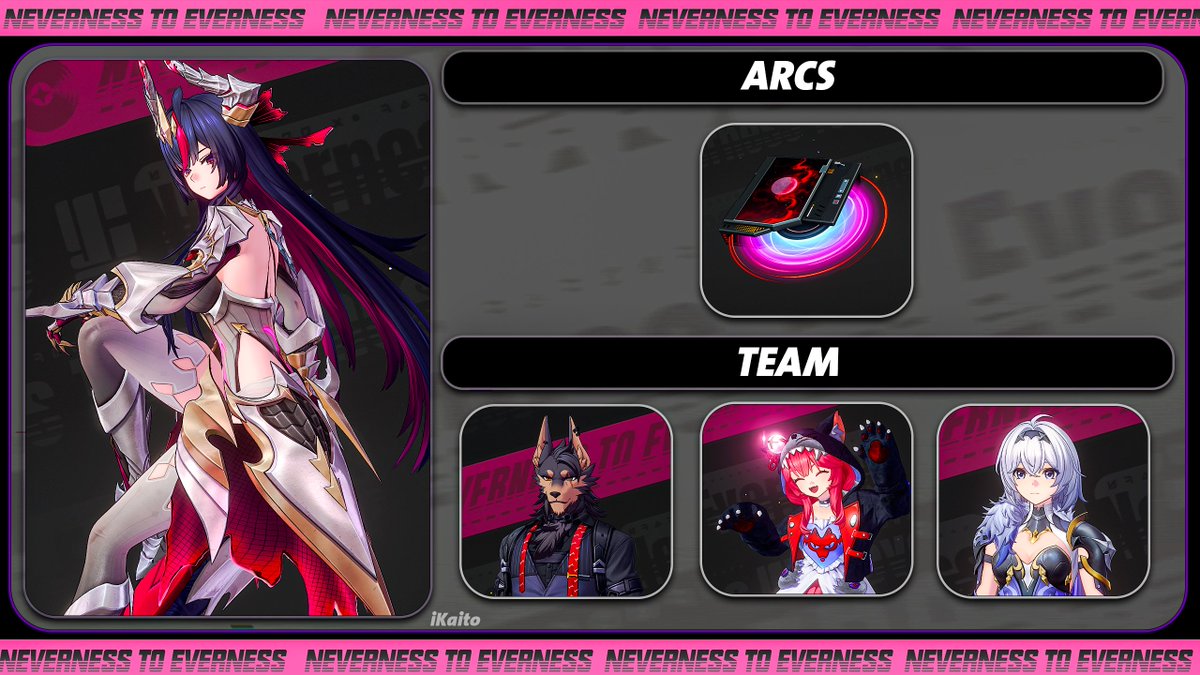
999 Nights team check, Appraisers! 🌙✨
The NTE 1.2 team meta has shifted a bit from last version, so we picked the Top 5 Best Teams for this patch.🥳
Need more Solid Dice for V1.2? LDShop NTE Self Top-Up is now up to 42% OFF 👉https://t.co/BZjZY43jJl
#NTE#NevernesstoEverness #NTEteam #tierlist #Shinku #LDShop








![GrandChase's tweet photo. Ereb joins the roster August 12th, 2026!
Grab 10x [Event] Seal Breaker Scrolls with the code 'EREB0812' before July 15th 06:00 (UTC+0). https://t.co/A5tRc8luSJ](https://pbs.twimg.com/media/HM6mpeZbYAACmuP.jpg)