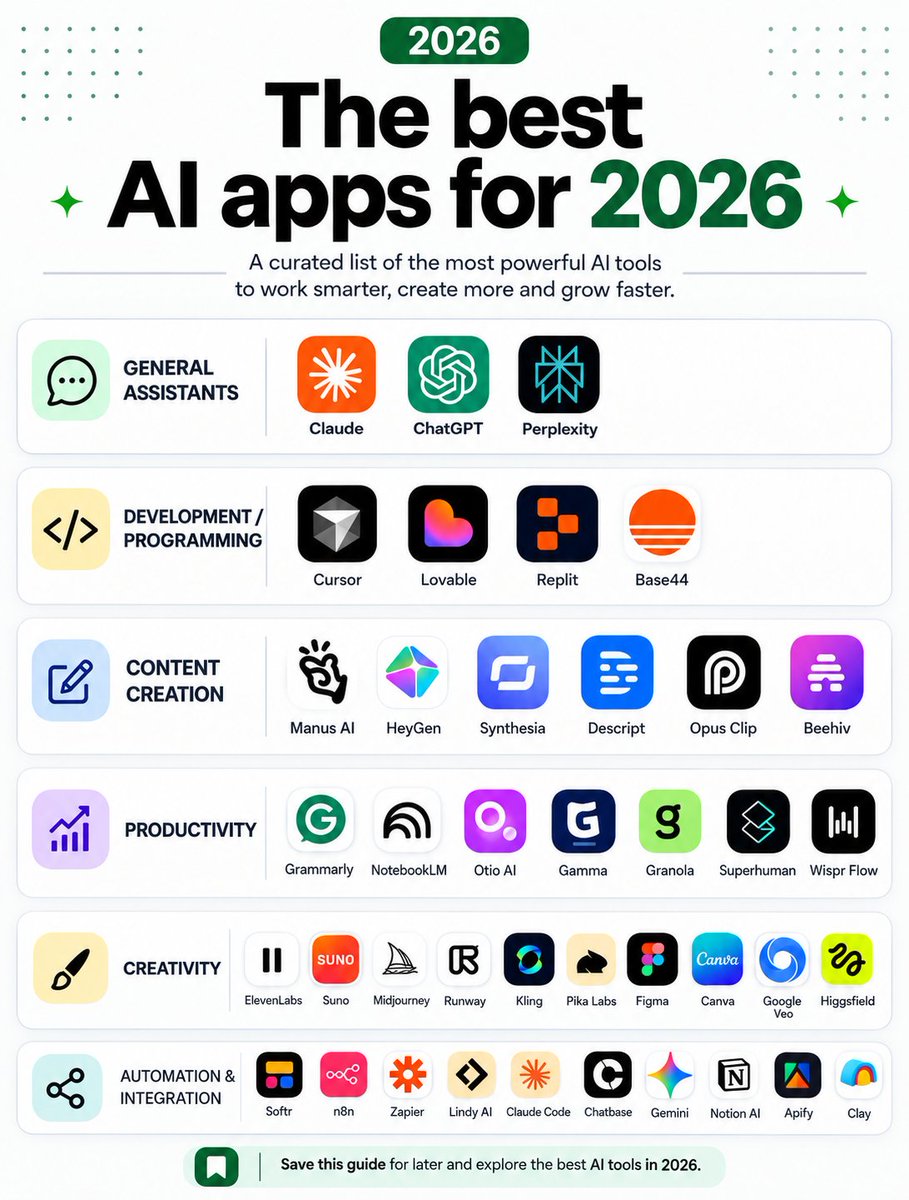
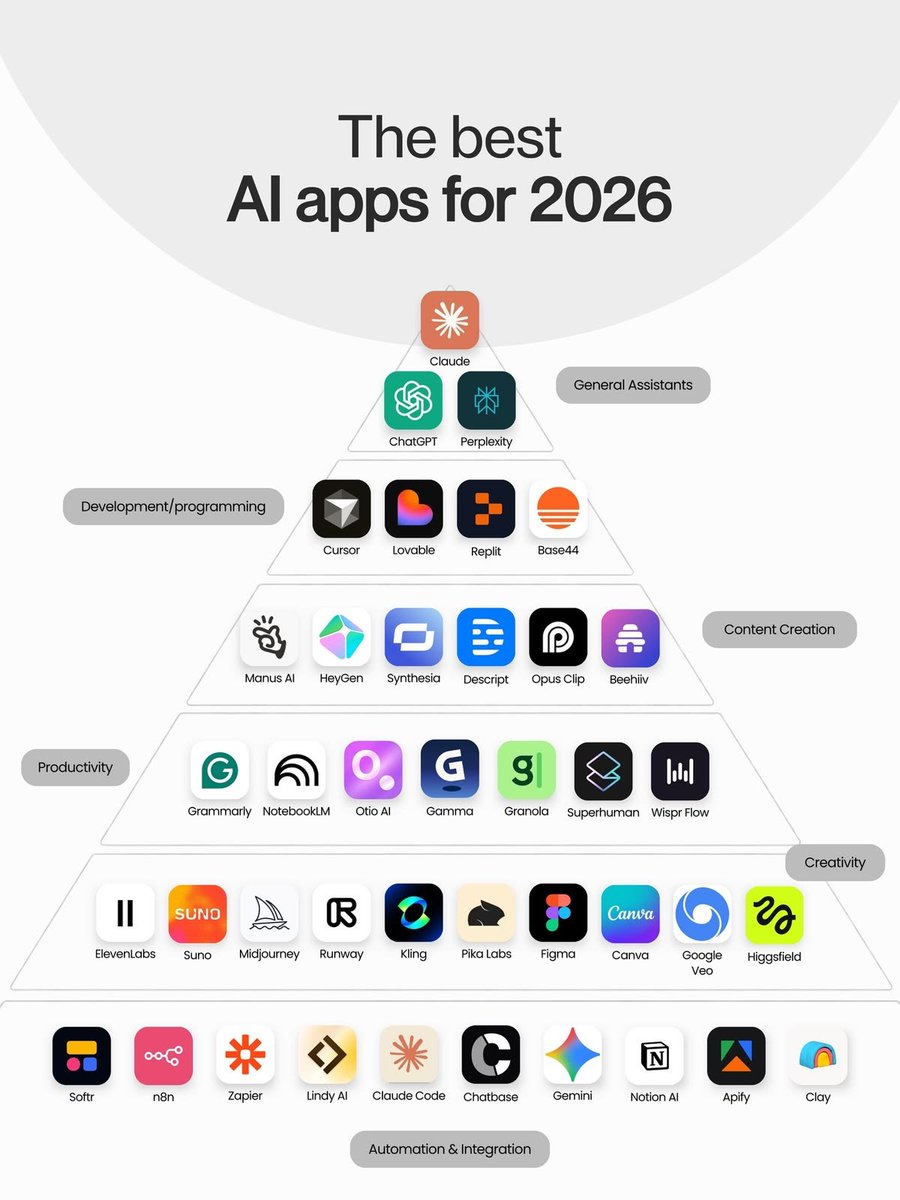
🔥 The AI tools you need to know in 2026.
From powerful AI assistants to coding, content creation, productivity, creativity, and automation —this list covers the tools shaping the future of work. 🤖⚡
Follow me @coder_sinha
Save this guide you’ll definitely come back to it. 🚀
🔥 The AI apps you need to know in 2026.
From ChatGPT & Claude to Cursor, Midjourney, Canva, Gemini, n8n and Claude Code — this list covers AI tools for productivity, creativity, coding, content creation and automation. 🤖
Save this list. You’ll definitely need it later. 🚀
🚀 Looking for powerful ChatGPT alternatives?
Here are 9 AI tools you can try for free — from Perplexity, Gemini & Claude to DeepSeek, Copilot & Meta AI. 🤖
Save this list—you might discover your new favorite AI tool. 🔥
🚨 BREAKING: Claude Can Turn Your LINKEDIN PROFILE Into a Client-Magnet — Like Having a $2,500 Ghostwriter Working Behind the Scenes.
Most people treat LinkedIn like an online résumé.
That’s the problem.
Your profile should quickly communicate who you help, what you do, why people should trust you, and what someone should do next.
Claude can help you rebuild the entire profile and create a repeatable content system.
Here are 8 copy-paste prompts to do it 👇
SHE ASKED ME TO PRETEND TO BE HER BOYFRIEND FOR ONE NIGHT.
A girl in my class asked me out.
Well… technically, it wasn't a date.
Her family was having dinner the next evening, and she was tired of everyone asking why she was still single.
So she looked at me and said:
“Please just pretend to be my boyfriend for one night.”
I'd seen a couple of guys make fun of her before.
I wanted her to feel wanted, even if it was only for one evening.
So I agreed.
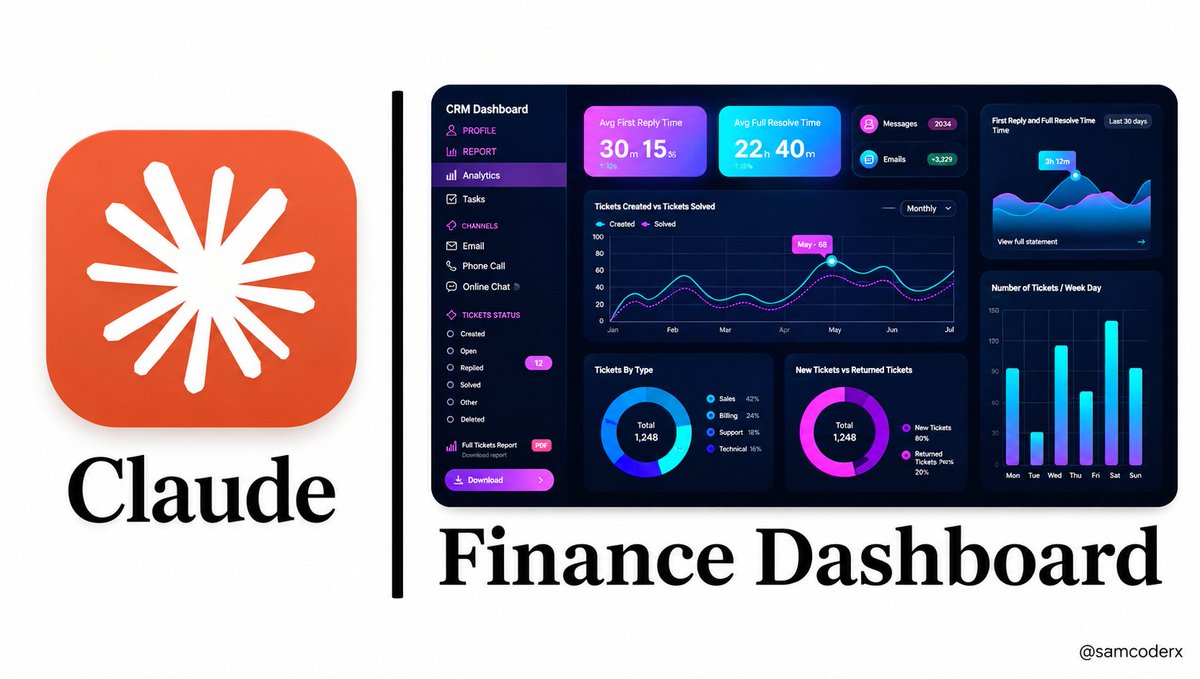
🚨 GOODBYE EXCEL. HELLO, AI-POWERED FINANCE DASHBOARDS.
Most people don’t have a data problem.
They have a presentation problem.
Their financial information is buried inside endless spreadsheets, complicated formulas, dozens of tabs, and rows of numbers that are difficult to understand at a glance.
But what if you could take that same data and turn it into a clean, professional finance dashboard that looks like it came from a $9,000 financial analyst?
That’s where Claude can help.
You don’t need to be an Excel expert.
You don’t need to write complicated formulas.
You don’t need to know how to code.
You can simply give Claude your financial data and use the right prompts to build the structure, analysis, calculations, visualizations, and insights you need.
Here are 10 powerful copy-paste prompts to get started. 🧵👇
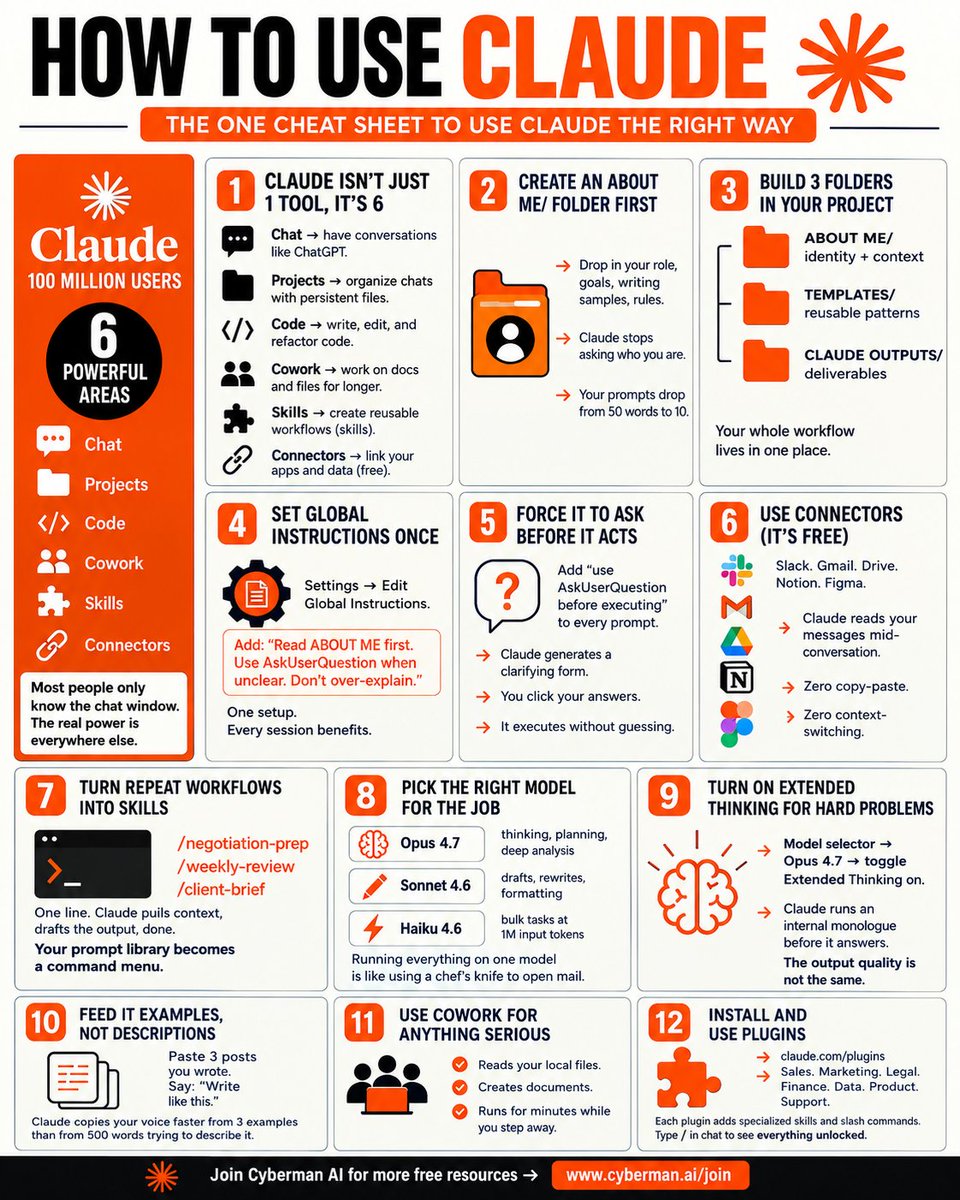
🚨 STOP USING CLAUDE LIKE A BASIC CHATBOT — THIS 12-STEP CHEAT SHEET SHOWS HOW TO TURN IT INTO A REAL AI WORKFLOW
Most people open Claude, type a prompt, get an answer, and start another chat.
That works.
But you’re barely using what Claude can do.
The real power comes from combining Projects, Code, Cowork, Skills, Connectors, persistent instructions, reusable workflows, and the right model for the task.
Here’s a practical 12-step system to use Claude more effectively. 👇
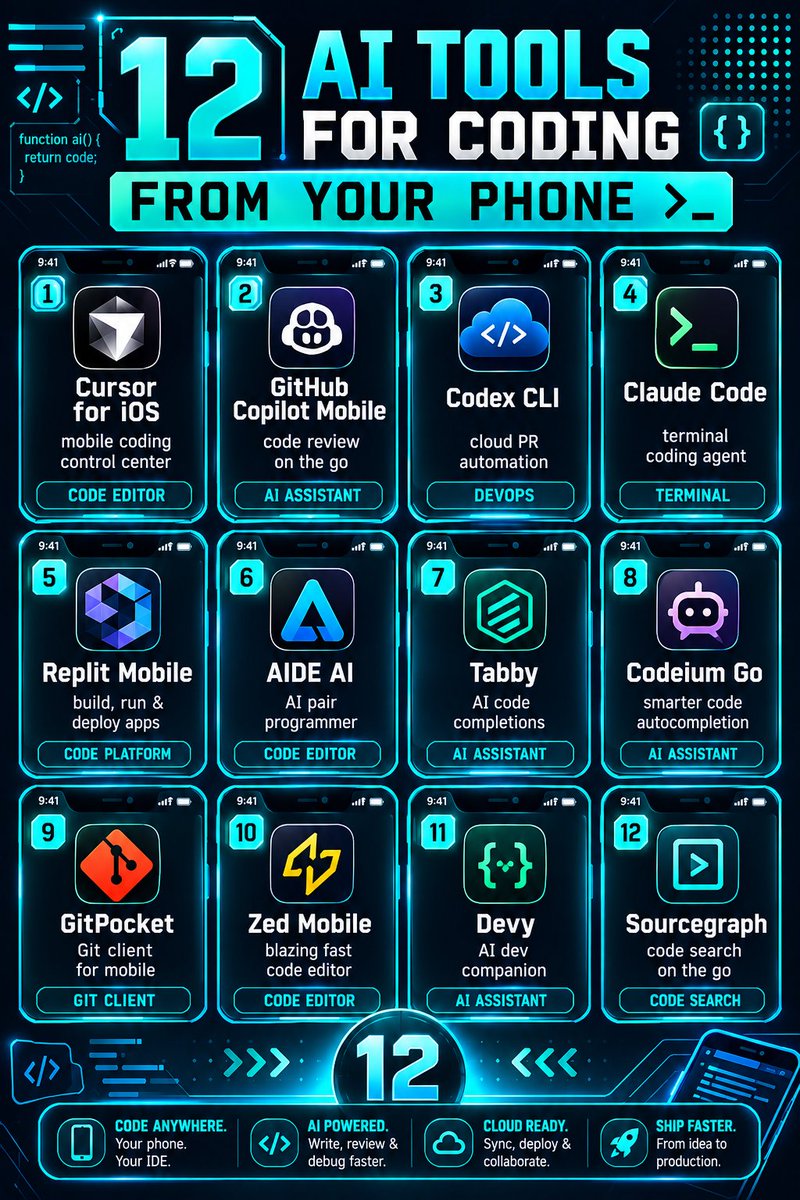
Your phone can be your coding workstation. 🚀
12 AI tools that make coding, debugging, and deployment possible—anytime, anywhere. 💻📱
Follow me @alexhalescoder for more AI information
🚨 12 CLAUDE CONNECTORS EVERY CODER SHOULD KNOW — TURN CLAUDE INTO A REAL DEVELOPMENT WORKSPACE
Claude becomes far more useful when it can work with the tools where your code, issues, designs, databases, documentation, and team communication already live.
Instead of constantly switching between apps and manually copying context into Claude, connectors can bring relevant information into the workflow.
Here are 12 useful Claude connectors for developers.
Multimodal AI — The Next Generation of Intelligent Technology. 🤖✨
Multimodal AI can understand and combine Text, Images, Audio, and Video to better understand information and provide smarter, more relevant responses.
By connecting multiple types of data, it creates a richer.
🚨 CLAUDE IS NO LONGER JUST A CHATBOT — IT’S BECOMING A COMPLETE AI WORK SYSTEM
Most people still use Claude in the simplest way:
Open Claude → Write a prompt → Get an answer → Repeat.
But Claude has evolved into something much broader.
You can use it for conversation, coding, file management, research, automation, persistent projects, browser workflows, integrations, reusable skills, and team collaboration.
The real advantage comes from understanding which part of Claude to use for which job. 👇
🚨 STOP USING CLAUDE LIKE A BASIC CHATBOT — HERE’S HOW TO TURN IT INTO A REAL AI WORKFLOW
Most people use Claude like this:
Open Chat → Write a prompt → Get an answer → Start over.
But that’s only a small part of what Claude can do.
The real value comes from combining Projects, Cowork, Code, Skills, Connectors, Global Instructions, Plugins, Models, and structured workflows so Claude can work with your context, files, tools, and repeatable processes.
Here are 13 practical things you should understand if you want to use Claude more effectively. 👇
🔥 What happens when you drink warm water regularly?
From digestion to hydration, it may have some surprising effects on your body. 💧
Watch the video to learn more! 👀
Follow me @bytecarter_x for more videos.
🧵 STOP PROMPTING CLAUDE FOR EVERY LITTLE THING.
SET IT UP ONCE — THEN START DIRECTING IT LIKE A COWORKER.
Most people use Claude like a normal chatbot.
They open it → write a prompt → explain the context → upload files → explain everything again → get an answer → repeat the same process tomorrow.
That works.
But if you’re using Claude for serious work, research, writing, projects, or repetitive tasks, you can build a much better system.
The idea is simple:
Give Claude the context, rules, folders, instructions and project structure first. Then give it the task.
Here’s a practical 1-hour Claude Cowork setup: 👇
🔥 What happens when you drink warm water regularly?
From digestion to hydration, it may have some surprising effects on your body. 💧
Watch the video to learn more! 👀
Follow me @bytecarter_x for more videos.
🚨 12 INSANE THINGS YOU CAN DO WITH CLAUDE — MOST PEOPLE AREN’T USING IT THIS WAY
Most people use Claude like a normal chatbot.
They ask questions.
They generate content.
They summarize documents.
But Claude can go much further.
With features like Claude Code, MCP, Connectors, Projects, Skills, Routines, browser capabilities, and multi-agent workflows, you can turn it into a serious AI work environment.
Here are 12 powerful ways to use Claude 👇
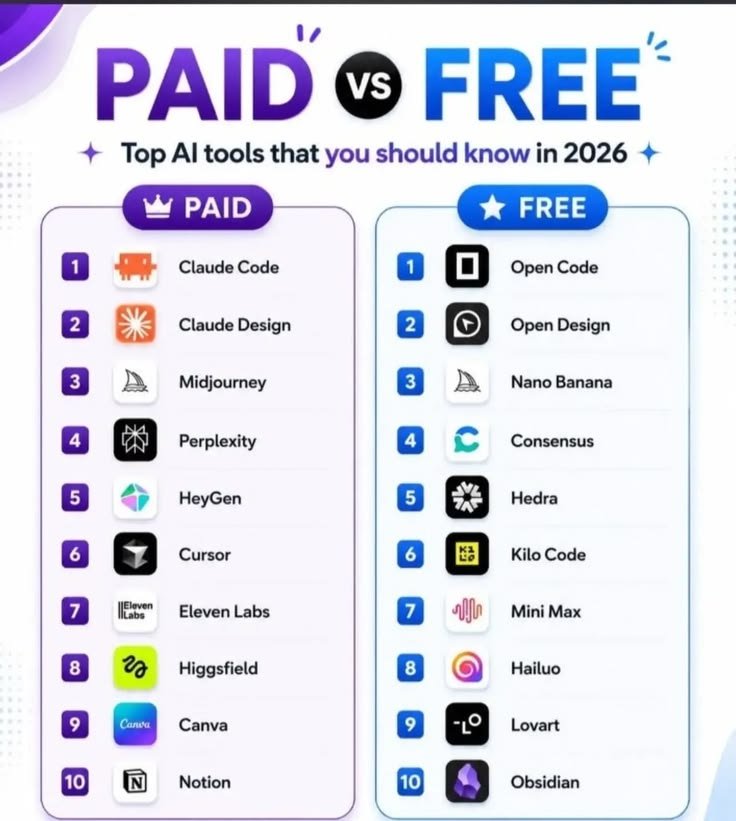
🔥 Paid or Free? The AI tools you should know in 2026.
From coding & design to research, video, voice and productivity — these tools can seriously upgrade your workflow. 🤖⚡
Followme @coder_sinha for more.
Which one are you using right now? 👇