How to setup your Claude code project?
TL;DR
Most developers skip the setup and just start prompting. That's the mistake.
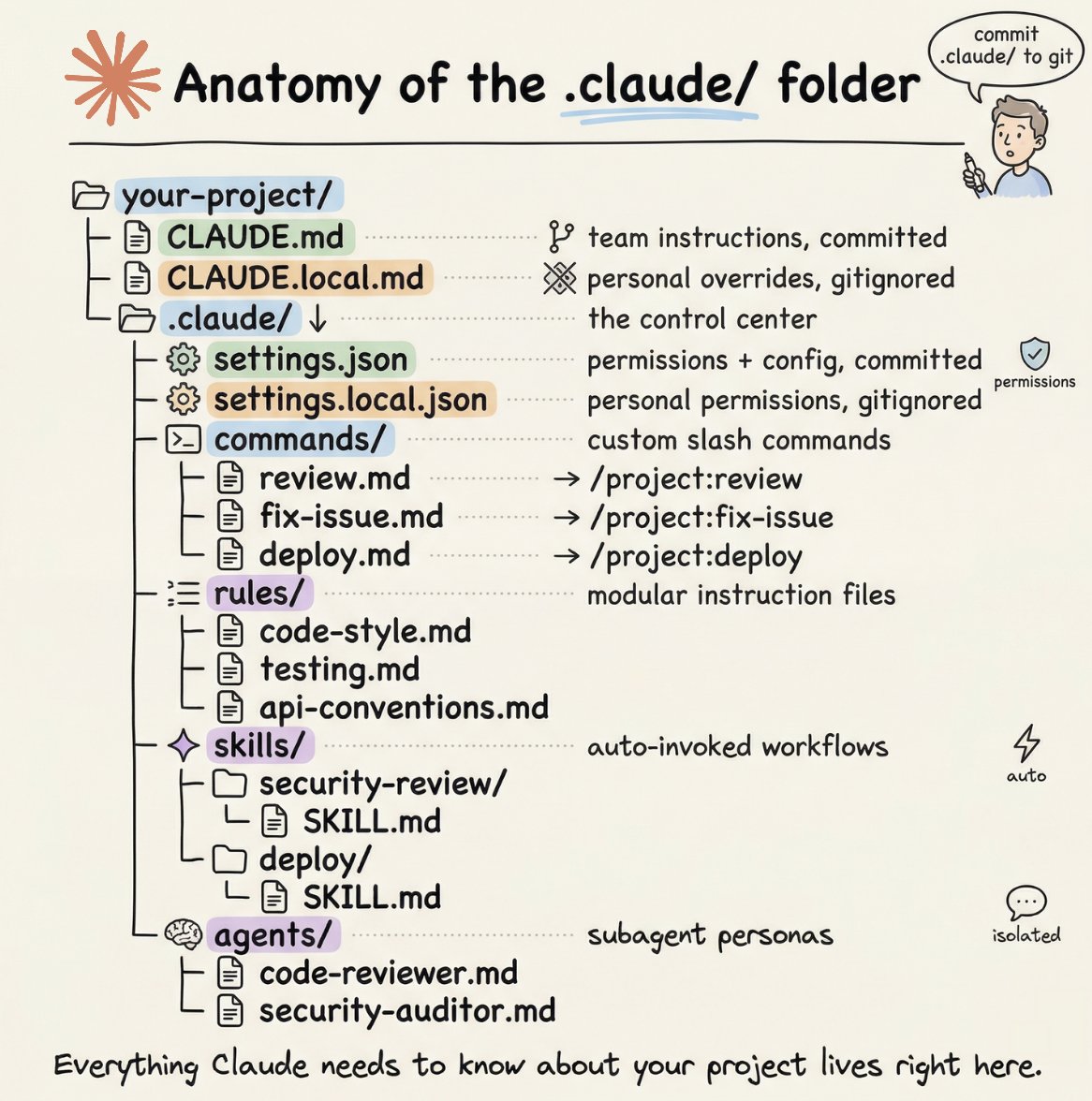
A proper Claude Code project lives inside a .𝗰𝗹𝗮𝘂𝗱𝗲/ folder. Start with 𝗖𝗟𝗔𝗨𝗗𝗘.𝗺𝗱 as Claude's instruction manual. Split it into a 𝗿𝘂𝗹𝗲𝘀/ folder as it grows. Add 𝗰𝗼𝗺𝗺𝗮𝗻𝗱𝘀/ for repeatable workflows, 𝘀𝗸𝗶𝗹𝗹𝘀/ for context-triggered automation, and 𝗮𝗴𝗲𝗻𝘁𝘀/ for isolated subagents. Lock down permissions in 𝘀𝗲𝘁𝘁𝗶𝗻𝗴𝘀.𝗷𝘀𝗼𝗻.
There are two .𝗰𝗹𝗮𝘂𝗱𝗲/ folders: one committed with your repo, one global at ~/.𝗰𝗹𝗮𝘂𝗱𝗲/ for personal preferences and auto-memory across projects.
The .𝗰𝗹𝗮𝘂𝗱𝗲/ folder is infrastructure. Treat it like one.
The article below is a complete guide to 𝗖𝗟𝗔𝗨𝗗𝗘.𝗺𝗱, custom commands, skills, agents, and permissions, and how to set them up properly.
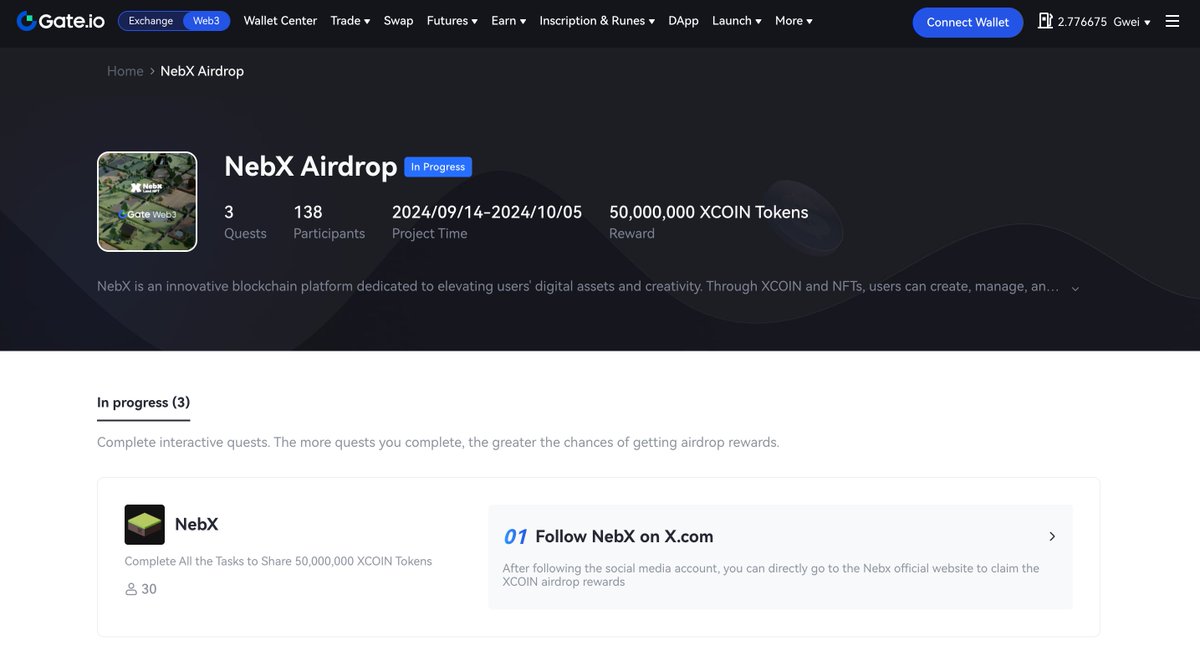
🚀 NebX Exciting Giveaway with Gate Wallet 🚀
We’re thrilled to team up with Gate Wallet @GateWeb3Wallet for a special giveaway event! 🎉
Don’t miss your chance to win incredible prizes and dive into the excitement with Gate Wallet! 🔥
🗓 Event Period: Sep 14th ~ Oct 5th
🎁 Rewards: 2000 XCOIN per person
📰 Learn more:https://t.co/fguaEQRYIR
The end of exploration is just the beginning of new discoveries—Join NebX! 🪐
#gatewallet #Giveaway #web3 #airdorp