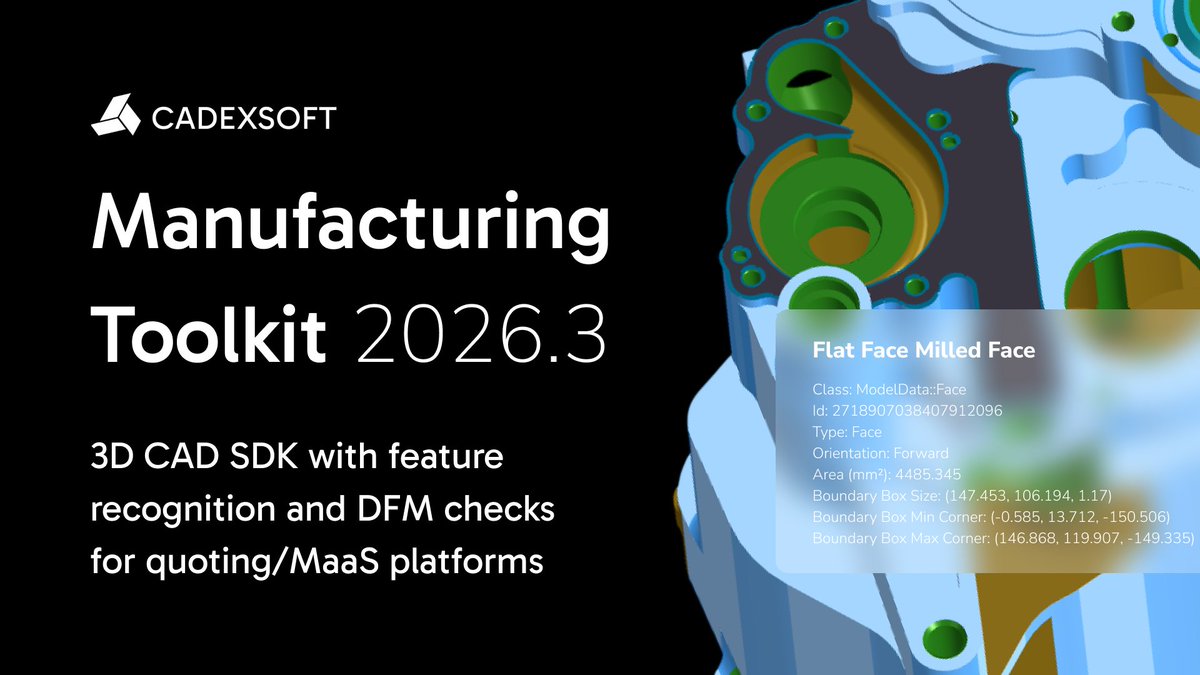
✅ MTK Workbench updates: Feature recognition and #DFM analysis
Machining mode has been improved with explicit hole grouping by diameter, while feature display now shows diameters instead of radii for clearer #manufacturing-oriented interpretation.
ㅤ
🔗 Learn more — link in bio.
✅ MTK Workbench updates: Measurements
The Measurements module now supports axis-aligned bounding box (AABB), oriented bounding box (OBB), and bounding cylinder #measurements. AABB visualization is now also available directly in the Properties panel.
🔗 Learn more — link in bio.
✅ MTK Workbench updates
Structure View usability has been improved with keyboard navigation, “expand all” and “collapse all” actions for large branches, and support for displaying the Model object as the root item together with its properties.
🔗 Learn more — link in bio.
#cad
✅ MTK Web updates in MTK 2026.3
ㅤ
The updated measurement API includes:
• Angles between faces, edges, vertices, and points.
• Length measurements for Edge, Wire, PolylineSet, Polyline2dSet entities, and more.
ㅤ
🔗 Learn more — link in bio.
#web3d#engineeringtools
✅ MTK 2026.3: Nesting updates
Nesting support has been extended across the Manufacturing Toolkit ecosystem. MTK Converter wrappers for C#, Java, and Python now support #nesting workflows, as reflected in the updated examples and documentation.
🔗 Learn more — link in bio.
✅ Wall Thickness updates in Manufacturing Toolkit 2026.3: a new Ray Marching Wall Thickness algorithm and extended Wall Thickness analyzer parameters.
ㅤ
👉 Learn all the details in our blog post: https://t.co/BRNwYyRsvn
#wallthickness#cnc
✅ Improved CNC hole and countersink recognition in MTK 2026.3
ㅤ
#CNC machining feature recognition has been improved to prevent cylindrical or conical geometry containing internal elements from being incorrectly recognized as holes or countersinks.
🔗 Learn more — link in bio.
✅ Improved sheet metal bead recognition in MTK 2026.3
ㅤ
The updated recognition logic now identifies shallow and narrow forming features as beads more consistently, improving classification accuracy for typical #sheetmetal reinforcement geometry.
🔗 Learn more — link in bio.
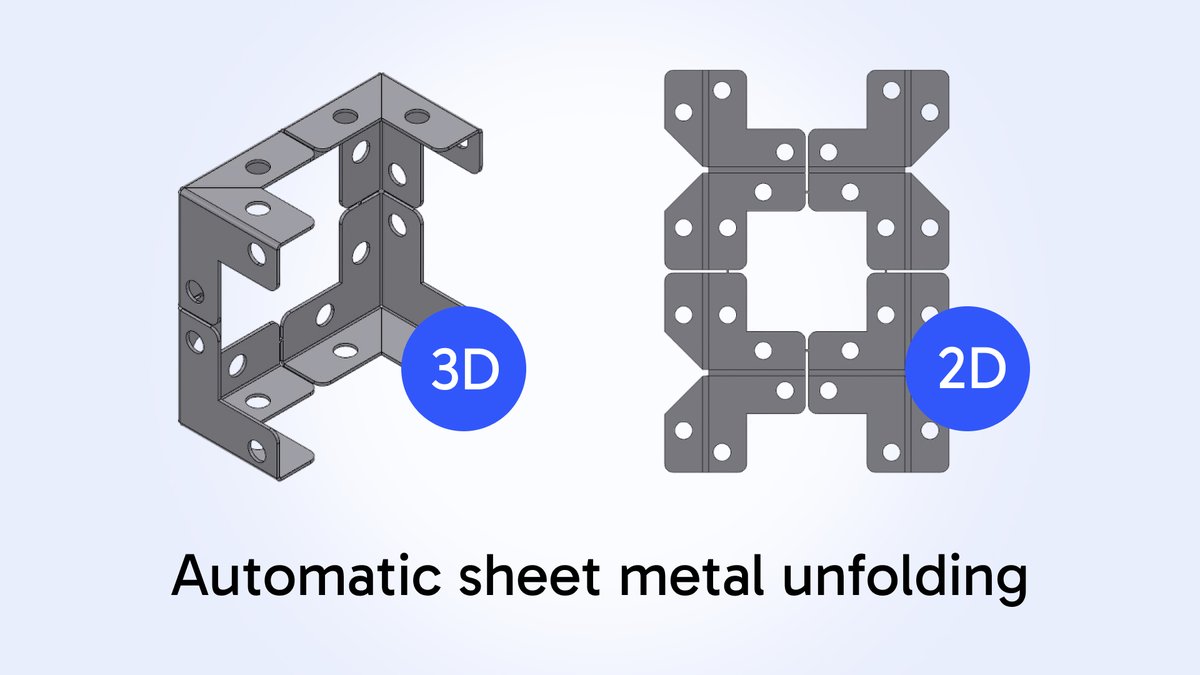
Sheet Metal Unfolding with MTK
ㅤ
✅Run the #unfolding process on a sheet metal part to generate flattened representations.
✅Handle bends of various types.
✅Export flat patterns for downstream #sheetmetal cutting and fabrication workflows.
🔗Learn more — link in bio.
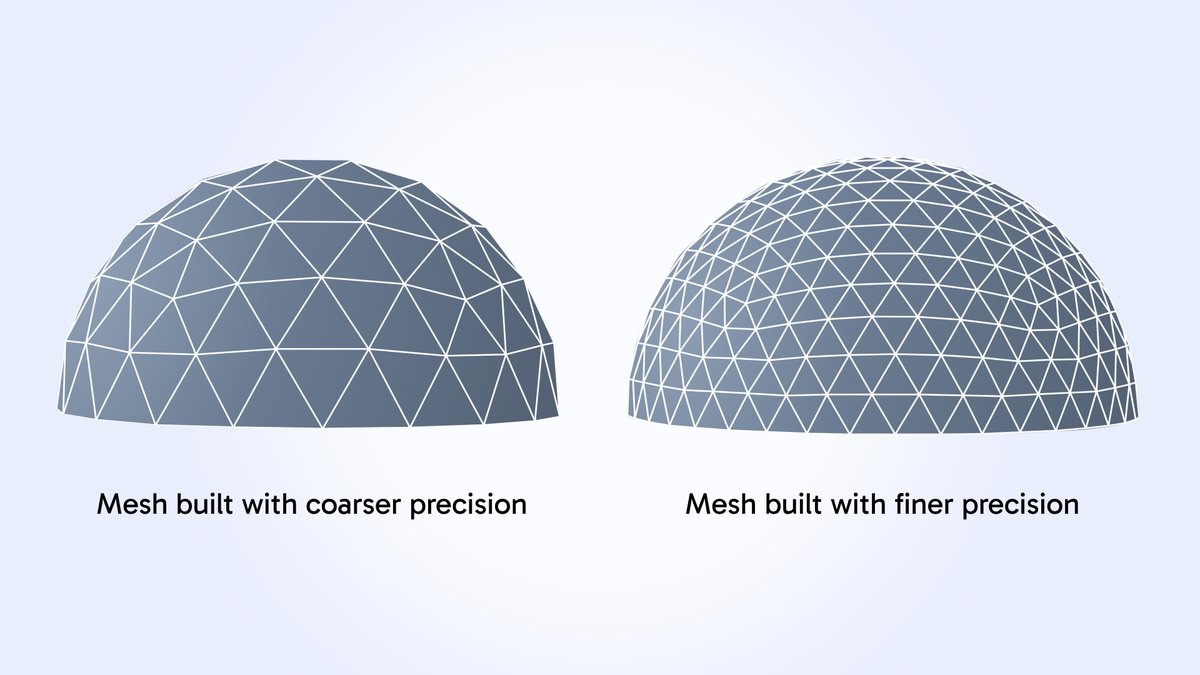
MTK provides tools to generate polygonal meshes from B-Rep geometry. This is primarily used for #visualization and basic geometric analysis such as bounding box computation, surface area approximation, or wall thickness calculation.
🔗Learn more — link in bio.
#meshgeneration
💡 What you can build with MTK
ㅤ
✅ MTK helps you build quoting, DFM, and manufacturing intelligence into your platform.
👇 Here are common scenarios where MTK fits into real-world developer workflows.
ㅤ
🔗 Learn more — link in bio.
#dfm#quoting
✅ Identify different types of bends in sheet metal 3D models using MTK
ㅤ
👉 Learn more in the docs: https://t.co/uCHel7prVi
#featurerecognition#sheetmetal
How much does a CNC part cost?
ㅤ
Understand what really drives CNC part pricing - from material and machining time to tolerances, labor, tooling, and markup.
ㅤ
👉 Read a deep-dive post: https://t.co/cvYeMPeqgf
#cnc#DFM
✅ Explore 3D online demos for DFM analysis and feature recognition in Sheet Metal, #CNC Machining, and Injection Molding.
ㅤ
Open sample CAD models and try feature recognition, #DFM analysis, and 3D visualization. No SDK installation required.
ㅤ
🔗Learn more — link in bio.
✅ Learn how MTK was born from real-world needs in CNC, sheet metal, and molding. Built for engineers building quoting, DFM, and manufacturing platforms: https://t.co/kxGQKR3tiO
#cnc#dfm
Recognizing #forming features is essential for accurate sheet metal #unfolding.
❌ Left: unfolding with forming features disabled.
✅ Right: unfolding with forming features enabled.
The difference is clear — a more accurate flat pattern and fewer unnecessary #DFM issues.