Ever wanted to write a diss track? 🔥Now you can in 5 simple steps. Use our AI to generate professional rap lyrics for FREE.Learn how in our new guide:
https://t.co/5nDzXEfvg5
#DissTrackGenerator#AIWriter
AI diss track generators are getting scary good.
They understand:
- Rhyme schemes
- Different rap styles (boom bap vs trap)
- Cultural references
- Aggression levels
In 30 seconds, you can generate battle-ready lyrics that sound authentic.
https://t.co/7zoAjp8oc7
3 treasure prompt sites I use daily for AI art:
1. PromptHero - Best for beginners, massive library
2. https://t.co/uMS3L6Skhg - Reverse image search for prompts
3. https://t.co/Tux78GEfmQ - High-quality curated collection
Which one do you use?
#AIArt#Midjourney#Prompt
Prompt engineering is moving too fast. 🤯
I was struggling to get consistent results with the latest AI models, so I built a "cheat sheet" for myself.
It turned into a full library of curated, high-quality prompts.
Introducing: https://t.co/7uzbwY9jCo 🧵👇
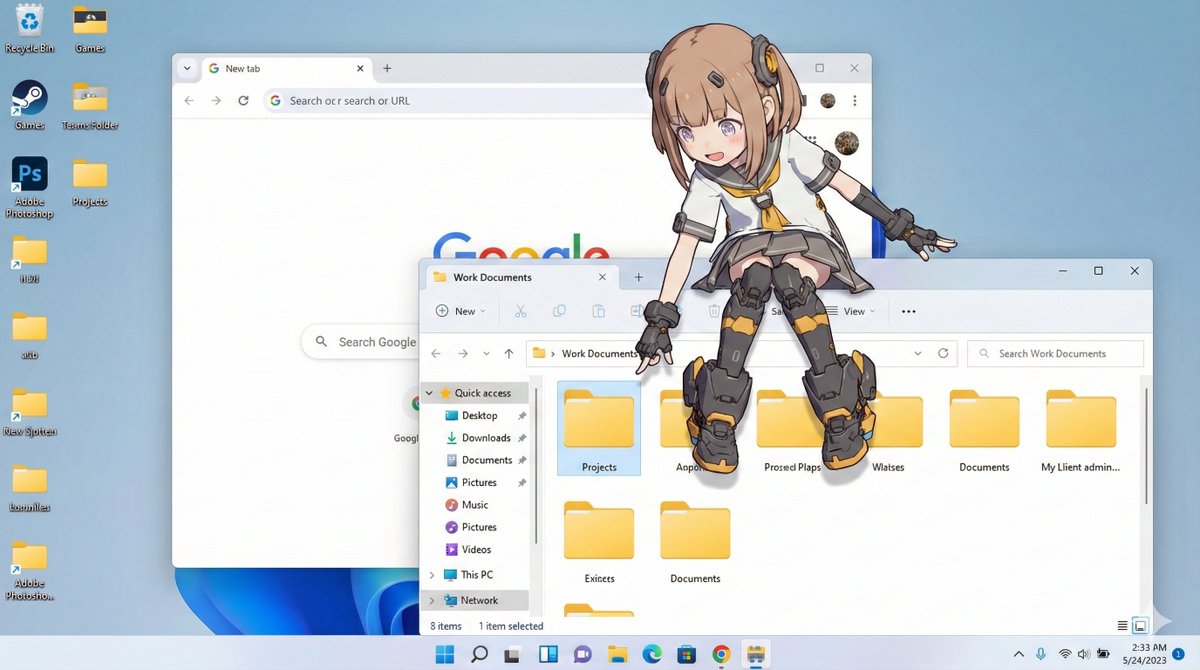
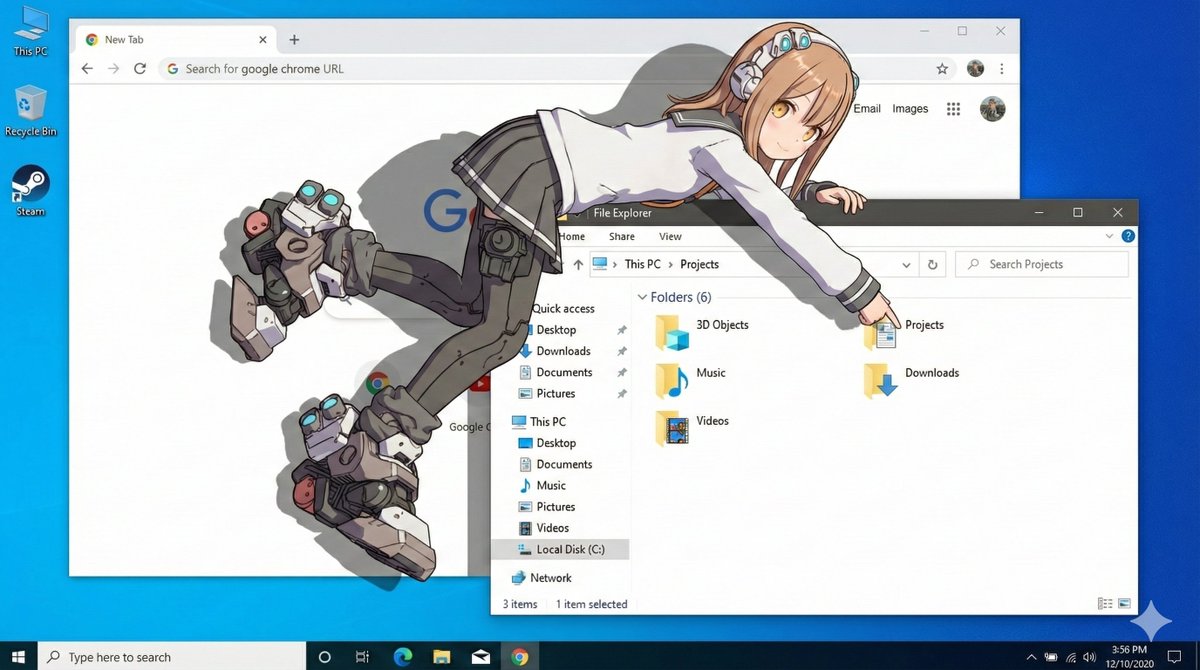
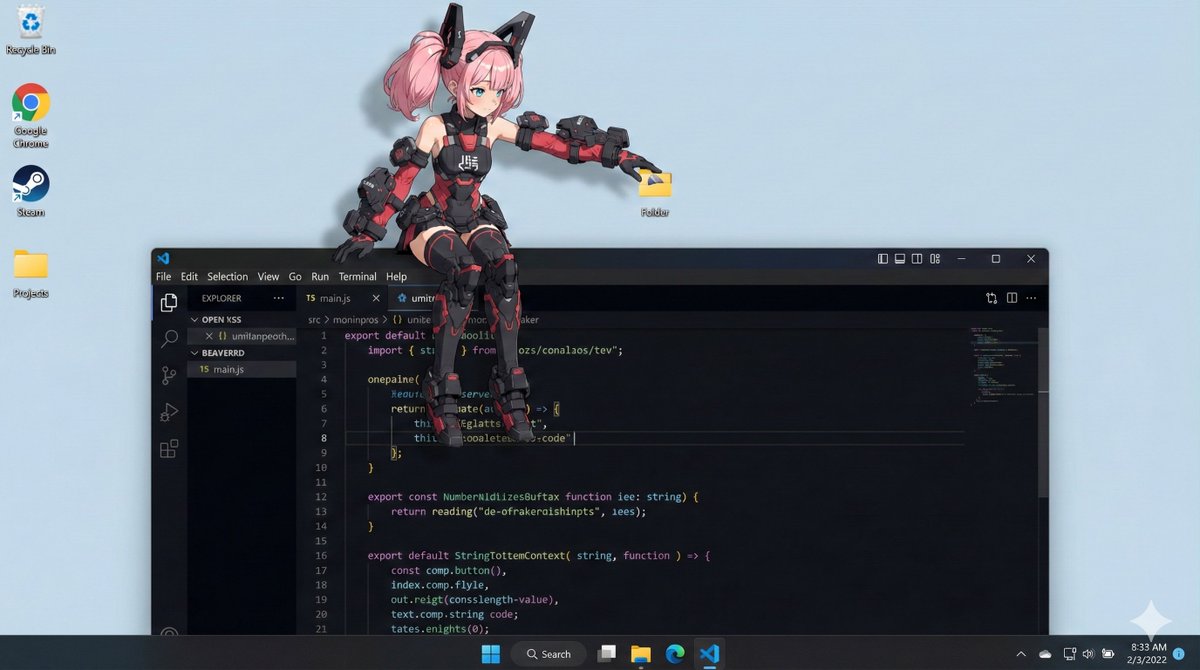
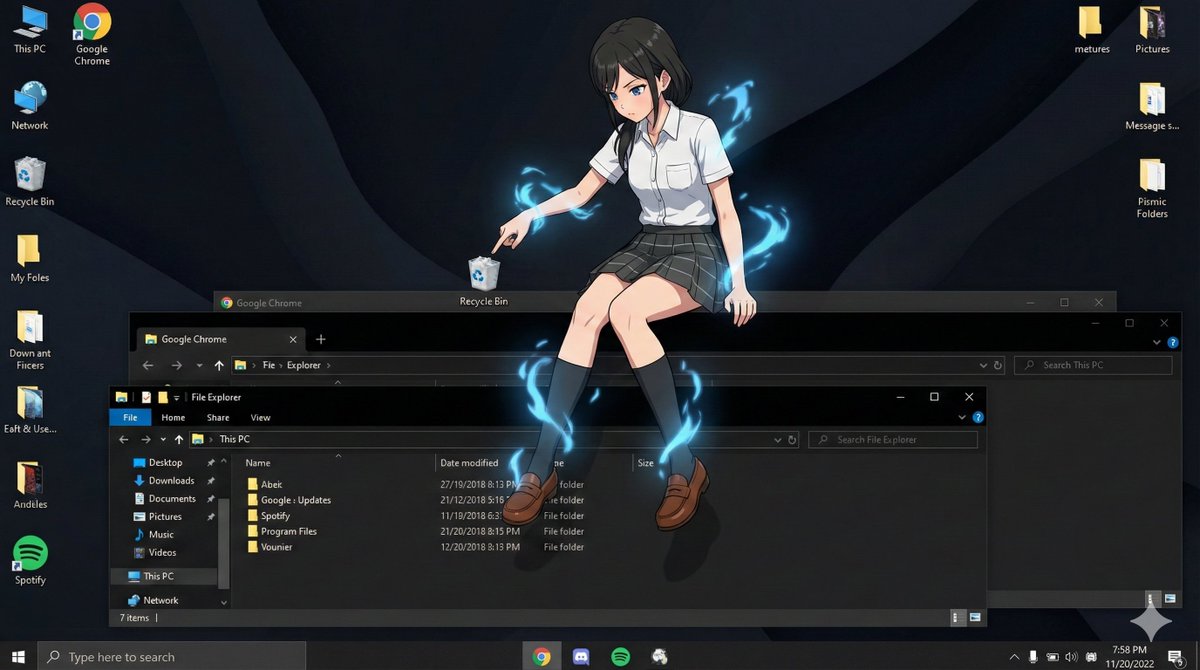
Nano Banana Proで遊ぼう
【デスクトップマスコット化プロンプト】
⠀
参照画像のキャラクターを
デスクトップマスコット化して
PC画面に配置した画像を生成する
プロンプトです。
⠀
キャラクターがウィンドウの上に
寝そべったり、腰かけたり
アイコンを触ったりします。
OSをWindows風/macOS風から
選択できます(リプ欄で説明)。
⠀
お気に入りのイラストを
デスクトップマスコットに
しちゃいましょう!
⠀⠀
プロンプト:
os_environment:
- Choose one: "Windows 11 style desktop" or "macOS Sonoma style desktop"
- If not specified, let the model choose the most natural OS UI
- Use authentic UI elements based on the selected OS
subject:
- A character based on reference image A
- Rendered with semi-3D, anime-style shading
- Clear solid shadows and highlights defining volume
- Appears as a desktop mascot overlay interacting with real OS UI
composition:
- A realistic computer desktop in 16:9 aspect ratio
- Include authentic-looking application windows and icons
- Character positioned naturally on or around these UI elements
action:
- Allow the model to freely choose mascot-like behaviors such as:
- lying across the top edge of a window
- sitting on a window frame
- touching, inspecting, or reacting to icons
- peeking from behind folders or apps
- Actions should feel physically grounded and slightly playful
location:
- Displayed on a real OS-style desktop (Windows/macOS)
- Show recognizable UI elements (e.g., Chrome window, folder icons, taskbar/dock)
- Icons and windows appear authentic but used only as background elements
style:
- Semi-3D anime shading (soft cel-shaded look)
- Defined shadows instead of rim lighting
- Clean digital rendering that blends naturally with real desktop UI
camera_lighting:
- Neutral frontal or top lighting to create solid, directional shadows
- Soft ambient light to keep color harmony with the desktop
- Screenshot-like straight-on camera angle
colors:
- Desktop in cool OS-like tones
- Character colors follow reference A accurately
- Shadows emphasized for 3D volume
text:
- None unless needed
edit_instructions:
- Use reference A for character accuracy
- Emphasize 3D-like volume with clear shadow planes
- Ensure the character appears layered above real desktop UI elements
- Keep real UI assets unmodified and only as contextual background
references:
A: "Character appearance reference"
extras:
- high resolution
- realistic OS UI rendering
- clean compositing and precise layer separation
- allow creative mascot-like movement
Google’s AI image editor Nano Banana Pro just launched and is insane.
You can now generate and edit photos in up to 4k using just plain text and completely free.
10 crazy use cases:
1. Thumbnail creator
Turned my dog in a pumpkin costume
Follow this Prompt
Use https://t.co/PPQ6QYVXAp
Prompt:
Golden retriever puppy dressed as a tiny pumpkin with a green stem hat, sitting on orange leaves with warm autumn lighting
#AIart#costumes#NanoBanana#AIimages
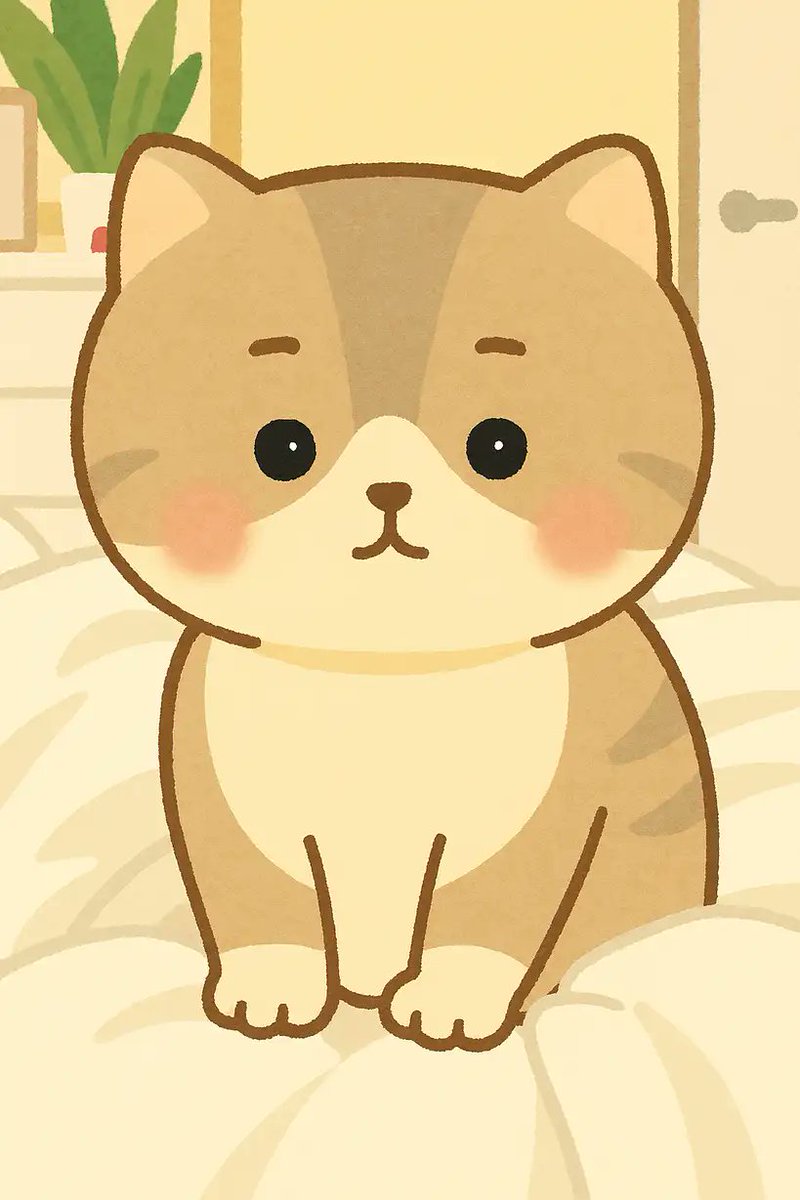
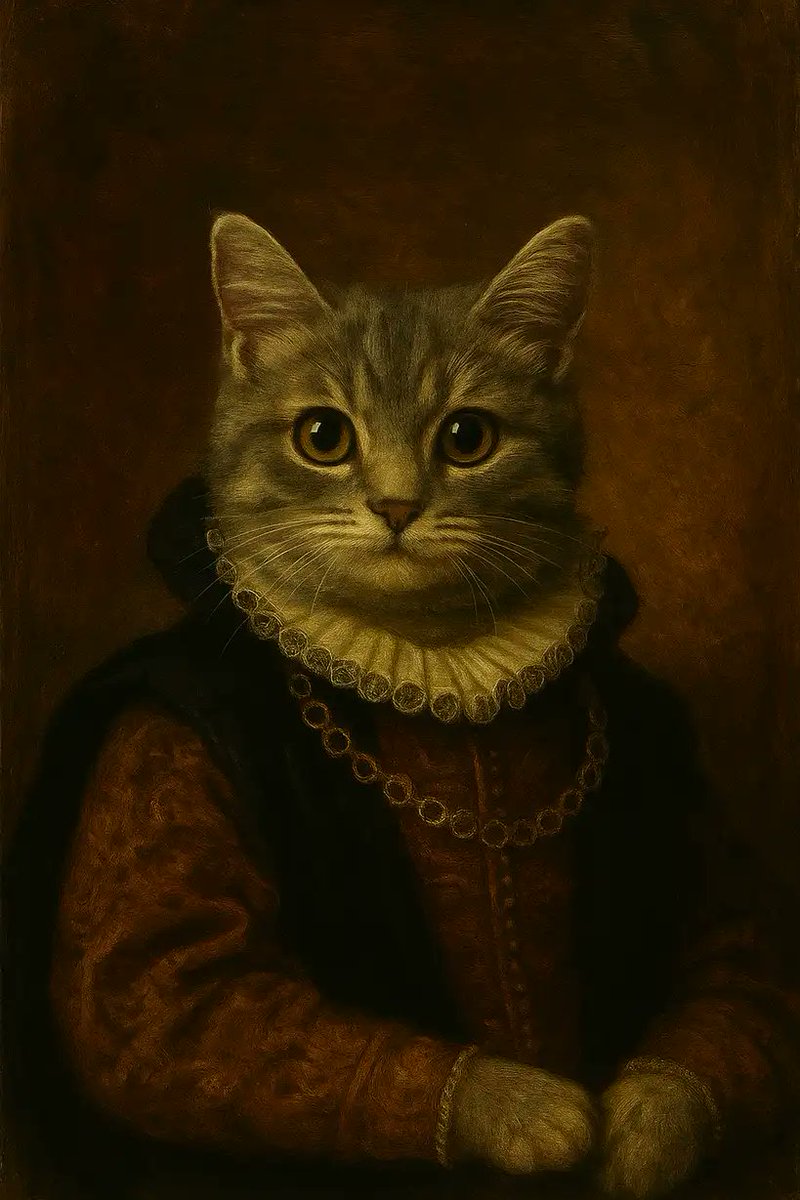
How to create ai pet portrait photo?
Prompt: ⬇️⬇️
Prompt: Turn the uploaded pet photo into a {style} portrait, with matching outfit, background, pose, lighting, and composition that fully reflect the artistic mood of the style.
https://t.co/JSgsEnrM22
#Promptshare











![_MehdiSharifi_'s tweet photo. Mazimalist Pop-Art Layer | Nano Banana Pro
{
"scene_description": "A vibrant, mixed-media masterpiece featuring a photorealistic young street-dancer surrounded by a chaotic explosion of 2D graffiti-style musical doodles.",
"subject": {
"type": "Cool young man (20s)",
"attire": "Oversized graphic tee, baggy cargo pants, bucket hat, large over-ear headphones",
"position": "Crouching pose on a subway platform, adjusting his sneakers",
"expression": "Chill, immersed in music"
},
"action": {
"primary": "Listening to music",
"effect": "The bass seems to physically manifest as doodle art around him"
},
"illustration_layer": {
"style": "Old-school hip-hop graffiti & doodle art",
"creatures": [
"Boomboxes with teeth",
"Microphone characters",
"Dancing musical notes with sneakers",
"Cassette tapes with eyes"
],
"graphics": "Sound waves, equalizer bars, lightning bolts, 'BOOM' text bubbles",
"colors": "Electric Blue, Hot Pink, Bright Orange, White outlines."
},
"environment": {
"setting": "Tiled subway station",
"background_elements": ["Blurred passing train", "Graffiti walls"]
},
"lighting": {
"style": "Cinematic Street",
"key_light": {
"type": "Fluorescent tube glow",
"color": "Cool white"
}
},
"style": {
"medium": "Mixed Media Photography",
"aesthetic": "Urban, rhythmic, loud",
"quality": "High-fidelity subject, sharp vector overlay"
}
}](https://pbs.twimg.com/media/G6sRhg4WAAAivZf.jpg)