Deep Dive: Run and Guide Lessons Live in Canva
From lesson delivery to live collaboration, explore practical ways to manage learning in real time with Canva’s teaching tools.
https://t.co/ANO0aUeeGM
Let's figure this out! We know this can disrupt your flow, and we want to get you back up and running.
A few quick things to try:
1. Clear your cache, cookies, and browser history, then refresh.
2. Switch to a supported browser (Chrome, Firefox, Safari, or Edge).
3. Check https://t.co/gWa2Zb5D9z for any active issues.
Full troubleshooting steps: https://t.co/qSNsruUVja
Give those a try and send us a DM with what you find. We'll take it from there.
Missed the What’s New in Canva Education | Canva Create 2026 Edition webinar?
From AI-powered creation to smarter workflows, including Learn Grid for real-time assignment tracking and live learning — explore new tools designed to save time and spark creativity. 🚀
Watch here 👇
https://t.co/T1fAcy898N
This month we’re spotlighting Trivia Time 🎉
A plug-and-play, Jeopardy-style game built with Canva Code + powered by Canva Sheets.
Teachers can upload a simple .csv, generate game boards in seconds, and play instantly.
Explore it for yourself here:
https://t.co/gGJmirz9YX
Deep Dive: Get your students Al certified
Your quick guide to running the Canva Al student course in Design School. Use this page to support delivery, guide discussions, and help students use Al safely and creatively from brainstorming to Canva Code.
https://t.co/nq4ZcarVSH
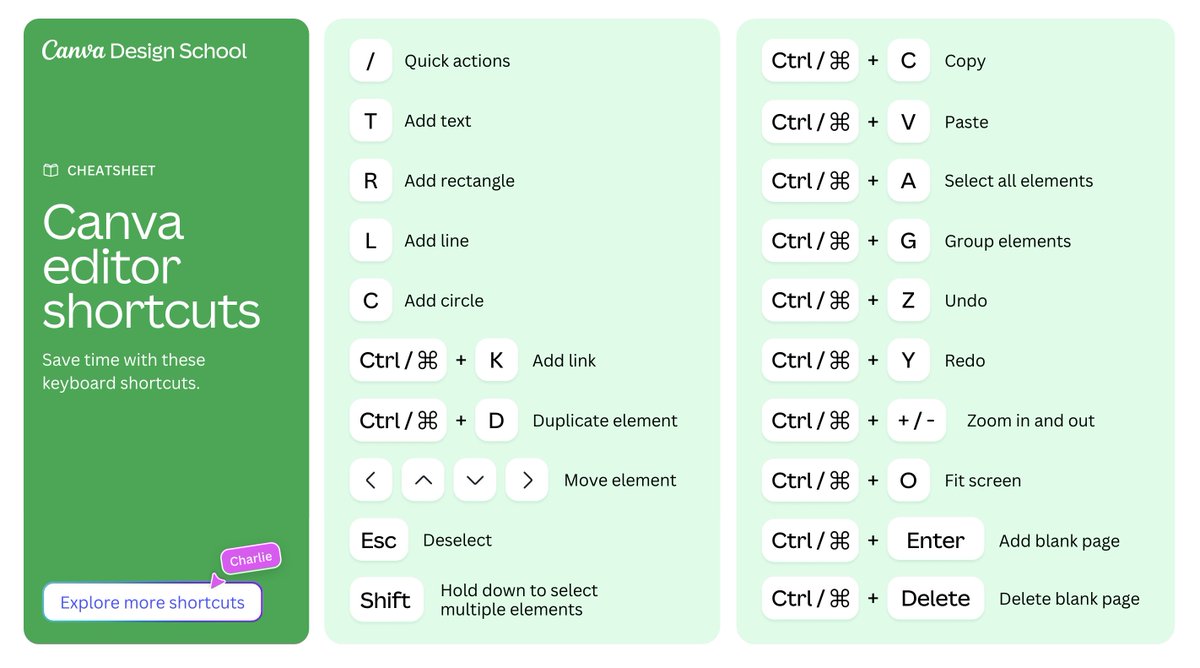
Canva editor shortcuts!
Save valuable time with these easy keyboard shortcuts. Whether you need to quickly add a circle or add a blank page, this handy cheatsheet has you covered. https://t.co/160mRQGG0M
🎮 New Student Activity Cheat Sheet: Create a Character Game Card.
In this activity, students design a game card that visually represents a character of their choice. The activity encourages purposeful design choices that clearly communicate who the character is — their traits, strengths, story, and personality.
✨ Ready-to-use template included inside the Cheat Sheet: https://t.co/NiVs3n2cKW
Missed our Canva Education What’s New webinar?
From powerful AI tools to streamlined assignments and creative classroom upgrades, there’s never been a better time to level up teaching with Canva. Catch the replay and see what’s possible!
https://t.co/1fpDDgJUNb
🚨 Calling all teachers! We've got a super exciting announcement...
Introducing @canva x ClassDojo, helping you make beautiful story posts in just 60 seconds 😱📷✨
No switching apps. No file management. No extra steps.
Go try it now in the ClassDojo app 🚀
Big news for teachers using Canva + @ClassDojo!
You can now share your Canva designs directly to ClassDojo – no more downloading and re-uploading files. That means classroom updates, newsletters, and announcements can go straight to families in just a few clicks. 🙌
Learn more: https://t.co/HAegUxNCH6
Resource ideas: creative ways to practice language skills
Explore two ways to teach spelling and grammar in your classroom using Canva.
Explore the ideas in the guide:
https://t.co/CWmenqSK6P
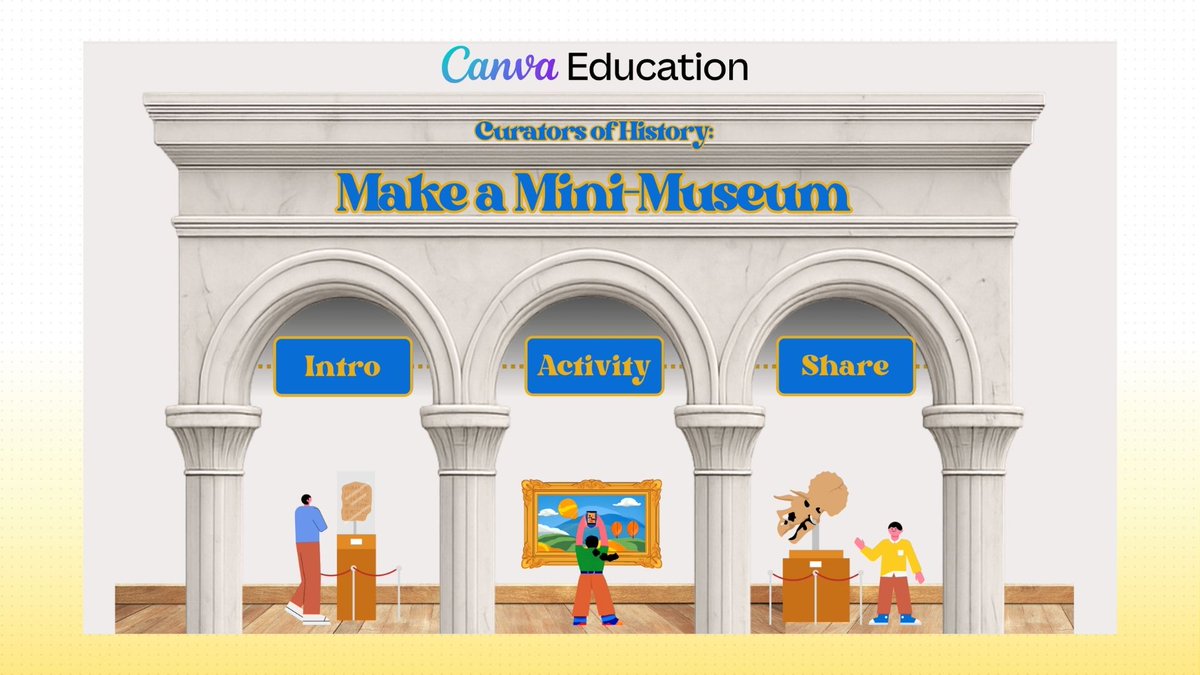
What if your students became museum curators?
In our new Canva Education activity, Make a Mini Museum, students research an influential historical figure and design a digital exhibition showcasing artifacts, biographies, and properly cited sources. It’s a powerful way to blend research, media literacy, ethical citation, and student voice in one ready-to-use experience.
Explore it here:
https://t.co/J7ylUiUDip
@mrsaunderwood@MicrosoftEDU Here to help, Alexis! Could you DM us more details on how you connected Microsoft OneNote to Canva and what you’re trying to do? Also, please send a screen recording of what’s happening so I can better help you. We'll be here!
What's New: Canva Education Webinar
Join Leena from Canva’s Design School for a special edition of What’s New in Canva Education webinar, where we’ll explore the latest features designed to help you work smarter, create more, and streamline everyday classroom workflows.
📅 March 4 (US) | Multiple time slots
🎟️ https://t.co/5t4k8lcl0a
Canva Tips: Presentations
Explore Canva's presentation features to engage, explain, and teach with confidence.
Explore the guide:
https://t.co/f8kxjHRbic
Ready to bring your whole class into Canva in seconds?
Live Learning Sessions make it easy to get every student collaborating in the same design using a simple QR code or shareable link. These secure, time-limited sessions are perfect for brainstorming, interactive whiteboards, and whole-class activities.
Learn more here:👇
https://t.co/rE2eiKOJaF
🎨 Designing theme-based word collages in the classroom.
Art educator Dr. Jane Montero shares how students use Canva to explore typography, creativity, and content knowledge through visual design.
👉 Read more: https://t.co/KANLrWBJS7
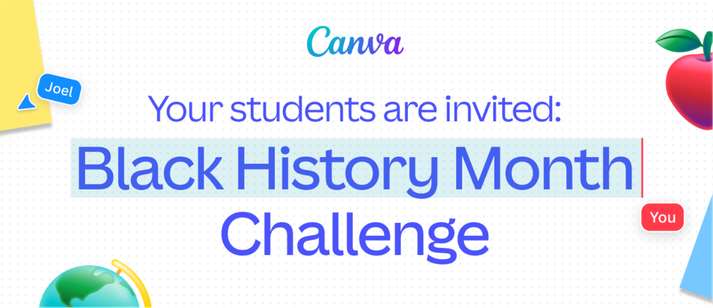
Join the Canva Student Design Challenge to commemorate 100 years of Black history celebrations!
Winners will score a special Canva swag pack and have their work showcased for the world to see.
Learn more & enter here:
https://t.co/p85pVSSR0d