$CAPA is LIVE on @RobinhoodApp.
CA: 0xb54ef4bd0a97083862e81a97d13af14594f4203d
The open-source capabilities manager built to unify AI coding agents.
- Manage skills and tools.
- Connect MCP servers.
- Simplify agent configs.
One setup. Every agent.
Four capa problems, four fixes, 15 seconds:
Server unhealthy → capa start -f
Claude Code MCP hooks silent → capa install
401 from the local API → bearer token in ~/.capa/auth.token
wrap: binary missing → install the CLI, put it on PATH
https://t.co/9tlL5UEeQ5
Dev has claimed, and we’ve bought more $CAPA to burn and support the chart. 🔥
Reducing supply while continuing to build for the future.
https://t.co/KY6HRDHOOS
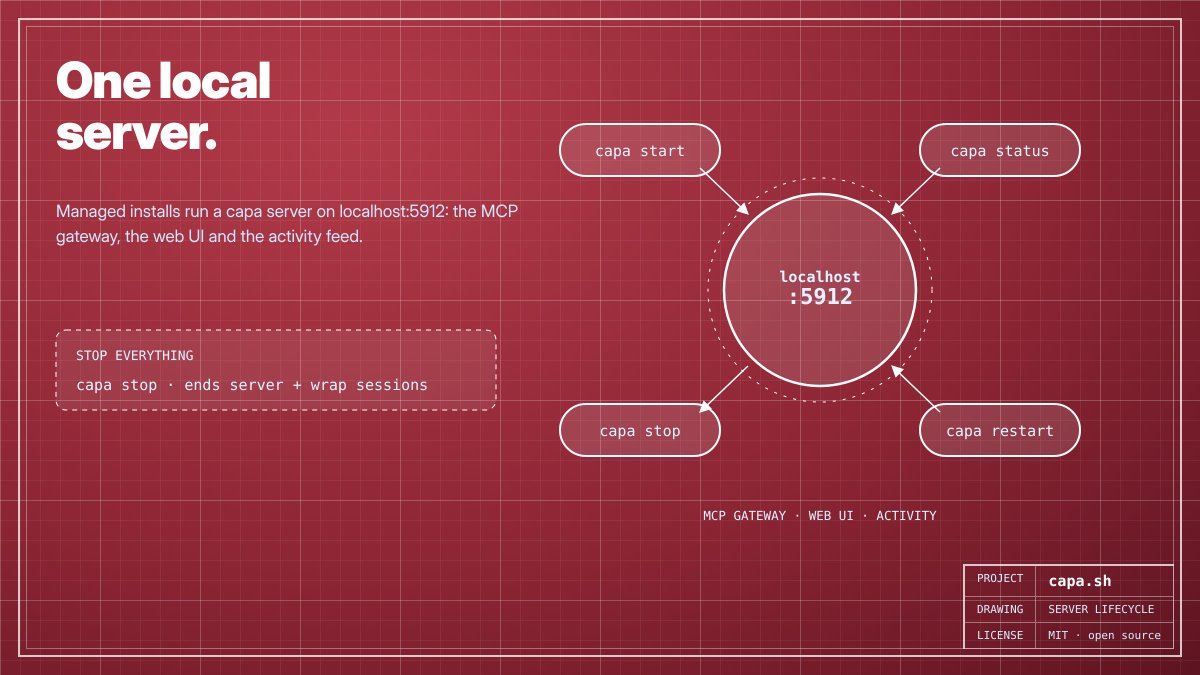
The capa server, live: status, restart, stop, start.
It sits on 127.0.0.1:5912 serving your agents, wrap sessions and capa sh.
Changed a server env var? capa install, then capa restart, and the new config is loaded.
https://t.co/9tlL5UEeQ5
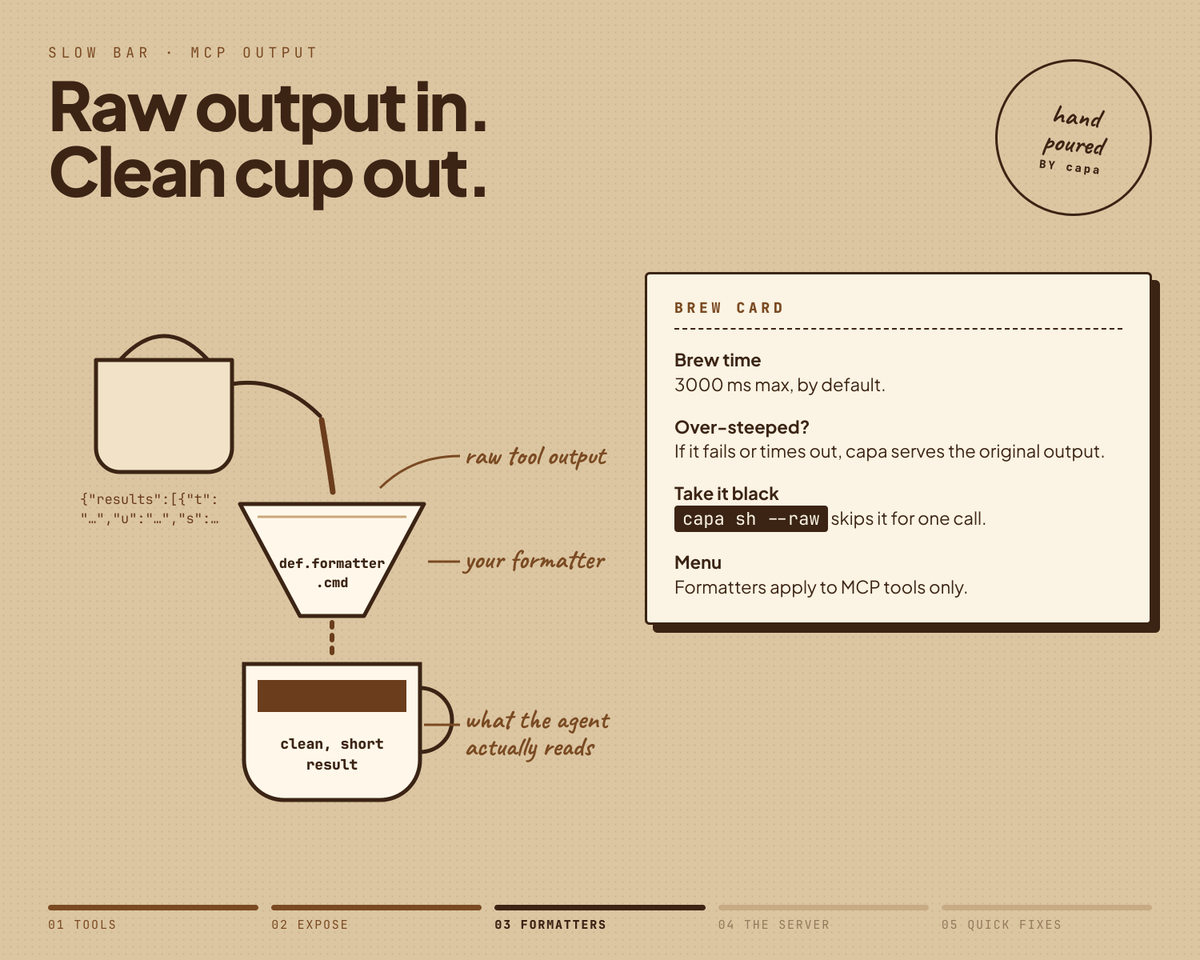
Same MCP tool, three calls:
1. The formatter trims a wall of JSON down to 3 lines.
2. The formatter runs past 3000 ms, so capa hands back the original.
3. capa sh --raw skips formatting entirely.
Either way, nothing gets lost.
https://t.co/9tlL5UEeQ5
Some MCP tools return a wall of JSON.
Give a tool a formatter command, and Capa trims the output before your agent reads it. If formatting fails or exceeds 3 seconds, the original output is preserved.
Need the raw response? Use capa sh --raw for the untouched output.
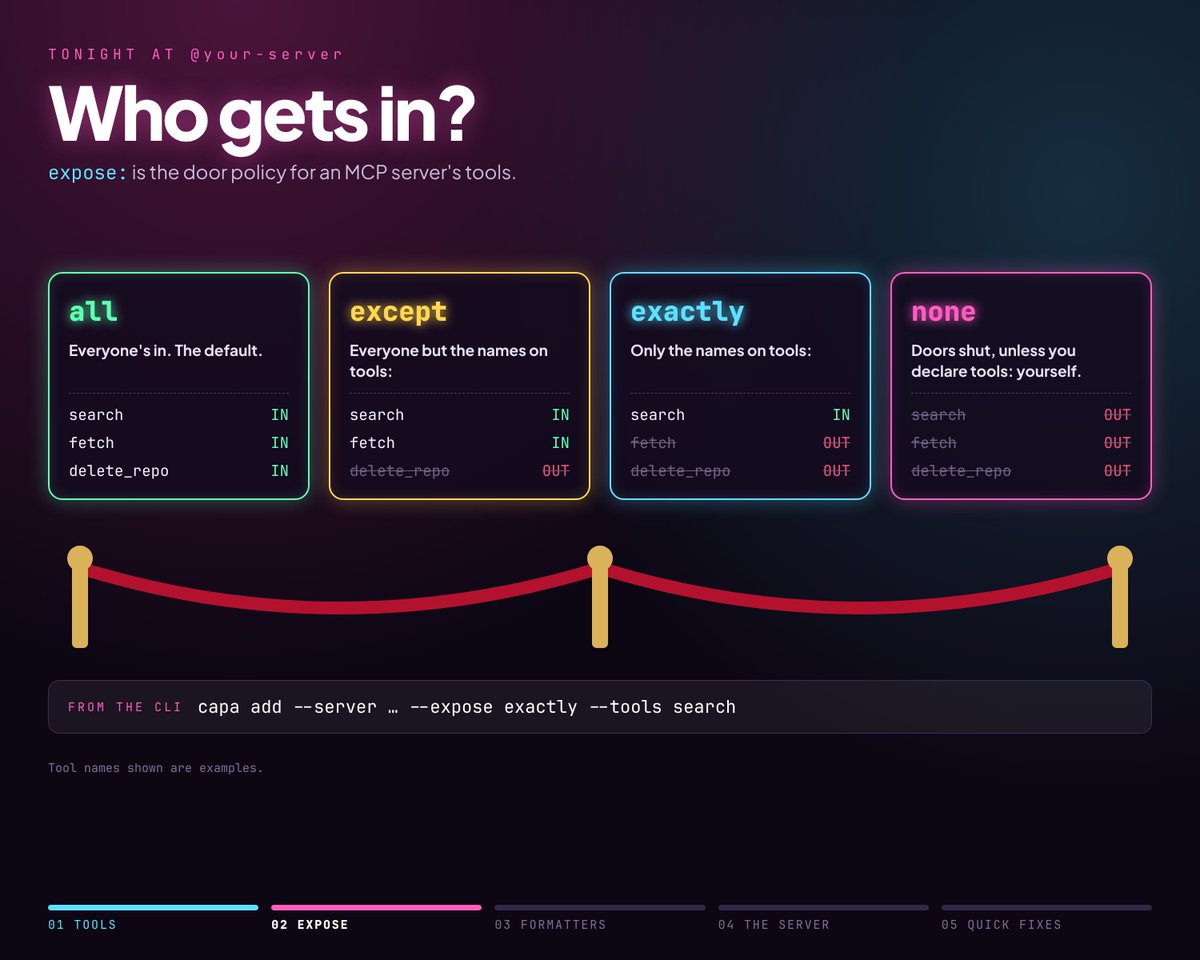
6 tools on the server. How many should your agent see?
Switch between all, except, exactly, and none to control access: 6, 4, 2, or 0 tools.
One setting in capabilities.yaml gives you precise control over what each agent can access.
Not every tool a server offers should reach your agent.
Give the server an expose: policy: all, except, exactly or none.
Or straight from the terminal:
capa add --server … --expose exactly --tools search
https://t.co/9tlL5UEeQ5
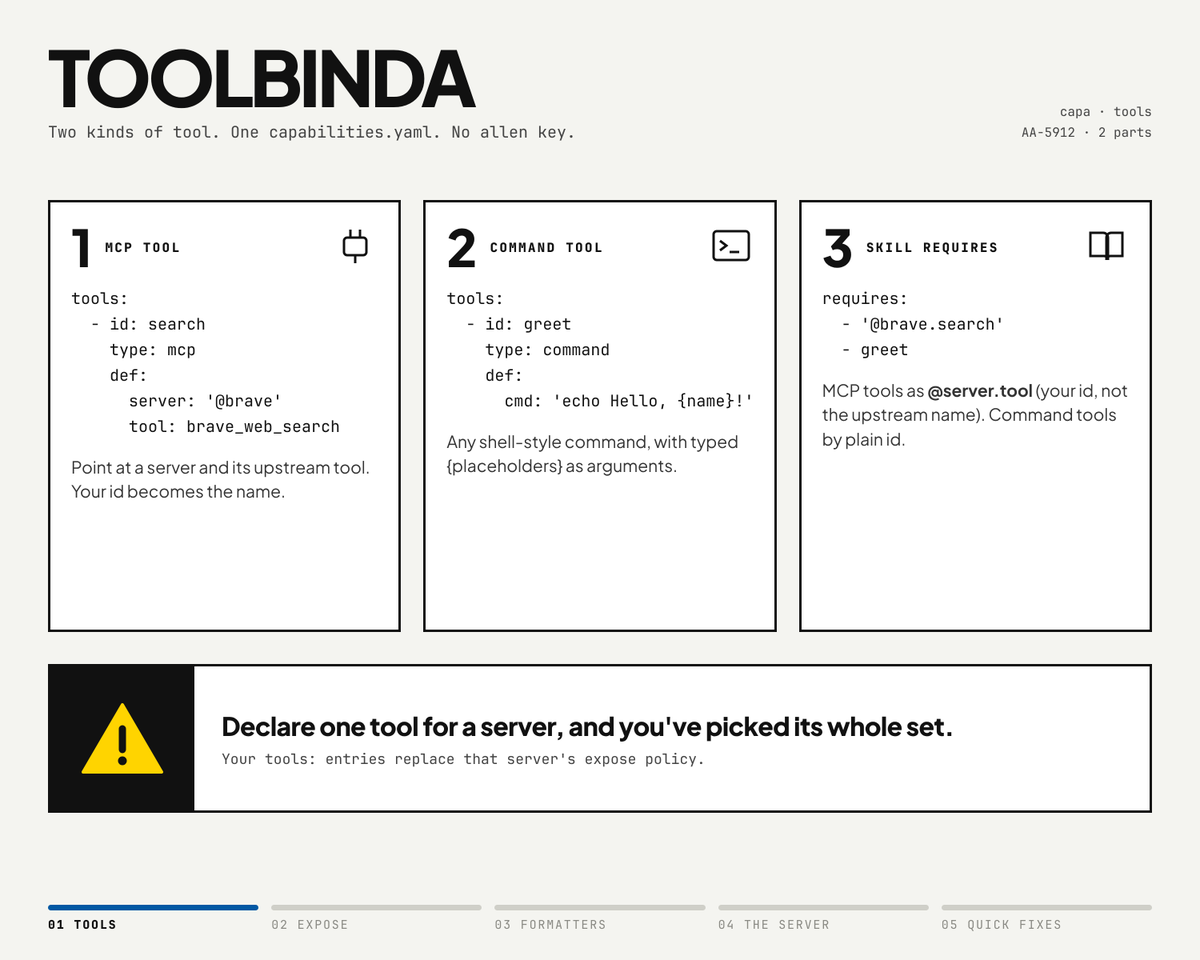
Capa supports two types of tools.
Type: mcp connects tools from an MCP server under your own ID.
Type: command wraps any shell command, including {placeholders}.
Skills can call them by name, like @brave.search, or simply greet. Flexible integrations, all managed in one place.
$CAPA buyback and burn continues! Another step toward supporting the chart and keeping the momentum strong as the ecosystem grows.
https://t.co/WE0BIkW3XN
Capa upgrade doesn't run an unchecked script.
It fetches the release's SHA256SUMS.txt, previews the actions, asks for confirmation (default: no), verifies the installer, stops the server, and proceeds with the update.
Checksum mismatch? The upgrade stops immediately.
Ever wonder what your tools leave behind?
Capa keeps configs and lockfiles in your repo, while caches and shadow workspaces stay in ~/.capa.
Use capa clean and capa cache clean to clear leftovers and keep your workspace tidy.
Skills roll in from GitHub, GitLab, https://t.co/hO5Qw4EnGV or a folder on your machine.
Private repo? Run capa auth github or capa auth gitlab once. Then reference the same skill in every project instead of copying it around.
Paste one line, watch the ring fill, done.
Capa installs as a single binary on macOS, Linux, and Windows, getting you ready in about a minute. Then run capa init in your project to start organizing your AI agent setup.
Simple to install. Ready to build.
Learn one command, add anything.
Capa add imports skills from a repo and supports --server, --tool, --rule, --hook, and --plugin. Everything goes into capabilities.yaml, and --install applies it immediately.
One command. A simpler workflow.
Behind Capa’s gateway, web UI, and activity feed is one local server.
Use capa start, status, restart, or stop to manage the entire lifecycle. Stopping the server also ends active wrap sessions.
One server. Simple control. Everything connected.
Watch everything your agents do. Leak nothing.
capa traces every MCP and shell call live with timing and errors, and masks secrets in arguments and results before anything is logged.