Rust agents don’t need to come with a whole platform.
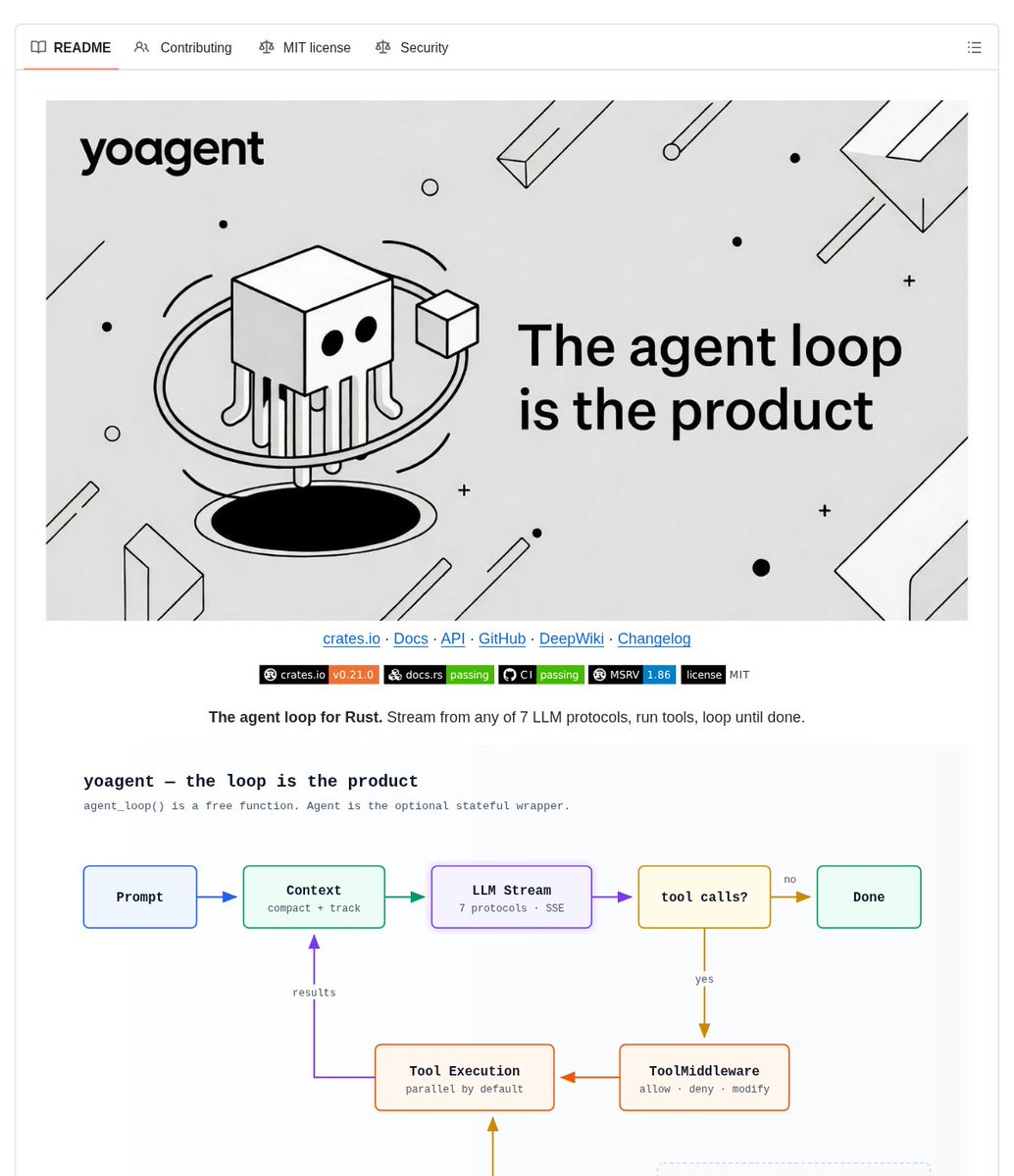
yoagent is a Rust library for building tool-using LLM agents around a focused agent loop.
It helps you run and control agent turns without adopting a vector store, embedding pipeline, or task-graph layer you may not need.
Key features:
• Stateless loop – use `agent_loop()` directly, or add the optional `Agent` wrapper for history and queues
• Seven native protocols – connect across Anthropic, OpenAI, Azure, Gemini, Vertex, Bedrock, and OpenAI-compatible APIs
• Tool-call gate – allow, modify, or deny each tool call through `ToolMiddleware`
• Mid-run control – steer an active run and use session checkpoints, forks, and seeks
• Offline testing – script multi-turn tool calls with `MockProvider` without network access or API keys
It’s open-source (MIT license).
Link in the reply 👇
Your Rails app needs more than a single LLM call.
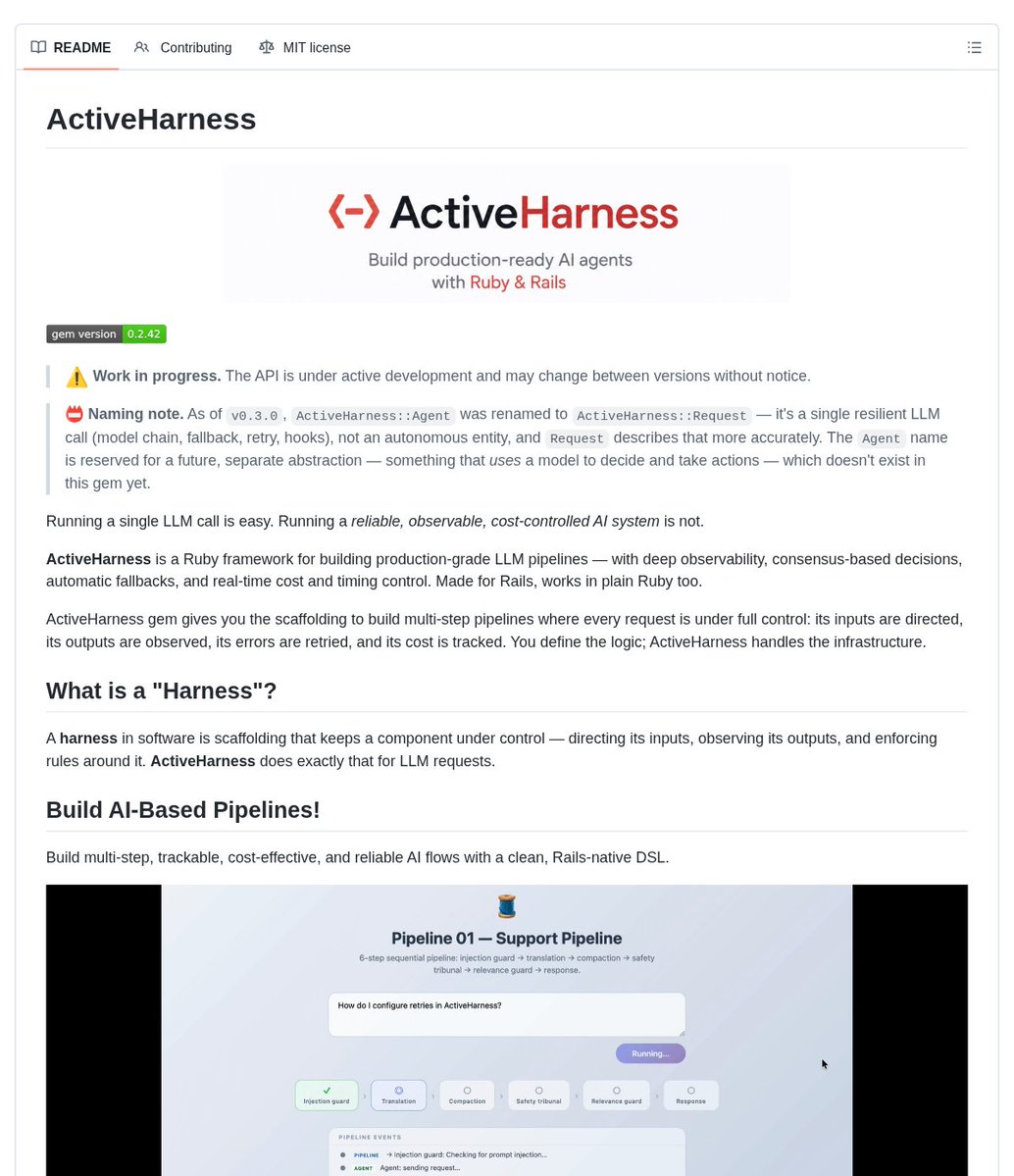
ActiveHarness is a Ruby framework for Rails and plain Ruby developers building multi-step LLM pipelines.
It helps you keep AI flows easier to inspect and control by chaining requests with stop conditions and context forwarding, while tracking what each call costs.
Key features:
• Pipeline DSL – chain sequential requests with per-step stop conditions and context forwarding
• Model fallback + retry – move to the next model in a chain when a call fails, with configurable exponential backoff
• Tribunal consensus – run requests in parallel and choose a result using unanimous, majority, or custom agreement
• Event tracing – use lifecycle hooks and OpenTelemetry to trace requests, tribunals, and pipelines
• Cost + timing tracking – see tokens, dollars, and execution time for requests and pipeline steps
It’s open-source (MIT license).
Link in the reply 👇
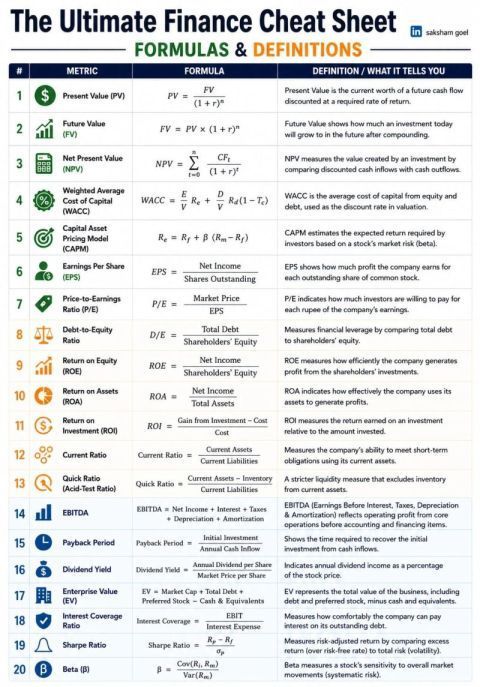
If you understand these 20 finance formulas, you're already ahead of most investors.
Finance isn't about memorizing numbers.
It's about understanding what those numbers are telling you.
Here are some of the most important formulas every investor, finance student, and analyst should know:
📈 Valuation
• Present Value (PV)
• Future Value (FV)
• Net Present Value (NPV)
• Weighted Average Cost of Capital (WACC)
• Capital Asset Pricing Model (CAPM)
📊 Profitability
• Earnings Per Share (EPS)
• Return on Equity (ROE)
• Return on Assets (ROA)
• Return on Investment (ROI)
• EBITDA
💰 Valuation Ratios
• Price-to-Earnings (P/E)
• Enterprise Value (EV)
🏦 Financial Health
• Debt-to-Equity (D/E)
• Current Ratio
• Quick Ratio
• Interest Coverage Ratio
⏳ Investment Analysis
• Payback Period
• Dividend Yield
• Sharpe Ratio
• Beta (β)
The biggest mistake many beginners make is focusing only on P/E Ratio.
Great investing comes from looking at a combination of profitability, valuation, leverage, liquidity, and risk.
You don't need to memorize every formula.
But you should know:
What each metric measures
When to use it
And more importantly, when not to use it.
That's what separates someone who reads financial statements from someone who truly understands a business.
Which finance metric do you use the most while analyzing a company?
Download this Top Finance Cheat Sheet - https://t.co/oxJqULLN6v
Mega Finance Cheat Sheet- https://t.co/qTICNvx28T
this is f*cking gold.
How to build your first AI agent with Jev.
This is everything you need to know to be ahead of the most people.
Once Jev is in your loop, your agent picks its own next action, rates its own outputs, and decides when the goal is met.
it runs without you watching it.
Jev is a decision model built specifically for this. it reads your system state and returns a typed answer with confidence:
Choice - which agent or action should happen next?
Score - is this result good enough to keep?
Noul - is the goal met?
the architecture:
LLM thinks. Jev decides. Agent executes.
10 minutes to get it running. Hosted on Vercel and Cloudflare via Typesafe. Waitlist access, people report getting in within a day.
The guide in the image maps the full setup, from architecture to your first decision call.
Wrote the full breakdown on agents, loops, and graphs below.
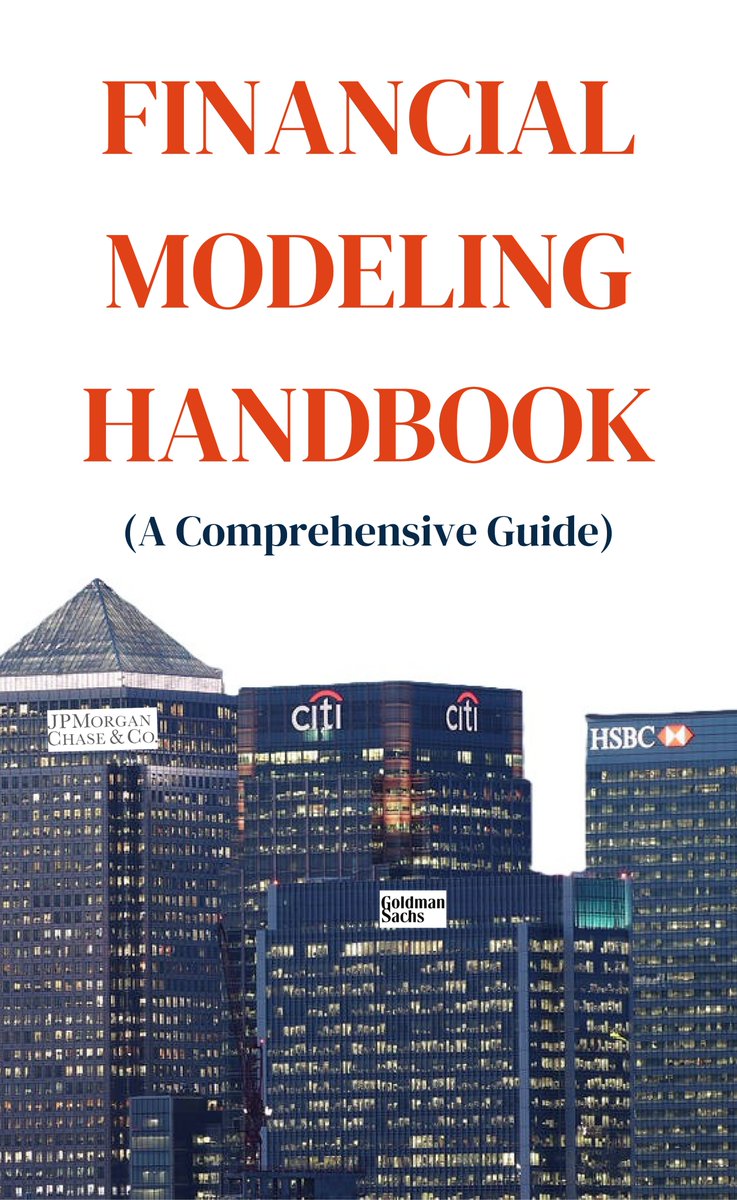
Financial Modeling Handbook
1. Why is Financial Modeling Important?
2. Types of Financial Models
3. Financial Statement Anatomy
4. Top 10 Excel Functions You Should Know in Financial Modeling
5. The Income Statement Guide
6. The Balance Sheet Guide
7. The Cash Flow Statement Guide
8. The Ultimate Budgeting Guide
9. Inventory Valuation Methods
10. Depreciation Methods
11. Financial Ratios
12. What is beta?
13. Options Pricing
14. Top Finance KPIs
15. Accounting vs Finance
16. EBIT vs EBITDA
17. Company Valuation Methods
18. Top Finance Certifications
19. 17 Financial Modeling Tips & Tricks
20. Excel Shortcuts Cheatsheet
21. Typical Excel Mistakes When Building a Financial Model
https://t.co/Ew4N88rP37
Not everyone on the team has access to Jev yet. Spent a morning cobbling together a poor man's Jev on top of omlx for local use. Benchmarked and eval'ed a variety of models including diffusiongemma and a variety of autoregressive models (Qwen MoE, Gemma 4 MoE, and Gemma 4 e4b/e2b.) Benchmark report is in the repo.
This is 100% promptcoding but hey the evals look okay, speeds are pretty good on local machine (m5 max 64gb), and the LocalJev server exposes an API that can be used with the normal Jev API wrapper libraries.
Your AI agents shouldn’t restart from an empty prompt every task.
First Tree is an open-source workspace for teams running AI agents from shared context instead of isolated prompts.
It helps you carry decisions and useful work from one task to the next by giving agents a team-maintained Context Tree to read before work and update after it.
Key features:
• Context Tree – stores team decisions, ownership, repos, responsibilities, constraints, and prior work in a Git-native memory layer
• Persistent work streams – lets teams start and continue agent work in persistent chats rather than separate one-off prompts
• Human review points – shows active work, blocked states, and review points so people can step in when needed
• Two work modes – supports focused copilot work and parallel review work across multiple tasks
• GitHub connection – brings code work, pull requests, and reviews back into the workspace
It’s open-source (Apache License 2.0).
Link in the reply 👇
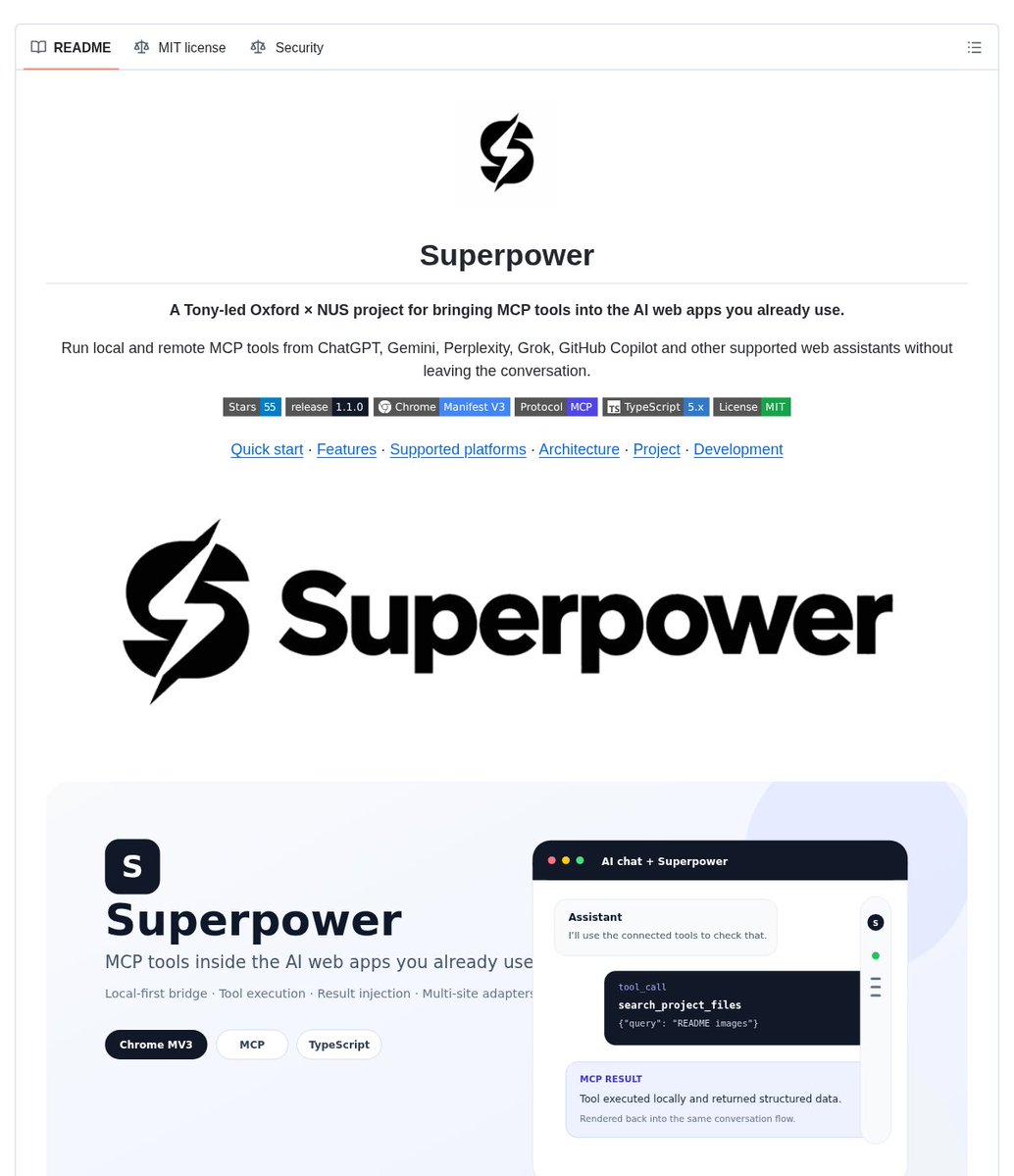
Your AI chat can use MCP tools — without a separate workspace.
Superpower is a Chrome extension that connects supported AI web interfaces to MCP servers for builders who want to use tools inside the chat apps they already use.
It helps you run local or remote MCP tools from the conversation by detecting structured tool calls, routing them through a configured MCP connection, and returning results to the same chat workflow.
Key features:
• In-page MCP controls – check connection status, select a transport, and manage available tools from the sidebar
• Structured call handling – detects function calls and renders tool-call and tool-result blocks in the conversation
• Multiple connection options – supports SSE, WebSocket, and Streamable HTTP MCP connections
• Flexible execution flow – choose manual execution or use the available automation controls
• Supported web assistants – adapters cover ChatGPT, Gemini, Perplexity, Grok, GitHub Copilot, and other listed interfaces
It’s open-source (MIT license).
Link in the reply 👇
Build local AI workflows without wiring every step by hand
Agentic Signal is a visual AI workflow automation platform for builders who want to compose agent workflows with local model support.
It helps you connect data sources, AI processing, tools, and outputs as nodes, then watch workflows run with live data flow.
Key features:
• Drag-and-drop workflow builder – assemble node-based flows visually with React Flow
• Local LLM support – use Ollama models locally for text analysis and generation
• Agent tool calling – let AI agents execute functions and access external APIs
• Structured responses – validate JSON outputs with schemas for more reliable responses
• Ready-to-explore workflows – browse documented workflow examples and a node reference
It uses a dual license: AGPL v3 covers personal, educational, non-commercial, and open-source use; commercial use requires a commercial license.
Link in the reply 👇
A Beginner’s Guide to Claude Code for (Non-Technical) Academics
Part I: Introduction
This is a beginner's guide to Claude Code written specifically for non-technical academics. I have written in simple and accessible language.
You don’t need any technical background to understand this guide or to use Claude Code.
If you can write sentences in English, you can use Claude Code. You will only need to be patient and attentive.
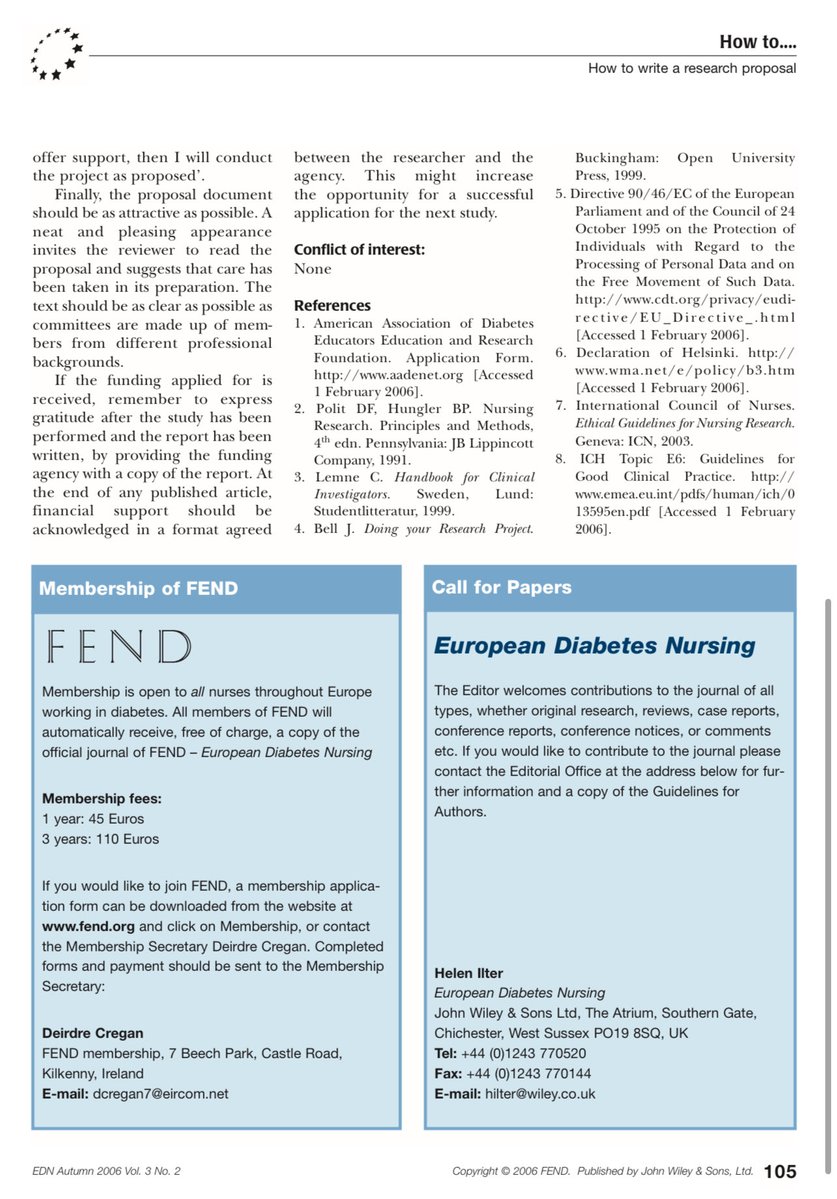
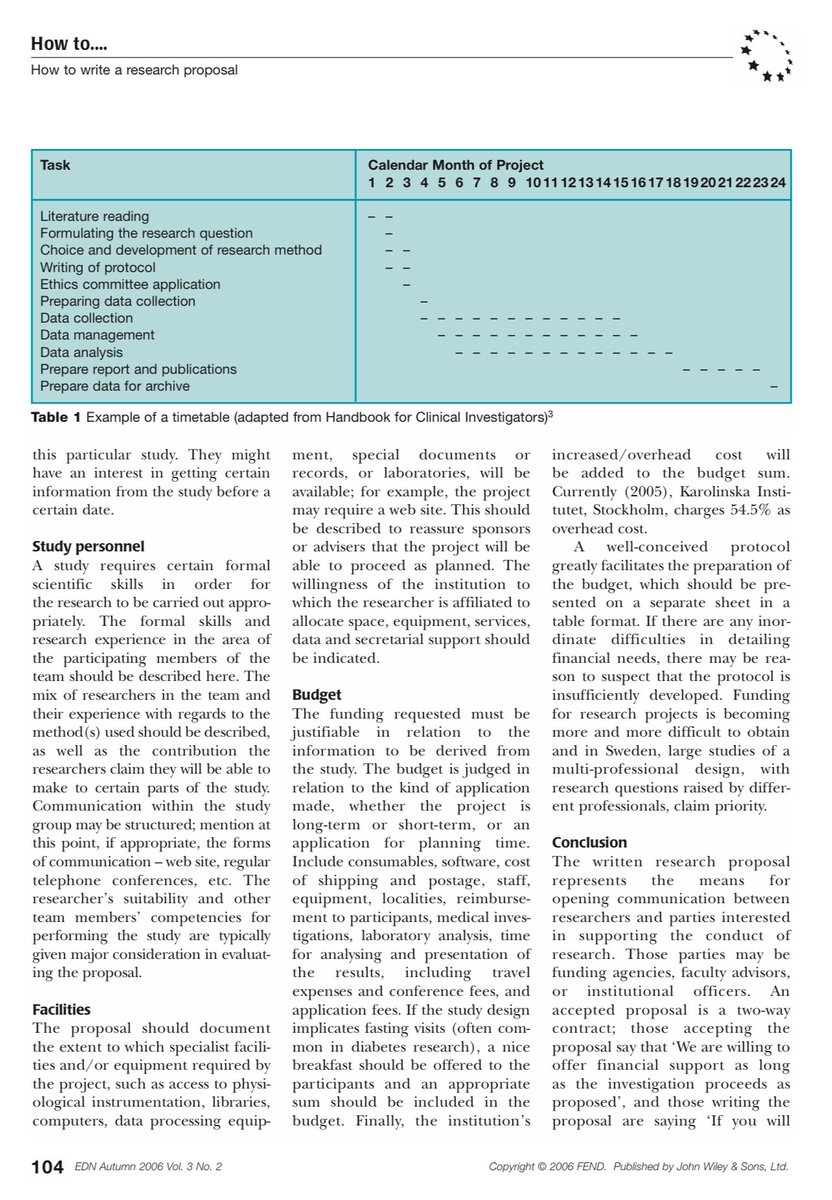
How to Write a Successful Research Proposal?
Here’s a breakdown of the critical components in writing a research proposal in this very useful article.
#phd#Research
كيفية استخدام برنامج Claude لكتابة البحوث الأكاديمية (Practical Workflows) من الالف الى الياء في رابط واحد مع الاوامر prompts الرابط https://t.co/x1TKp1NSy9
👇👇
هل تعلم أن Gemini NotebookLM يمكنه تلخيص أي ورقة علمية وتوثيقها بصيغة APA خلال دقائق بدون أي هلوسة أو معلومات مختلقة غير حقيقية ؟ ببساطة لانه يعتمد كلياً على (المدخلات) اي الاوراق العلمية التي تزوده بها. https://t.co/9igVzxSH7q
👇👇👇
🚨 Most people use Claude Code like a chatbot.
That’s the wrong mental model.
The real power comes from chaining commands into repeatable workflows that help you resume, build, review, and ship faster.
Here are 3 Claude Code workflows worth saving 🧵👇
As promised, my 𝗖𝗵𝗮𝘁𝗚𝗣𝗧 𝗪𝗼𝗿𝗸 onboarding guide.
A companion to the tips so far, with more to come!
Use it to build a setup around your actual job, whether you’re starting fresh or improving how you already work
https://t.co/S73KMKGUCT
🚨Claude can now help you create, illustrate, and publish a children's book without hiring a writer or illustrator.
These 9 prompts can take you from idea to Amazon-ready book in just a few days 👇
(Save now. Create your book later.)