👏We just released OCRflux — a multimodel PDF-to-Markdown toolkit that handles multi-column layouts, table parsing & cross-page merging.
🔵Built on top of finetuning the multimodal LLM Qwen2.5-VL-3B-Instruct, it delivers 3× higher throughput on a GTX 3090 GPU than the olmOCR-7B baseline model.
🔵It achieves 0.967 Edit Distance Similarity vs olmOCR’s 0.872 vs Nanonets's 0.858.
Try demo:https://t.co/VaNHgUzt5b
GitHub:https://t.co/7LGSSmDQMH
Hugging Face:https://t.co/OL1WWYEWrT
😃Key features in the threads
#OCRFlux #OCR #PDF2Markdown #Qwen #olmocr #OpenSource #Benchmark #DocumentAI
👋🏼ADIÓS A CAMBIAR CONSTANTEMENTE DE HERRAMIENTAS PARA PARSEAR PDFs!
@docdotai es el mejor PDFParser ahora mismo!
Es completamente GRATIS.
Te permite utilizar herramientas OCR como:
- glmocr
- liteparse
- mineru
- nanodoc
- paddleocr
Todo en UNO!
- Generación de .md a través de herramientas como nanodoc o paddleocr
- Comparación web. Interfaz visual para ver los resultados y compararlos entre parsers.
- También puedes usarlo con tu agente preferido. En mi caso, en Claude. Puedes usar la SKILL y hacerle preguntas en lenguaje natural.
- Instalación. Super facil. En menos de 2 minutos.
Te dejo la herramienta abajo👇🏼
We’ve officially upgraded ChatDOC'S default model to GPT-5 mini—bringing you faster reasoning and deeper document insights at zero extra cost.
🖼️Plus, we’ve leveled up our Multimodal Question Packages to GPT-5.3 for unmatched accuracy with charts and tables.
💎 Smarter
💎 Faster
💎 No extra costs
Go to https://t.co/cu6zoMBtUa and feel the difference of #GPT5
#ChatPDF #TechUpdate #ChatDOC #Productivity
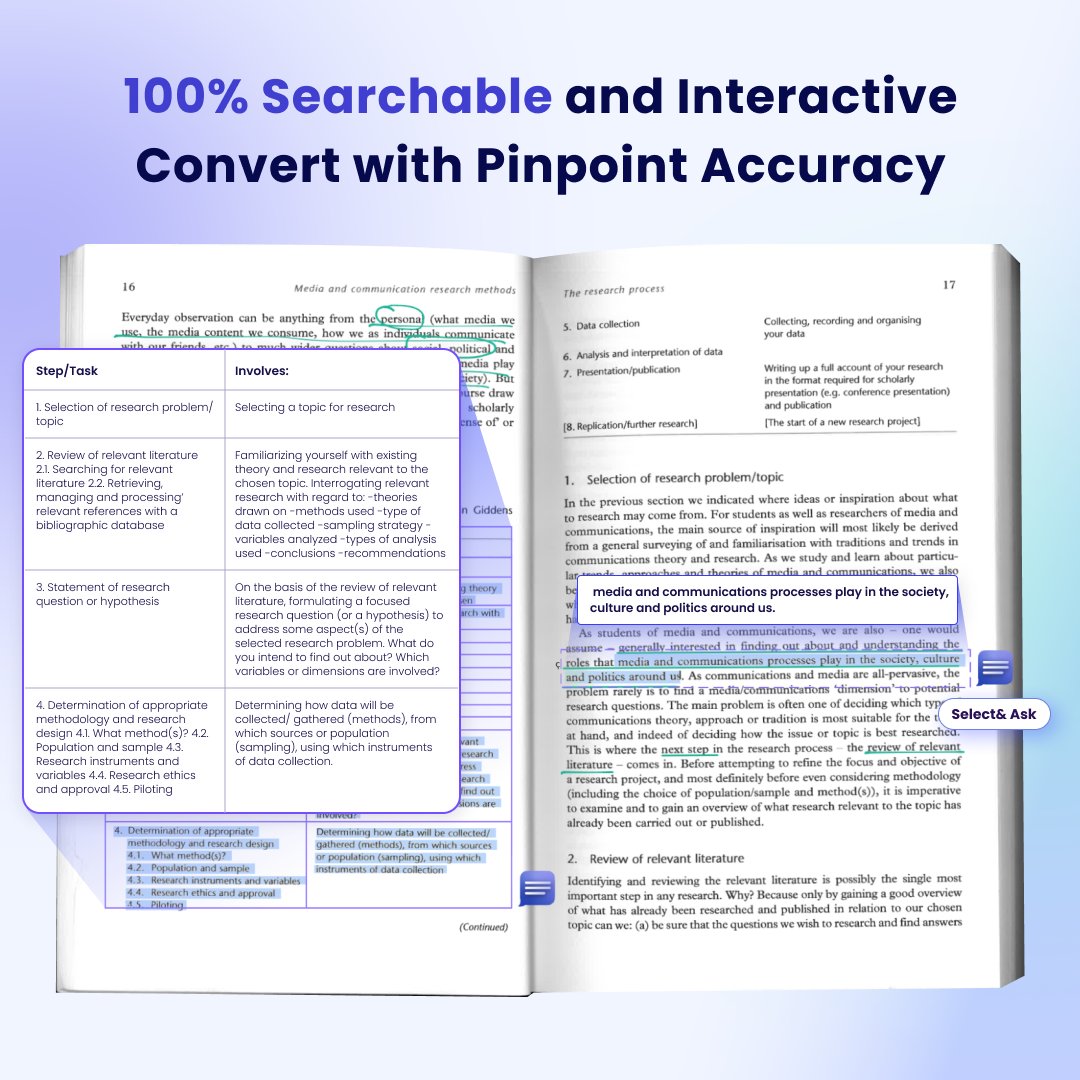
📚✨ NEW UPDATE ALERT! ✨📚
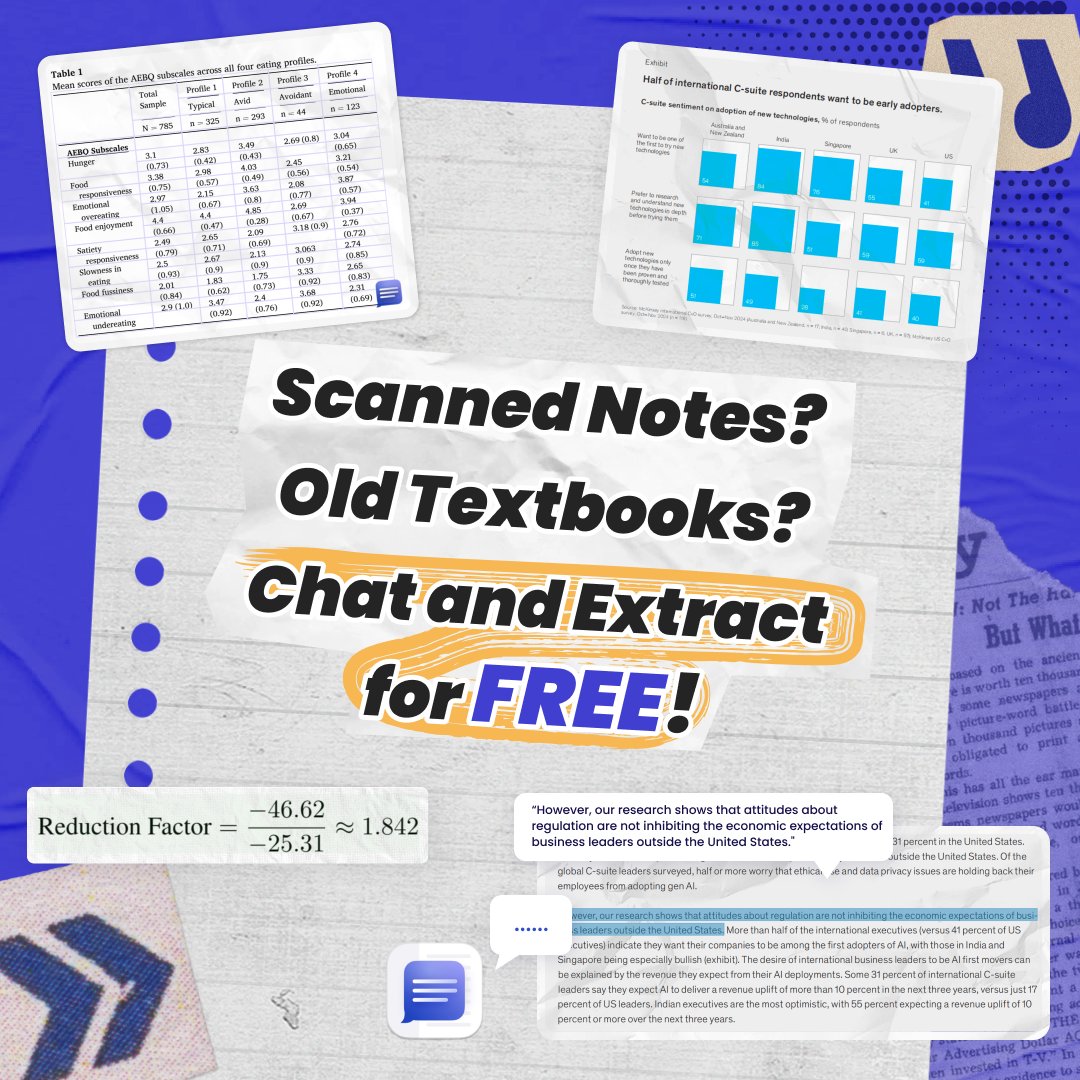
Now you can chat with scanned PDFs for FREE!
Engage with photographed study materials like old textbooks, complex forms, scattered notes, or screenshots
Easily extract any information you need with a fully searchable and interactive format.
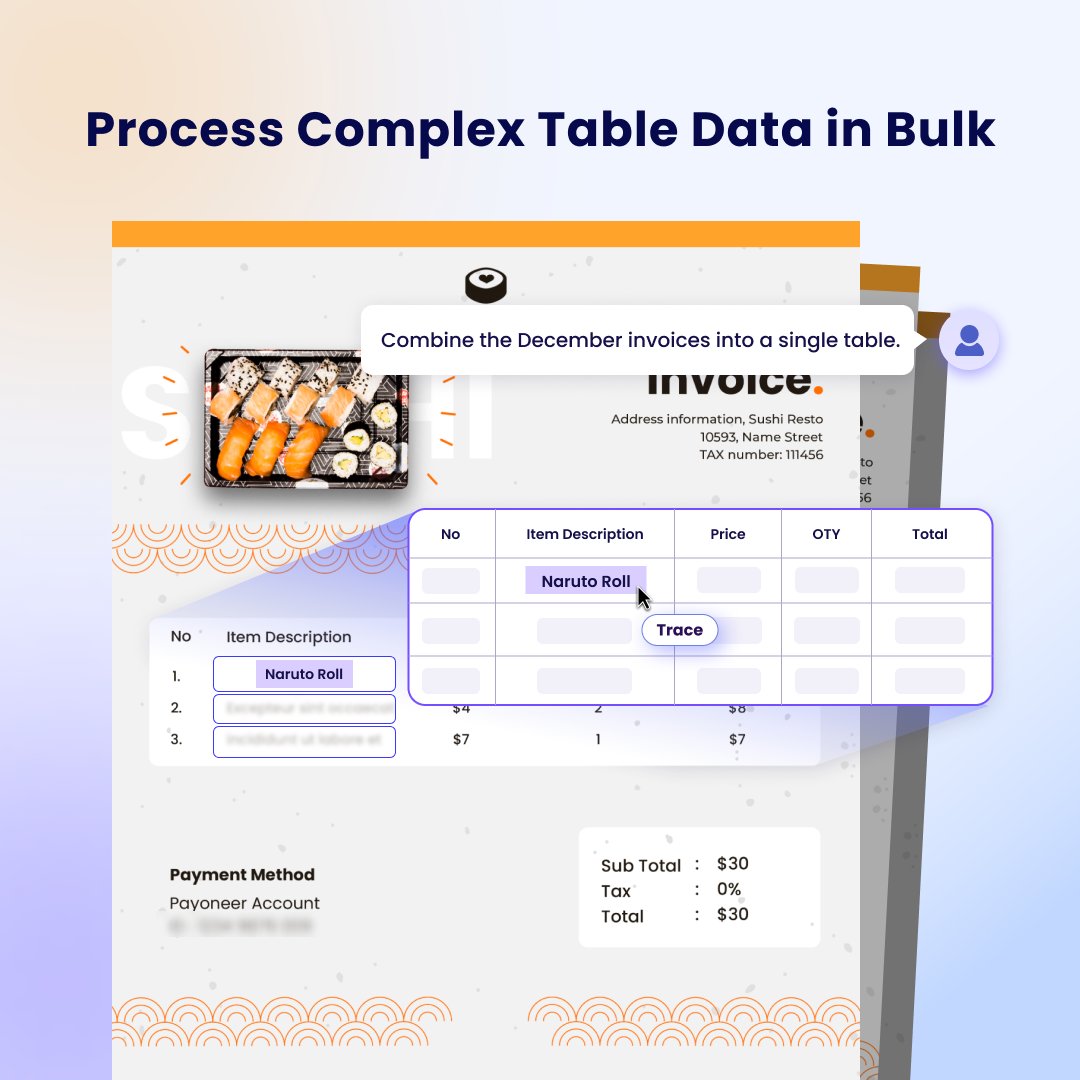
Simplify your learning by centralizing all resources in one place for cross-file Q&A, data extraction, or even translation.
Try it now: https://t.co/RHFK3hlMr6
🚨 This is WILD.
A new tool just dropped that might quietly replace half of the “UI/UX agent startups” you’ve been seeing.
It’s called ChatDoc Studio and it turns a single screenshot of your landing page into a full AI design review + redesign.
Here’s why this matters 👇
🚀 ChatPaper Update
We’ve made two exciting upgrades!
1️⃣ Added daily sync of arXiv – Information Retrieval papers 📚
2️⃣ Introduced AI Summary – get a full-text understanding and key takeaways in seconds 🤖
Explore the latest IR research with instant summaries 👉 https://t.co/v58gQe90TV
🚀 Launch your AI Help Desk in minutes with ChatDOC Studio !
Turn your business docs into a 24/7 AI assistant — with answer tracing, brand customization, no-code deployment, and API integration.
💡 Train with your files or website
🔍 Smarter search via Context Retrieval API
📄 Parse PDFs into structured, LLM-ready data
👥 Collaborate in one shared Knowledge Hub
👉 Try it now: https://t.co/shrZl6pK7j
#AI #Chatbot #SaaS #NoCode #Agents #ChatDOC #GPT
We just launched ChatDOC Studio! 🚀 Transform any documents into an expert AI assistant, get highly accurate, traceable answers for every query. Start building today with our FREE plan!
- 1,000 Credits per month
- Create 3 AI apps
- Add 3 Team members
- 100MB of knowledge base storage
https://t.co/vegrkawVqC
#AI #Chatbot #NoCode #CustomerSupport #AIAgent #aiforbusinessleaders
📷 Immersive Q&A Mode is here!
Hide the document panel and focus only on the answers you need.
A cleaner, distraction-free way to browse and interact with your documents.
👉Try it now → https://t.co/eBNpZ7PPap
TGIF! 🎉 Just in time for the weekend, ChatDOC is rolling out GPT-5-Mini, now ready for your document Q&A!
Plus, OpenAI and OpenRouter have expanded to support GPT-5 and GPT-5-Mini for a fully personalized experience.
Why not give it a try this weekend? 📚 #AI #GPT5 #ChatDOC
@ProgramErgoSum@rohanpaul_ai Right now we can work with tables, but can't handle visual elements like diagrams or charts yet. If we add support for saving those locally in the future, we'll definitely let you know!
@venki_lfc Thank you for your feedback! Could you share some screenshots or examples of the issues you’re facing? That would help us understand better and figure out what’s going on
👏We just released OCRflux — a multimodel PDF-to-Markdown toolkit that handles multi-column layouts, table parsing & cross-page merging.
🔵Built on top of finetuning the multimodal LLM Qwen2.5-VL-3B-Instruct, it delivers 3× higher throughput on a GTX 3090 GPU than the olmOCR-7B baseline model.
🔵It achieves 0.967 Edit Distance Similarity vs olmOCR’s 0.872 vs Nanonets's 0.858.
Try demo:https://t.co/VaNHgUzt5b
GitHub:https://t.co/7LGSSmDQMH
Hugging Face:https://t.co/OL1WWYEWrT
😃Key features in the threads
#OCRFlux #OCR #PDF2Markdown #Qwen #olmocr #OpenSource #Benchmark #DocumentAI
@aivovaske@rohanpaul_ai Thanks for sharing ! OCRFlux currently works best with English & Chinese docs. For other languages, the parsing might not be perfect yet😅 Will let you know when we expand support!
🤩Seriously made our day seeing you dig our multi-lingual &column doc parsing!
👇Everyone come give it a spin and tell us what you think! https://t.co/lwNF1OjMd9
#PDFparsing#OCRFlux#ocr#opensourceai
PDF parsing is still painful because LLMs reorder text in complex layouts, break tables across pages, and fail on graphs or images.
💡Testing the new open-source OCRFlux model, and here the results are really good for a change.
So OCRFlux is a multimodal, LLM based toolkit for converting PDFs and images into clean, readable, plain Markdown text.
Because the underlying VLM is only 3B param, it runs even on a 3090 GPU. The model is available on @huggingface .
The engine that powers the OCRFlux, teaches the model to rebuild every page and then stitch fragments across pages into one clean Markdown file.
It bundles one vision language model with 3B parameters that was fine-tuned from Qwen 2.5-VL-3B-Instruct for both page parsing and cross-page merging.
OCRFlux reads raw page images and, guided by task prompts, outputs Markdown for each page and merges split elements across pages.
The evaluation shows Edit Distance Similarity (EDS) 0.967 and cross‑page table Tree Edit Distance 0.950, so the parser is both accurate and layout aware.
How it works while parsing each page
- Convert into text with a natural reading order, even in the presence of multi-column layouts, figures, and insets
- Support for complicated tables and equations
- Automatically removes headers and footers
Cross-page table/paragraph merging
- Cross-page table merging
- Cross-page paragraph merging
A compact vision‑language models can beat bigger models once cross‑page context is added.
🧵 1/n Read on 👇
Thanks for the shoutout! 🙌 Even the messiest multi-page tables get stitched together perfectly by our magic. Try it yourself at https://t.co/lwNF1OjenB
This PDF-to-Markdown toolkit can convert PDFs and images into clean Markdown, parse complex tables, and much more...
Open this 🧵 ↓ Bookmark for later 🔖