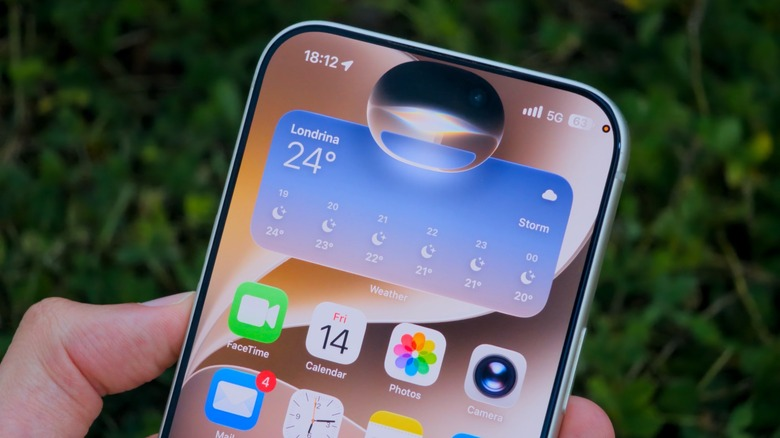
Siri can finally do things, not just answer things.
The iOS 27.3 beta lets it finish real tasks inside 15 Apple apps.
Here's what it can do (with demos):
Music: ask for songs for a day at the beach and Siri builds the playlist and saves it.
Messages: ask Siri to send a text later and it schedules it for you.
Attach: clip of a scheduled message appearing in the thread.
Safari: Siri can group your tabs, sort them, close duplicates, clear your history or save an article to your Reading List.
Mail: unsubscribe from a mailing list or undo an email you just sent, by asking.
Calendar: create an event with invitees, a location and a video-call link in one request.
Attach: screenshot of the created event.
Files: Siri can tidy a folder, including deleting files you haven't opened in a set period.
Attach: clip of a Files clean-up.
The full list: Calendar, Files, Finder, Journal, Mail, Maps, Messages, Music, Notes, Photos, Preview, Reminders, Safari, Shortcuts and Weather.
Not sure what Siri can do in an app? Ask it.
Attach: screenshot of Siri answering "what can you do here?" inside an app.
The catch: it's a beta right now. You need an Apple Intelligence iPhone, and Siri AI isn't available in the EU.
Third-party apps are coming next. Apple has opened a developer preview, but they don't work for users yet.
You can now tell YouTube exactly what to show you.
Type one sentence and it builds a whole feed.
Here's how in 3 steps:
Step 1: Open your YouTube homepage and tap the + at the top. You may see the words “Custom feed.”
Step 2: Type what you want to watch, in plain words.
For example: “I want retro tech nostalgia: 80s commercials, vintage PCs, CRT glow.”
Step 3: Your feed appears at the top of the screen. Use the prompt box at the top of the feed to tweak it any time.
Bored of your usual stuff? Try: “I want to explore something completely different beyond my usual feed.”
How many you get: Free accounts can save up to 3 custom feeds. YouTube Premium can save up to 8. Your feeds sync across devices when you’re signed in.
The catch: For now it’s US only, in English, and you need search history turned on.
Your normal Home feed stays where it is.
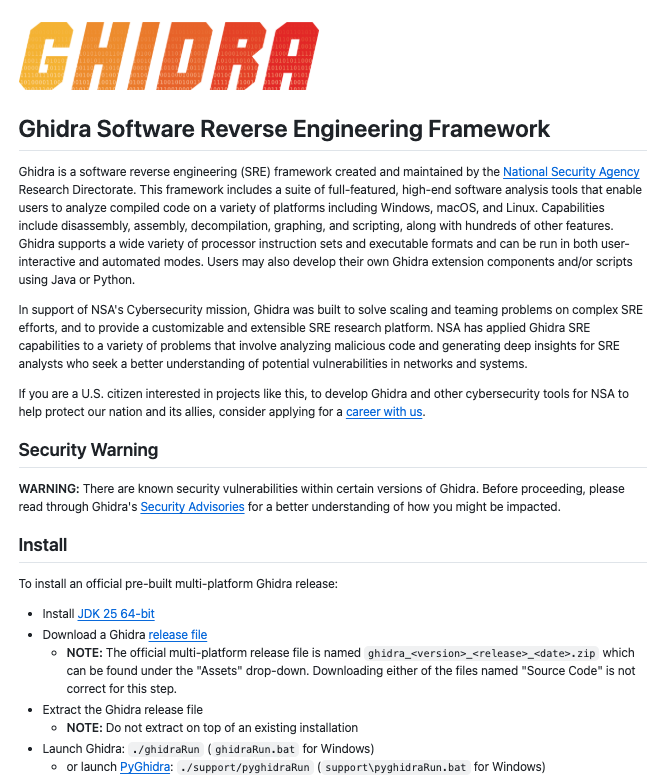
The NSA spent years building software to take other software apart.
Then it released the tool to the public for FREE.
It's called Ghidra.
And it's one of the most powerful open-source reverse-engineering tools available.
Developed by the US National Security Agency, Ghidra lets you investigate how compiled software works, even without access to its original source code.
Here's what it can do:
→ Disassemble executable files into assembly instructions
→ Decompile compiled code into readable, C-like code
→ Analyze suspicious programs and malware
→ Examine how applications process data
→ Explore functions, variables, and program structure
→ Automate analysis with scripts
It supports multiple processor architectures and operating systems.
And it's used by security researchers, malware analysts, and software engineers.
The crazy part?
Software originally developed inside a US intelligence agency is now available for anyone to study and use.
No subscription. No license fee. Open source.
Your Windows PC could be launching programs you don't even know are there.
And Microsoft's regular Startup Apps screen doesn't show everything.
There's a free Microsoft tool that gives you a much deeper look.
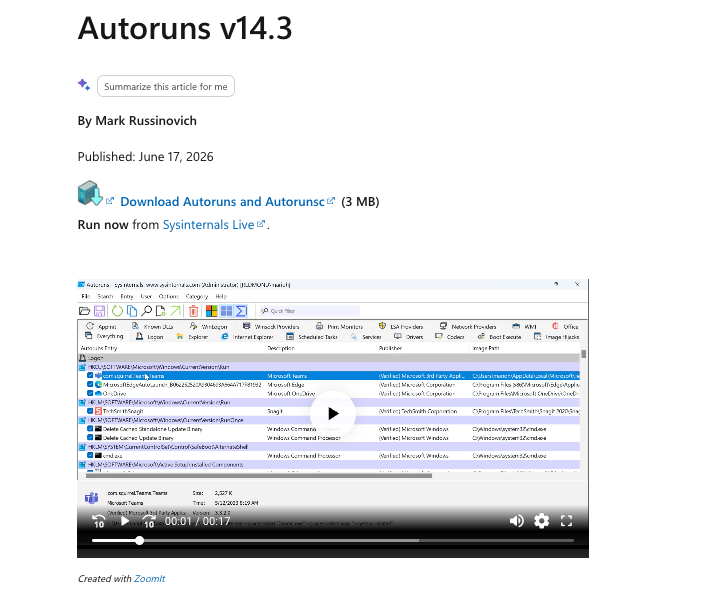
It's called Autoruns.
Built by the Sysinternals team, it reveals programs configured to launch automatically across Windows.
Here's what you can inspect:
→ Programs that start when you log in
→ Background services
→ Scheduled tasks
→ Browser and File Explorer extensions
→ Drivers configured to load automatically
→ Other hidden startup locations
You can also verify digital signatures and check file hashes with VirusTotal.
This makes it useful for investigating suspicious startup entries, unwanted software, and programs that keep coming back after a restart.
And the best part?
It's completely FREE.
No subscription or third-party security suite required.
Just download it from Microsoft's official website.
One important warning: not every unfamiliar startup entry is malicious. Don't disable system components unless you understand what they do.
A file named photo.jpg isn't necessarily a photo.
Anyone can rename a file extension.
And that can make suspicious or unfamiliar files harder to identify.
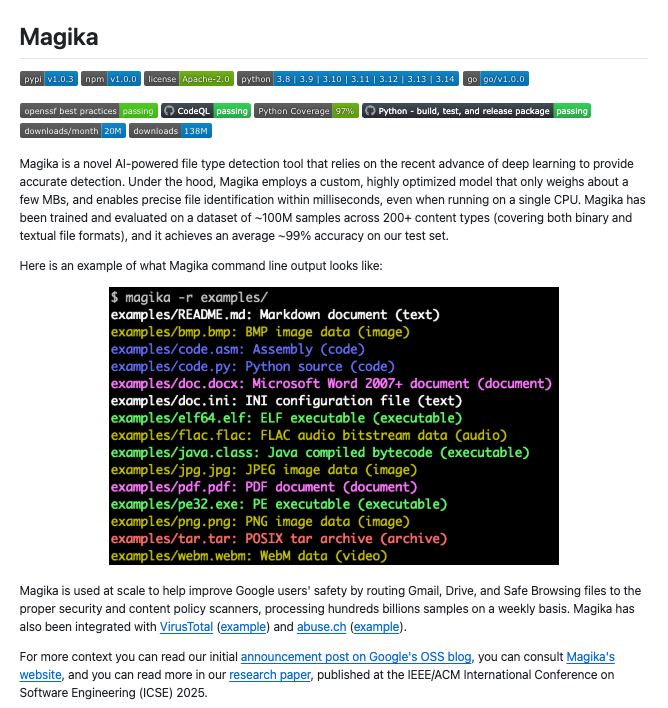
Google built a free AI tool that looks at the actual contents of a file to predict what it really is.
It's called Magika.
Instead of trusting the filename, it uses a lightweight deep-learning model to identify file types.
Here's what makes it interesting:
→ Identifies file types from their contents
→ Works with hundreds of supported content types
→ Handles files with misleading or missing extensions
→ Runs locally on your computer
→ Can classify files in milliseconds on a CPU
→ Works through a command-line tool or programming APIs
Developers can use it to organize large collections of files, inspect unknown downloads, or build better file-handling systems.
And the model is only a few megabytes.
No giant GPU cluster required.
The important distinction: identifying a file's type doesn't prove it's safe.
But it's an incredibly useful first step when you don't know what you're looking at.
FREE and open source.
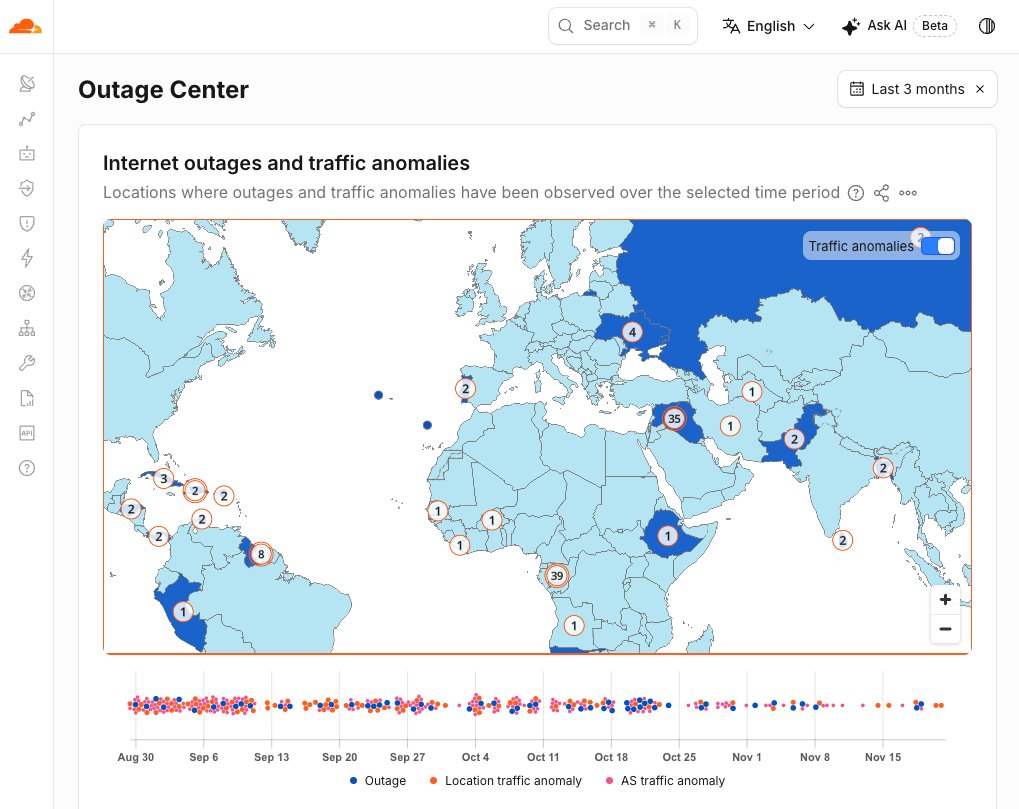
Cloudflare built a website that lets you explore internet outages around the world.
And it's completely FREE.
It's called Cloudflare Radar.
Cloudflare operates one of the world's largest internet networks, giving it visibility into changes in global internet traffic.
And it makes some of that information publicly available.
Here's what you can explore:
→ Internet outages across different countries
→ Unusual drops in internet traffic
→ Historical outage timelines
→ Traffic patterns by region
→ Internet disruptions and reported incidents
→ Global internet trends
You can even open a country's dashboard and explore how its internet traffic changes over time.
The fascinating part?
An outage doesn't always mean the entire internet in a country has stopped working.
But sudden traffic drops can reveal major disruptions that ordinary users might never hear about.
From network failures to major connectivity disruptions, the dashboard gives you a window into how the internet behaves.
It's like a public observatory for the internet itself.
No account required to explore the dashboard.
Try it: https://t.co/b5lFcPb9GN
Your website can have HTTPS enabled and still be missing important security protections.
And you might not even know it.
Mozilla built a FREE tool that checks your website's security configuration.
It's called HTTP Observatory.
You enter a website's domain, and it analyzes the HTTP security protections the site has configured.
Here's what it checks:
→ Content Security Policy (CSP)
→ Strict-Transport-Security (HSTS)
→ Protection against clickjacking
→ Cookie security settings
→ Referrer policies
→ Other important HTTP security headers
It then gives your website a security grade and recommendations for improving it.
No need to manually inspect every HTTP header.
No expensive security scanner required.
And you can use it on public websites, not just your own.
The interesting part?
Having an HTTPS connection doesn't automatically mean your website is properly protected.
Of course, a good Observatory grade isn't proof that a site has no vulnerabilities.
But it's one of the easiest ways to catch overlooked security configurations.
Before you pay for a single API, check this GitHub repo first.
Someone put 730+ free APIs in one place, sorted into 48 categories, and it costs you nothing.
It's called Public API Lists.
Half the data people pay monthly subscriptions for is already being given away somewhere. This repo is where you find it in seconds.
> Weather and climate
> Currency and crypto
> Books and movies
> Jobs and news
> Health and science
> Government open data
> Sports and games
Each entry tells you if it needs a key, so you know what you're getting before you click.
15.7K stars. MIT License. 100% Opensource.
https://t.co/rq1vJexTmO
Gemini can now use your Mac for you 🤯
It clicks, scrolls and types in its own background window. Your screen and cursor stay free.
What you can hand off:
→ Color-grade a batch of photos
→ Pull weights and addresses out of PDFs into shipping quotes
→ Grab dashboard screenshots and build a Google Slides deck
→ Turn a folder of clothing photos into draft resale listings
How to turn it on:
1. Get the Gemini app at https://t.co/e2nLZqq4J4
2. Settings → Computer use → allow Gemini to work with your Mac
3. Click Task, type @ Computer use and describe the job
4. Pick which apps it can touch and approve key steps
It pauses for logins and payments.
Hackers can access your Microsoft 365 data without ever knowing your password.
And even two-factor authentication might not stop them.
The attack is called OAuth consent phishing.
Here's how it works:
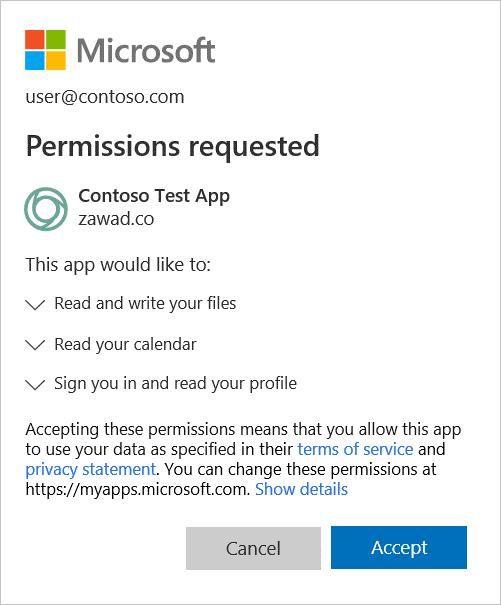
1. You receive a link asking you to connect an app to your Microsoft account.
2. You sign in through Microsoft's legitimate login system.
3. A permission screen appears asking for access to your emails, files, or other account data.
4. You click "Accept."
That's it.
You've potentially given a malicious app access to your data without giving away your password.
Depending on the permissions granted, the app may continue accessing that data even when you're not actively using it.
And changing your password alone may not remove that access.
Here's how to protect yourself:
→ Never approve permissions you don't understand.
→ Check the app's publisher before connecting it.
→ Review apps connected to your Microsoft 365 account.
→ Revoke permissions for apps you no longer trust.
→ Ask your IT admin to restrict risky third-party app permissions.
The scary part isn't a fake Microsoft login page.
It's that the permission screen can be completely real.
Bookmark this before clicking "Accept" on another app.
Gemini can now make your phone calls for you 🤯
And Google just made Tasks in Gemini free for hundreds of millions of people in the US, Japan, Korea, Canada, Australia and India.
You can now:
→ Have it call 2 dealerships at once and book the earliest slot
→ Text it a grocery list and it builds your Instacart order
→ Forward school emails to [email protected] and every date lands on your calendar
→ Shop with a hard spending cap, and it asks before it clicks Buy
How to try it:
1. Open the Gemini app
2. Flip the toggle from Chat to Task
3. Tell it what you need done
Calls, texting and email forwarding start in the US.
What would you hand off first?
We believe 10% of creative work will remain defiantly human.
Grateful for visionary creative directors like @PaulJun_ at @tryramp who trust us to help with the remaining 90%.
People pay hundreds of dollars for stock research tools.
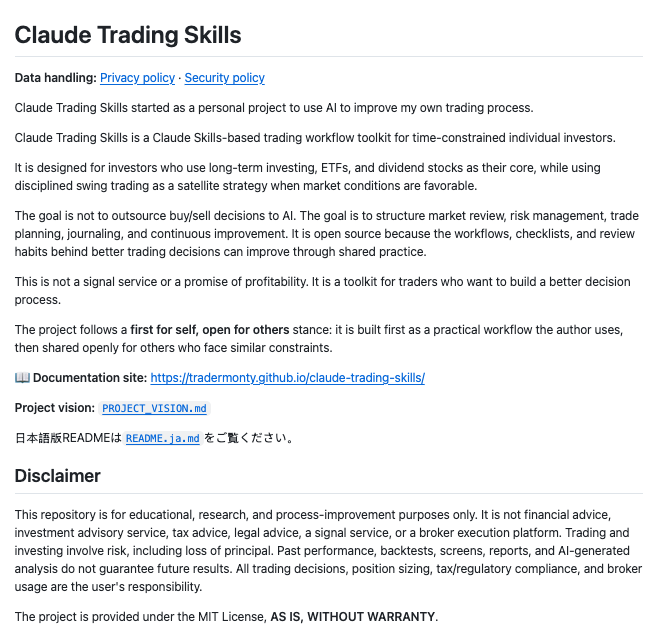
Someone built an open-source toolkit that lets Claude analyze markets, screen stocks, backtest trading strategies, and track portfolio performance.
You can set it up yourself.
It's called Claude Trading Skills.
Built by developer tradermonty, it gives Claude ready-made workflows for:
→ Analyzing market trends and technical charts
→ Screening stocks for trading opportunities
→ Backtesting trading strategies on historical data
→ Reviewing portfolio performance and dividends
→ Calculating position sizes and managing risk
→ Keeping a trading journal to learn from past trades
It's free and open source under the MIT license. Some features need paid data services, but you can get started without them.
It's not an automated trading bot. You remain in control of every trade.
GitHub: https://t.co/T4yc1Efyx9
Bookmark this if you invest or trade.
Your iPhone can now answer health questions with real medical citations 🤯
Apple just opened the Apple Health AI Usage Study, built with OpenEvidence.
→ Ask about symptoms, conditions, recovery, fitness or meal plans
→ Every answer links to peer-reviewed sources from journals like NEJM, JAMA and Nature
→ Share Apple Health data like resting heart rate, sleep or lab results for answers about you
→ Get ready for your next doctor's visit
→ The app is free
Apple says study data won't be used to train AI models.
How to join:
1. Download the Apple Health AI Study App (link in the reply)
2. Check you qualify: US, 21+, iPhone 15 Pro or later on iOS 26 with Apple Intelligence
3. Enroll and ask your first question
It's not medical advice, so check anything important with your doctor.
Only 200,000 people can join. Would you trust it with your health data?