@Banamex ¿qué está pasando con su servicio al cliente y su APP?
Un banco no debería obligar a sus clientes a invertir horas entre llamadas, transferencias, explicaciones repetidas y respuestas que no resuelven el problema.
El problema ya no es solamente la incidencia
@CondusefMX
how to run claude code with gemma 4 completely free (beginner's guide):
this guide shows you how to use claude code completely free with gemma 4, no subscriptions &no api keys.
just your laptop + 15 mins setup.
this lets you run open-source models (like google’s gemma) locally, meaning:
— no costs
— full privacy
what you need before starting, make sure you have:
vs code installed
— node.js (version 18+)
— stable internet (for one-time model download)
_____________
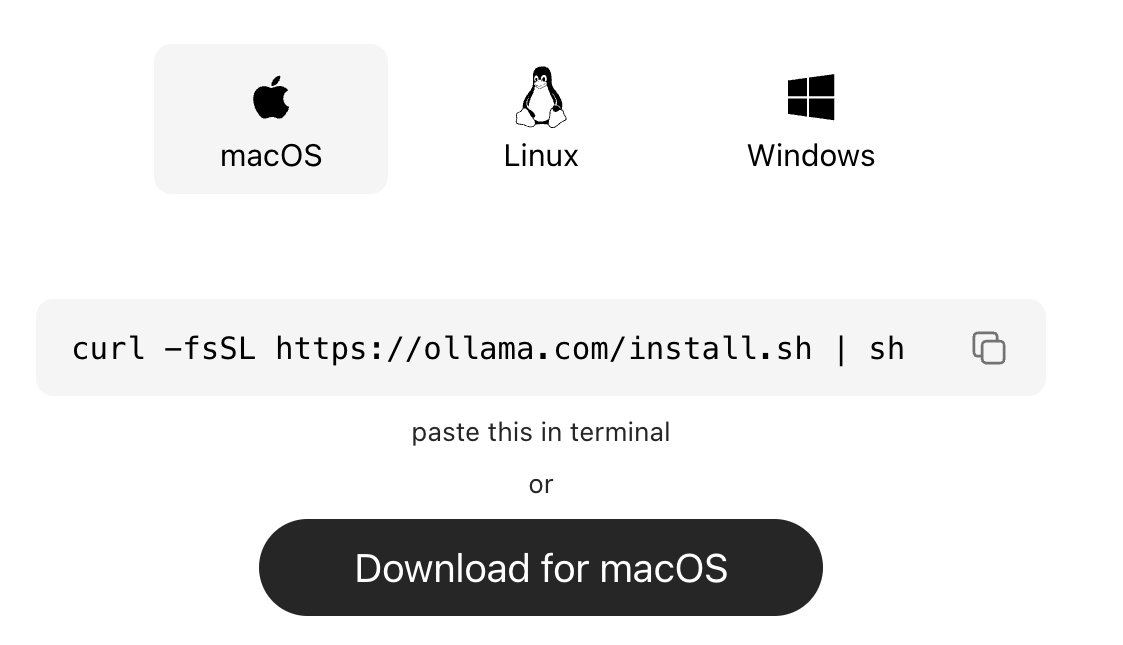
step 1: install ollama (the engine)
ollama is what runs ai models locally on your machine.
→ mac:
go to https://t.co/vbZUmD9sfj
click download for mac, open the file and install like any normal app. no terminal needed.
→ windows:
go to https://t.co/vbZUmD9sfj, click download and install
→ linux:
curl -fsSL https://t.co/KMqYYHJnZ0 | sh
check it worked:
ollama --version
_____________
step 2: download gemma 4
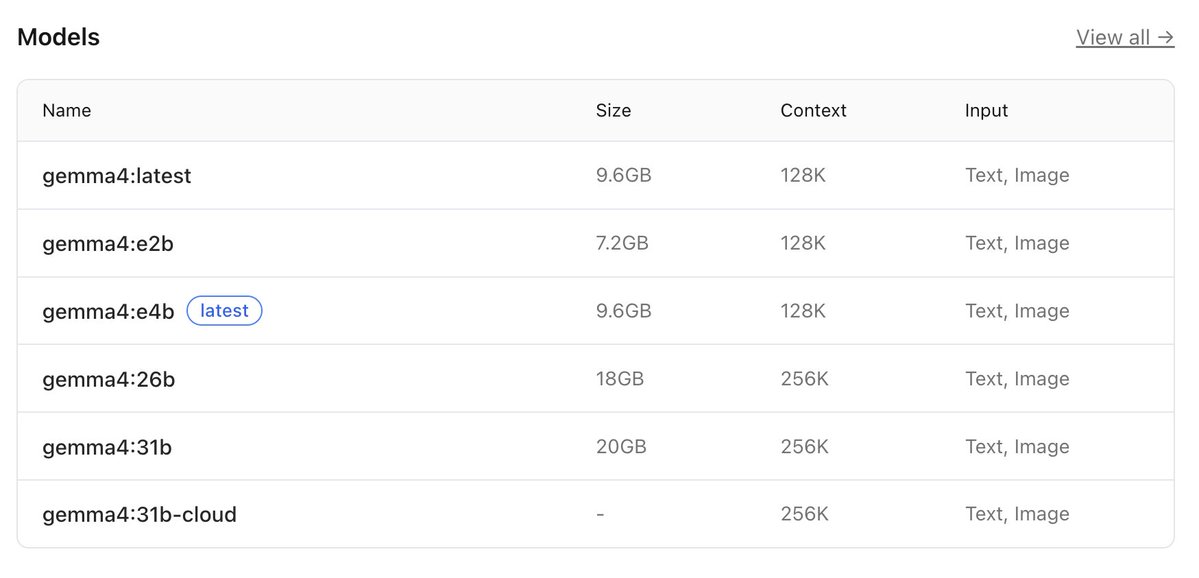
this is the ai model you’ll run locally, pick based on your system:
→ low-end (8gb ram):
ollama pull gemma4:e2b
→ recommended (16gb ram):
ollama pull gemma4:e4b
→ high-end (32gb ram):
ollama pull gemma4:26b
⚠️ it’s a big download (7gb–18gb), so give it time.
after download is completed, verify with the command:
ollama list
_____________
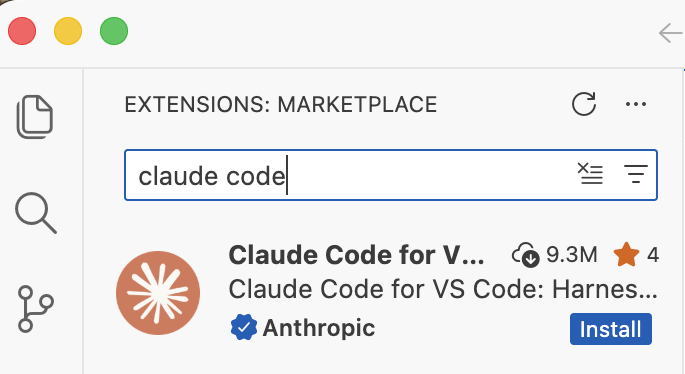
step 3: install claude code in VS code or any other IDE
this is your interface.
— open vs code
— press ctrl + shift + x
— search claude code
install the one by anthropic
after install → you’ll see a ⚡ icon in sidebar
_____________
step 4: connect claude code to ollama
by default, claude connects to the cloud. we’re redirecting it to your local machine.
so do this:
— press ctrl + shift + p
— search: open user settings (json)
— then paste this inside:
"claude-code.env": {
"ANTHROPIC_BASE_URL": "http://localhost:11434",
"ANTHROPIC_API_KEY": "",
"ANTHROPIC_AUTH_TOKEN": "ollama"
}
what this does:
— it routes everything to your local ollama server.
— nothing leaves your device.
_____________
step 5: run everything
1. start ollama with this command:
ollama serve
leave this running.
2. open claude code in vs code
click ⚡ icon
3. select your model
type:
gemma4:e4b
(or whichever you downloaded)
you’re done
_____________
you now have:
— claude code running
— powered by gemma 4
— fully local
completely free
try:
“explain this file”
“write a function”
“refactor this code”
_____________
common issues (quick fixes)
“unable to connect”
run:
ollama serve
asked to sign in
your json config is wrong
check for missing commas/brackets
very slow responses
your model is too big
switch to:
gemma4:e2b
model not found
run:
ollama list
copy exact name
quick recap
you just built:
a free claude setup
powered by local ai
no api costs
Follow for more AI contents like this!!!