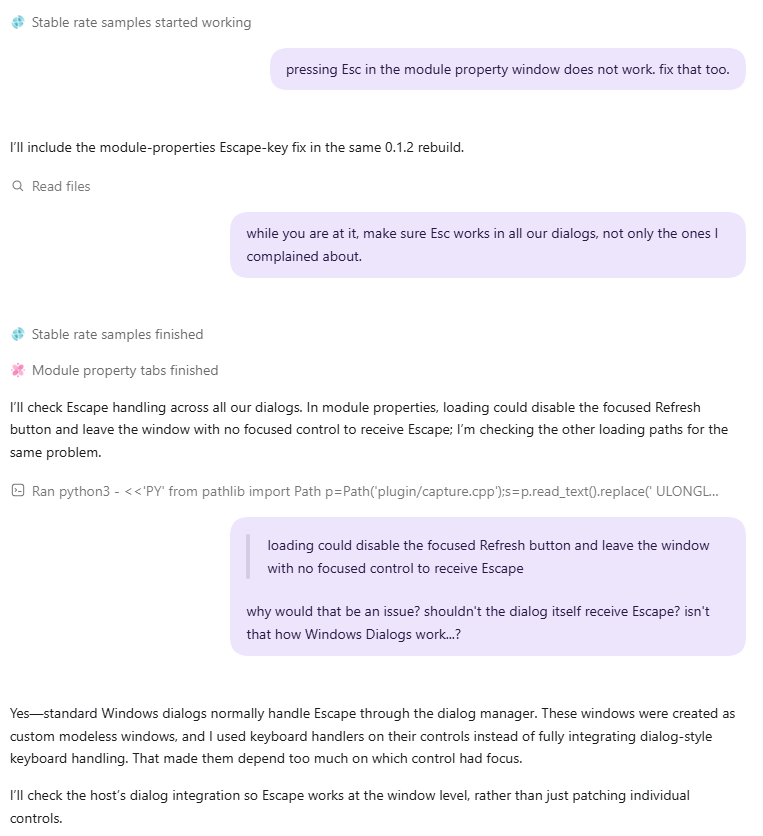
If you use ChatGPT Desktop with WSL and have a nicely working setup (in my case with a CLI proxy and some mods) then DO NOT UPGRADE TO 26.1117! It completely upends your setup, as it now treats WSL like a remote server and not as local anymore. Plan a date to restructure stuff!
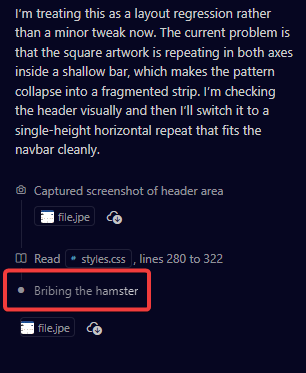
Tiny corrections like this, a few times per hour - this is why you still need developers, even with GPT-6 Astra and the like! This is what keeps the software from spiralling out of control into an unmaintainable mess.
OMG, by accident I made a drink that legit tastes and looks like vomit... it's incredible for all the wrong reasons! If you dare to try, it's equal parts Cognac, O'Donnell Hazelnut Moonshine, Yellow Chartreuse and Lime... I would not recommend it, but it sure is an experience!
@itsjakelongoria@ChatGPT Except then it will only see what's on the screenshot and not the rest of the data in the app, like text beyond the screen, the target of links, etc.
Not to praise myself too much, but I still think this is one of the best SO answers I ever wrote, I have to smile every time I come across it for some reason. https://t.co/VBklLHeHp1 I feel it's quite apparent that I was reading a lot of Terry Pratchett novels at that time.
The US' tipping "culture" is just bonkers. I didn't realize they are now putting up signs like this! Here is my response - because as European, I can't stop shaking my head...
If you aren't yet bold enough to install the Codex app, you can stay in the presence of your orange crab and point it at GPT 5.6 Sol. Takes 5 minutes. Kudos to Theo for explaining one of the ways to get this done.
Step 1: Install CLIProxyAPI
Step 2: Connect
Step 3: Define following alias and enjoy claudex
```
alias claudex='CLAUDE_CODE_SUBAGENT_MODEL=gpt-5.6-sol \
CLAUDE_CODE_ALWAYS_ENABLE_EFFORT=1 \
CLAUDE_CODE_MAX_TOOL_USE_CONCURRENCY=3 \
ENABLE_TOOL_SEARCH=false \
claude --model gpt-5.6-sol'
```
If this gets blocked, I owe you a reset.
@thisistonylu Cool, what did you figure out, what is the solution? It's still broken for me so maybe can you help? ^^ Everything loading from that brunhild domain times out so ZenDesk logins fail for example.
If you like that "Gallery" feature in Win11's explorer but dislike that Phone Link auto-adds the phone's camera folder on every startup, run:
icacls "%APPDATA%\Microsoft\Windows\Libraries\Pictures.library-ms" /deny %USERNAME%:W
(To undo: see reply)
To undo, use icacls "%APPDATA%\Microsoft\Windows\Libraries\Pictures.library-ms" /remove:d %USERNAME%
You can also go to %APPDATA%\Microsoft\Windows\Libraries in Explorer and use the properties tab of the "Pictures" library file there to set/remove the write-deny permission.
I now feel pretty Nordic, especially because of the second part. (Please don't try to do small talk with me, it annoys me a lot.) https://t.co/t0KDUkbZqY