This video was edited COMPLETELY by @ChatGPT, I did not touch Resolve. I tried quick edits and it worked great, now we've moved on to higher production.
It is quick, repeatable, and I did this entire process for what you see below just via chat.
I break down the levels of edits, screenshare the process and provide the prompts below.
Please note this was a partner post on other networks, is not for here, I am posting here because its useful.
left: original video
right: 100% AI video made with 1 stupid dumb prompt
you guys really need to understand that:
1/ you can copy any viral video and then change the main character + any stuff you want (ideally changing the script a bit to 100% not get flagged)
2/ post your "original" work
viral videos proved already their worth... so... let's use them :p
(this is not a sponsored post - mostly because higgsfield don't want to sponsor my body for $100K T_T")
I've been using higgsfield genjutsu and I think it's quite expensive = 156 credits for a 30 seconds video
"expensive" here is relative... it was way more expensive in $$ and time for the original video to make that video
namaste
Creating AI videos used to feel complicated.
Now it’s literally 3 steps:
Type your idea
Let Sceneform generate the video
Export and post
No editing skills. No camera. No production team.
Just describe the scene and turn it into content.
Try it free: https://t.co/qmK39gtJNq
Creating AI videos used to feel complicated.
Now it’s literally 3 steps:
Type your idea
Let Sceneform generate the video
Export and post
No editing skills. No camera. No production team.
Just describe the scene and turn it into content.
Try it free: https://t.co/qmK39gtJNq
Most people still think AI influencers are random faces.
The winning accounts do the opposite: one locked persona, one clear niche, repeatable formats.
https://t.co/vsJSggccMU helps you create that consistency without filming every day.
The magic isn't “AI video.”
The magic is keeping the same character across every post so the audience starts recognizing them.
With https://t.co/vsJSggccMU, you build the persona once and turn it into social content again and again.
The magic isn't “AI video.”
The magic is keeping the same character across every post so the audience starts recognizing them.
With https://t.co/vsJSggccMU, you build the persona once and turn it into social content again and again.
Most people still think AI influencers are random faces.
The winning accounts do the opposite: one locked persona, one clear niche, repeatable formats.
https://t.co/vsJSggccMU helps you create that consistency without filming every day.
Most brands don't need “more content.” - They need a creator who can show up every day without shoots, delays, or burnout.
That’s what https://t.co/qmK39gtJNq solves: AI influencers and UGC-style videos you can create, test, and scale fast.
Kling motion videos are getting insanely realistic. 🎬🔥
The camera movement and consistency feel cinematic now.
Solo creators are about to make studio-level content from a laptop.
#KlingAI#AIvideo#GenerativeAI
I built an AI influencer from scratch in 20 minutes. Here's the exact process.
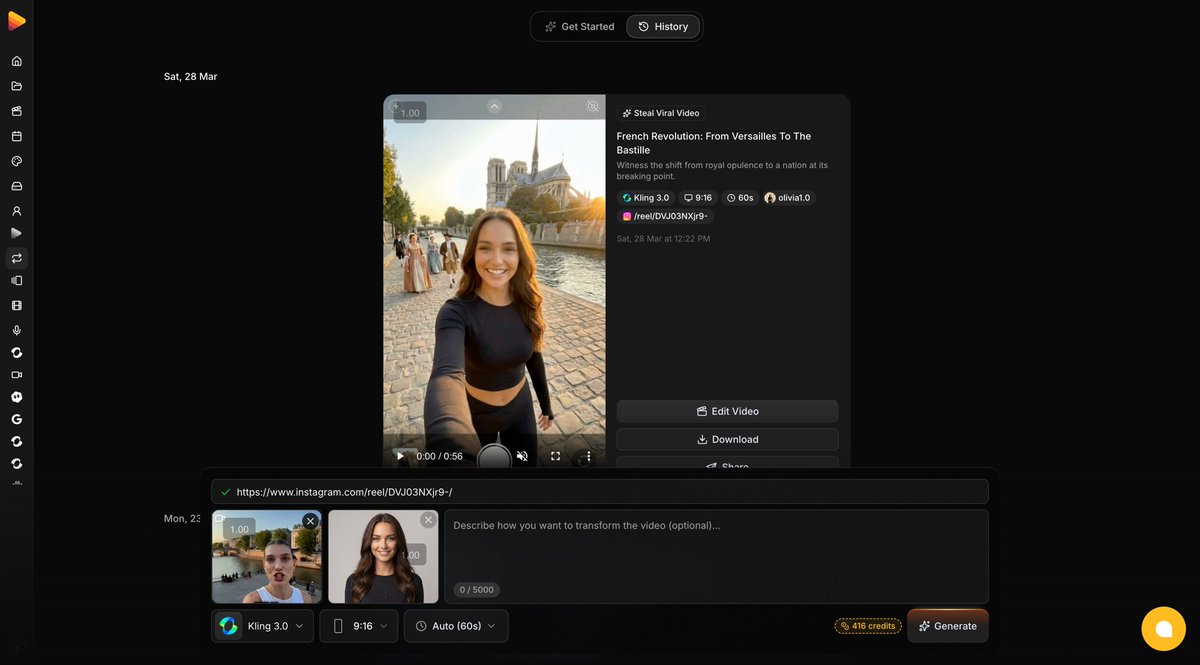
You can paste any viral video URL into https://t.co/qmK39gtJNq,
select your AI character and it regenerates the entire video with your own AI persona.
The accounts doing this are printing views!
I built an AI influencer from scratch in 20 minutes. Here's the exact process.
You can paste any viral video URL into https://t.co/qmK39gtJNq,
select your AI character and it regenerates the entire video with your own AI persona.
The accounts doing this are printing views!
step 3: Clone any viral video.
Paste the URL of a viral reel. Select your persona. Hit generate.
The AI rebuilds the entire video — motion, framing, pacing, scene — with YOUR character's face.
Comment "YES" for my free guide!
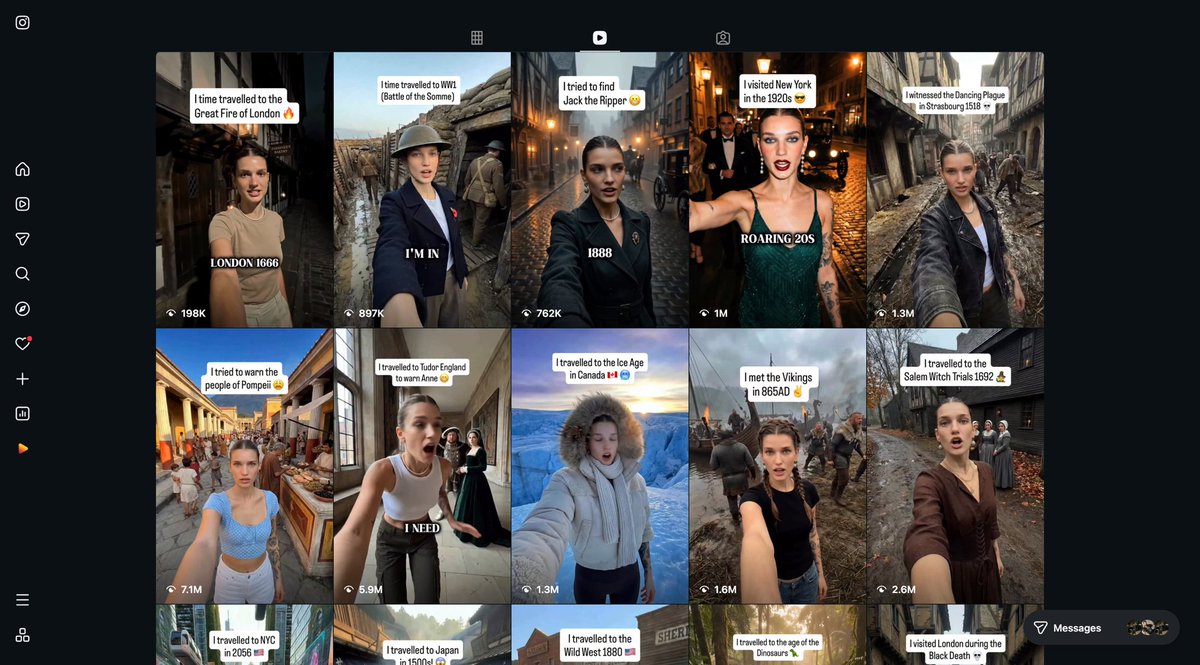
I reverse-engineered an account getting 7M views per video. It's all AI. Here's how:
No camera. No actor. No editing skills.
Just 3 steps and a tool most people haven't heard of yet.
Here's exactly what I did (thread) -->
step 2: Pick your weapon.
- Kling Motion Control — dancing, walking, reacting.
- Generate Video — motion clips from scratch
- Lipsync — talking head videos
- Recreate Viral Video — the nuclear option
That last one is why this platform is different from everything else.