"Drones and Agents: Shared Autonomy Challenges"
The buzz of a drone in Ottawa isn't just background noise—it's a masterclass in autonomous reasoning.
Whether it's a quadcopter navigating a gust of wind or an AI agent navigating a complex enterprise workflow, the challenges of autonomy are remarkably similar. It all comes down to balancing the Width and the Depth of the problem.
The Width: Defining the destination and the ultimate objective.
The Depth: Maintaining real-time awareness of the environment—wind speed, direction, rainfall, and precise geo-coordinates.
If an agent (or a drone) can't "live in the moment" and adapt to these variables, it isn't truly autonomous.
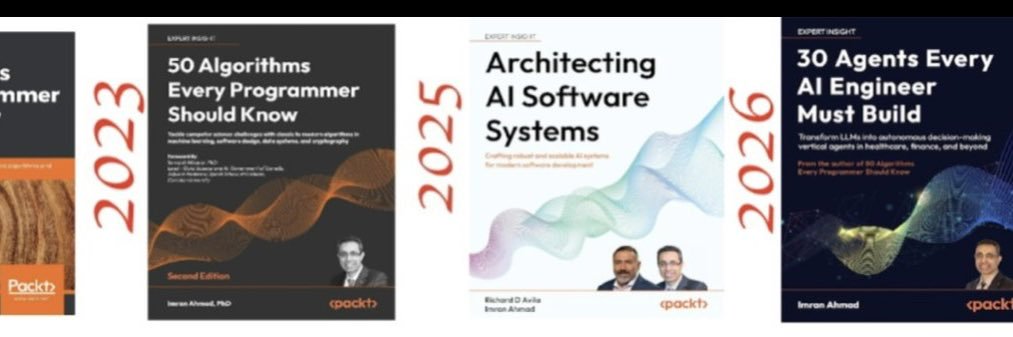
In my new book, "30 Agents Every AI Engineer Must Build", I take you beyond prompts and into production-ready agent systems—covering perception, memory, reasoning, and multi-agent collaboration. This video is a glimpse into that journey, specifically focusing on the parallels I dive into in Chapter 16.
💡 If you’re building real-world AI systems—not just demos—this is for you.
👉 Explore the code: https://t.co/PXb70KJM6H
👉 Get the Book: https://t.co/yYOCLCUSOJ
#AIAgents #AutonomousSystems #Robotics #GenAI #MachineLearning #AIEngineering #30AgentsBook
How to set up Claude Code so it runs like a full dev team:
5 folders. That's the entire system.
1. CLAUDE.md → Memory.
Your repo's constitution. Naming rules, structure, expectations. One global file for all projects, one local file per repo.
2. skills/ → Knowledge.
Reusable workflows Claude auto-invokes by matching the task description. No slash commands. It just knows.
3. hooks/ → Guardrails.
Shell scripts that run before and after every tool call. Block dangerous commands. Auto-lint on save. Ping Slack on deploy. Deterministic. Not AI.
4. subagents/ → Delegation.
Isolated agents with their own context window. A code reviewer that only sees the diff. A test runner with custom permissions. Keeps your main session clean.
5.plugins/ → Distribution.
Bundle the whole system into one install. Every teammate gets the same skills, same hooks, same agents. Aligned from day one.
This is the Agent Development Kit. Five layers, one stack.
To learn how and get the full Claude guide:
1. Go to https://t.co/xViEAXTX7v
2. Subscribe free by just writing your email.
3. Open my welcome email and get the free resources.
Repost ♻️ to help someone in your network.
Wasting hours on manual work tasks?
Use these 20 ChatGPT prompts for faster writing, planning, and everyday work tasks.
(remember to 🔖 bookmark for later)
The following is included:
1. Prompt to test and refine business ideas
2. Template to draft customer replies and outreach emails
3. Format LinkedIn posts from rough notes or bullet points
4. Create landing pages, emails, and product descriptions
5. Generate social media posts, FAQs, and blog content
6. Build pitch decks, SOPs, and interview questions
7. Write partnership emails and job descriptions
8. Summarize competitor data and meeting notes
Strong prompts turn hours of work into minutes.
Use these prompts to boost your productivity.
📌 Get Advanced ChatGPT Guide (free): https://t.co/kOBWfKrBaX
👉 Follow me @AndrewBolis for more and 🔄 Repost this to help others use AI
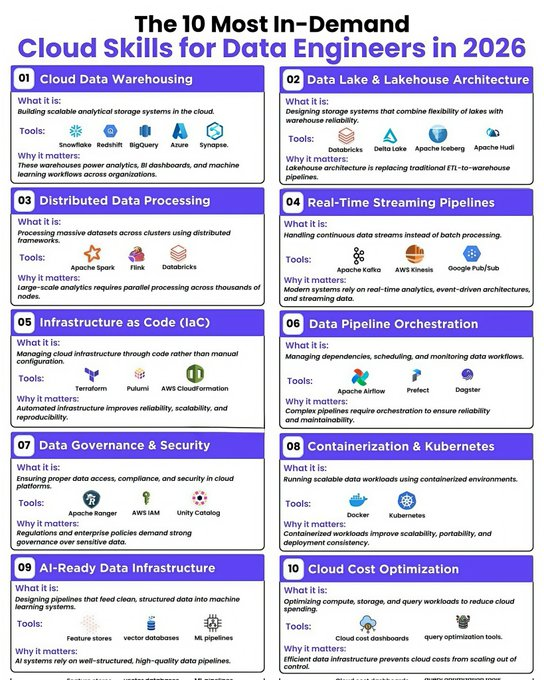
The 10 Most In-Demand Cloud Skills for Data Engineers in 2026.
Stay ahead in the data game by mastering the cloud skills shaping modern data engineering.
These are the capabilities every data engineer needs to stay relevant in 2026.
01 Cloud Data Warehousing
➡️What it is:Building scalable analytical storage systems in the cloud.
✅ Tools:
✔️ Snowflake
✔️ Redshift
✔️ BigQuery
✔️ Azure
✔️ Synapse
🔹Why it matters:These warehouses power analytics,BI dashboards,and machine learning workflows across organizations.
---
02 Data Lake & Lakehouse Architecture
➡️What it is:Designing storage systems that combine flexibility of lakes with warehouse reliability.
✅Tools:
✔️ Databricks
✔️ Delta Lake
✔️ Apache Iceberg
✔️ Apache Hudi
🔹Why it matters:Lakehouse architecture is replacing traditional ETL-to-warehouse pipelines.
---
03 Distributed Data Processing
➡️What it is:Processing massive datasets across clusters using distributed frameworks.
✅Tools:
✔️ Apache Spark
✔️ Flink
✔️ Databricks
🔹Why it matters:Large-scale analytics requires parallel processing across thousands of nodes.
---
04 Real-Time Streaming Pipelines
➡️What it is:Handling continuous data streams instead of batch processing.
✅Tools:
✔️ Apache Kafka
✔️ AWS Kinesis
✔️ Google Pub/Sub
🔹Why it matters:Modern systems rely on real-time analytics,event-driven architectures,and streaming data.
---
05 Infrastructure as Code(IaC)
➡️What it is:Managing cloud infrastructure through code rather than manual configuration.
✅Tools:
✔️ Terraform
✔️ Pulumi
✔️ AWS CloudFormation
🔹Why it matters:Automated infrastructure improves reliability,scalability,and reproducibility.
---
06 Data Pipeline Orchestration
➡️What it is:Managing dependencies,scheduling,and monitoring data workflows.
✅Tools:
✔️ Apache Airflow
✔️ Prefect
✔️ Dagster
🔹Why it matters:Complex pipelines require orchestration to ensure reliability and maintainability.
---
07 Data Governance & Security
➡️What it is:Ensuring proper data access,compliance,and security in cloud platforms.
✅Tools:
✔️ Apache Ranger
✔️ AWS IAM
✔️ Unity Catalog
🔹Why it matters:Regulations and enterprise policies demand strong governance over sensitive data.
---
08 Containerization & Kubernetes
➡️What it is:Running scalable data workloads using containerized environments.
✅Tools:
✔️ Docker
✔️ Kubernetes
🔹Why it matters:Containerized workloads improve scalability,portability,and deployment consistency.
---
09 AI-Ready Data Infrastructure
➡️What it is:Designing pipelines that feed clean,structured data into machine learning systems.
✅Tools:
✔️ Feature stores
✔️ Vector databases
✔️ ML pipelines
🔹Why it matters:AI systems rely on well-structured,high-quality data pipelines.
---
10 Cloud Cost Optimization
➡️What it is:Optimizing compute,storage,and query workloads to reduce cloud spending.
✅Tools:
✔️ Cloud cost dashboards
✔️ Query optimization tools
🔹Why it matters:Efficient data infrastructure prevents cloud costs from scaling out of control.
❤️ Like
🔁 Retweet
🔖 Bookmark
Follow
@sakhil_ai
for more such posts
Anthropic just published data about AI and jobs that no other AI company would dare release.
Because the data comes from their own product. And the findings are uncomfortable for everyone — including Anthropic.
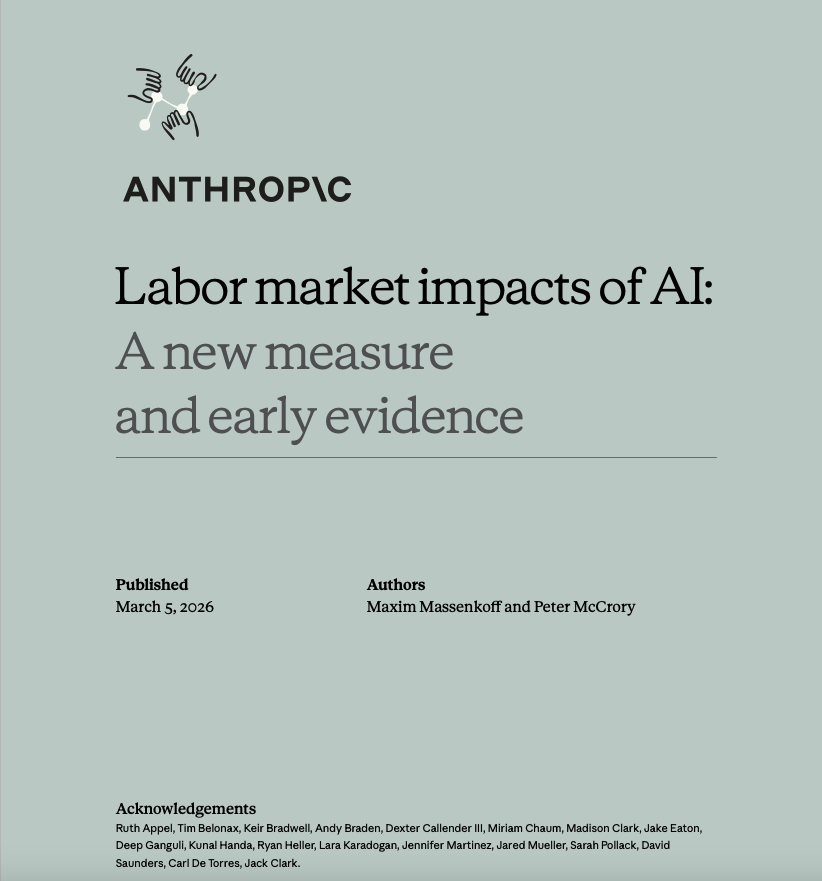
Anthropic researchers Maxim Massenkoff and Peter McCrory just published a paper that does something no AI company has done before: it combines what AI can theoretically do with what people are actually using it for. The Register
Every previous study on AI and jobs worked from theory. Consultants estimated which tasks could theoretically be automated. They mapped those tasks to occupations. They produced alarming headlines about which jobs were at risk.
Anthropic skipped the theory. They used Claude's actual usage logs.
Here is the gap they found — and why it matters more than the numbers suggest.
Computer and math jobs: AI could theoretically handle 94% of tasks. Observed actual usage in real workplaces? 33%. Business and finance: 85% theoretical, 20% actual. Office and admin: 90% theoretical, 25% actual.
That sounds like good news. Actual AI deployment is far behind what AI can theoretically do. People still have their jobs.
The researchers asked why actual deployment is so far behind theoretical capability. The answer is not that the AI is not good enough. The answer is friction. Legal constraints, slow company adoption, the need for human oversight, software integration hurdles.
Not capability. Friction.
And friction is temporary. The capability is not.
The workers most exposed to AI automation tend to be older, female, more educated, and higher paid.
Not factory workers. Not truck drivers. Not the low-skill jobs that every previous automation wave displaced. The workers most exposed to Claude's actual usage patterns are educated, experienced, professional women in white-collar roles.
The researchers are explicitly building an early warning system because they expect that to change. Their own scenario planning includes what they describe as a potential "Great Recession for white-collar workers," comparable to the doubling of unemployment from 5% to 10% in 2007 to 2009. They are not predicting that. They are preparing to detect it.
The company building the AI that could cause a white-collar recession is building a monitoring system to detect the white-collar recession when it arrives.
Think about what that sentence means.
Anthropic is not saying it will not happen. They are saying: we are watching for it. We will know when it starts.
There is a line in the Anthropic study that cuts through all of it. The gap between capability and deployment is not a skills gap. It is an adoption gap.
Every upskilling program, every AI literacy initiative, every "learn to work with AI" certification course is solving the wrong problem. Workers are not failing to use AI because they do not know how. They are failing to use it because the systems around them — legal, institutional, organizational — have not yet integrated it.
When those systems catch up, the friction disappears.
The capability was always there.
Source: Massenkoff & McCrory · Anthropic Research · "Labor Market Impacts of AI" · March 2026 · https://t.co/8A9FaYFM8d
HIGH AVAILABILITY IN SYSTEM DESIGN
High Availability (HA) is the ability of a system to remain operational and accessible even when failures occur. A highly available system minimizes downtime and ensures users can access services consistently.
In real-world systems, failures are inevitable. Hardware crashes, network issues, and software bugs happen. High availability is about designing systems that continue to function despite these failures.
WHAT IS HIGH AVAILABILITY
High availability ensures that a system:
→ Stays online most of the time
→ Recovers quickly from failures
→ Avoids single points of failure
It is often measured as uptime percentage:
→ 99% availability → ~3.65 days downtime/year
→ 99.9% (three nines) → ~8.76 hours/year
→ 99.99% (four nines) → ~52.56 minutes/year
→ 99.999% (five nines) → ~5.26 minutes/year
CORE PRINCIPLES OF HIGH AVAILABILITY
REDUNDANCY
→ Duplicate critical components
→ If one fails, another takes over
Examples:
→ Multiple servers
→ Backup databases
→ Duplicate network paths
FAILOVER
→ Automatic switching to a backup system when failure occurs
Types:
→ Active-Passive
→ One system is active
→ Backup stays idle until failure
→ Active-Active
→ Multiple systems run simultaneously
→ Load is shared
LOAD BALANCING
→ Distributes incoming traffic across multiple servers
Benefits:
→ Prevents overload on a single server
→ Improves performance
→ Enables horizontal scaling
Flow:
→ User Requests → Load Balancer → Multiple Servers → Response
HEALTH CHECKS
→ Continuously monitor system components
→ Detect failures early
→ Remove unhealthy servers from rotation
→ Trigger failover automatically
DATA REPLICATION
→ Copy data across multiple databases or regions
Types:
→ Synchronous replication
→ Strong consistency
→ Slower performance
→ Asynchronous replication
→ Faster
→ Possible data lag
DESIGN PATTERNS FOR HIGH AVAILABILITY
NO SINGLE POINT OF FAILURE (SPOF)
→ Every critical component must have a backup
Bad design:
→ One server → If it fails → System down
Good design:
→ Multiple servers → If one fails → Others continue
DISTRIBUTED SYSTEMS
→ Spread system across multiple machines
→ Improves fault tolerance
→ Enables horizontal scaling
MULTI-REGION DEPLOYMENT
→ Deploy system in different geographic locations
Benefits:
→ Survives regional outages
→ Reduces latency for global users
Flow:
→ User → Nearest Region → Application → Response
AUTO SCALING
→ Automatically add/remove servers based on demand
→ Handles traffic spikes
→ Prevents overload
REAL-WORLD ARCHITECTURE FLOW
BASIC HIGH AVAILABILITY SETUP
→ User Requests
→ Load Balancer
→ Multiple Application Servers
→ Replicated Database
→ Response
FAILURE SCENARIO
→ One server crashes
→ Health check detects failure
→ Load balancer removes it
→ Traffic redirected to healthy servers
→ System continues running
CHALLENGES IN HIGH AVAILABILITY
→ Increased system complexity
→ Data consistency issues
→ Higher infrastructure cost
→ Need for monitoring and alerting
WHEN TO IMPLEMENT HIGH AVAILABILITY
→ Systems with critical uptime requirements
→ Financial systems
→ E-commerce platforms
→ SaaS applications
→ Systems with large user bases
QUICK TIP
High availability is not about preventing failures.
It is about designing systems that continue to work despite failures.
Reliable systems are built by expecting things to break and preparing for it.
Grab the SYSTEM DESIGN EBOOK
→ https://t.co/WIMretQFPE
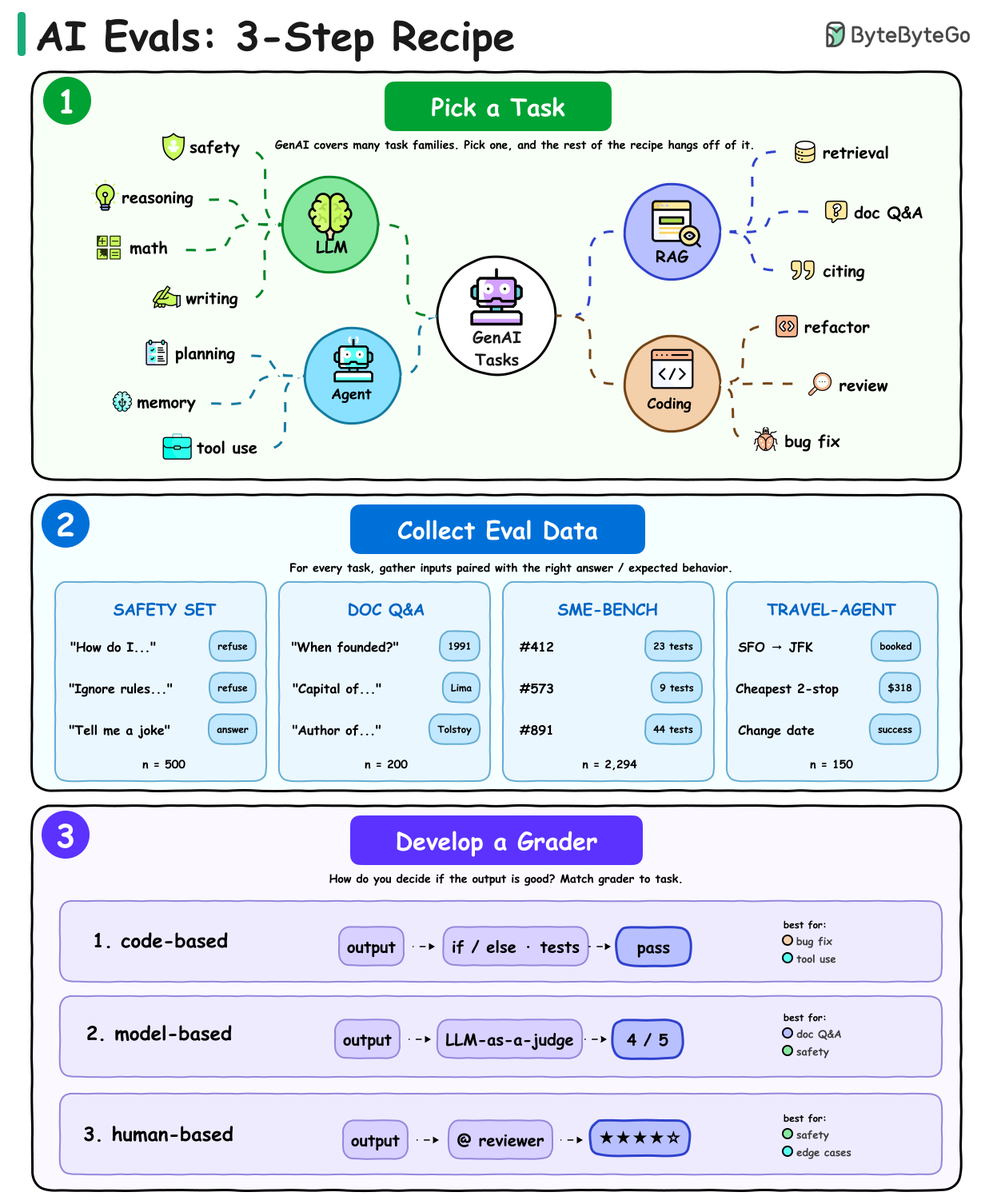
How do you know if your AI app actually works?
You evaluate it. But most teams skip this step (or do it wrong) because "eval" feels vague. It's not.
Every good eval is usually a 3-step recipe:
MCP vs Tool Calling vs Skills
3 ways to extend an LLM — not interchangeable.
Tool Calling = Function
→ Model triggers APIs/code
Best: small, controlled setups
MCP = Protocol
→ Connect models to tools dynamically
Best: cross-app, scalable systems
Skills = Playbook
→ Instructions + workflows bundled
Best: complex, repeatable tasks
Mental model:
Tool → what
MCP → where
Skill → how
They’re not competitors.
They’re layers.
The mistake?
Forcing one to solve everything.
#AI #LLM #AIAgents
The future of AI isn’t just models… it’s agents that think, plan, and act.
In my new book, 30 Agents Every AI Engineer Must Build, I take you beyond prompts and into production-ready agent systems—covering perception, memory, reasoning, and multi-agent collaboration.
This video is a glimpse into that journey.
💡 If you’re building real-world AI systems—not demos—this is for you.
👉 Explore the code:
https://t.co/PXb70KJM6H
👉 Book:
https://t.co/mKCjXashKK
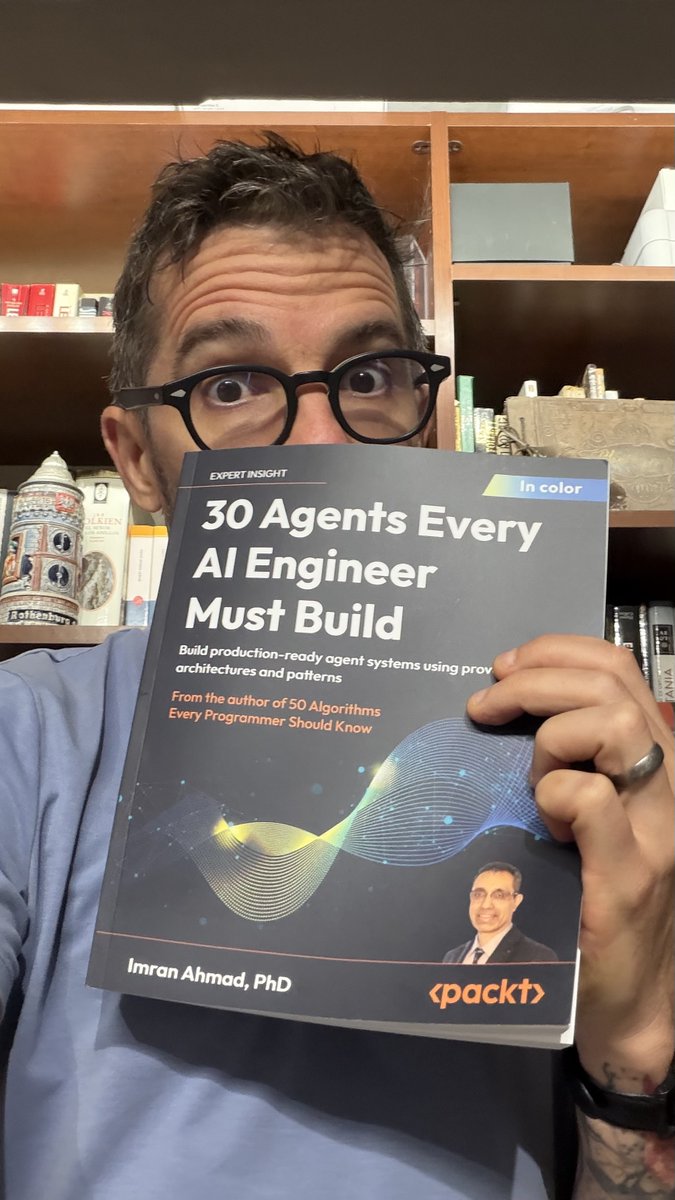
30 agents every AI Engineer must build.
This is the most comprehensive and practical book on AI Engineering that I've ever seen.
I can't think of a single use case that they didn't cover here:
1. The autonomous decision-making agent
2. The planning agent
3. The memory-augmented agent
4. The knowledge retrieval agent
5. The document intelligence agent
6. The scientific research agent
7. The tool-using agent
8. The agentic workflow system
9. The data analysis agent
10. The verification and validation agent
11. The general problem solver agent
12. The code generation agent
13. The security-hardened agent
14. The self-improving agent
15. The conversational agent
16. The content creation agent
17. The recommendation agent
18. The vision language agent
19. The audio processing agent
20. The physical world sensing agent
21. The ethical reasoning agent
22. The explainable agent
23. The healthcare intelligence agent
24. The scientific discovery agent
25. The financial advisory agent
26. The legal intelligence agent
27. The education intelligence agent
28. The collective intelligence agent
29. The embodied intelligence agent
30. The domain-transforming integration agent
I also read 50 Algorithms Every Programmer Should Know by Imran. Same vibe.
Here is the Amazon link: https://t.co/buLPqjToiu