Passion for Code, Micro-Services PaaS, IaaS and upskilling toward IoT and ML. Engineering Code for Clouds @ Microsoft
(These are my Opinions and Interests)
New Cursor customers get 50% off one month on Pro, Pro+, or Ultra with the link below… It’s the best #IDE for #AI Vibe coding while keeping the hands-on #code.
https://t.co/mbk7j4lgv6
#API resilience and reliability patterns for #AI apps and agents selling through Microsoft Marketplace | Microsoft Community Hub https://t.co/nvuqAqAB8X
I just found the easiest way to design a custom home.
Drafted lets you draw any shape, AI builds the rest.
Professional plans, unlimited layouts, realistic 3D models, and all in real time.
Best part: 100% free.
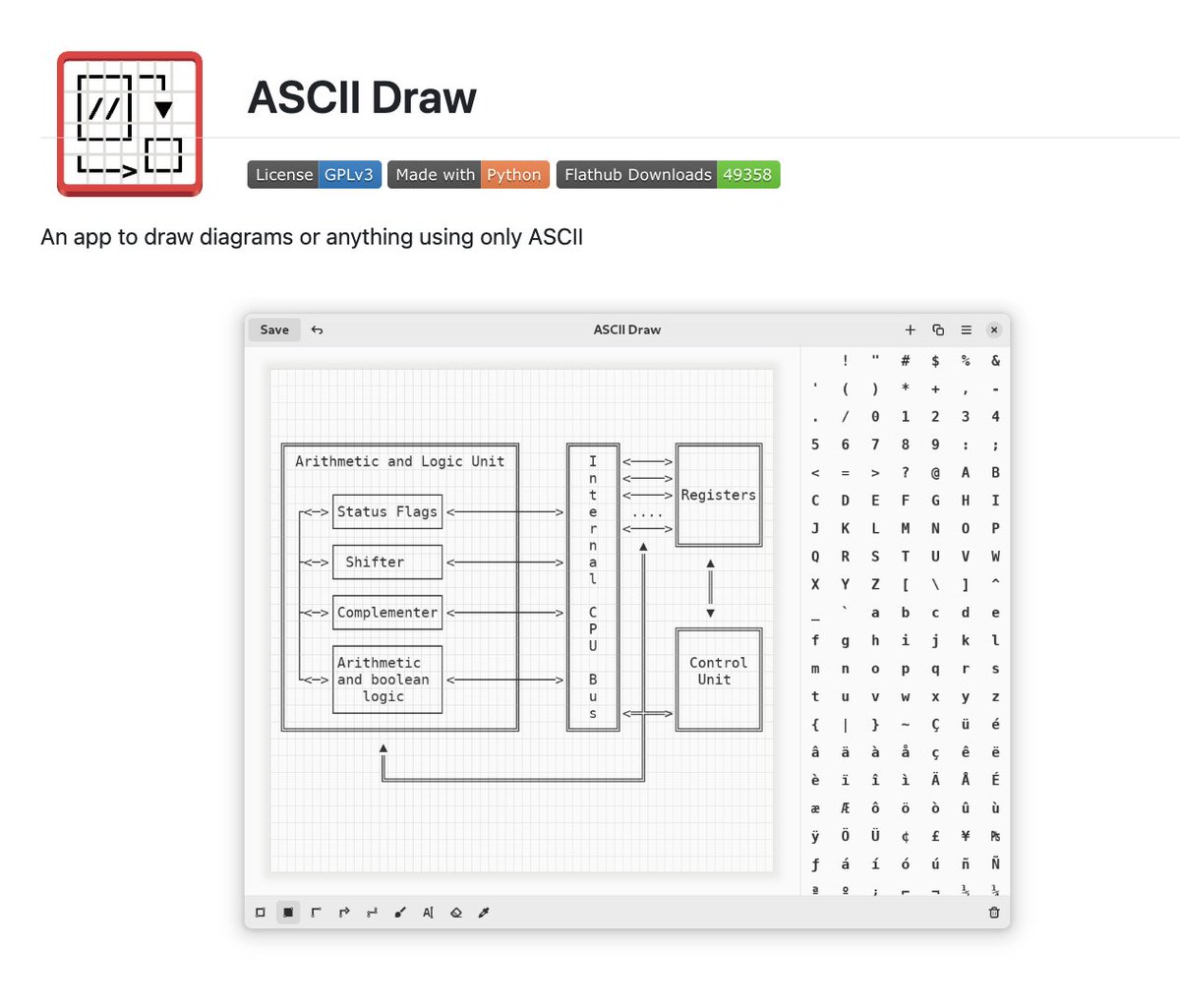
Someone just open-sourced an app to draw diagrams using only ASCII.
It's called ASCII Draw. You sketch flowcharts, boxes, trees, and tables in pure text, and paste them anywhere, README, terminal, code comments, docs.
100% Open Source.
Docker Clearly Explained: The Ultimate Guide 🐋
➡️ Core Architecture:
→ Docker Engine: The primary software that combines the CLI and the background Daemon to manage your container environment.
→ Docker Daemon: The background service that does the heavy lifting, managing objects like images, containers, and networks.
→ Dockerfile: A text file containing the "recipe" or instructions needed to build a specific Docker image.
→ Docker Image: A read-only template that acts as a blueprint for your application and its dependencies.
→ Docker Container: A live, isolated instance of an image that runs your application consistently on any system.
➡️ Storage & Connectivity:
→ Docker Registry: A central library, like Docker Hub, where you store and share your container images.
→ Docker Volume: Provides a way to persist data outside the container, ensuring your files aren't lost when a container is deleted.
→ Docker Network: A secure communication bridge that allows your containers to talk to each other.
➡️ Essential Commands:
→ Images: docker pull, docker run, docker image ls.
→ Containers: docker ps -a, docker stop, docker rm, docker exec.
→ Resources: docker volume create, docker network ls.
🧵 Pointers - CPU/Memory View
Used the wonderful CPU state-machine animation and recorded a lecture on what pointers are and how one should imagine them to be...
Here is a snap from the lecture.
Here are some points to remember about pointers -
✅ A Pointer is a Number.
✅The number is interpreted as an address.
Dereferencing a Pointer:
✅ If that number is put on the Data Bus - It is a data pointer.
✅ If that number is put in the PC - It is a function pointer.
✅ If there is no information about the datatype of the content at the address, it is a void pointer! Just plain address...
The lecture goes into more details. I never understood why pointer became a dreaded concept/topic. To me it just looks very logical.
Full lecture is part of the course (link below).