Today we’re excited to launch the Windsurf Editor - the first agentic IDE, and then some 🏄
In Windsurf, we have given the AI a previously unseen combination of deep codebase understanding, powerful set of tools, and real time awareness of your in-editor actions. The result? A magical experience we call Cascade, the evolution of chat that keeps you truly in the flow state.
We essentially took the best of both copilots and agents - the collaborative nature of copilots and the ability to be independently powerful like an agent - to create the world’s first collaborative agent, which we are dubbing a “flow.”
One important note - everyone can use this today. No waitlists, no invite only, no crazy rate limits. General access, as it should be.
Check out what Cascade is able to do in the thread below.
#windsurf #cascade
Our free plan just got a major upgrade.
All free users now get 25 prompt credits for premium model usage, unlimited usage of Cascade Base (even in Write mode), unlimited fast Tab completions, and access to App Deploys.
Also, we changed our logo!
We’ve removed flow action credits. In fact, we’ve fully revamped our pricing structure with 1 goal in mind: simplicity.
And, we’re extending free GPT 4.1 and o4-mini for another week.
Listen to the full announcement below.
Thanks @openai for having me on the GPT-4.1 announcement livestream this morning!
We've been testing 4.1 for the past couple weeks -- it's really good. And now, it's available in Windsurf.
It's free for all users this week and will be discounted after. Go give it a try!
For the next seven days, get free unlimited GPT-4.1 on Windsurf, on us.
That’s right, free.
We are very excited about GPT-4.1 given our internal evals. We have rate limits to prevent abuse, so go build without worrying about credits.
Excited to share that we've been recognized on this year's Forbes AI 50 list for the second year in a row!
This list highlights the most promising private companies applying artificial intelligence to real-world challenges.
We're just getting started. 🏄
Wave 6 is here!
Included in this update:
🚀 App Deploys
📝 Conversation Table of Contents
💬 Commit Message Generation
🟠 Windsurf Tab in Jupyter Notebook
⏩ Additional context for Windsurf Tab
📂 Improved MCP Support
🎨 Two New App Icons
…and much more
Wave 5 is here!
Headlining this update: ⏩ Windsurf Tab
We've made huge improvements to our passive predictive Tab experience, which is now much faster and handles more context.
It's also free to use for everyone, with no limits!
Also included in this wave are several context, performance, and credit system improvements.
Codeium extensions are now the first GenAI code assistant to be FedRAMP High Certified. Our offerings are now available for high security government and enterprise use 🔒
Learn more on our blog: https://t.co/YvnkSv2vIo.
Windsurf 🤝 Students
PSA for current students: check out https://t.co/VSKpEjtt5z for cool perks like our student discount on Windsurf Pro, ideas for using Windsurf to learn CS, and more.
Windsurf Wave 4 is here!
Included in this update:
🖼️ Previews
✏️ Cascade Auto-Linter
⚙️ MCP UI Improvements
➡️ Tab to Import
↩️ Suggested Actions
🫶 Claude 3.7 Improvements
🤝 Referrals
🖥️ Windows ARM Support
… and more.
Many of you have been asking for resources and courses on how to get started with Windsurf and AI Coding Agents as a whole.
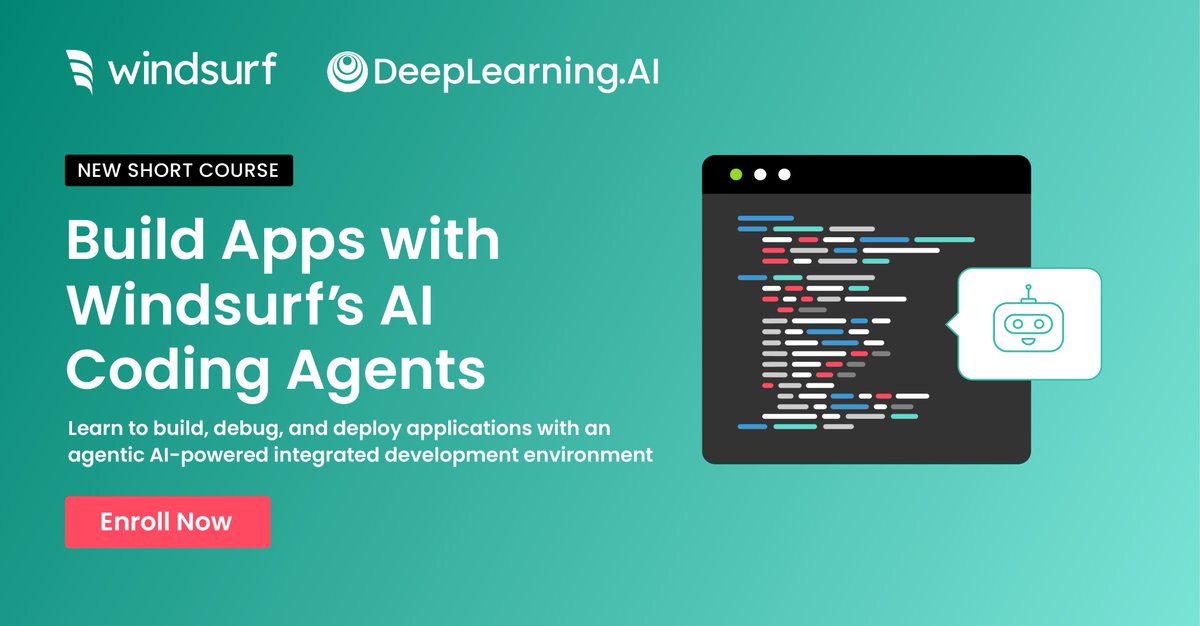
We're proud to be partnering with @DeepLearningAI and @AndrewYNg to bring you the first official (and FREE!) short course on the following:
- How to collaborate with AI agents to streamline coding workflows and enhance development efficiency.
- Understand how AI coding agents combine tool usage, context awareness, and human-action tracking to gain a deep understanding of your codebase and next intent
- Walk throughs on real-world coding tasks such as debugging faulty code, modernizing legacy codebases, and building analysis apps that retrieve, process, and visualize data,
- Manage hallucinations and other unexpected AI behavior.
- And much more!
You can access the course at https://t.co/nfZjesFyGD
New course to bring you up to state-of-the-art at using AI to help you code: Build Apps with Windsurf's AI Coding Agents, built in partnership with WIndsurf (@codeiumdev) and taught by @_anshulr!
AI-assisted IDEs (Integrated Development Environments) make developers’ workflows faster, more efficient, and much more fun. Agentic tools like Windsurf are more than just code autocomplete—they are collaborative coding agents that help you break down complex applications, iterate efficiently, and generate code that spans multiple files.
Although a lot of coding assistants share the same underlying large language models for planning and reasoning, a major point of distinction is how they handle tools, keep track of context, and stay aligned with your intent as a developer.
For instance, if you make modifications to a class definition in your code and make the same modifications to other classes in the same directory, you might tell the AI agent "Do the same thing in similar places in this directory." Here, tracking your intent means understanding that “the same thing" refers to that recent edit you just made, which must be followed by appropriate search and tool-calling to implement the changes.
In this course, you'll learn the inner workings of coding agents, their strengths and limitations, and how to use Windsurf to quickly build several applications.
In detail, you'll:
- Build a mental model of how agents work by combining human-action tracking, tool integration, and context awareness to carry out an agentic coding workflow.
- Learn the challenges of code search and discovery and how a multi-step retrieval approach helps coding agents address them.
- Use Windsurf to analyze and understand a large, old codebase and update it to the latest versions of the frameworks and packages it uses.
- Build a Wikipedia data analysis app that retrieves, parses, and analyzes word frequencies.
- Enhance the performance of your Wikipedia analysis app by adding caching, and through this, also learn how to course-correct when the AI agent produces unexpected results.
- Learn tips and tricks such as keyboard shortcuts, autocomplete, and @ mentions to quickly call on agentic capabilities.
- Use image/multimodal capabilities of the AI agent to increase your development velocity; you'll see an example of uploading a mockup with sketched-out UI features, and ask the agent to use that to build new functionality to an app.
By the end of this course, you’ll understand agentic coding in-depth and know how to use it to make your development process much faster, more efficient, and enjoyable.
Please sign up here! https://t.co/IhFB3IwHAh
Let's discuss how Large Language Models (LLMs) handle codebase structure and parsing, and what makes Windsurf particularly cracked in this area.
While most AI code tools treat code as unstructured text, Windsurf leverages Abstract Syntax Trees (ASTs) to comprehend code at the syntactic level.
Here's why this results in faster, more accurate suggestions: 🧵👇
Let's do another giveaway!
We have these cool new shirts that you guys have been DM'ing us about, as well as these awesome rubber duckies for debugging purposes. Not sure exactly how many we'll send out, but we'll choose at least 10 winners, maybe more if Varun lets us.
Must be following! Just like, RT, and comment "SURF" to enter 🏄♂️
We're excited to launch Windsurf Directory together with @windsurf_ai, a place where you can:
◇ Find curated rules
◇ Explore MCPs
◇ Learn from videos
◇ Join the community
Link ⬇️🧵
Vibe coding pro tip: use Turbo mode ⚡️
Switch to Turbo mode to allow Cascade to automatically execute terminal commands. As long as the terminal command is not defined in the “Deny” list, Cascade will rip through terminal commands without requiring your approval. See the difference for yourself below!