@TahaTesser Oh great, I never think about fine tuning a model. Just tuning the prompt and flow here and there. What is your use case? What makes you decide to fine tune it?
The only advantage of remote jobs is the price, most of them can’t cover a larger scope.
I’m a remote dev too but my work is a little bit different because I need to manage my own tasks and and work closely with the client who are founders to define the scope and give advices, so I feel clearly how difficult it is for a normal dev to extend their scope of work to what i do 👀
If you want to change the vibe (UI / UX) of the product completely, build a new product line, or you must make sure that you researched enough and accepted the risk that some existing users will leave when you changed the look to target a different market segment.
This is a golden lesson for all of us, thanks man.
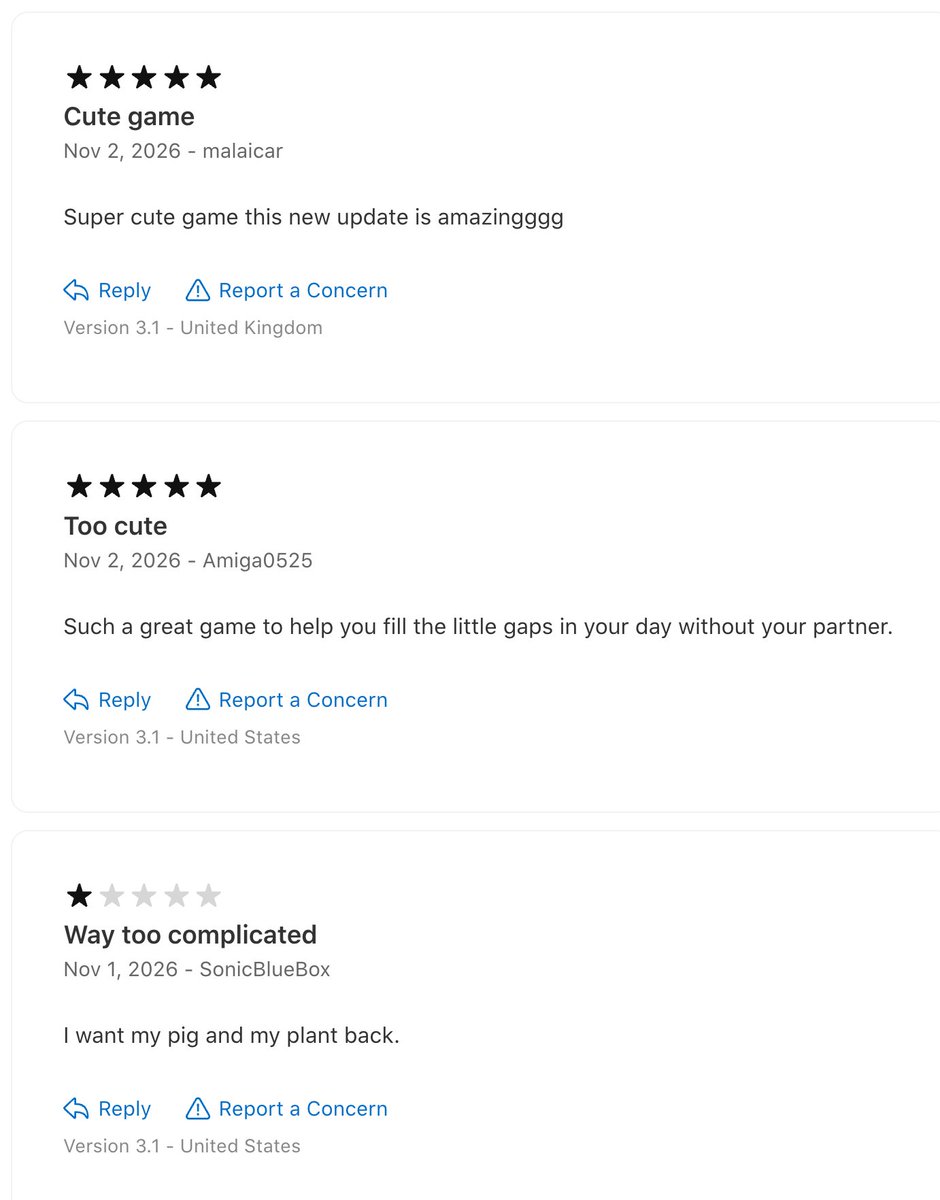
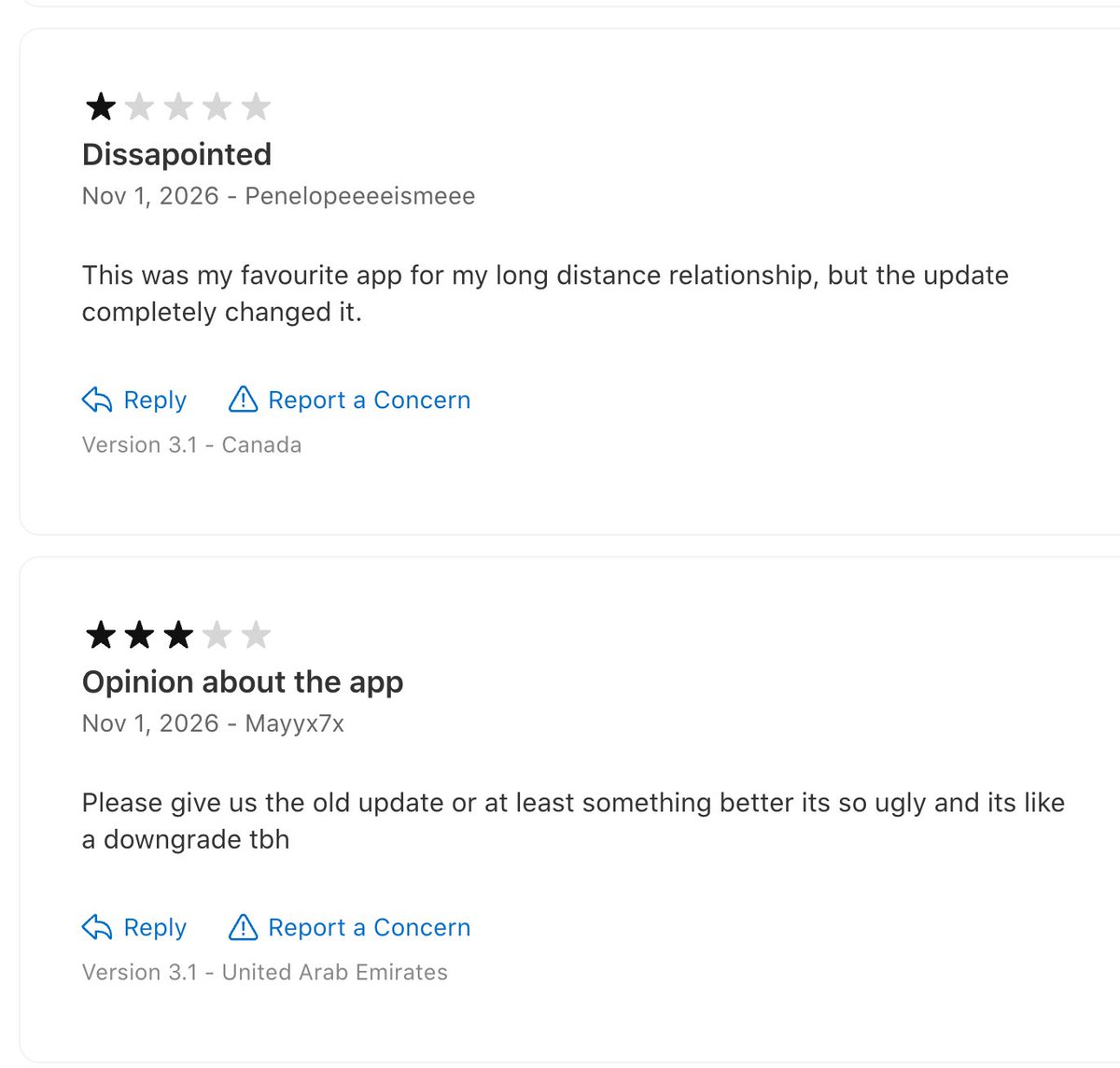
last week i pushed an update to my couples app with 1,000+ monthly active users
i have been SO HYPE about it, i think its 100x better
but some of the reviews from active users say otherwise, so far...
Haha I asked it to refactored the codebase for my iOS app several days ago because it can’t run quick unit tests without the simulator. It went the same way as yours: split the codebase into a core part and a UI part.
This is a very popular pattern in Android or Flutter (talking about architectural pattern now seems weird to me), not sure why Swift default to entangle all in one 😆
Oh I miss the old days when devs designed the codebase carefully 🥲
@ann_nnng i decided to remove the AI reply feature from my app, but as one who built that, i can tell there is no way to differentiate it with a real human, especially when i added it a memory
Me too! When I want a new feature, I started with Claude Code in the project to define the spec, then I start a new Claude design session to turn the spec into design in a single art board of my app. Then I come back to Claude Code to break down tasks from spec and design and have it working on all at once
Left has over 2.8K reviews on the App Store, with a 4.7 rating
my method for getting reviews is simple and it works. no dodgy tricks. it respects Apple's guidelines and the user experience, and you don't need to measure and stress with "aha! moments" or reward triggers
I tried all of that before and honestly I don't think any of it worked. the biggest jump in reviews (and in positive ones) came in the last few months, after this change, I know because I track it
here's how:
1. make a "What's New?" screen that shows after major updates. not after every update, only a few times a year, when you ship something big like a major new feature. I version my app as 2026.XX.YY so whenever XX changes it appears this screen
2. make your own review screen. show reviews from other users and community proof (if you have them!)
3. connect the two. show the review screen right after the "What's New?" screen every time, unless the user is in a cooldown because they already left a review
this gets you 5 stars almost every time because:
- it never interrupts someone while they're actually using the app
- it shows up right after good news about new features, which shows you care about the app
- only people who actually use your app see it, because no one else opens the app after an update
two more tips:
- notice the "Send feedback" button under the CTA button, pretty explanatory
- after rating, people can close the screen or tap the CTA button again. it now says "Write a review", so they can add a written review if they want. never force it
try it and let me know how it goes!