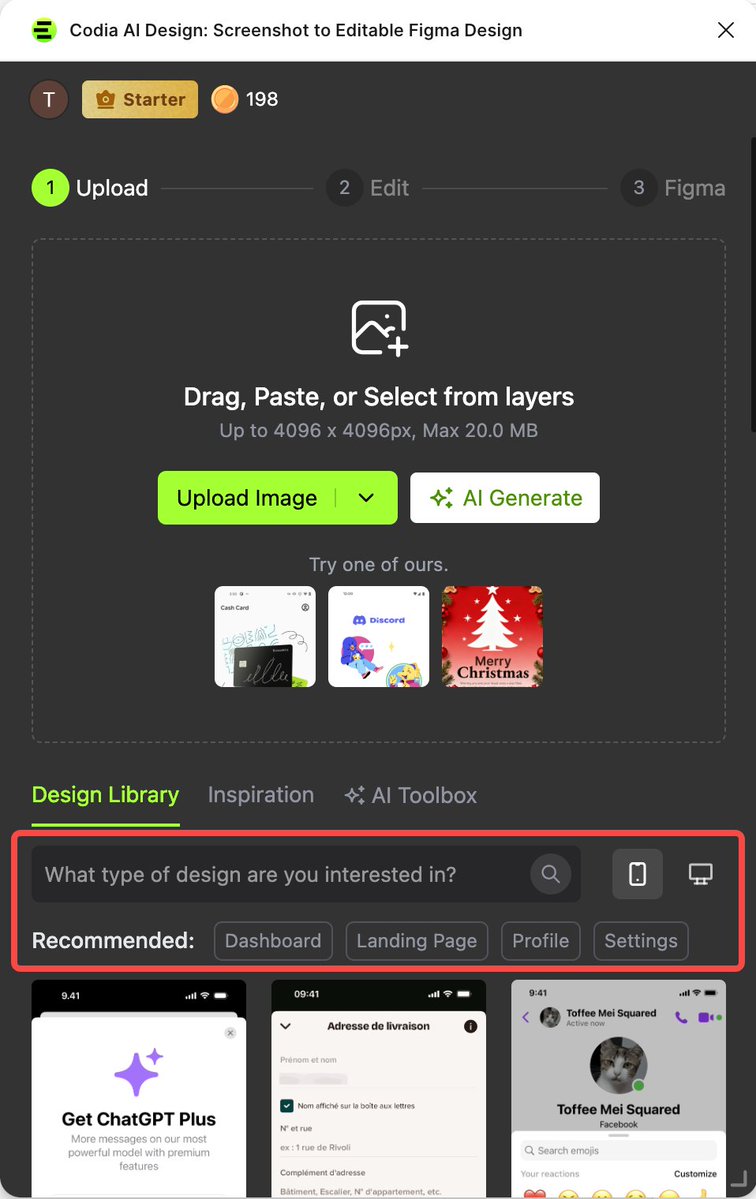
Enterprise-grade AI design automation. From screenshots, PSDs, PDFs to structured editable output and code. Trusted by creators, teams & global brands.
The future of design isn't starting with a blank canvas✨
It's starting with what's already there ⚡🚀
📸 Screenshots → Editable Designs
🌐 Web Pages → Editable Designs
🖼️ Images → Editable Designs
Powered by Codia AI ❤️
Hi everyone, I’m from Codia Studio. Codia AI has just received a major upgrade. Try it out here: https://t.co/1OzIYmHZMd. We’d love to hear what you think.
Codia AI VectorMagic just got a major update — our new model delivers better quality and faster speed, with no image size limits. Give it a try! 🚀
https://t.co/H6hcNWsLxo
Thank you for the kind words! 🙌 We built Codia AI NoteSlide to be the easiest way to create and edit slides — no friction, just results. 👉 https://t.co/0UIoDqnxNH
If you rely on NotebookLM, just bookmark: Codia AI Noteslide. Trust me. https://t.co/Ljp9XuQMTM
After trying Canva and Alai, this is the best I can get to edit the slides. Highly recommended!
That's the goal — no disruption, just a better workflow. Codia AI NoteSlide fits right into what you're already doing, and now you can turn any image or PDF into an editable PPT in seconds. Glad you're feeling the difference!
This is exactly what Codia AI is built for. Drop in an image, get real layers — real fonts, real spacing, real structure. No rebuilding from scratch. Glad we could save you hours!
𝑺𝒕𝒆𝒑 2 — 𝑻𝒖𝒓𝒏 𝒕𝒉𝒆 𝒊𝒎𝒂𝒈𝒆 𝒊𝒏𝒕𝒐 𝒂 𝒓𝒆𝒂𝒍 𝒅𝒆𝒔𝒊𝒈𝒏 :
I dropped the ChatGPT image into Figma using a life changer plugin called Codia Ai.
It converted the mockup into actual layers - real fonts, real spacing, real structure. 🔥
Saved me hours. ⏳
Now I had a proper base to build from.
@egbokavictory_ You know about Codia AI plugin in canva?
It lets you edit any design.
Just carry flyer design and upload to it and it breaks it into editable parts inside canva.
👇✨ تطبيق Codia AI Design
يختصر عليك وقت إعادة التصميم
حوّل صورك إلى تصاميم قابلة للتعديل خلال ثوانٍ! 🤖🖼️
حمّل الصورة فقط…
وسيقوم الذكاء الاصطناعي بتحويلها إلى تصميم جاهز يمكنك تعديله بحرية ✨
وفّر وقتك… وابدأ التعديل مباشرة بأسلوب احترافي 🎯
🎯 مثالي للمصممين، إعادة تصميم المحتوى، وتطوير الأفكار
🎥 شرح التطبيق عبر Canva:
https://t.co/GTsMGFn8iB
✨ حوّل صورك إلى تصاميم وابدأ الإبداع الآن!
#الذكاء_الاصطناعي #كانفا #Ai #CanvaPro
@AbuKotsh@figma Absolutely! That's exactly what we built Codia AI for — no more starting from scratch. Drop in a screenshot and get straight to editing. Give it a try and let us know what you think!
@theTimChamp@NotebookLM 100% this.
you might like NoteSlide — exports NotebookLM slides as real editable PPT, not flattened images. makes tweaking copy + layout actually doable.
https://t.co/0UIoDqnxNH
@prolinjb@NotebookLM You might want to try NoteSlide — turns NotebookLM slides into fully editable PPT instead of images. makes fixing infographics way easier.
https://t.co/0UIoDqnxNH
Mistakes happen. As a team, the important thing is to recognize it’s never an individuals’s fault — it’s the process, the culture, or the infra.
In this case, there was a manual deploy step that should have been better automated. Our team has made a few improvements to the automation for next time, a couple more on the way.
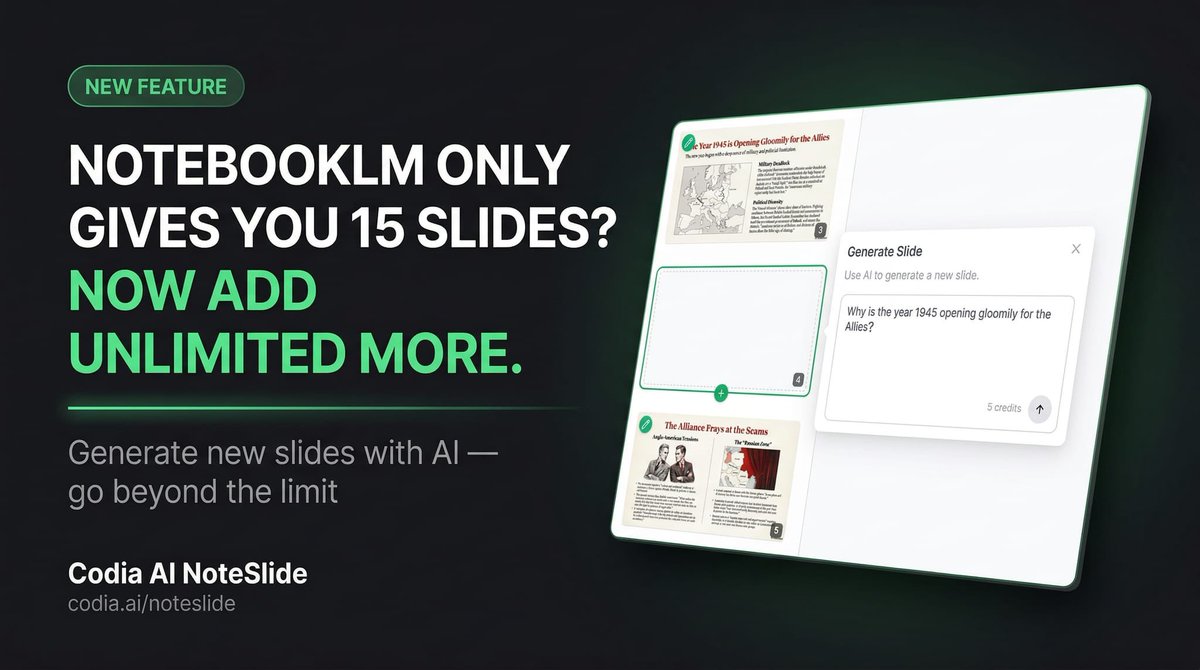
NotebookLM only gives you 15 slides?
Now you can generate unlimited new slides with AI using Codia AI NoteSlide.
No more limitations. Just describe what you need, and NoteSlide adds it to your deck instantly.
Try it now 👇
https://t.co/DCfaaJlIeJ