For so long I have took call of duty gaming competitively clan wars GameBattles mlg the public scene it's gotten to the point where I just want to quit it literly depressed playing the game trying coming from someone who enjoyed playing zombies mostly and the odd multiplayer game
A video circulating on social media shows residents of Catemaco, Veracruz, claiming to have captured a supposed witch with the ability to transform into an animal. According to witnesses, she gave herself away because she “talked while flying,” pretending to be a bird. So far, there is no official confirmation or verifiable evidence. Catemaco is famous for its mysticism, which makes these kinds of stories go viral quickly. What do you think? Do you believe it's real or just a show?
Windows update KB5077181 may be causing stutters in your games.
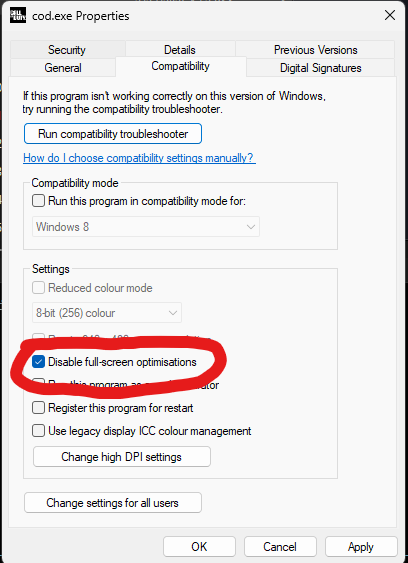
It's may be caused by Fullscreen optimization.
Fix: Right-click your game .exe → Properties → Compatibility → check "Disable fullscreen optimizations"
If you updated recently & your games feel off, try this.
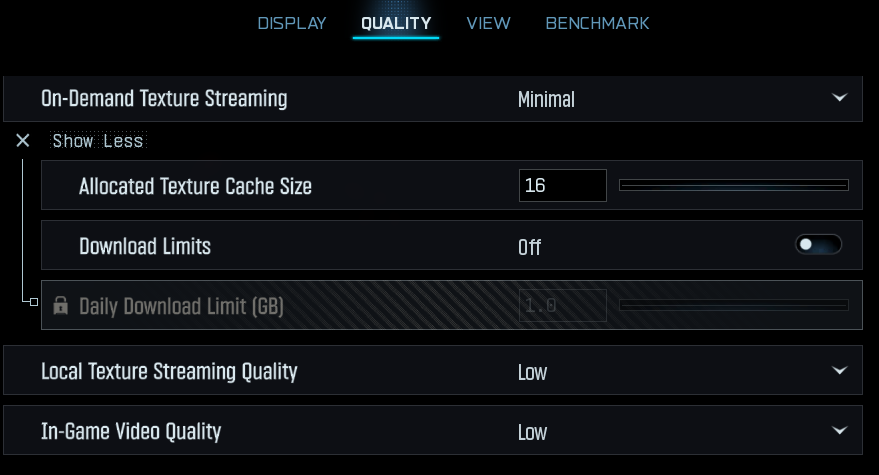
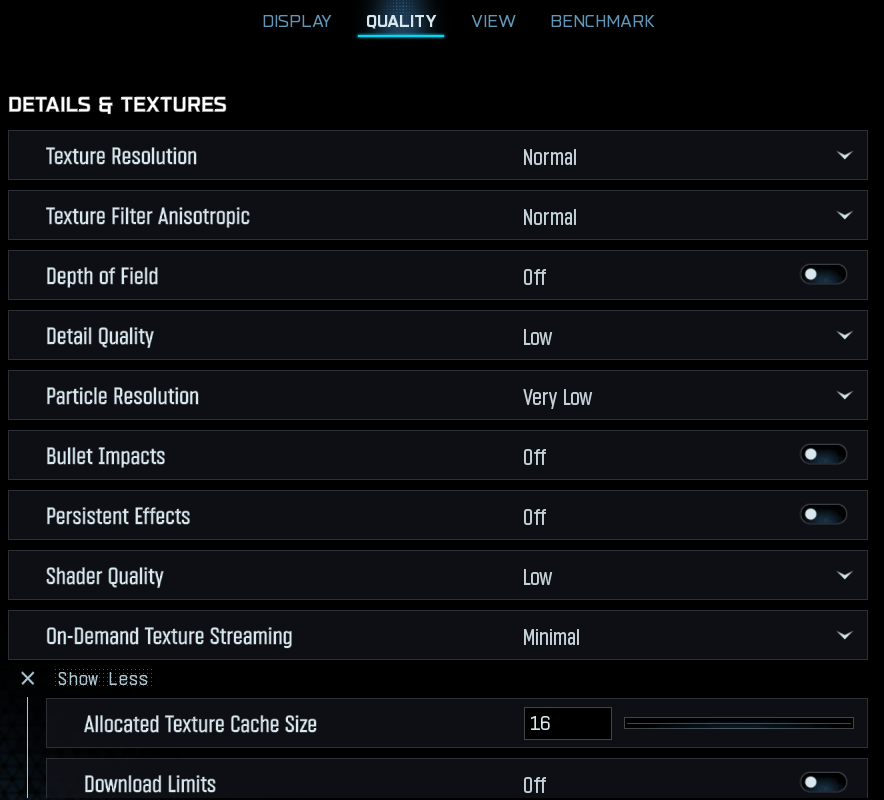
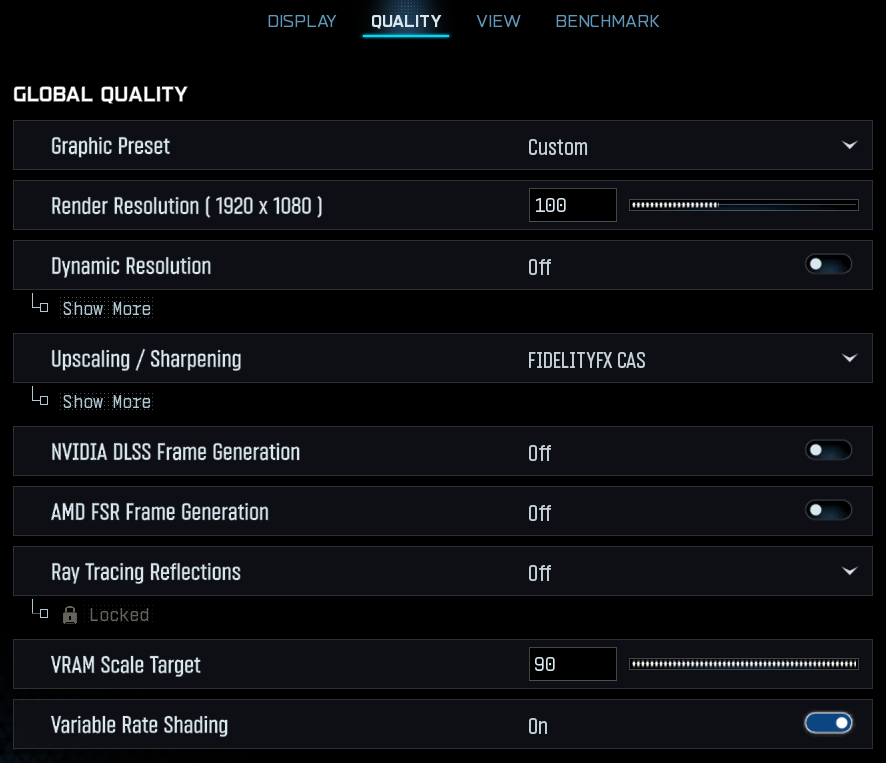
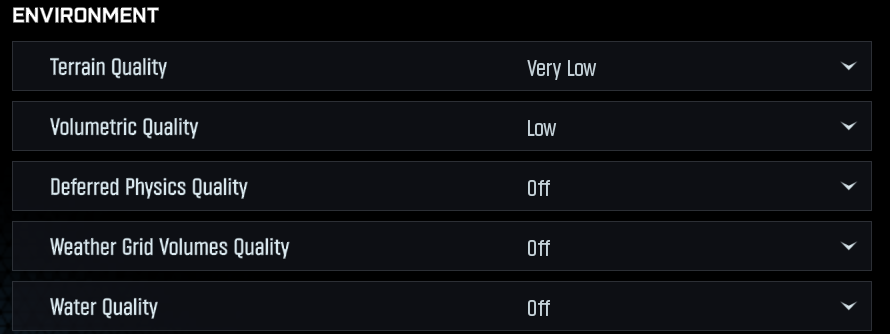
BEST CALL OF DUTY #BlackOps7 SEASON 02 GRAPHICS SETTINGS ( MAX FPS ON RANKED PLAY ) 📈
Upscaling is personal preference... If you're using a 40/50 Series NVIDIA GPU you can use NVIDIA DLSS with Transformer Model, and Preset to Performance if you want better quality! 👇
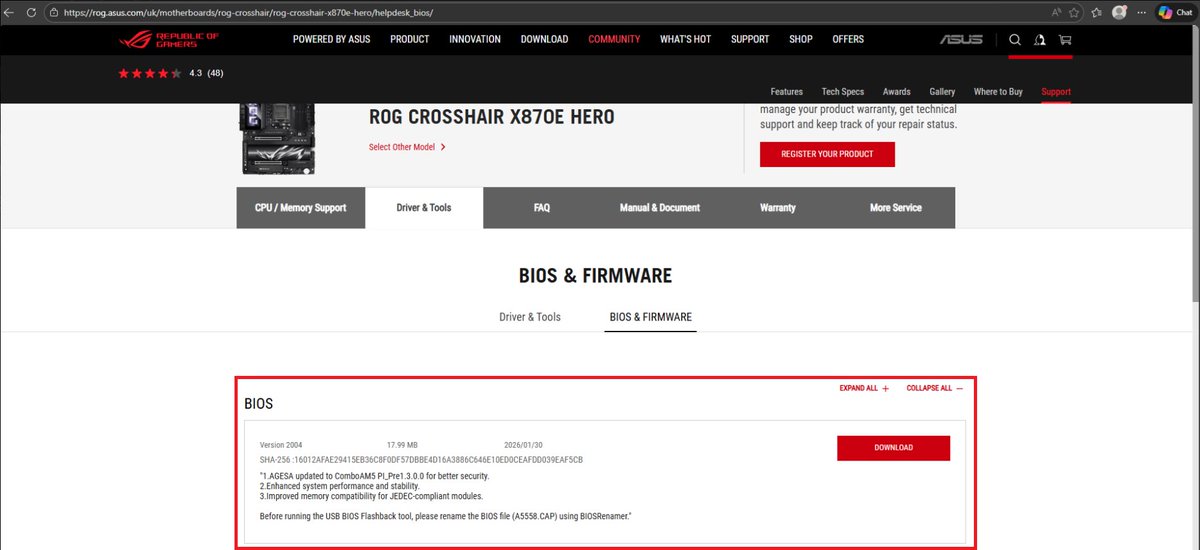
🚨HOW TO UPDATE BIOS FOR CALL OF DUTY RANKED🚨
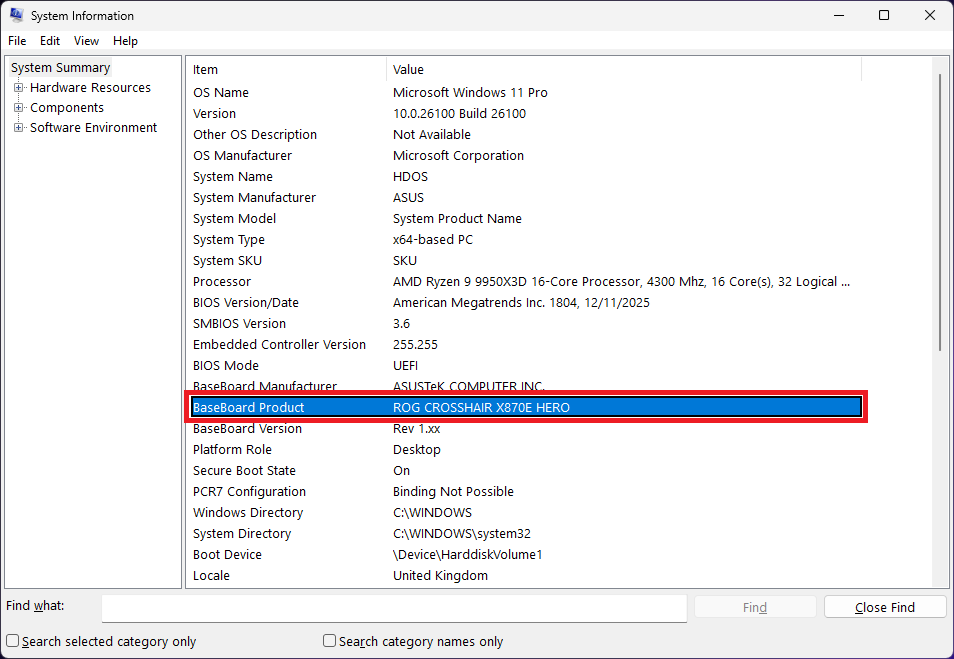
1. On Windows, open Start → type msinfo32 → press Enter.
2. Find BaseBoard Product (and Manufacturer) - note the exact motherboard model.
3. Google that exact board (e.g., ASUS ROG CROSSHAIR X870E HERO) and open the official site.
4. Go to Support → BIOS / Firmware.
5. Download the latest BIOS for your exact model/revision.
6. Extract the ZIP file.
7. Copy the BIOS file (often .CAP) to a USB stick.
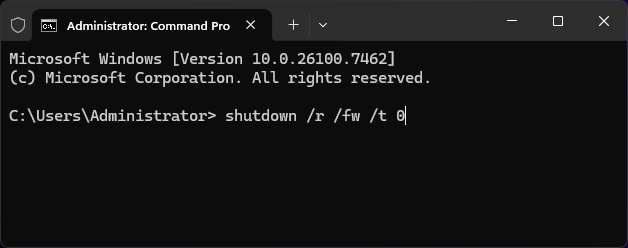
8. To reboot straight into BIOS, open Command Prompt (Admin) and run:
shutdown /r /fw /t 0
9. In BIOS, open the flash utility (EZ Flash / M-Flash / Q-Flash).
10. Select the BIOS file from the USB and start the update.
DO NOT TURN OFF YOUR PC, interrupting this can brick your motherboard.
🚨 NVIDIA GPU FPS drop fix (Windows Update) 🚨
If you updated Windows on Tuesday and have an NVIDIA GPU, you might be losing 15–20 FPS.
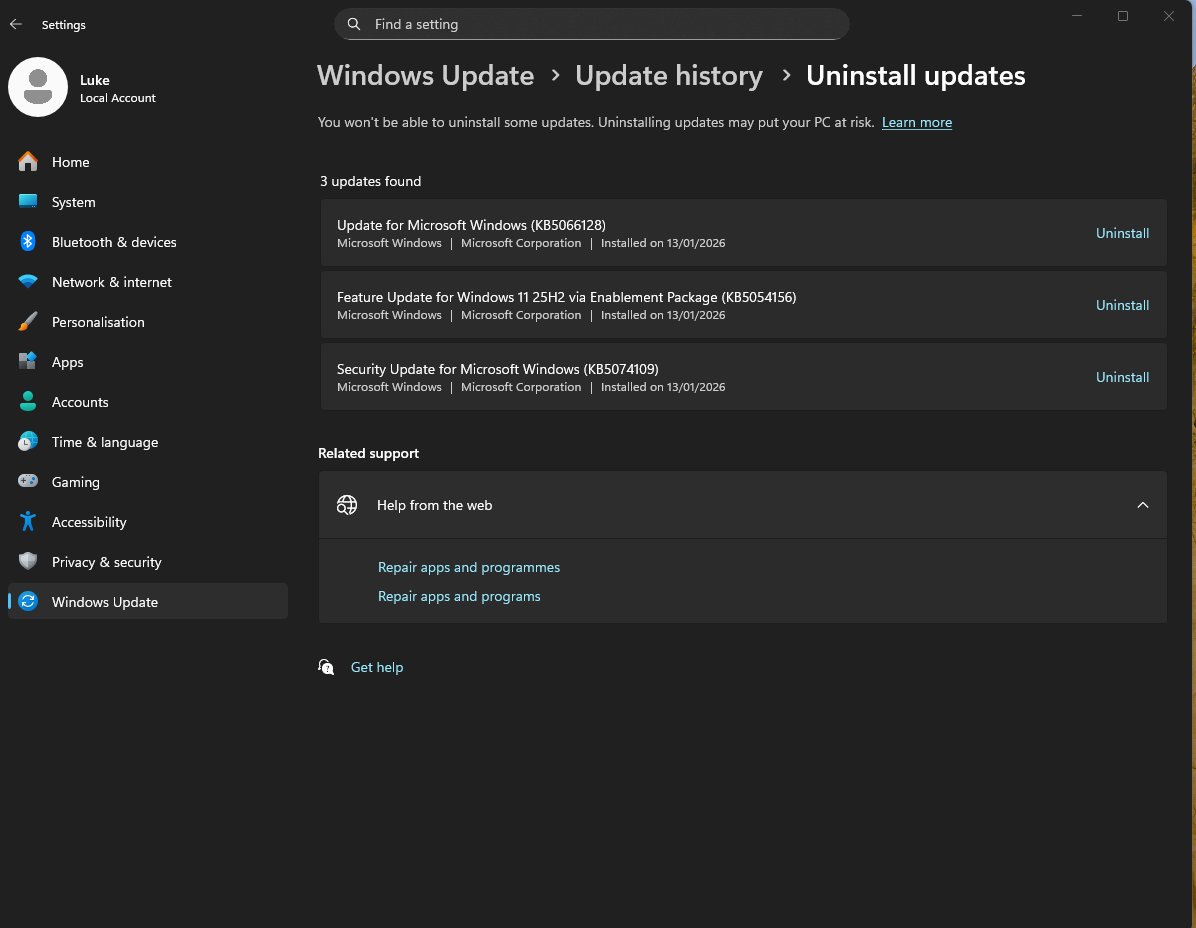
The culprit is KB5074109.
Fix:
Settings → Windows Update → Update History → Uninstall Updates
Uninstall KB5074109 → Restart PC ✅
FPS should be back to normal after reboot. 🔧🎮
THIS man’s son was being bullied at school. The bully was stealing his school lunch. Which was reported to the school several times. No action was taken. So, little ‘Johnny’ decided to take matters into his own hands. Let’s just say that the brownie the bully stole that day had a little surprise in the mixture. 💩🚽 Needless to say his parents were called to the school as were the bullies parents…and this man👇 handled it like a pro Dad. 👏 What say you…did the bully get his just dessert. 🥮 Or did it go too far. 🤔 WATCH 👇👀🎥💥
Most people are aware that insufficient sleep is harmful to health, but did you know sleeping too much is also harmful?
Do you sleep too little, too much or just the right amount?