@Cameralabs When I add something I want to a website’s “shopping list” I type today’s date and price into the list item’s Notes field. When I return later or when they announce a sale, the Notes field shows that known past price. Also helps track price trends, like for SSDs…
@Muig@StuartHumphryes The pulley clotheslines across streets are still in very wide use in Italy. We even used them recently, when staying in a place with a clothes washer. You just reach out the window. Electric clothes dryers are much less common there than in the USA.
@Medalofdead@StuartHumphryes One cause of narrow depth of field was common use of large film formats, like sheet film loaded one frame at a time into a big camera on a tripod.
Today, most frame sizes are small — 35mm down to tiny smartphone sensors — creating wider depth of field at the same focal length.
@einmanncombo @rainerklute Yes, looks like it isn’t uniform. I do see that InDesign v18 and Illustrator v27 support macOS 10.15; not sure if that’s because macOS 13 is not yet released. However, the photo and video apps and Bridge now state macOS 11 as the minimum.
For Mac Adobe users, October means system requirements change. Creative Cloud 2023 apps (released today) require macOS 11 Big Sur or later. Same thing with Apple — when they release macOS 13 Ventura, macOS 11 will become the oldest macOS that Apple still supports with updates.
@christiaanbrand@jessicammoss 2/ Many Mac apps have a variation of the Edit > Paste command that strips formatting on paste. In Word, if you choose Tools > Customize Keyboard, you can assign a keyboard shortcut for PasteTextOnly.
@christiaanbrand@jessicammoss On my Mac, I do what she does every day with TextEdit, the Mac equivalent of Windows Notepad. In an empty TextEdit window, choose Format > Make Plain Text. Any text you paste is stripped of formatting. Copy it back out. I alawys have that window open. /1
Testing new GPU acceleration for export in Lightroom Classic 11.4: 624 raw time lapse images exported 1/3 faster than 11.3 on M1 Pro. Also exports cooler and quieter, because GPU acceleration lowers CPU load and temperature. More details on my blog: https://t.co/bxfCeODSKw
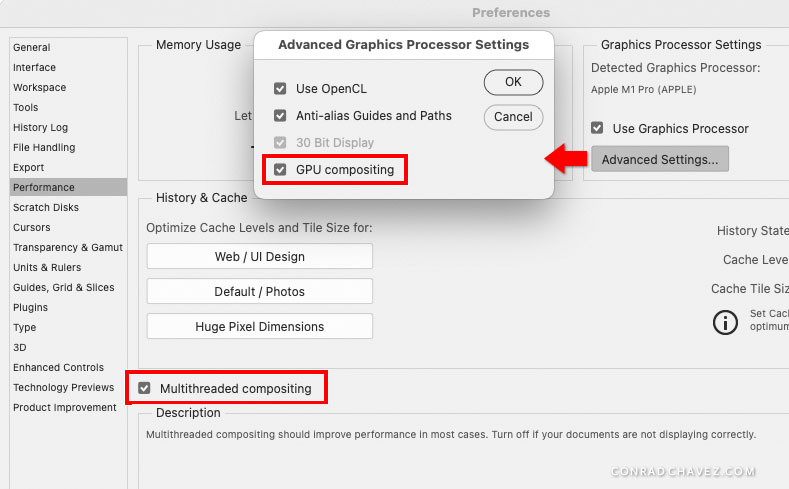
Photoshop 23.3 adds Multithreaded Compositing and GPU Compositing. Nice to see progress here, because Photoshop hasn’t been using all CPU/GPU power in today’s systems. Will be interesting to see if popular Photoshop benchmark tests show improvement.
https://t.co/Cckgz9tUF9
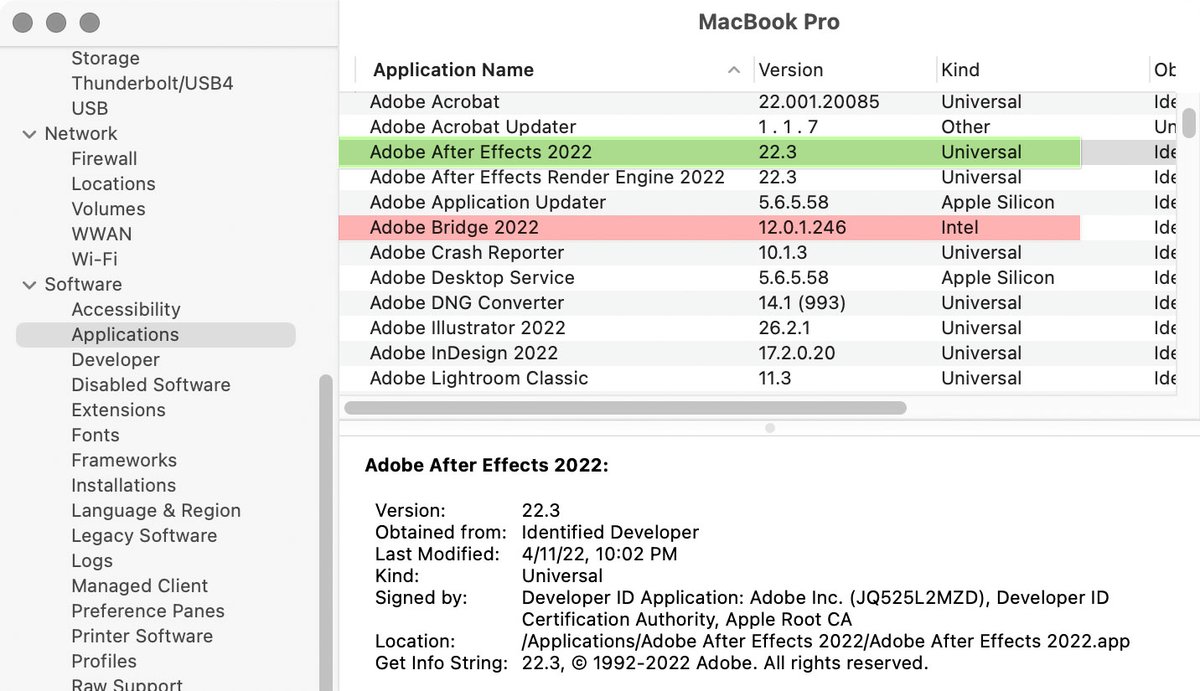
The Apple Silicon native version of Adobe After Effects is finally out of beta as of the version 22.3 update, about a year and a half after M1 processors first shipped. Your move, Adobe Bridge… Other Adobe components such as the Creative Cloud desktop app still require Rosetta.
Creative Cloud “price update:” Seems to encourage long-term commitment. For single-user plans, price is unchanged for the annual plan where you prepay for the entire year; price increases are for annual plan on monthly payments, and month-to-month plans. https://t.co/gwvlVUvRiM
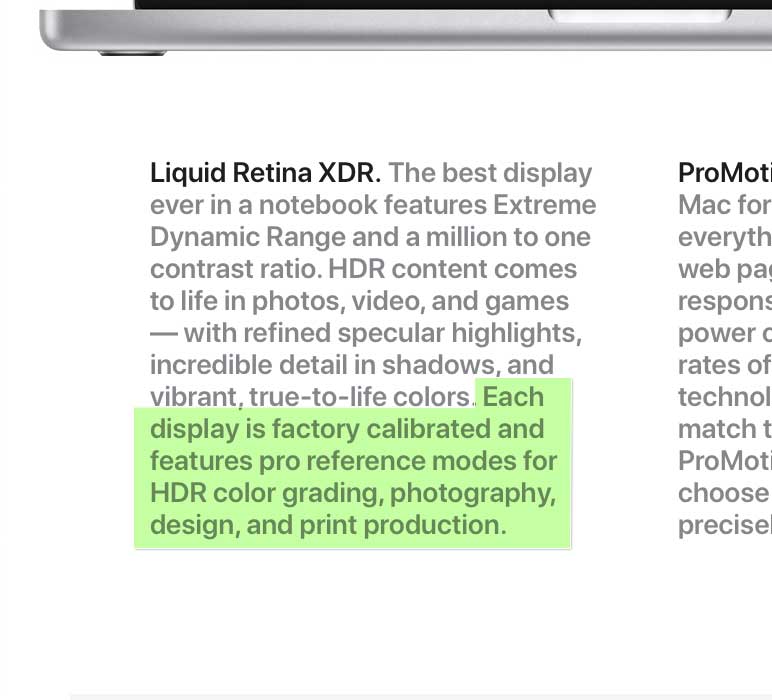
There’s online angst about not finding display profiles for Liquid Retina XDR Display on MacBook Pro M1 Pro/Max. It’s precisely calibrated at factory, user tuning available. Custom display profiles are for displays less able to maintain calibration specs. https://t.co/PevsJz9Msq
I updated the official Adobe Photoshop Classroom in a Book for the 2022 release, and you can now order it! More info and 35% off discount code at https://t.co/jmn7MAXdgJ
The MacBook Pro M1 Pro/Max display has reference modes (presets for color gamut, white point, luminance…) like the 32" Apple Pro Display XDR (https://t.co/pjbaeCMVWe). Wondering if MacBook Pro will allow similar preset customization and hardware calibration.
Adobe sneak peek: Camera Raw and Lightroom will soon get a significant masking upgrade. More powerful masking in the raw editor should mean fewer trips to Photoshop. But nothing in the video suggests that they will composite multiple images like Photoshop. https://t.co/APqSGrO320
Photoshop: Still confused about “missing” file formats in Save As? New preferences in the 22.4.2 update let you restore the earlier Save As behavior and not add “copy” to the filename. But mind the warnings when you enable the new settings.
Native Apple Silicon Mac support is in the Lightroom Classic 10.3 update, plus the Super Resolution feature already available in Adobe Camera Raw, fixes, and more. What’s new: https://t.co/rr5LhLJmrP
But bootable clones are largely a “thing of the past” on M1 Macs. Instead, expect to back up data only, and restore to a fresh system installation — similar to iOS. https://t.co/W3Sm4Xdvh2