📦 We are happy to announce support for the Flattened Device Tree (FDT / DTB) format. The new FDT Format package lets you parse and explore device tree blobs directly within the application, with an interactive tree navigator and per-node binary view. FDT is the binary format that bootloaders hand to the Linux kernel (and other operating systems) to describe non-discoverable hardware on ARM, ARM64, RISC-V, PowerPC and similar platforms. A DTB encodes the entire hardware topology of a board: CPUs and their cache hierarchy, physical memory regions, on-chip peripherals like UARTs, I²C and SPI controllers, GPIO banks, USB hosts, MMC/SD, Ethernet MACs and GPUs, interrupt routing, clock and power domains, kernel boot arguments and reserved memory regions. The same blob is used as device tree overlays (.dtbo) to patch a base tree at boot for HATs, capes and optional peripherals. DTBs are routinely pulled from boot partitions, firmware images and recovery dumps during security research, IoT analysis and forensic investigations. Having native FDT support in Cerbero Suite means analysts can read out a device's hardware description (the same information the OS uses to bring the system up) without leaving the analysis environment.
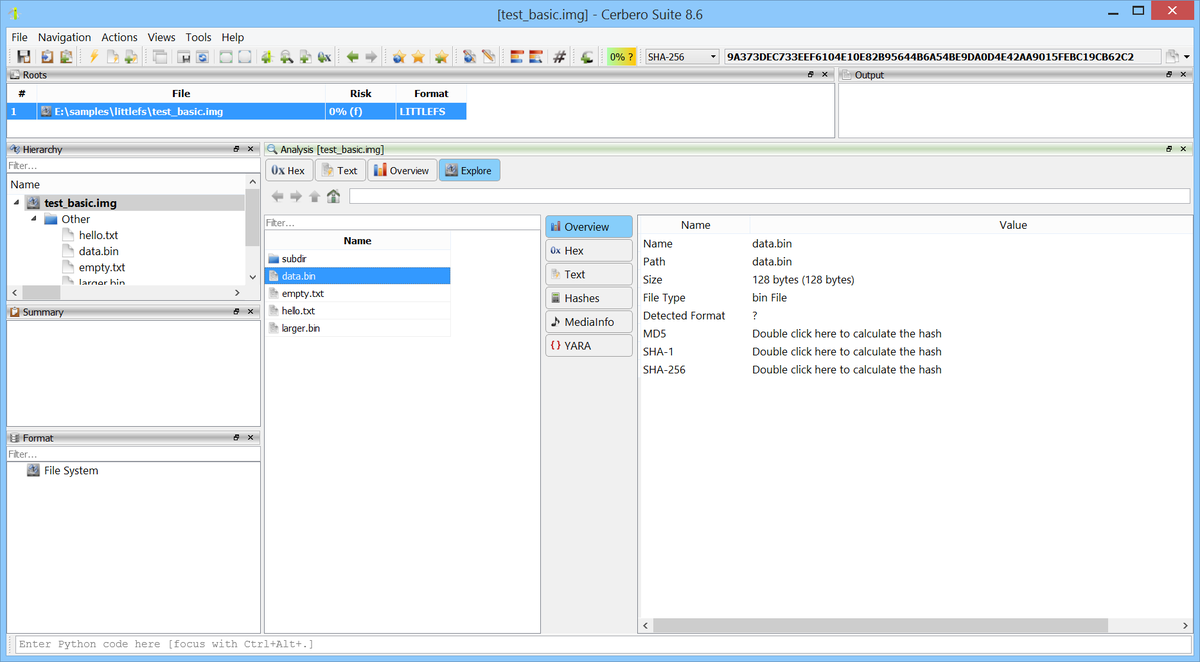
📦 We are happy to announce support for LittleFS file system images. The new LittleFS Format package lets you browse and extract files from LittleFS images directly within the application. LittleFS is a block-based file system designed for microcontrollers, with a focus on power-loss resilience and wear leveling. It is widely used in embedded devices built on platforms such as ESP32, STM32, nRF52, RP2040, and Mbed OS. LittleFS stores metadata in redundant block pairs and organizes file data using either inline storage or a CTZ skip-list structure that provides efficient random access. Having native support in Cerbero Suite means analysts can inspect firmware dumps and flash images from IoT devices, sensor nodes, and consumer electronics without needing external tools.
📦 We are happy to announce support for the Android ART CompactDex (CDEX) format. The new CDEX Format package parses CompactDex containers and rebuilds them as standard DEX files so existing tools (decompilers, disassemblers and analyzers) can operate on the bytecode that ART writes inside VDEX containers.
CompactDex is the ART internal DEX variant introduced in Android 9 (Pie). The dex2oat
compiler emits it whenever it produces an OAT/VDEX pair, and ART runtime reads it natively at class-load time. The format is undocumented in the public DEX specification (it is part of ART’s internal compiled-code pipeline) and existing DEX tools refuse to load CompactDex.
The new CDEX Format package fills that gap. It parses every CompactDex structure, walks the CompactOffsetTable to recover per-method debug info, and emits a clean, valid DEX 035 file with all offsets reflowed, all CodeItems expanded back to the 16-byte standard layout, all class_data leb128 entries rewritten, the SHA-1 signature and Adler-32 checksum recomputed, and a fresh map_list at the end. When a CompactDex is encountered inside a VDEX container, the package automatically pulls the parent VDEX’s quickening info and unquickens bytecode in place, restoring the original opcode and the field/method index from the per-method QuickenInfoTable.
📦 We are happy to announce support for the Android ART VDEX format. The new VDEX Format package lets you inspect VDEX containers and extract their embedded DEX files directly within the application. VDEX is the Verified DEX container format produced by the Android ART dex2oat compiler. It ships alongside OAT files in /system/framework/ or /data/dalvik-cache/ and stores the DEX bytecode together with verification metadata that ART uses to skip class verification at class-load time. The format has evolved significantly across Android releases. Having native VDEX support in Cerbero Suite is useful when analyzing Android firmware images, dalvik caches recovered during forensic acquisitions, or APK companion artifacts encountered during malware reverse engineering.
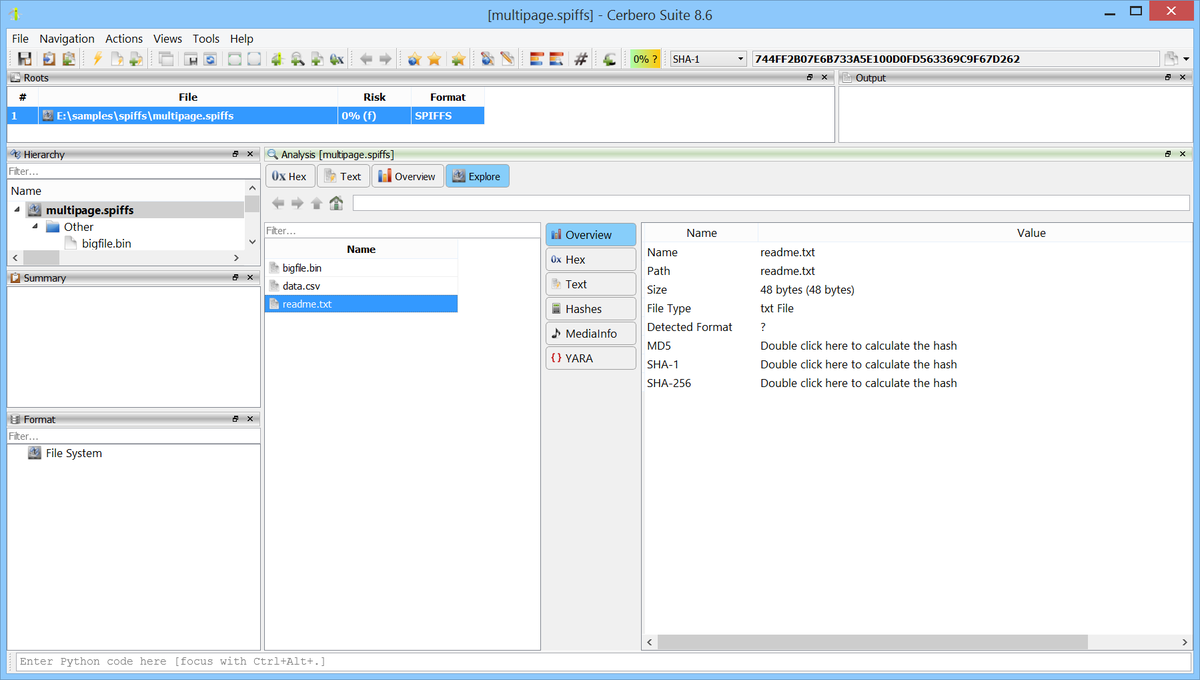
📦 We are happy to announce support for the SPIFFS (SPI Flash File System) format. The new SPIFFS Format package lets you browse and extract files from SPIFFS images directly within the application.
SPIFFS is a flat file system designed for SPI NOR flash memory, widely used in ESP8266, ESP32, and other embedded microcontrollers. It provides wear leveling and power-loss resilience with minimal RAM overhead, making it the go-to file system for storing configuration files, web assets, and sensor data on IoT devices. SPIFFS uses a page-based layout with per-block object lookup tables and 16-bit object IDs. Unlike traditional file systems, it has no directory support, files are stored with flat paths (e.g. /config.json). Having native support in Cerbero Suite means analysts can inspect ESP32 firmware dumps, IoT flash images, and embedded device storage encountered during security research, vulnerability assessment, or forensic investigations without needing external tools or knowing the flash geometry parameters.
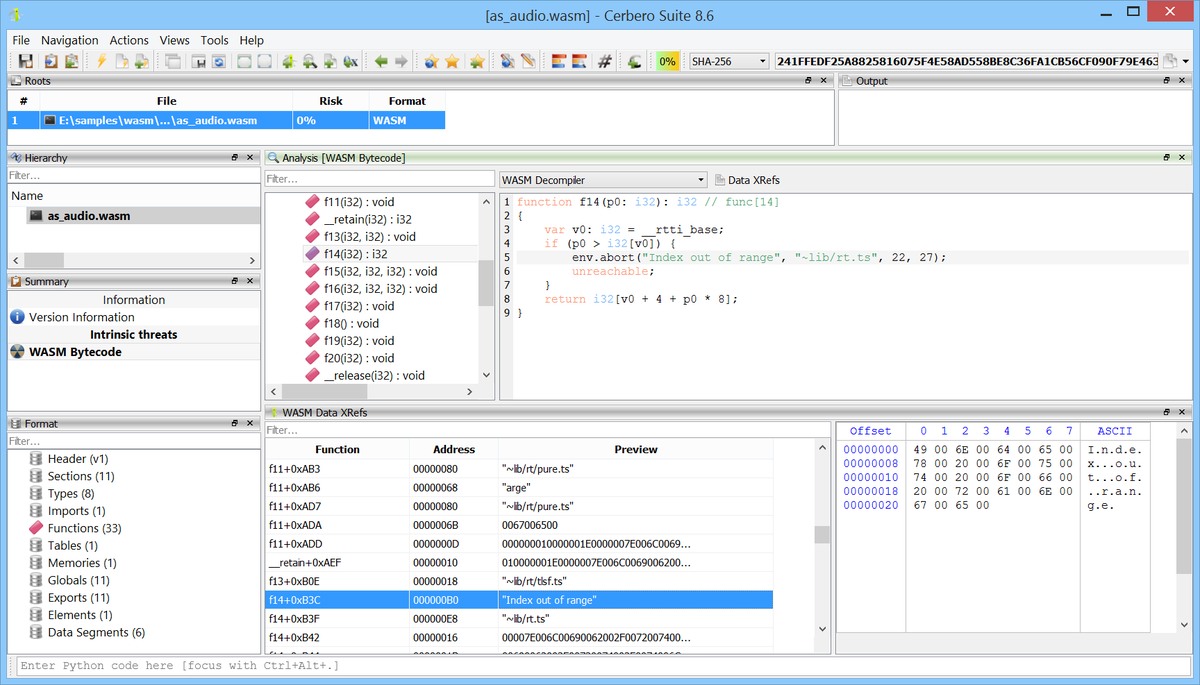
📦 We are happy to announce two new packages, released together: the WASM Format package and the WASM Decompiler package. Together they bring native WebAssembly analysis to Cerbero Suite: parsing, disassembly, decompilation, data cross-references, and unified navigation between all of them.
WebAssembly long ago outgrew its original role as a fast in-browser execution target. Today it underpins server-side runtimes, serverless edge platforms, smart-contract VMs, plug-in systems for desktop and mobile applications, and a steady stream of malware samples that ship WASM payloads. Having a native parser, disassembler, and decompiler turns those modules into something a reverse engineer can actually read without leaving the suite.
The two packages are released together but layered. The Format package handles parsing, disassembly, the format tree, the bytecode view, and the Data XRefs view. The Decompiler package plugs into the bytecode view as a discoverable decompiler, so the bytecode tree's mode combo automatically picks it up.
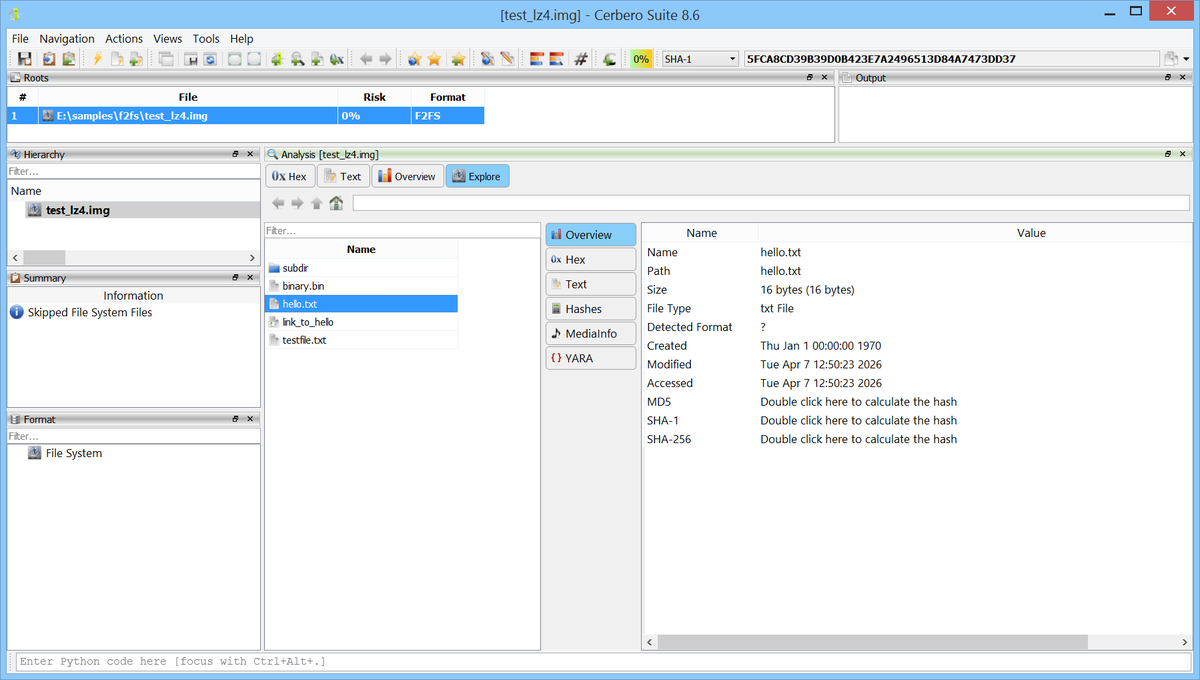
📦 We are happy to announce support for the F2FS (Flash-Friendly File System) format. The new F2FS Format package lets you browse and extract files from F2FS images directly within the application.F2FS is a log-structured file system designed by Samsung for NAND flash storage, merged into the Linux kernel in version 3.8. It is the default user-data file system on many Android devices and is also used on Chrome OS, Tizen, and other flash-based storage systems. F2FS employs a Node Address Table (NAT) for efficient inode resolution, multi-level hash-based directories, and supports inline data for small files, extended attributes, and transparent compression (LZO, LZ4, ZSTD). Having native support in Cerbero Suite means analysts can inspect Android user-data partitions, IoT firmware, and flash storage images encountered during security research, vulnerability assessment, or forensic investigations without needing external tools.
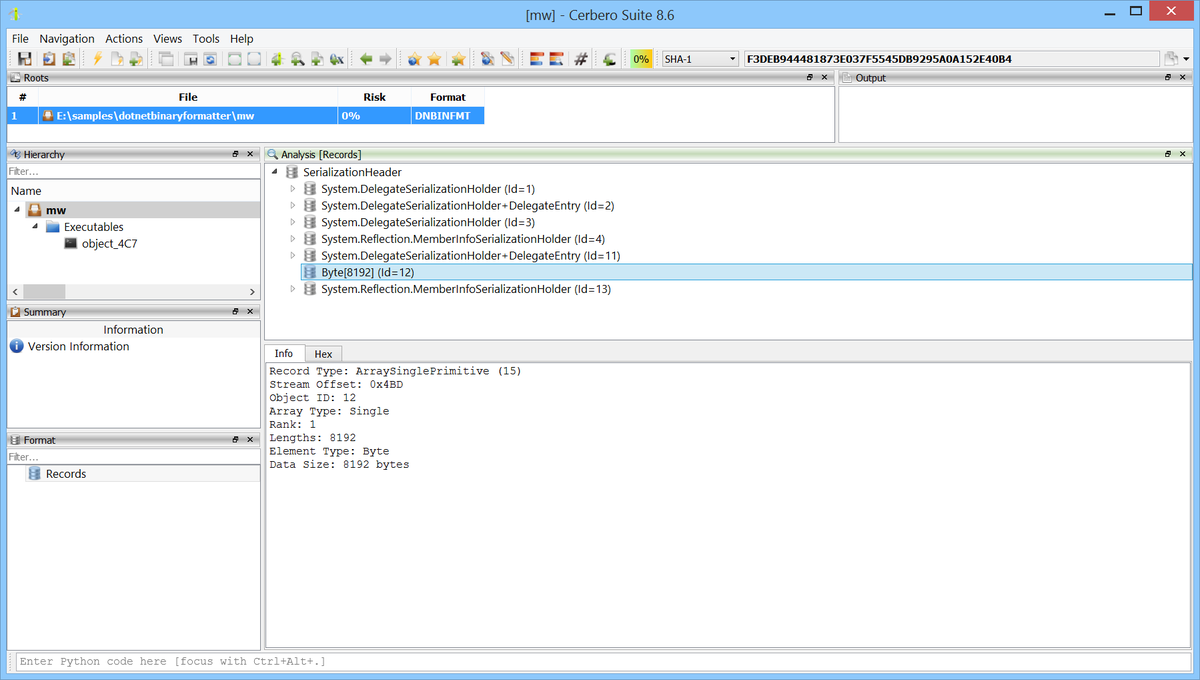
📦 We are happy to announce support for the .NET BinaryFormatter serialization format. The new DotNET BinaryFormatter Format package replaces the old decoder with a full parser, providing reliable parsing and embedded object detection for malware analysis and forensic investigations. BinaryFormatter (System.Runtime.Serialization.Formatters.Binary.BinaryFormatter
) is a .NET binary serialization mechanism that has been widely used since the early days of .NET. It is also notoriously insecure: deserialization of untrusted data can lead to arbitrary code execution, which has made it a favored vector for .NET exploitation payloads. Malware authors frequently embed executables, shellcode, and configuration data inside BinaryFormatter byte arrays. Having native support in Cerbero Suite means analysts can safely inspect these payloads, navigate the serialized object graph, and extract embedded objects without risking code execution.
📦 We are happy to announce support for the EROFS (Enhanced Read-Only File System) format. The new EROFS Format package lets you browse and extract files from EROFS images directly within the application. EROFS is a high-performance, read-only compressed file system for Linux, merged into the mainline kernel in version 4.19. It was originally developed by Huawei and is now the standard file system for Android system partitions starting from Android 10. EROFS is also used in container images (Docker, Nydus) and embedded systems. Unlike older read-only file systems such as SquashFS and CRAMFS, EROFS uses a pcluster-based compressed data layout that offers efficient random read access without decompressing entire blocks. It supports multiple compression algorithms including LZ4 and DEFLATE. Having native support in Cerbero Suite means analysts can inspect Android system images, container images, and embedded firmware encountered during security research, vulnerability assessment, or forensic investigations without needing external tools.
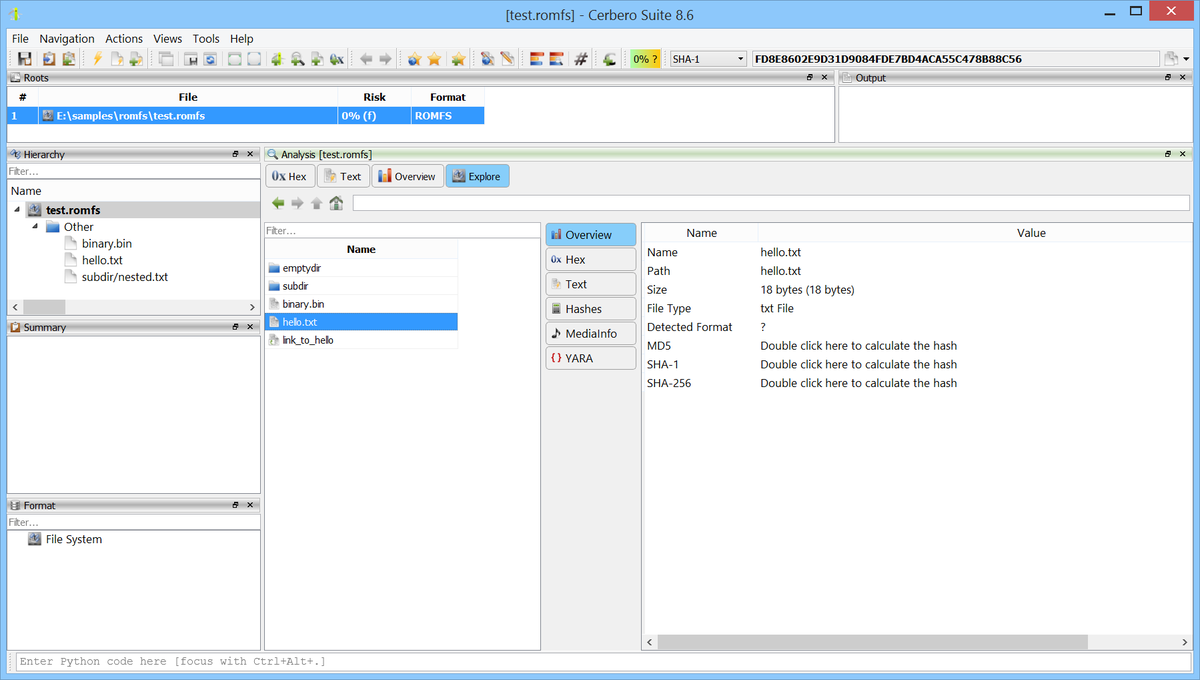
📦 We are happy to announce support for the ROMFS (ROM File System) format in Cerbero Suite. The new ROMFS Format package lets you browse and extract files from ROMFS images directly within the application. ROMFS is a simple, space-efficient, read-only file system designed for Linux. It was introduced in Linux 2.1.21 as a minimal alternative to ext2 for boot media and embedded devices. ROMFS stores data uncompressed with all on-disk structures in big-endian byte order, resulting in very low overhead and fast read access. ROMFS is commonly found in embedded systems, firmware images, initial RAM file systems (initramfs/initrd), and bootloaders. Its simplicity and small kernel footprint make it a popular choice for resource-constrained environments where read-only access is sufficient. Having native support in Cerbero Suite means analysts can inspect firmware dumps and ROM images encountered during security research, vulnerability assessment, or forensic investigations without needing external tools.
📦 We are happy to announce support for CRAMFS file system images. The new CRAMFS Format package lets you browse and extract files from CRAMFS images directly within the application. CRAMFS (Compressed ROM File System) is a simple, read-only compressed file system designed for Linux ROM devices. It compresses file data one page at a time using zlib, keeping the image compact while allowing random read access. CRAMFS is commonly found in embedded systems, firmware images, set-top boxes, and devices with limited flash storage. Having native support in Cerbero Suite means analysts can inspect firmware dumps and ROM images encountered during security research, vulnerability assessment, or forensic investigations without needing external tools.
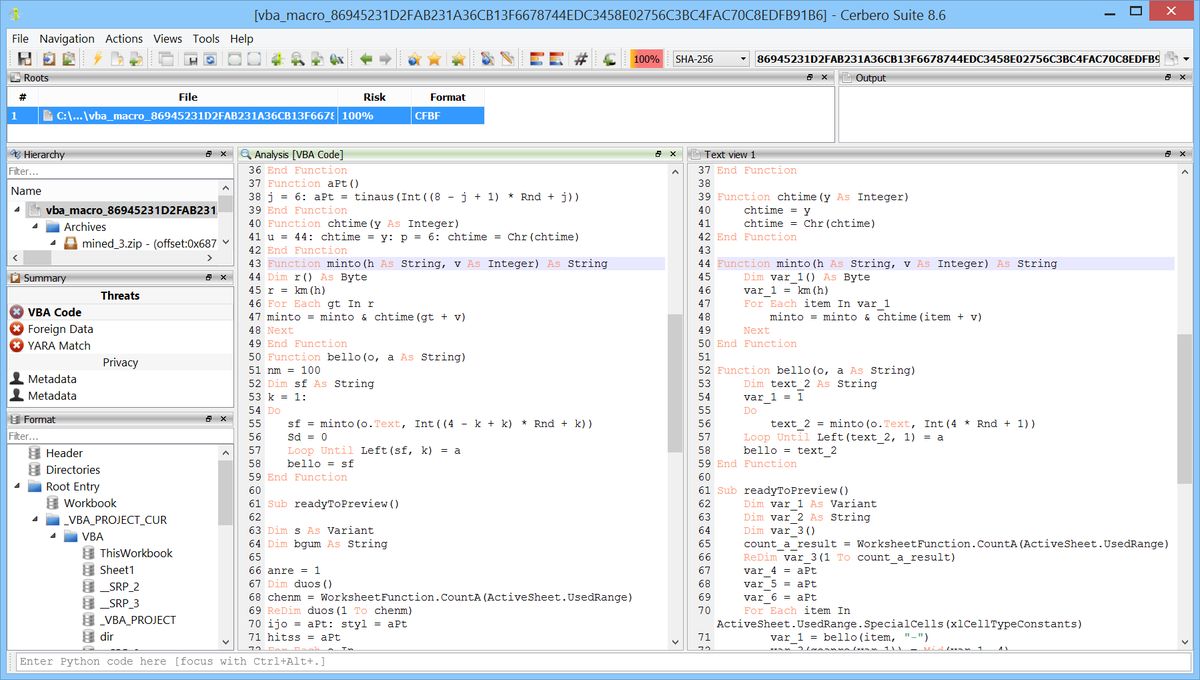
📦 We are happy to announce the beta release for commercial licenses of the VBA Beautifier package. It provides automated beautification and deobfuscation for VBA (Visual Basic for Applications) and VBS (VBScript) code, the most common macro language found in malicious Office documents.
VBA macros remain one of the primary initial access vectors in the threat landscape. Malware authors routinely apply layers of obfuscation. Manually cleaning up these scripts is tedious and error-prone. The VBA Beautifier helps to automate this process, turning obfuscated macro code into clean, readable output.
📦 We are happy to announce support for YAFFS and YAFFS2 file system images. The new YAFFS Format package lets you browse and extract files from YAFFS flash dumps directly within the application.
YAFFS2 (Yet Another Flash File System 2) is a log-structured file system designed for NAND flash memory. It is widely used in embedded Linux devices such as Android phones, routers, set-top boxes, IoT hardware, and industrial controllers. YAFFS stores data in fixed-size chunks (pages) interleaved with spare (out-of-band) areas that contain metadata tags. Having native support in Cerbero Suite means analysts can inspect firmware dumps and flash images encountered during security research, vulnerability assessment, or forensic investigations without needing external tools or knowing the NAND geometry parameters.
📦 We are happy to announce the beta release of the Lua Decompiler package. It reconstructs readable Lua source code from compiled Lua bytecode (.luac) files, covering all major Lua versions from 5.0 through 5.4. This package requires the installation of the LUAC Format package.
Compiled Lua bytecode is common across game engines, embedded firmware, IoT devices, and malware payloads. Disassembly alone is often enough for a rough understanding of a function, but reading dozens of instructions per line does not scale when a script spans thousands of opcodes. A decompiler bridges that gap: it turns register-level bytecode back into control flow a human can read, making review, patch development, and malware triage dramatically faster.
This is a beta release. The core reconstruction pipeline is stable and validated against a broad sample set across all supported Lua versions, but complex control flow patterns and heavily optimized bytecode may still produce suboptimal output. Feedback is welcome.
📦 We are happy to announce support for Lua compiled bytecode (LUAC) files. The new LUAC Format package parses and disassembles Lua bytecode across all major Lua versions, from 5.0 through 5.4. Lua is one of the most widely embedded scripting languages. It powers game engines, network appliances, IoT firmware, and malware payloads alike. Compiled Lua bytecode (.luac) files are frequently encountered during firmware analysis, game modding, and malware reverse engineering. Having native LUAC support in Cerbero Suite means analysts can inspect bytecode structure and disassembly without external tools.
📦 We are happy to announce support for JFFS2 file system images. The new JFFS2 Format package lets you browse and extract files from JFFS2 images directly within the application. JFFS2 (Journalling Flash File System v2) is a log-structured file system designed for raw NOR and NAND flash memory. It is widely used in embedded Linux devices such as routers, access points, IoT hardware, industrial controllers, and consumer electronics. JFFS2 stores data as a sequential log of nodes on flash, with each node carrying file metadata, directory entries, or compressed data fragments. Having native support in Cerbero Suite means analysts can inspect firmware dumps and flash images encountered during security research, vulnerability assessment, or forensic investigations without needing external tools.
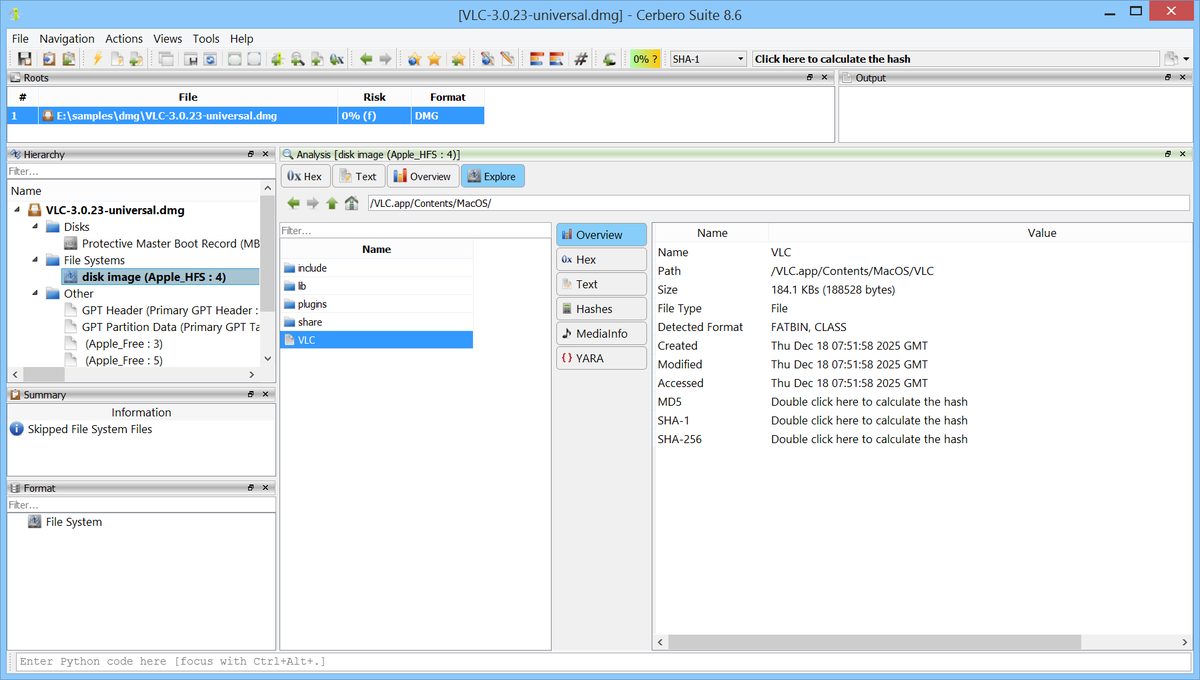
📦 We are happy to announce support for Apple Disk Image (DMG) files. The new DMG Format package lets you inspect and extract the contents of DMG images directly within the application. DMG is Apple's native disk image format, widely used for distributing macOS software. A DMG file packages one or more partitions, each typically containing a file system such as APFS or HFS+. The data within these partitions is often compressed using algorithms like zlib, bzip2, LZFSE, LZMA, or ADC to reduce file size. Some DMG files are also encrypted with AES-128 or AES-256, requiring a password to access.
Having native DMG support in Cerbero Suite means analysts can examine macOS disk images encountered during forensic investigations, malware analysis, or software distribution review. Combined with our existing APFS and HFS+ support, this provides a complete pipeline for going from a DMG file all the way down to individual files within an APFS and HFS+ volumes.
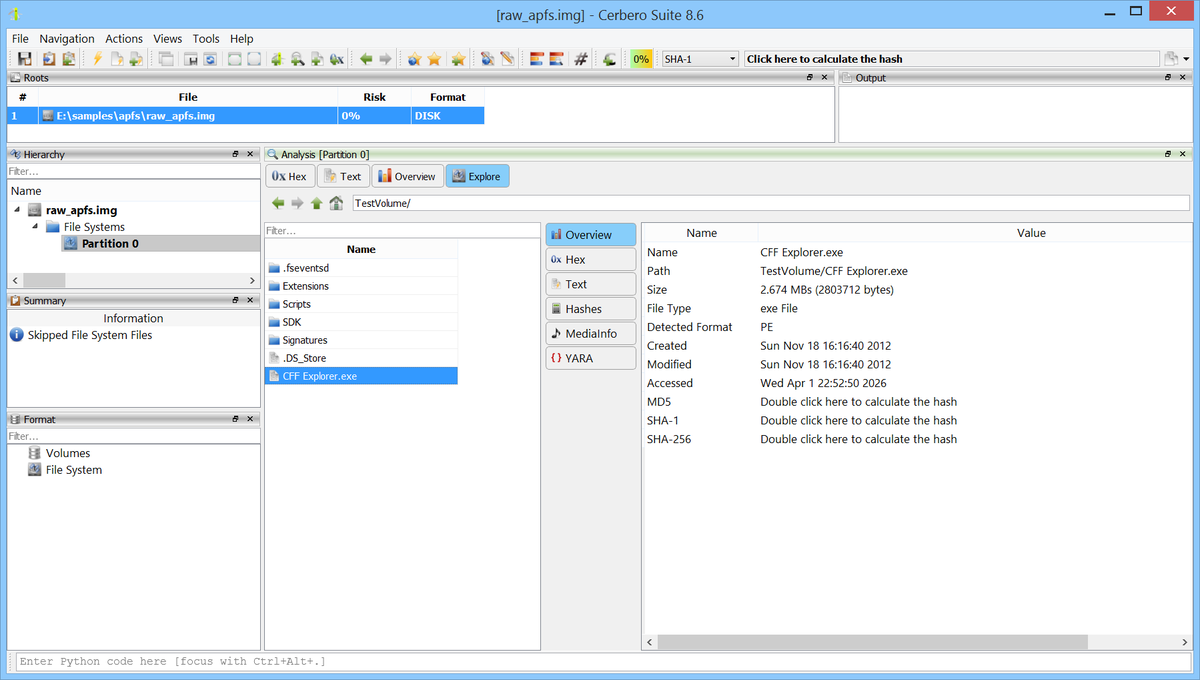
📦 We are happy to announce support for the Apple File System (APFS). The new APFS Format package lets you browse and extract files from APFS containers and volumes directly within the application. APFS is Apple's proprietary file system, introduced in 2017 as the default for macOS, iOS, watchOS, and tvOS. It replaced HFS+ with a modern design featuring copy-on-write metadata, space sharing across volumes, snapshots, clones, and transparent file compression. An APFS container holds one or more volumes that share the same underlying storage pool. Having native support in Cerbero Suite means analysts can inspect macOS and iOS disk images encountered during forensic investigations, malware analysis, or security research without needing external tools or a Mac.
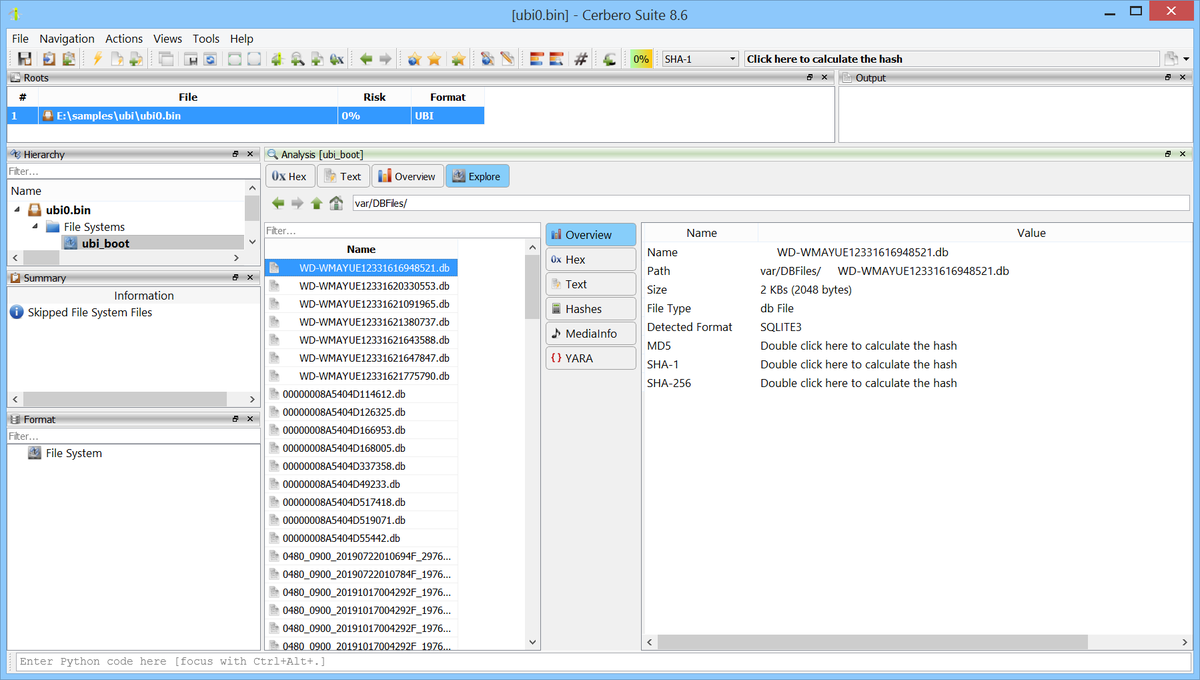
📦 We are happy to announce support for UBI images and the UBIFS file system. The new UBI Format package lets you inspect UBI volumes and browse UBIFS file systems directly within the application.
UBI (Unsorted Block Image) is a volume management layer for raw NAND flash memory, widely used in embedded Linux devices such as routers, IoT hardware, industrial controllers, and consumer electronics. A UBI image contains one or more logical volumes that may hold kernel images, SquashFS partitions, or UBIFS file systems. UBIFS is a log-structured file system designed specifically for UBI volumes, featuring a B-tree index and transparent data compression. Having native support in Cerbero Suite means analysts can inspect firmware dumps and flash images encountered during security research, vulnerability assessment, or forensic investigations without needing external tools.
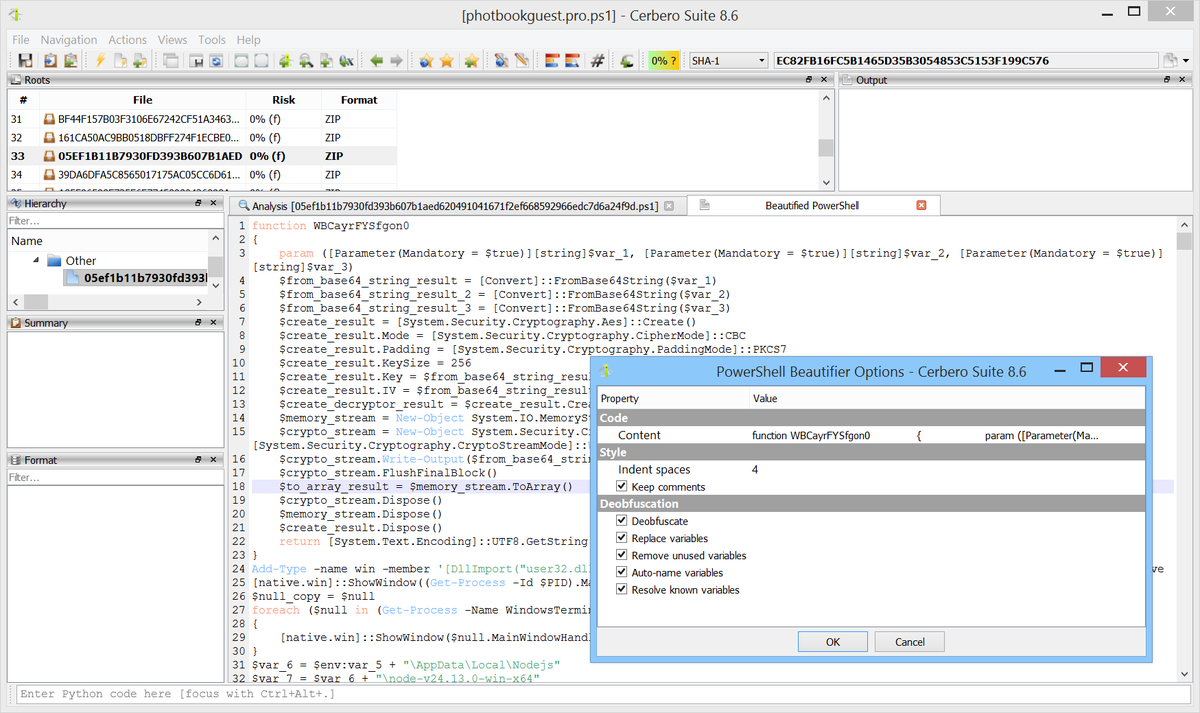
📦 We are happy to announce version 4.0 of the PowerShell Beautifier package. This is a major release. Previous versions relied on a custom tokenizer which, lacking knowledge of the language grammar, could not always correctly classify tokens. This required extensive workaround code and inevitably led to edge cases where deobfuscation would fail.
Version 4.0 replaces the tokenizer with a real PowerShell parser. Every token is now correctly classified from the start, resulting in more reliable deobfuscation across the board: format strings, character expressions, encoded arrays, string manipulation, alias resolution and variable replacement all benefit from this improved foundation.