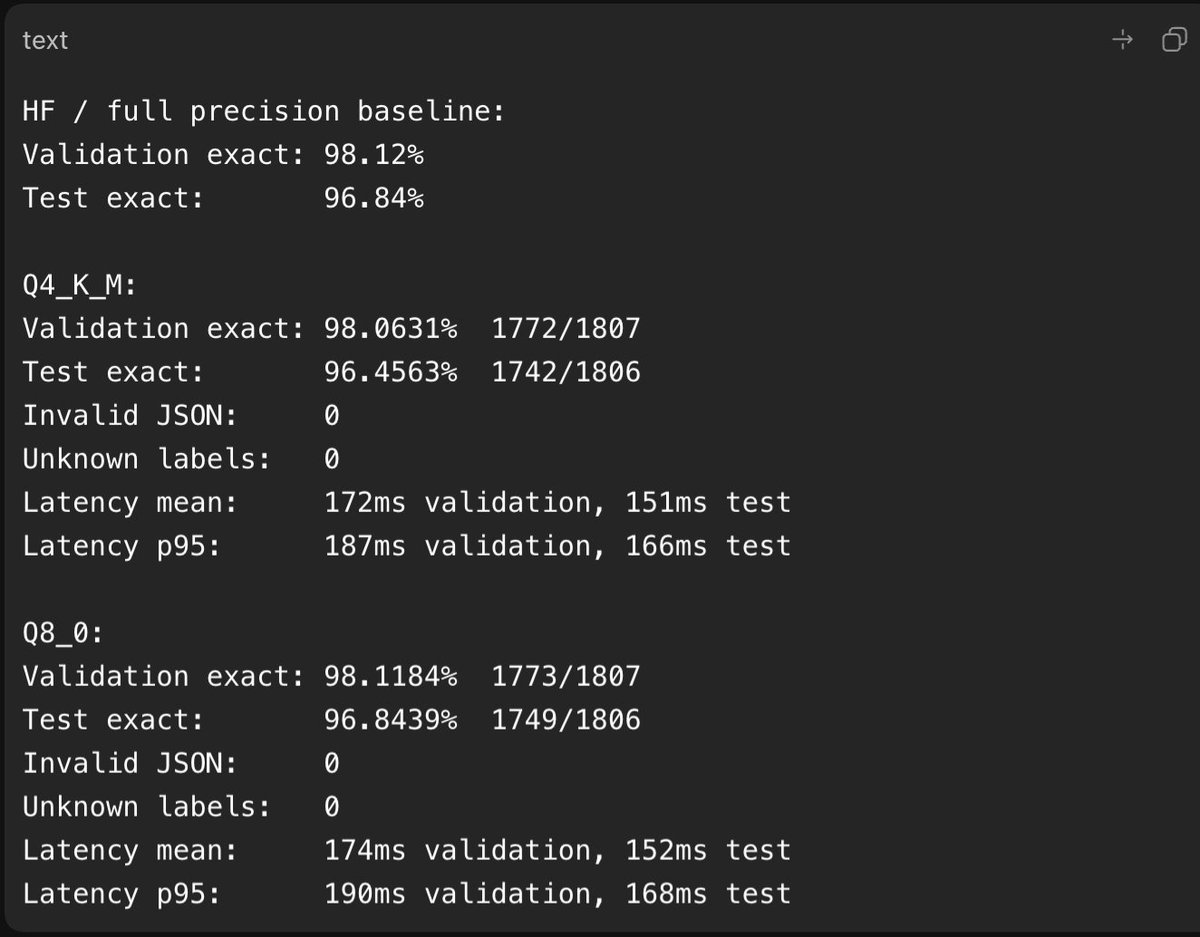
If you love fine-tuning open-source models (like me), then listen.
> Start with 1B, 2B, 4B, and 8B models. (Don't start with a 27B model or bigger at first.)
> Use WebGPU providers. I use Google Colab Pro for any model smaller than 9B. A single A100 80GB costs around $0.60/hr, which is cheap. Enough for small models.
> Don’t buy GPUs unless you fine-tune 7 to 10 models. You'll understand the nitty-gritty in the process.
> Use Codex 5.5 × DeepSeek v4 Pro to create datasets. Codex to plan, DeepSeek v4 Pro to generate rows.
> Use Unsloth's instruct models as a base from Hugging Face. Yes, there are others too, but Unsloth also provides fast fine-tuning notebooks.
> Use Unsloth's fine-tuning notebooks as a reference. Paste them into Codex, and Codex will write a custom notebook with the configs you need.
> Spend 1 day learning about:
- SFT (supervised fine-tuning)
- RL training (GRPO, DPO, PPO, etc.)
- LoRA / QLoRA training
- Quantization and types
- Local inference engines (llama.cpp)
- KV cache and prompt cache
> Just get started. Claude, Codex, and ChatGPT can design a step-by-step plan for how you can fine-tune your first AI model.
Future tech is moving toward small 5B to 15B ELMs (Expert Language Models) rather than general 1T LLMs.
So fine-tuning is an important skill that anyone can acquire today.
Tune models, test them, use them. Then fine-tune for companies and make a career out of it. (Companies pay $50k+ to fine-tune models on their data so they can get personalized AI models.)
Shoot your questions below. I'll be sharing in-depth raw findings about this topic in the coming days.
Andrej Karpathy just sat down and built GPT from scratch, line by line, in 2 hours.
For Free. From the man who co-founded OpenAI.
This video is enough to become an AI engineer.
Bookmark it. Watch it tonight. Build your own GPT this week.
$5,000. $15,000. $40,000.
That's what bootcamps charge to teach less than what's in this 2-hour video.
This video fixes that this week.
Follow @codewithimanshu for more high-signal AI content that actually moves your engineering career forward.
↓
Karpathy doesn't explain GPT. He builds it.
Live. From "Attention is All You Need" the original paper. To the same architecture powering GPT-5.
Founding member of OpenAI in 2015. Senior Director of AI at Tesla. Now running Eureka Labs.
He's not teaching you how to use GPT. He's teaching you how it actually works at the source code level.
Most engineers will never understand transformers this deeply. The ones who do build the next generation of AI products.
Follow @codewithimanshu for breakdowns of every must-watch AI lecture worth your time.
↓
Here's what gets built in 2 hours. No fluff.
Tokenization and data loading.
The foundation of every modern LLM. Train/val splits done right. Batch loaders that don't break in production.
Most tutorials skip this. You can't ship anything serious without it.
The bigram baseline.
The simplest possible language model. Karpathy builds it first because it teaches you what every fancier model is actually trying to improve.
Once you understand bigrams, transformers become obvious. Skip this and the rest never clicks.
Follow @codewithimanshu for daily breakdowns of what AI engineers actually need to know.
↓
Self-attention. From scratch. Live.
This is the section that should have its own course.
Karpathy builds self-attention in 4 versions:
> Version 1: averaging past context with for loops
> Version 2: matrix multiply as weighted aggregation
> Version 3: adding softmax
> Version 4: full self-attention
Each version teaches you why the next one exists. Why attention works. Why matrix math replaces explicit loops. Why scaling matters.
You'll never look at "attention is all you need" the same way again.
Follow @codewithimanshu for production transformer breakdowns weekly.
↓
The 6 attention notes that change everything.
Karpathy drops 6 insights most engineers never hear:
> Attention as communication between tokens
> Attention has no notion of space, operates over sets
> No communication across batch dimension
> Encoder blocks vs decoder blocks
> Attention vs self-attention vs cross-attention
> Why we divide by sqrt(head_size)
Each one of these explains a different failure mode in production AI systems.
Most "AI engineers" can't answer these. The ones who can charge $300K.
Follow @codewithimanshu for the engineering insights that turn into job offers.
↓
Building the full transformer block.
Single self-attention head. Then multi-headed self-attention.
Feedforward layers. Residual connections. LayerNorm.
Each piece added with the reason it exists. Why residuals stop the model from collapsing. Why LayerNorm replaced BatchNorm. Why dropout matters at scale.
This is the architectural understanding that lets you debug any modern AI system.
Once you've built one transformer by hand, every paper you read becomes 10x clearer.
Follow @codewithimanshu for transformer architecture content every week.
↓
Scaling up to a real model.
Karpathy goes from baseline to a working GPT.
Hyperparameters. Dropout. Model dimensions. The exact tradeoffs every production model makes.
By the end you have a Shakespeare-generating language model running on your machine. From scratch. Built by you. Understood by you.
That's not a tutorial. That's an architectural unlock.
Follow @codewithimanshu for production model scaling breakdowns.
↓
Encoder vs decoder vs both.
The architecture choice that defines every modern AI product.
Why GPT is decoder-only. Why BERT is encoder-only. Why translation models use both.
Once you understand this, you can read any AI paper and immediately know what kind of system you're looking at.
This is the difference between someone who follows AI hype and someone who builds it.
Follow @codewithimanshu for AI architecture deep dives weekly.
↓
NanoGPT walkthrough.
Karpathy ends with a quick walk through nanoGPT. The repo every serious AI engineer has cloned at least once.
Batched multi-headed self-attention. Production-grade code. The clean version of everything you just built.
This is the bridge from "I built a toy GPT" to "I can read and modify production AI code."
Follow @codewithimanshu for repos every AI engineer should know.
↓
ChatGPT, pretraining, finetuning, RLHF.
The video closes with the full lineage. From your toy GPT to ChatGPT.
What changes when you scale up. Why RLHF matters. The exact path from research model to product.
You finish the video understanding the entire stack from raw paper to deployed product.
Most "AI experts" can't draw this map. After 2 hours, you can.
↓
What you'll be able to do after this.
Read "Attention is All You Need" and understand every line.
Debug attention layers when they break in production.
Build a custom language model on your own dataset.
Modify transformer architectures for specific use cases.
Have technical conversations with AI engineers without faking it.
Train a GPT on any data you want. Shakespeare. Code. Your own writing.
That's not "AI literacy." That's the foundation of an AI engineering career.
The kind of foundation that turns into senior roles and consulting contracts most people will never access.
↓
2 hours. Free. From the engineer who built it.
You'll spend longer in meetings this week and learn nothing.
This compounds for the rest of your career.
People who watch it can build GPT from scratch by Friday.
People who skip it stay confused about why their prompts fail in production.
Save the video. Watch it this week. Build something with the knowledge by the weekend.
Follow @codewithimanshu for more high-signal AI content from the people actually building the future.
i have a m2 max macbook 64gb ram. Why does qwen 3.6 27b run so slowly? How can i improve it?
Is there a discord Group to chat about local llms and everything related to AI, ML and so on? i want to learn
Thanks for help
Why is no one talking about this?
@nvidia is offering around 80 AI models via hosted APIs absolutely for free.
You get access to MiniMax M2.7, GLM 5.1, Kimi 2.5, DeepSeek 3.2, GPT-OSS-120B, Sarvam-M etc.
This plugs straight into OpenClaude, OpenCode, Zed IDE, Hermes agent and even with Cursor IDE.
Setup:
– Grab API key: https://t.co/Wfdclm0hY2
– base_url = "https://t.co/VOGC10LmGP"
– api_key = "$NVIDIA_API_KEY"
– select model (e.g. minimaxai/minimax-m2.7)
If you’re building or experimenting, this is basically free inference.
Lock in and start building today anon.
Thank me later.
this is worth your time.
I just found a step-by-step guide that teaches you to build your own AI agent from scratch.
It's called build-your-own-openclaw, and it covers everything from a basic chat loop all the way to multi-agent routing, persistent memory, and production-ready concurrency control.
18 progressive steps. Each one ships with a working codebase AND a README explaining every design decision behind it.
Here's what the learning curve actually looks like:
- Phase 1 builds a single agent that can chat, use tools, learn skills, remember conversations, and access the web
- Phase 2 refactors it to event-driven architecture so it can run on Slack, phone, and WebSocket simultaneously
- Phase 3 adds cron jobs, agent collaboration, intelligent routing between specialists
- Phase 4 adds concurrency control and long-term memory for production use
Most AI agent tutorials give you a finished repo and call it education. This one makes you build every layer yourself so you actually understand what you're running.
515 stars. MIT License. 100% Opensource.
https://t.co/4IHlE1CEED
If you do just ONE thing in AI this week, make it this.
It's the highest leverage thing you can do right now.
- Set up your Obsidian (takes 5 minutes)
- Start populating with personal info (use Claude code to index)
Article here for readers, video below for visual people. 🫡
Weekend AI to-do list:
(weekends are your BIG chance to get ahead)
• Set up an AI second brain (Obsidian + Claude Code)
• Experiment with Hermes agent
• Inject OpenClaw agents into Discord
• Play around with Gemma 4 from Google (offline/completely open-sourced)
• Connect Claude Dispatch for remote Claude Cowork control
• Take a few of Anthropic's Claude courses
• Make your first journal with NotebookLM
• Use Perplexity Computer for financial research
• Set up Kimi Claw (easy way to use OpenClaw with Kimi)
Pick 1-2 of these and thank me later.
🚨 ElevenLabs charges $5 to $99/month for AI voice cloning. Their Business plan costs $1,320/month.
Someone open sourced a voice AI that clones any voice from a short clip. 30 languages. Studio quality. Free.
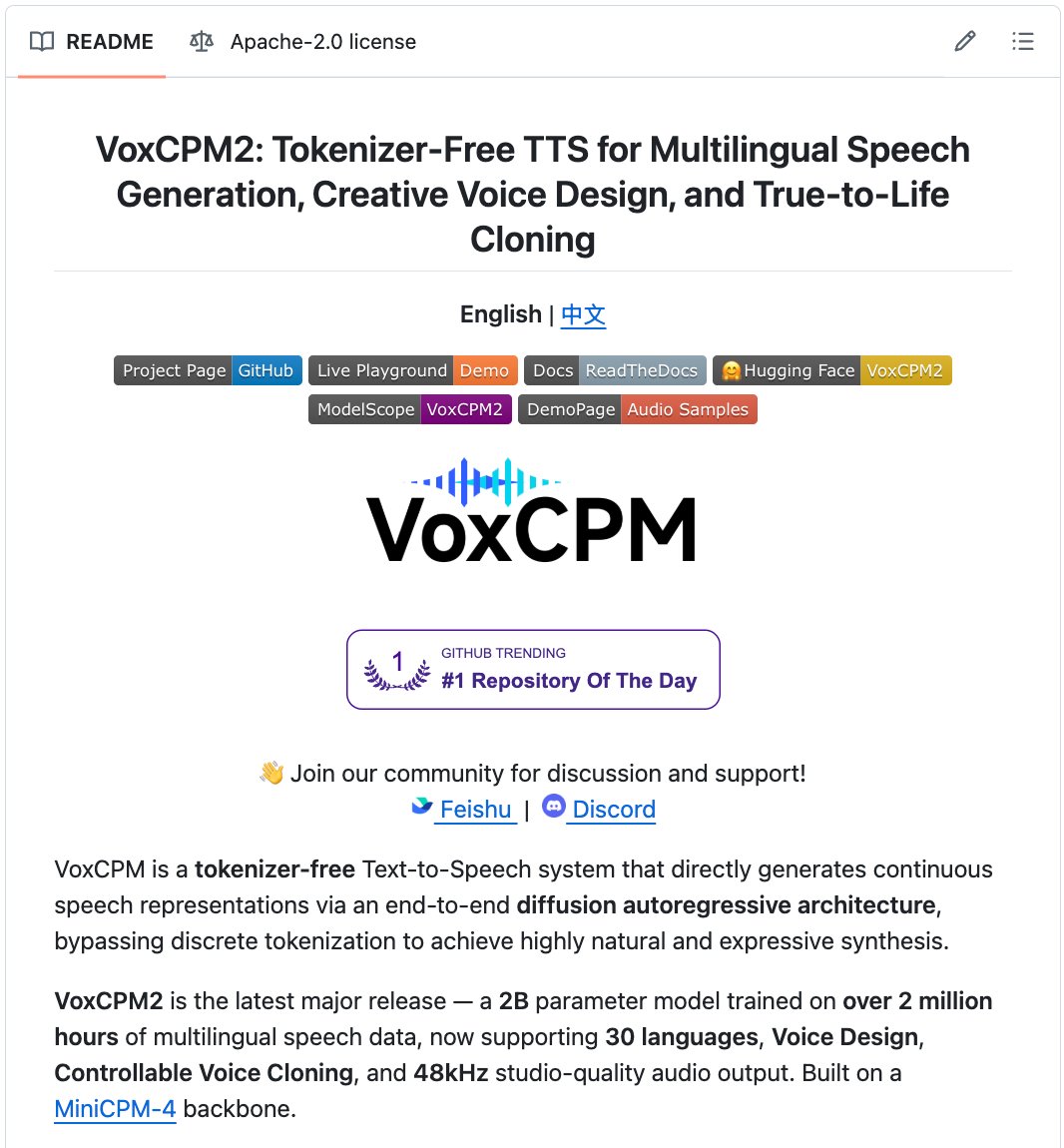
It's called VoxCPM2.
Give it a short clip of anyone's voice. It clones their accent, emotion, tone, and pacing. Then generates any speech you want in their exact voice. 48kHz studio quality.
Type "A young woman, gentle and sweet voice" and it creates that voice from scratch. No reference audio. No voice actor. No recording. You describe a voice in words. It builds it.
2 billion parameters. Trained on 2 million hours of speech. 30 languages.
One command to install: pip install voxcpm
Here's what VoxCPM2 does:
→ Voice Design: describe any voice in words. Gender, age, tone, emotion, pace. AI creates it from nothing. No reference audio needed.
→ Voice Cloning: upload a short audio clip. AI clones the voice perfectly. Timbre, accent, rhythm, pacing.
→ Controllable Cloning: clone a voice AND control the emotion. "Slightly faster, cheerful tone." Done.
→ Ultimate Cloning: provide audio + transcript. Every vocal nuance faithfully reproduced.
→ 30 languages. Arabic, Chinese, English, French, German, Hindi, Japanese, Korean, Spanish, and 21 more. No language tags needed.
→ Context-aware. It reads the text and adjusts emotion and rhythm automatically. News sounds like news. Stories sound like stories.
→ Real-time streaming. RTF as low as 0.13 on an RTX 4090. Faster than playback speed.
→ Runs on 8GB of VRAM.
→ Fine-tune with 5 to 10 minutes of your own audio using LoRA. Build a custom voice model.
→ 48kHz output. Studio quality. No external upsampler needed.
Here's the wildest part:
On the Minimax-MLS voice similarity benchmark:
→ English: VoxCPM2 scores 85.4%. ElevenLabs scores 61.3%.
→ Chinese: VoxCPM2 scores 82.5%. ElevenLabs scores 67.7%.
→ Arabic: VoxCPM2 scores 79.1%. ElevenLabs scores 70.6%.
A free, open source model is producing more realistic voice clones than a service that charges up to $1,320/month.
Professional voice actors charge $250 to $1,000+ per project. AI voice platforms charge $5 to $100/month. Recording studios charge $200/hour.
This runs on your GPU. Locally. No API costs. No per-character pricing. No subscription. Free forever.
Already hit #1 on GitHub Trending. Built by OpenBMB and Tsinghua University. 2 billion parameters. Apache 2.0 License. Free for commercial use.
100% Open Source.
As an 8-figure founder, these are the AI tools I'm ACTUALLY using every day:
(just using a few of these will significantly boost your productivity):
Essentials (I use daily):
• Claude Code - builds and ships code for me
• Claude Cowork - runs my daily operations
• Claude skills - automates and assists re-occuring flows
• Grok - real-time market monitoring/news
• NotebookLM - turns any transcript into frameworks
• Perplexity - replaces my morning research
Bonus (less important but still used):
• Openclaw - more advanced scraping for research/data
• Gemini - meeting transcripts/YouTube & Gmail analysis
• ChatGPT - brainstorming and coding
• Manus - agentic workflows
@TateTheTalisman Claude, double this offer, 3x the equity, and give me a $15,000 stipend for AI Deep Learning Workstation.
Fire the recruiting guy in this thread
Donald Trump wants to increase exports of oil of Venezuela to decrease the price of oil. This means less wealth for Venezuela people again. This doesn't sound like life would improve for Venezuelan people