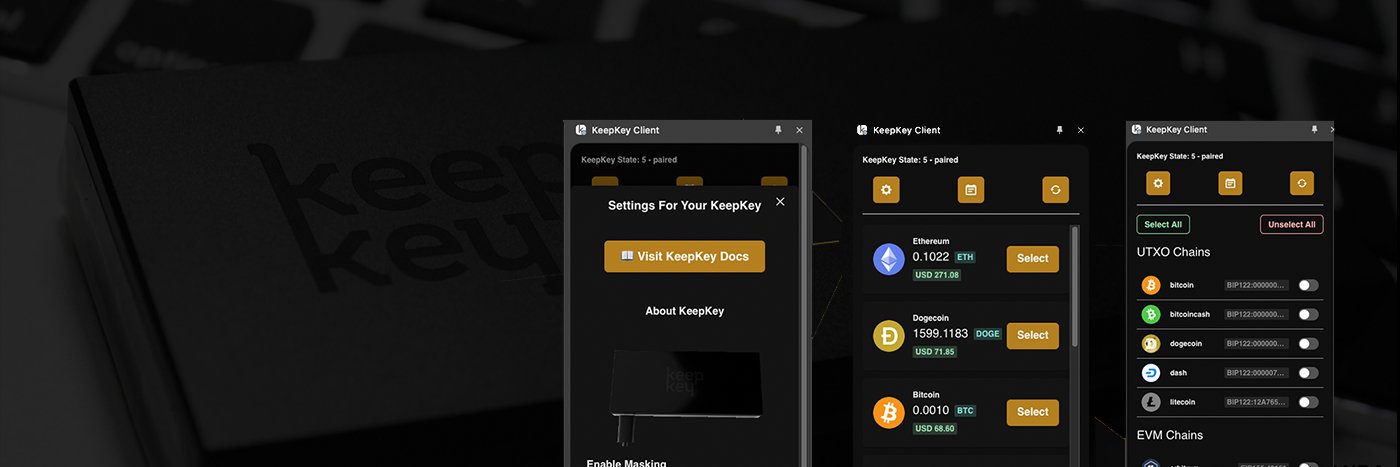
@usacryptoguy you can not. For the best Solana/browser extension user experience with #keepkey we offer our own bex application. https://t.co/EymMTfZiZF
Swapping shouldn't mean depositing your coins on an exchange first.
KeepKey Desktop quotes six routes, including THORChain, Mayachain and ChainFlip, with no account and no KYC. Your coins move only after you approve on the KeepKey.
Get it in KeepKey Desktop.
Only hold bitcoin? Run firmware that only knows bitcoin.
KeepKey's Bitcoin-only build leaves the code for every other chain off the device entirely. Less code on the device means less to attack.
Get it in KeepKey Desktop.
One KeepKey, eleven chains signed on the device: Bitcoin, Ethereum, XRP, Cosmos, THORChain, Maya, EOS, Nano, Solana, TRON and TON.
Update firmware from inside KeepKey Desktop and they appear in your portfolio.
Your sister texts you her bitcoin address. Two computers and a message thread sit between her wallet and yours, and any of them can change it.
Call her. She reads it aloud from her wallet's screen, four characters at a time. Then read it on your KeepKey before you approve.
August 2022: the Slope phone wallet sent its users' private key material to an app-monitoring service. 9,231 Solana wallets were drained in about four hours.
If an app has ever seen your seed, a bug in that app can leak it. A KeepKey's words are never typed into an app.
What KeepKey Desktop does, in two minutes: one portfolio across your chains, Receive with Verify on Device, send, swap across six routes, an address book that labels who you pay, and firmware updates.
Every send and swap is confirmed on the device.
A token you never bought shows up in your wallet, named like a website: "Visit … to claim". Don't visit. Don't try to sell it. It's an ad for a phishing site.
KeepKey Desktop tucks unrecognized and zero-value tokens behind "Show filtered tokens". Leave them there.