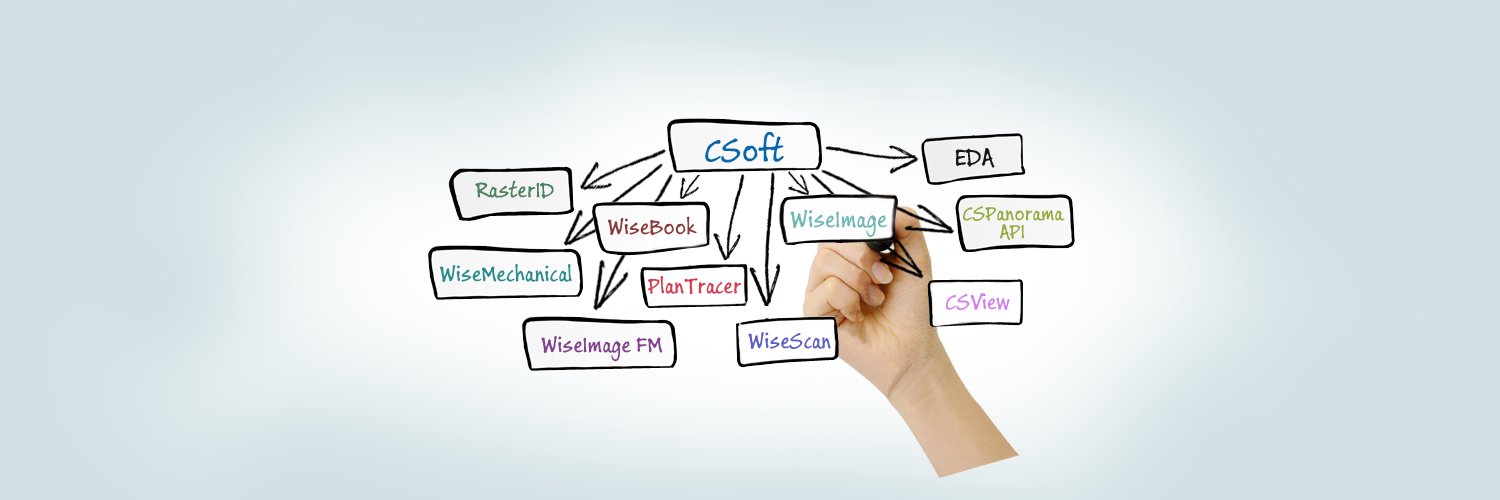
CSoft AS is a Norwegian company with a large international development team.The Main objective of CSoft AS is worldwide marketing & distribution of our software
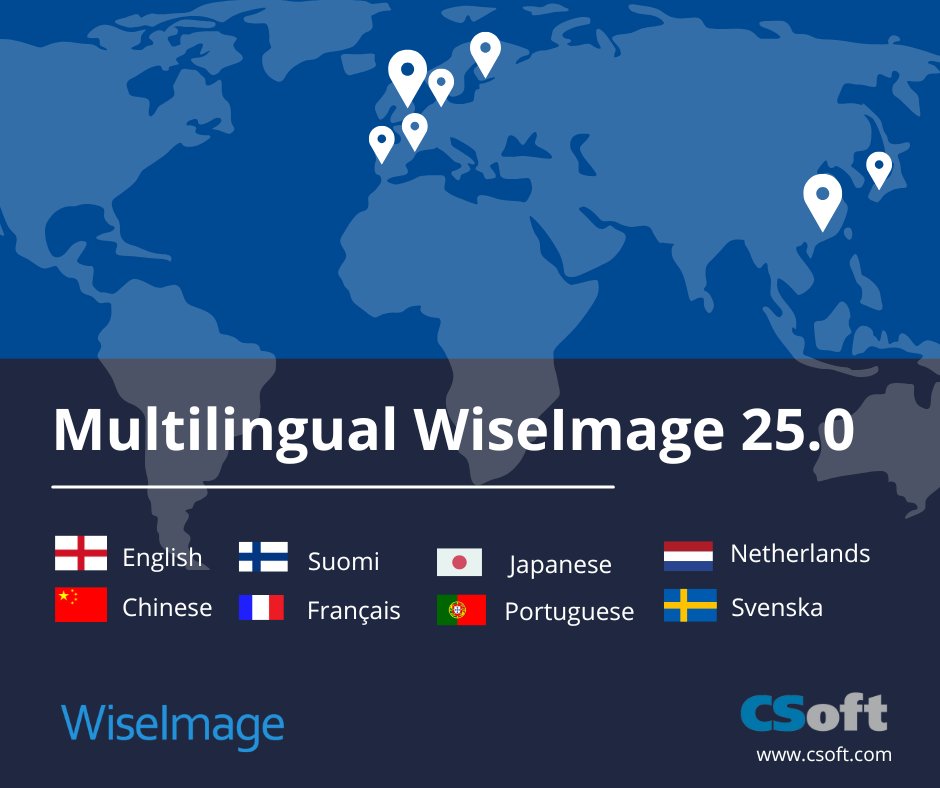
WiseImage 25.0 – Now Multilingual!
Available in 9 languages
🔘English
🔘Chinese (Traditional & Simplified)
🔘 Suomi (Finnish)
🔘 Français (French)
🔘 Japanese
🔘 Nederlands (Dutch)
🔘 Portuguese
🔘 Svenska (Swedish)
Download
https://t.co/GSYMfLjijV
https://t.co/anA7u6Rrxi
🔶MEET WiseImage 25.0!
We are excited to announce the launch of WiseImage 25, our latest version packed with enhanced features and performance improvements
🔹WiseImage for Windows: https://t.co/gMHkPias59
🔹WiseImage for AutoCAD: https://t.co/5TYvD7GmgE
What would you find most useful in nanoCAD 3DScan to improve your 3D scanning workflow?
🔸 Learn more about nanoCAD 3DScan: https://t.co/rQirOJpTj1
🔹 Try it now: https://t.co/nikFNFAIoI
#3Dscan#cadtools#engineeringsolutions#pointcloud
📣 Multilingual nanoCAD 24 Launch!!
We are happy to announce that nanoCAD 24 has been released and is now accessible in English, German, Spanish, French, and Korean!
What’s new nanoCAD 24?
https://t.co/wQh2K9xQsA
Get free trial for a 30 days
https://t.co/mtdmc5TFpF
🎉Congratulations! Grandmaster D Gukesh for scripted history of India as he became the youngest man in the world to win the Candidates tournament...
- CSoft AS
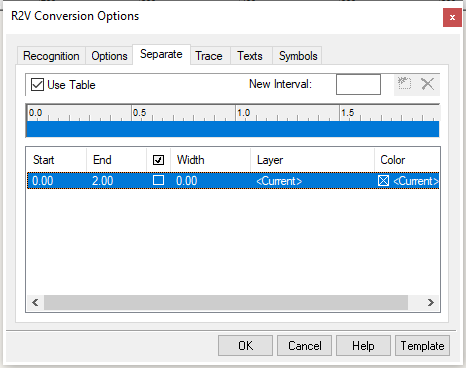
✳️ What does the Separate tab in the conversion Options window do in WiseImage Pro?
▶️ To display the tab : From the R2VConversion Options window, choose...
https://t.co/Iouj1EOR73
🟠Download: https://t.co/EvefuGBkIl
#rastertovector#vector#rasterediting
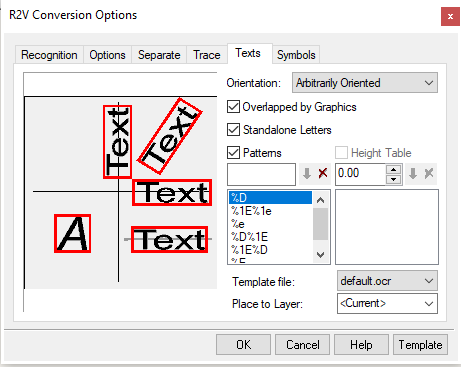
💥What does the Text tab in R2V conversion Options do in WiseImage Pro?
➡️ To display the tab: From the R2V Conversion Options window, choose the Texts tab.
➡️ Orientation – defines the accepted raster text orientation...https://t.co/Oqu6KhcFS6
Download: https://t.co/a8NQlDWRG2
💥What does the Options tab in the conversion Options window do in WiseImage Pro?
☑️ To display the tab : From the Conversion Options window, choose the Options tab.
This settings affect selecting, vectorizing...
https://t.co/w4aAqhQnaN
🔶Download: https://t.co/KmMXabdBTC
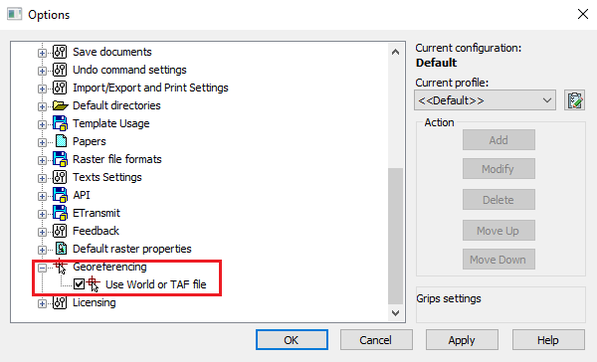
⭐️Does nanoCAD Raster allow us to import Geo-referenced raster images?
👍Yes, we can insert Geo-reference raster images in nanoCAD Raster.
▶️To insert...
https://t.co/U8VGSWvyxQ
🔽Try it now!
https://t.co/hGDP9hsUMa
#rasterimages#georeferencing#raster#rasterediting
💥 How can you add a Raster Image in nanoCAD Raster?
➡️To insert a Raster Image use the following tools in nanoCAD Raster
Ribbon: Raster – File > Insert Image...
https://t.co/3Tor7SCccO
⬇️Try it now!
https://t.co/hGDP9htsBI
#rasterediting#rasterimages#cad#CADDrafting
💥What does the Recognition tab in the conversion window do?
This tab allows you to specify object-recognition algorithms for automatic vectorization...
https://t.co/3CEEfWoiyf
☎️call: +91 9748468686
#vector#rastertovector#raster
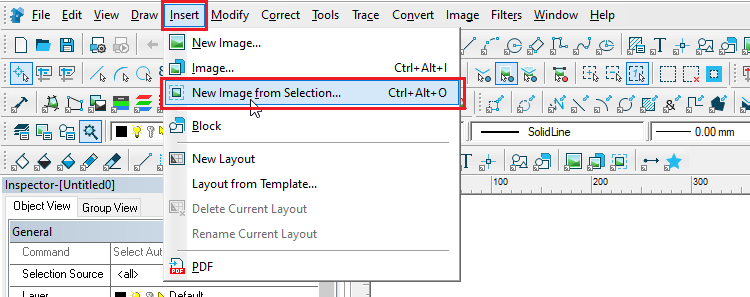
✡️ How can you create New Raster Image from selection?
➡️ To start the command:
✅ From the Insert menu choose New Image from Selection or
✅ Click the New Image from Selection button on the Draw...
https://t.co/PEm2DG8sNr
💥Try it now!
https://t.co/gMHkPias59
#vector#raster
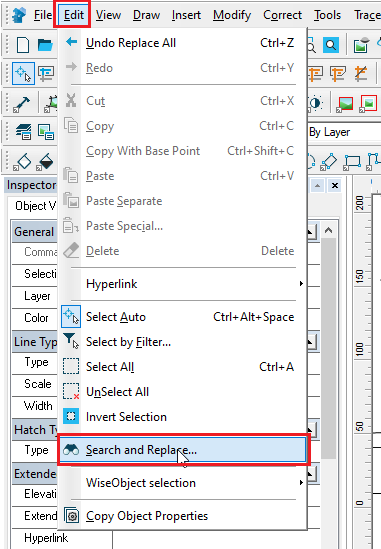
✡️What is Searching and Replacing Raster and Vector objects in WiseImage and how does it works?
The search and replace operation can find vector or raster (monochrome and color) objects and...
https://t.co/0FgLH3cZmg
https://t.co/gMHkPias59
#vector#raster#rastertovector
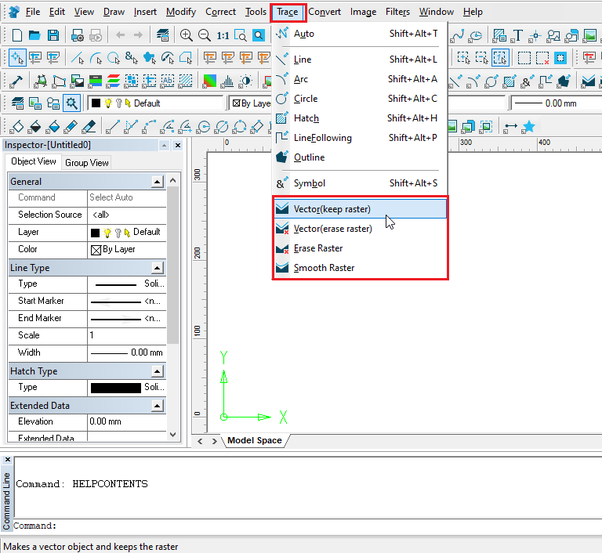
☀ Look through the various Trace modes that WiseImage offers
Different types of Trace mode for tracing for conversion of raster images to vector are available in WiseImage.
The Trace modes... https://t.co/2Td6lENFqe
Download
https://t.co/gMHkPias59
#rastertovector
⭐️Automatic Raster to Vector conversion in WiseImage
Automatic Raster to Vector Conversion can be done only in WiseImage Pro for a bitonal image or a color image...
https://t.co/OjW0TV39VE
⬇️Try WiseImage
https://t.co/gMHkPias59
#rastertovector#raster#vector
🔯 How can you add a script of customized tool and run it in WiseImage Pro?
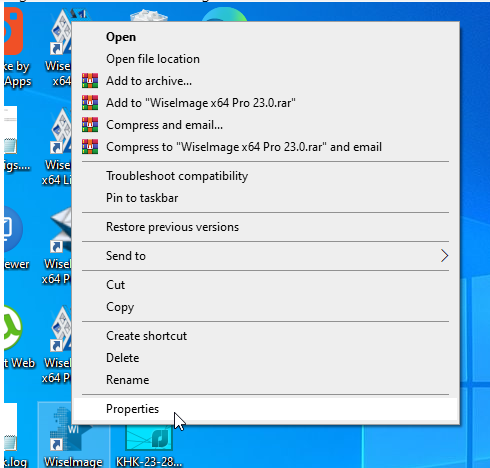
◼ Step 1: Right click on the WiseImage icon... and from the context menu select Properties... https://t.co/cs6udt1Bm9
🔶 Try it now https://t.co/GSYMfLjijV
#rastertovector#vector#vectorgraphics
How can you create New WiseImage document?
Select File - New or Click New button in the Main Menu
Creates a new WiseImage document of unlimited size. A WiseImage document allows storing raster & vector data at the same time.
Try now
https://t.co/GSYMfLjijV
#rastertovector
🟠How do we can use WiseImage's conversion options?
“Conversion Options…” sets options to vectorize bitonal images. “Conversion Options…” set the parameters to trace, automatic....
https://t.co/0zhQ0iq47m
➡️Download https://t.co/gMHkPias59
#vector#raster#rastertovector
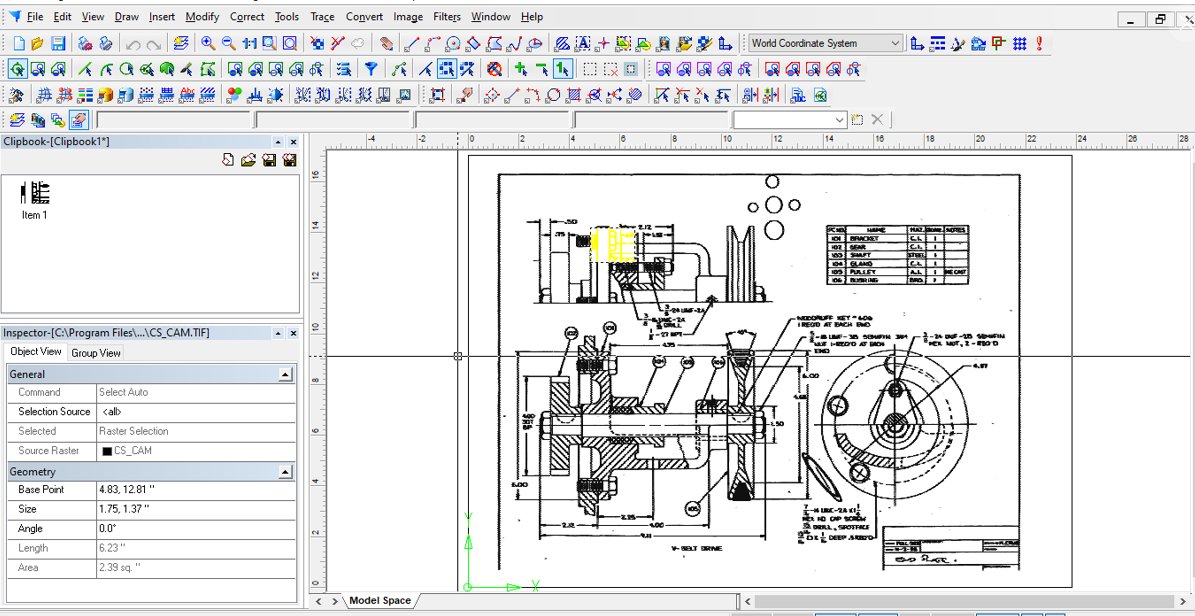
🟠In WiseImage, how can we use Clipbook?
🔵To place data to Clipbook just select desired object(s) and drag it by its edge to the clipbook window. Besides vector objects and raster images, you can place the raster...
https://t.co/GYE2PcTIYS
Explore: https://t.co/Ajnv5uWKwh