Even if you love Cursor nothing forbids to use Claude Code at the same time in the Cursor terminal. You can use it for more complex flows where some times Cursor is not so good.
Chris Dunlop shared a repo with many great cursor recipes (prompts) for all development phases: spec, planning, testing, documentation...
Just edit them in the [PLACEHOLDER] places and request cursor to use them with @xxxxx.md as needed!
Wait, you can actually RUN your ENTIRE business from cursor using AI agents (finance, UX, ops etc)?
i had no idea.
this cursor expert never leaves his cursor app and gets everything done faster/make more money (29 min masterclass)
Don't keep reusing the same chat window for different tasks. If it is a different task just start a new tab (Cmd+T) or clean the current tab (Cmd+N) to start with an empty context and make things faster, cheaper and less likely to fail for the new task.
According to cursor doc "Generated messages use staged changes and repository git history. If you use conventions like Conventional Commits, messages follow the same pattern. "
Did you know you can insert a new prompt/message in the middle of the conversation to ask Cursor to do something different or add more information starting from that point?
That is useful to avoid Cursor having to rethink/redo the whole process for long tasks when most of it is correct but you just want to change / improve the last step of it.
In Cursor you can duplicate a conversation to explore different solutions in parallel. Just use the "Duplicate chat" option in the ... menu at any point in the conversation.
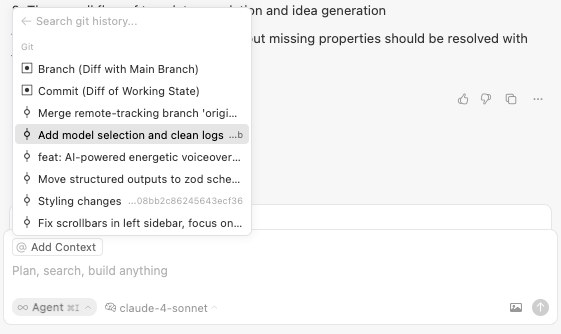
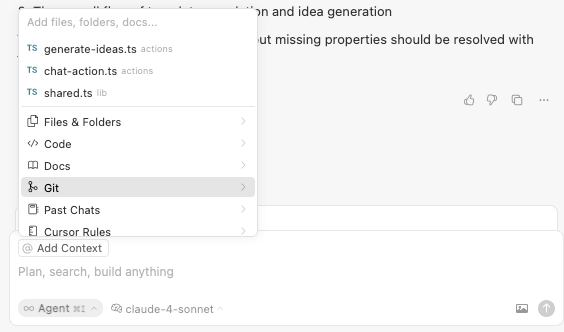
You can reference a git commit or branch in the Cursor editor when requesting some changes.
For example to request similar changes: "Create another component like the one created in this commit for this other use case"