SpaceX just teamed up with Cursor AI for the ultimate coding AI pairing their editor with Colossus supercomputer power and a 60B acquisition option
the OG $CURSOR Ai
4mKPXc865Ya5RfoP6NiXKNBfMmXRU6WfD1BUz46Apump
Computer Use lets agents click and type across any app on your computer, not just the browser.
Cursor uses it on its own when a task needs it. You can also ask for it by @-mentioning Computer Use in your prompt.
Update Cursor to try it: https://t.co/vwTPMUSnyd
Introducing the Cursor Developer Habits Report.
We’re sharing some of our findings on how software development is changing.
It’s based on the most comprehensive dataset on AI coding in the world, across all model families.
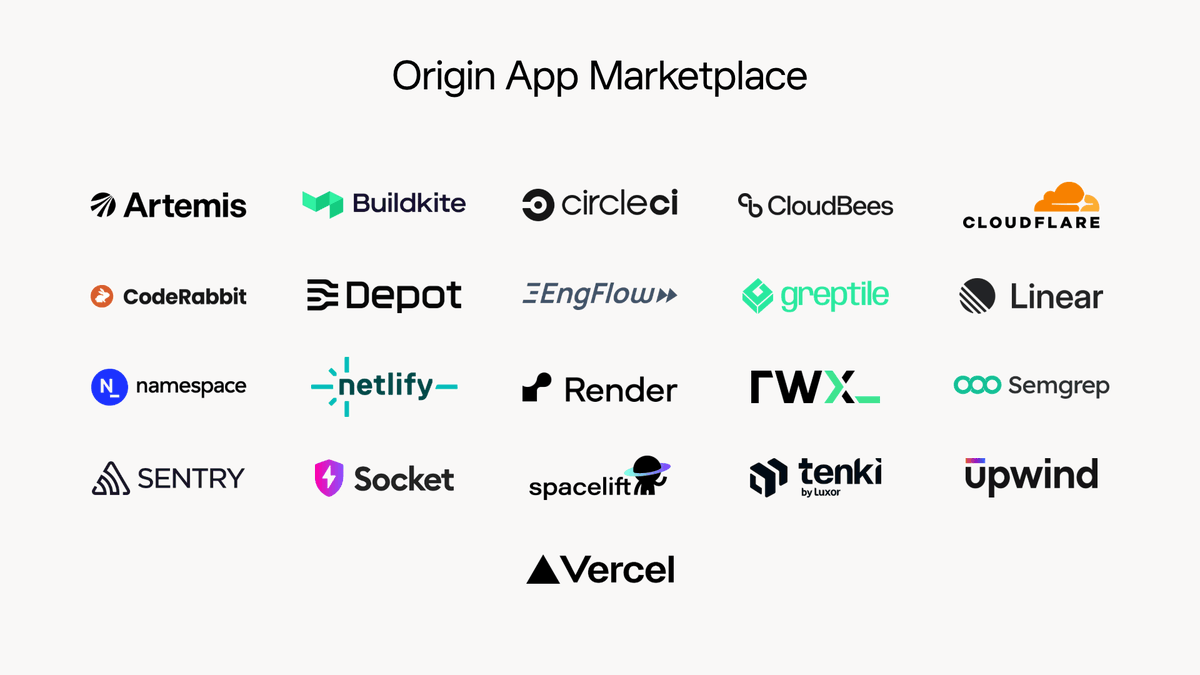
Origin, Cursor’s code hosting platform, now supports over 20 integrations.
Connect your repos to tools for CI, deployments, code review, security, monitoring, and project management.
Cloud agents can now build interactive canvases.
Ask for a dashboard or report while the agent works, then share the finished canvas with your team as a link.
Cursor is now part of The X Subscription.
Current Cursor subscribers can keep their plan or switch to The X Subscription.
Paid plans share one usage pool across Cursor, Grok Build, and other Grok products, with twice the coding usage on Grok models as the equivalent Cursor plan. Premium, Super, and Ultra also include Grok Bot.
To make room for more Grok usage, third-party models in Cursor move to API pricing on the new plans. We'll keep working to make your usage go further, with more compute, better inference, and more token-efficient models.
The X Subscription is available at https://t.co/KIM9X7FZrq.
Gemini 4 Argon is now available in Cursor!
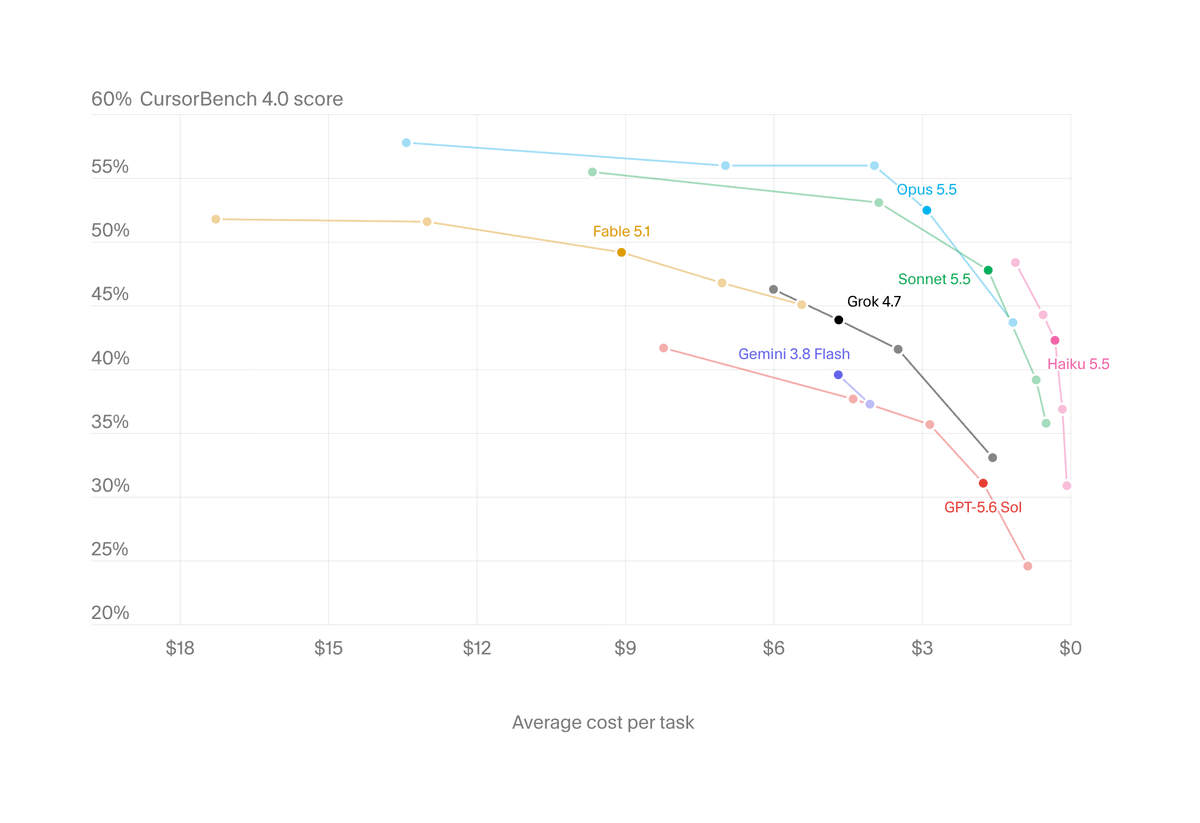
It scores 52.8% on CursorBench at default effort, on par with Opus 5.5.
Priced at $2/M input and $10/M output tokens.
Gemini 4 Argon is now available in Cursor!
It scores 52.8% on CursorBench at default effort, on par with Opus 5.5.
Priced at $2/M input and $10/M output tokens.
Muse Wonder from Meta Superintelligence Labs is now available in Cursor!
It scores 46.1% on CursorBench at default effort, the highest of any Muse model.
Priced at $4/M input and $20/M output tokens.
The MacBook notch finally does something useful.
a dev built Coucou: Mochi, a tiny character that lives in your notch and keeps an eye on your AI coding agents while you do something else.
what Mochi does:
• watches → Claude Code, Cursor, Codex and Gemini CLI sessions
• shows → live file changes and diffs
• approves → Claude Code permission prompts from the notch
• answers → agent questions without opening the terminal
the extras:
→ chat with Claude, GPT, Gemini or local models
→ drop files on the notch for context
→ no telemetry, open source
You keep working. Mochi babysits the agents.
the repo:
https://t.co/PZMpLaqB0U
You can now steer Cursor SDK agents while they run.
run.steer() adds your message to the next turn. If a subagent is mid-task, it moves to the background and keeps working.
You can now steer Cursor SDK agents while they run.
run.steer() adds your message to the next turn. If a subagent is mid-task, it moves to the background and keeps working.
Launching Copper, a Mac app for capturing things you want to keep and prompts you want to try next while working with AI.
The more I use AI, the more I find myself collecting little things I don't want to lose.
You're in ChatGPT and think, "I'll need this later," but you don't want to stop what you're doing. Then you're in Claude. Cursor. Chrome. Back to ChatGPT.
Before long, you've got little things scattered everywhere. An answer you want to keep. A link. An idea. Or three follow-up prompts before the current one has even finished generating.
I had this problem, so I built Copper.
Copper combines the useful parts of a to-do list, a clipboard, and a scratchpad. It's built specifically for AI-assisted work. It sits next to where you work and is always one shortcut away. It works with all your AI apps, terminals and browsers.
Whenever I find something worth keeping, I capture it. If I think of a few prompts while the AI is still responding, I type them into Copper. Then I send them back into ChatGPT, Claude, or Cursor and check them off as I go.
Copper is local and private. It doesn't sync anything, doesn't collect anything, and doesn't need an account.
I've used Copper every day for the past few months. It has completely changed how I work.
If this feels like something you'd use, it's $39. One-time purchase.