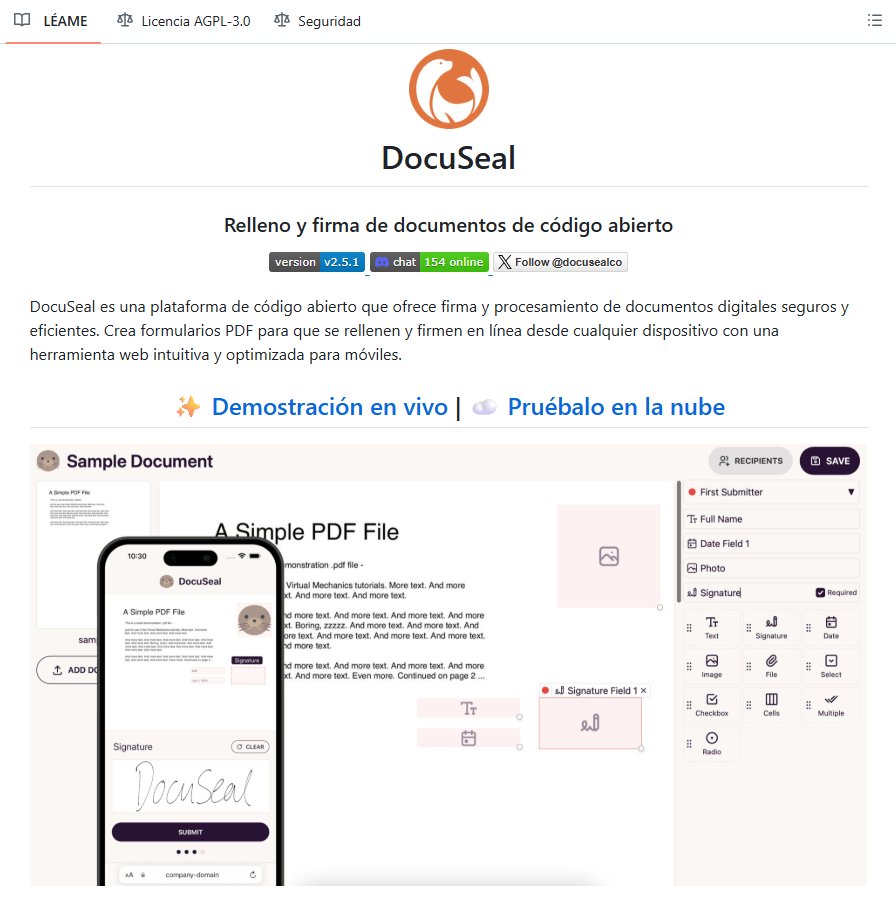
Un desarrollador acaba de cargarse el negocio de DocuSign.
Ha creado una herramienta para firmar documentos sin límites y sin pagar por cada envío.
Funciona en tu propio servidor, con control total sobre tus contratos y datos.
Es gratis y 100% open-source 👇
RAG is not just one technique, it is an entire ecosystem of intelligence.
From context-aware assistants to domain-specific systems, here are 16 types of RAG models shaping the next wave of AI innovation -
1. Standard RAG
The foundation of all RAG systems - combines retrieval and generation for question answering and knowledge synthesis.
2. Agentic RAG
Empowers AI agents to retrieve and act autonomously, perfect for assistants that need dynamic, tool-based reasoning.
3. Graph RAG
Uses knowledge graphs for relational reasoning - ideal for expert systems in law, medicine, and semantic search.
4. Modular RAG
Breaks retrieval, reasoning, and generation into independent components - enabling collaborative, scalable AI workflows.
5. Memory-Augmented RAG
Adds persistent external memory for context retention, powering long-term chatbots and personalized experiences.
6. Multi-Modal RAG
Processes text, images, and audio together - perfect for video summarization, captioning, and multi-modal AI tools.
7. Federated RAG
Enables privacy-preserving retrieval from decentralized sources, used in healthcare and secure enterprise systems.
8. Streaming RAG
Performs real-time retrieval and generation, ideal for financial dashboards, live feeds, and social media monitoring.
9. ODQA RAG (Open-Domain QA)
Handles large, diverse datasets - ideal for search engines and intelligent virtual assistants.
10. Contextual Retrieval RAG
Maintains session-level awareness, great for conversational AI and customer support chatbots.
11. Knowledge-Enhanced RAG
Integrates structured domain data, useful for legal, educational, and professional knowledge applications.
12. Domain-Specific RAG
Custom-tailored for specific industries - like finance, healthcare, or legal analytics.
13. Hybrid RAG
Combines multiple retrieval approaches, bridging structured and unstructured data for high precision.
14. Self-RAG
Introduces self-reflection to refine its own answers, enabling AI models to fact-check and improve reasoning autonomously.
15. HyDE RAG (Hypothetical Document Embeddings)
Generates hypothetical documents to guide retrieval, excellent for complex or niche query contexts.
16. Recursive / Multi-Step RAG
Performs multiple retrieval-generation loops, enabling advanced problem-solving and reasoning chains.
From simple retrievals to self-improving AI reasoning loops, RAG is evolving fast.
Which type do you think will dominate enterprise AI systems in 2026?
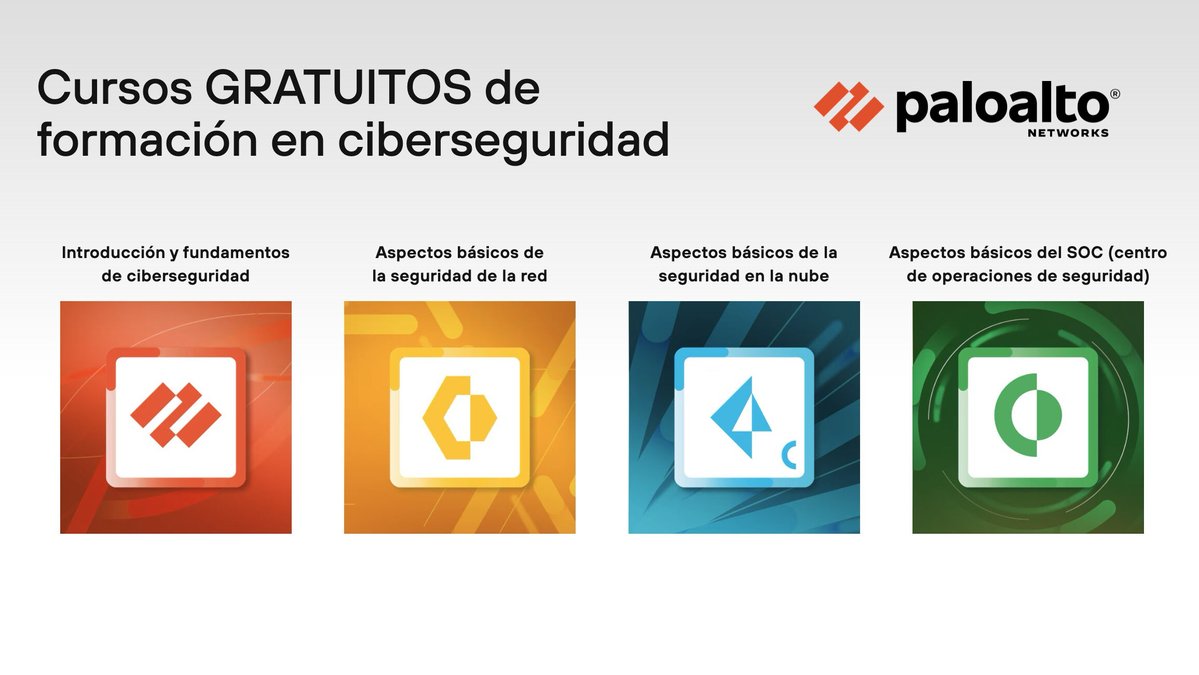
¡Esto es oro! 4 Cursos gratuitos de Ciberseguridad:
✓ Introducción y Fundamentos
✓ Seguridad de la red
✓ Ataques y defensa en la nube
✓ Centro de operaciones (SOC)
De la reputada firma PaloAlto Networks
→ https://t.co/9wpZSdxBP1
🔴 NUEVO VÍDEO!!
Hoy vamos a poner a prueba la inteligencia artificial para ver si es capaz de corregir y encontrar vulnerabilidades como lo haría un pentester, y si puede llegar a sustituirnos 👀🔥
https://t.co/A4TANC7fSj
⚓ Kubernetes Architecture & Pod Creation
A Kubernetes cluster is made up of two main types of nodes:
➡️ Control Node (Master):
This is where cluster decisions are made. It runs:
→ kube-api server
→ etcd
→ scheduler
→ controller manager
➡️ Compute Node (Worker)
This is where your workloads actually run. Each worker node includes:
→ kubelet
→ kube-proxy
→ container runtime (CRI)
→ cluster networking (CNI)
🔄 How a Pod Is Created in Kubernetes
When you create a pod, this is the flow that follows:
1️⃣ API Server:
→ All kubectl requests go to the API server.
It authenticates, validates, and accepts the request.
2️⃣ etcd:
→ The desired state of the pod is stored in etcd, the cluster’s distributed key-value database.
3️⃣ Scheduler:
→ The scheduler looks for a suitable worker node and assigns the pod based on available resources.
4️⃣ Kubelet:
→ The kubelet on the chosen worker node notices the assignment and works with the container runtime to create the pod.
5️⃣ Kube-proxy:
→ Handles networking so the pod can communicate with other pods and services across the cluster.
6️⃣ Controller Manager:
→ Continuously watches the cluster state.
→ If a pod crashes or goes missing, it takes action to restore the desired state automatically.
🚨 Este tipo acaba de desplegar ClawdBot en menos de 5 minutos.
Un tutorial donde muestra cómo lanzar tu propio agente de IA, con acceso completo al sistema y funcionando en WhatsApp, Discord o Telegram.
Si quieres tener tu propio empleado de IA 24/7, esto te interesa 👇
Linux System Monitoring
1. Introduction
→ System Monitoring is the process of observing CPU, memory, disk, network, and processes to ensure the system runs efficiently.
→ Helps detect performance bottlenecks, failures, and resource exhaustion.
→ Essential for developers, system administrators, and DevOps engineers.
2. Why System Monitoring Matters
→ Detect high CPU or memory usage early.
→ Prevent crashes and downtime.
→ Optimize performance and resource allocation.
→ Troubleshoot slow or failing applications.
→ Maintain system reliability in production environments.
3. Monitoring CPU Usage
→ top
→ Displays real-time process and CPU usage.
→ Shows load average, running tasks, memory, and CPU stats.
→ Useful for quick diagnostics.
→ htop
→ Improved version of top with interactive UI.
→ Allows sorting, filtering, and killing processes easily.
→ uptime
→ Shows how long the system has been running.
→ Displays load averages for 1, 5, and 15 minutes.
4. Monitoring Memory Usage
→ free
→ Shows RAM and swap usage.
→ Displays used, free, and available memory.
→ vmstat
→ Reports memory, processes, paging, and CPU activity.
→ Useful for identifying swapping issues.
→ /proc/meminfo
→ Provides detailed memory statistics directly from the kernel.
5. Monitoring Processes
→ ps
→ Displays running processes.
→ Example:
→ ps aux
→ kill / pkill
→ Stops or signals processes.
→ Helps manage stuck or misbehaving tasks.
→ nice / renice
→ Adjusts process priority.
→ Controls CPU allocation for processes.
6. Monitoring Disk Usage
→ df
→ Shows disk space usage for file systems.
→ Identifies full disks quickly.
→ du
→ Displays directory and file sizes.
→ Useful for locating large files.
→ iostat
→ Reports disk I/O statistics.
→ Detects slow or overloaded disks.
7. Monitoring Network Activity
→ ping
→ Tests network connectivity.
→ netstat / ss
→ Shows open ports and active connections.
→ Helps debug network services.
→ ifconfig / ip
→ Displays and manages network interfaces.
→ nload / iftop
→ Shows real-time bandwidth usage.
8. Log Monitoring
→ journalctl
→ Views logs from systemd services.
→ Useful for troubleshooting boot or service issues.
→ /var/log/
→ Stores system logs such as:
→ syslog
→ auth.log
→ kern.log
→ Helps diagnose errors and crashes.
9. Performance Monitoring Tools
→ sar
→ Collects and reports system activity over time.
→ Useful for historical analysis.
→ atop
→ Advanced monitoring for CPU, memory, disk, and network.
→ Captures performance snapshots.
→ Prometheus + Grafana
→ Enterprise-grade monitoring and visualization.
→ Used for production systems and dashboards.
10. Monitoring Workflow
→ Check system load with uptime or top
→ Inspect memory with free -h
→ Check disk space with df -h
→ Review logs using journalctl
→ Identify heavy processes using htop
→ Optimize or kill problematic processes
11. Tip
→ Linux provides powerful built-in tools for real-time and historical monitoring.
→ Regular monitoring improves reliability and performance.
→ Combining CLI tools and dashboards gives full system visibility.
→ Monitoring is a core skill for backend, DevOps, and system engineers.
📘 Linux Mastery Ebook
→ Master Linux internals, process management, IPC, scheduling, monitoring, and system architecture step-by-step.
🔗Grab the Linux Mastery Ebook
https://t.co/mCaIRlvD0A
‘Rocky’ es una de las películas más poderosas que existen.
Pero apuesto que el 90% de ustedes se perdió las lecciones que realmente importan.
He recopilado 10 de ellas que te harán cambiar tu forma de pensar sobre la vida.
Presta atención:🧵
6. En cuanto a la nutrición, elimina lo innecesario
Si tienes sobrepeso, reduce entre un 90 y 100 % el consumo de comida chatarra, alimentos procesados y azúcar (la fruta está bien).
No los necesitas y están frenando tu pérdida de grasa.