How to Get your First 10k users on Your App
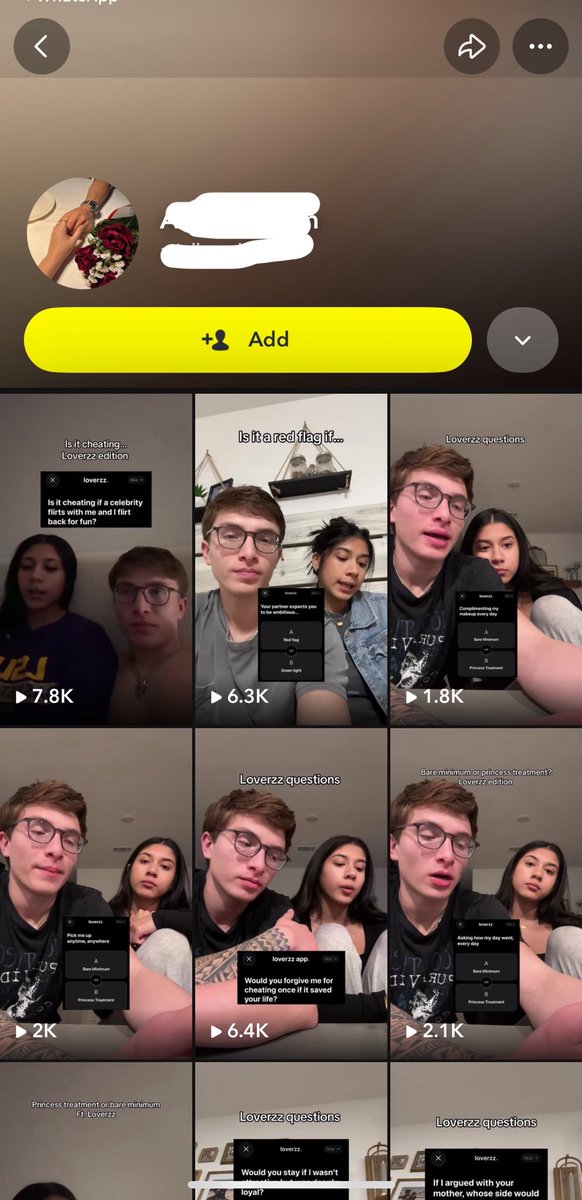
1. Gather 20 UGC creators ($200/month)
2. Make them post at least 2 times per day (must hit 2k views minimum )
3. 20 UGC creators X 2k views = 40k
40k views x 30days = 1.2M views
For a Good content: 10k users
On a Bad Month
Lip gloss campaign ad created with ai.
Made with seedance 2.0 in @newtake_kr using a preset.
Prompt:
15-second premium cosmetics ad, tinted lip essence, smooth transitions, dynamic rhythm, hazy dreamlike visual. Lighting: soft, warm pale-pink atmosphere, glowing and romantic. BGM: cute, upbeat 4/4 electronic instrumental K-pop.
Scene 1 (0–2.5s): Slow-motion open, tight close-up on eyes first — model (character ref) glances up at camera, lashes catching soft pink light. Quick tilt-down reveal to her lips as she smiles.
Scene 2 (2.5–5s): A 180° head-spin transition, hair flowing softly, landing on a three-quarter angle close-up. Lips glossy, slightly parted, pink light reflecting off her skin.
Scene 3 (5–8s): She lifts the lip essence bottle (bottle ref) from below frame, rotating it once in her fingers before bringing it to her lips. Brush applies in one fluid diagonal stroke. Macro shot on the bristle texture and gloss shimmer, pink undertones glowing through the essence.
Scene 4 (8–10.5s): Quick triple flash-cut: fingertip tap on lips → close-up eye blink with shimmer eyeshadow → quick cut to her laughing softly with head tilted back, pink light flaring gently in the background.
Scene 5 (10.5–13s): She brings the bottle back up, looking at it admiringly first, then flicks her eyes up to wink at the very end, breaking the 4th wall a beat later than expected.
Scene 6 (13–15s): The bottle (bottle ref) spins slowly once in frame before settling, soft pink studio light sweeping across it like a light trail. Brand logo fades in with a subtle upward drift, in clean white or deep-pink text.
Professional advertising cinematography, soft beauty lighting, hyper-realistic textures, smooth dynamic camera moves, 4K resolution.
I recently started learning how to use AI to generate videos, and one of the first tools I decided to properly explore is @FlowbyGoogle .
I’m completely new to this, so rather than acting like I have everything figured out, I’m going to document what I learn, what works, what doesn’t, and the mistakes I make along the way.
Here’s what I’ve learned from my first experience with Flow🧵