Microsoft just solved the biggest unsolved problem in AI engineering.
And they put the entire blueprint on the internet for free.
CI/CD for AI Agents on Microsoft Foundry. Their internal playbook. Now public.
Here is what it actually does:
→ Before your agent ships anywhere it gets automatically scored on accuracy, safety and factual grounding. Not vibes. Actual scores.
→ Each environment, Dev, Test and Prod, has its own gate. Your agent has to earn every single promotion.
→ Each deployed agent gets its own unique Microsoft Entra identity so you always know exactly which version did what.
→ Every action the agent takes is fully traced. You can see what it did, when it did it and why.
→ If your agent drifts in production, you roll it back instantly. One command.
The reference repo is live on GitHub right now. GitHub Actions and Azure DevOps both support out of the box.
This is the moment AI agents became real software.
Full blueprint here: https://t.co/lCyqNKC49S
Entra Hardening Tip #9 🔐
Don’t use client secrets for app authentication.
Use this decision tree when a developer or vendor asks for an app registration to be created in your tenant. 👇
1/14
I've collated 2400+ Microsoft architecture icons and published them for easy access at https://t.co/C1Zv6sIkzn 💙
For every icon, you can:
• Download the scalable SVG file
• Download the PNG of your desired size
• Embed the icon directly into your website or markdown
• Choose a light, dark or transparent background
You can can even compare different icons together and favourite multiple icons for bulk download!
#Microsoft
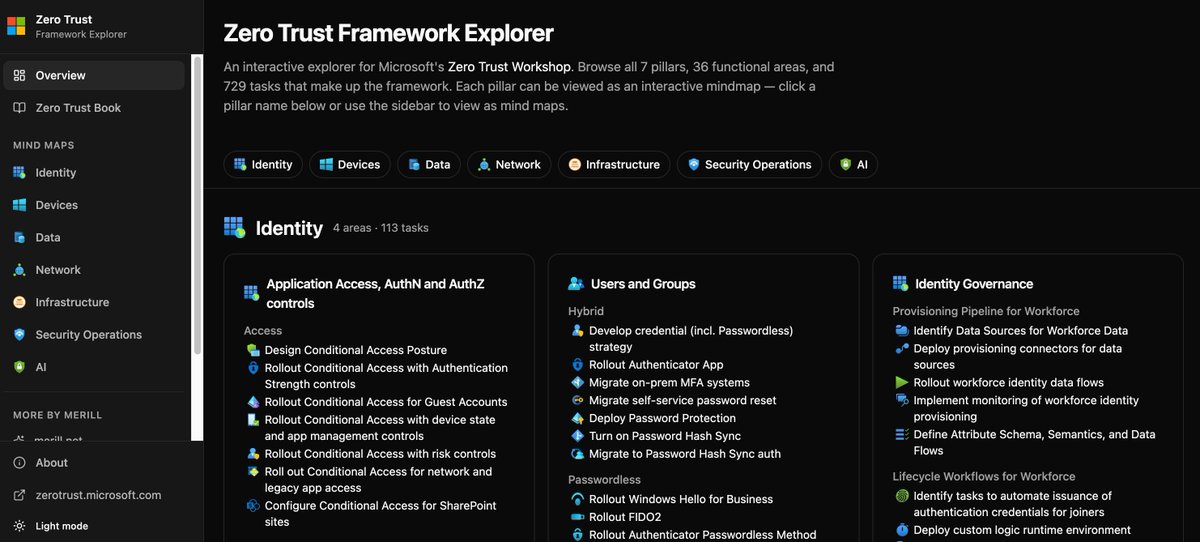
Zero Trust Explorer (by Merill Fernando): interactive map of M365/Azure security controls across identity, devices, apps, and data.
Great way to see how Entra ID, Defender, Intune, and Purview fit together in real architectures.
https://t.co/R8j1tj3fZB
#ZeroTrust
Stop clicking through 15 menus just to find one Azure blade
🛑55,000+ Microsoft pros use https://t.co/jZV3o3uwEz to skip the portal fatigue.
I just launched a massive V2 rewrite:
⚡️ 100% keyboard-driven
🎯 Jump to any blade instantly
🔍 New Purview + Security commands
One thing I keep hearing is people are not sure of where to start with AI, what to learn around the Microsoft ecosystem with copilots, agents, IQ etc. I've done a lot of videos recently but wanted to create a little bit of a clearer path for those who need a bit more order.
I also created https://t.co/p6AgVGSFPG if you want an interface for the curated AI path. No adverts, no fluff, no sponsors. Just an easy experience to utilize.
The key content:
AI for Anyone - 30 Minute Introduction to AI — https://t.co/TviaLnrlSm
RAG, Semantic Search and More — https://t.co/cAJtxndwfW
Getting Started with M365 Copilot — https://t.co/5FvrEu4Pip
Copilot Cowork Overview — https://t.co/0X5sWw0lge
Picking Your Agent Builder Solution — https://t.co/BwCoIni5Wg
Agent 365 Overview — https://t.co/9aDZ33NwDG
Microsoft IQ Overview — https://t.co/PnAfkNy0E8
Work IQ Overview — https://t.co/nKn2bXDhb4
Foundry IQ Overview — https://t.co/cGokdyzjPs
Fabric IQ Overview — https://t.co/GcsE8m0A0H
Getting Started with GitHub Copilot CLI and Work IQ — https://t.co/p3fWe7gwL3
Choosing Your First AI Application — https://t.co/wJiNyRtwkP
MCP or A2A — https://t.co/EmbFmUaCuA
What is Agentic AI — https://t.co/jTm91DK1Tw
Generative AI Security Top Considerations — https://t.co/8uHf5Sa27k
#ai #artificialintelligence #copilot #m365copilot #copilotstudio #microsoftfoundry #microsoft
@DPWorldTour@FitzAlex99 Congrats Alex… great to see your win today… it’s a while since we followed you round Pebble Beach in the 2018 US Amateur but it was clear you were heading for future success. Cheers 🍻
Announcing Copilot Cowork, a new way to complete tasks and get work done in M365.
When you hand off a task to Cowork, it turns your request into a plan and executes it across your apps and files, grounded in your work data and operating within M365’s security and governance boundaries.
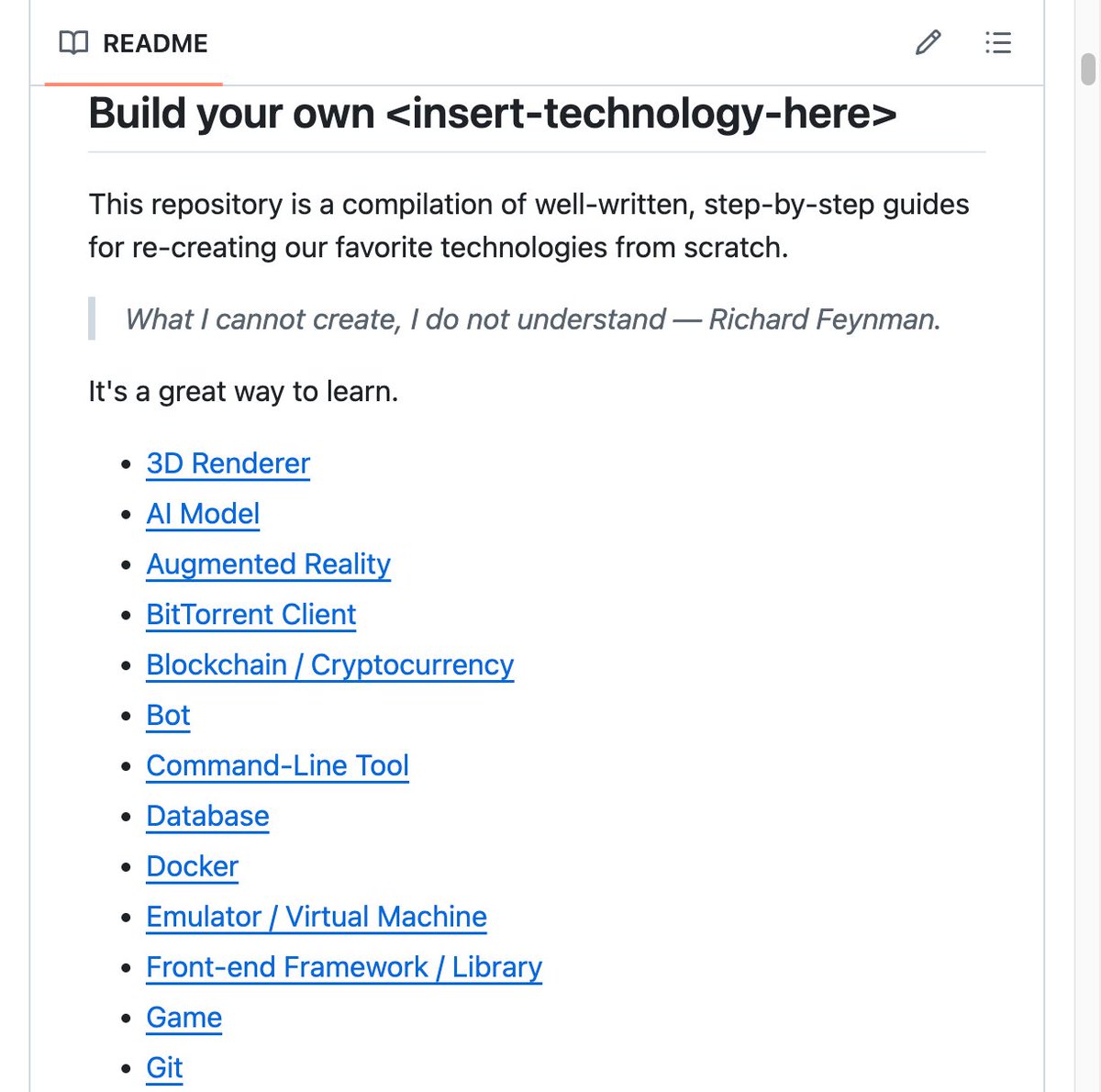
🚨 Someone compiled every "build it from scratch" tutorial on the internet into one place.
It's called build-your-own-x and it's the most starred repo in GitHub history.
466,000 stars. More than React. More than TensorFlow. More than any tool ever built.
And it's not code. It's a curated collection of step-by-step tutorials that teach you how to rebuild the technologies you use every day. From scratch.
Richard Feynman said: "What I cannot create, I do not understand."
That's the entire philosophy.
Here's what's inside:
→ Build your own Database from B+Trees to a full Redis clone
→ Build your own Docker containers in 500 lines of C
→ Build your own Git finally understand what a commit actually is
→ Build your own Neural Network not import tensorflow, real backpropagation from scratch
→ Build your own Operating System write a kernel in C
→ Build your own Programming Language interpreters, compilers, garbage collection
→ Build your own 3D Renderer ray tracing, pixel by pixel
→ Build your own Web Server, Web Browser, Search Engine, Shell, Regex Engine, Game, Blockchain, BitTorrent Client, Physics Engine, and more
Every category has multiple tutorials in multiple languages. C, C++, Python, Go, Rust, JavaScript, Java, Ruby, Haskell, TypeScript, and more.
Here's the part most people miss:
This isn't a beginner resource. This is the most advanced learning material that exists for software engineers. Because rebuilding something from scratch forces you to confront every design decision the original creators made.
You can't skip anything. You can't hide behind a library.
In the age of AI-generated code, this is the knowledge that becomes MORE valuable, not less. AI can import libraries. AI cannot replace an engineer who understands WHY systems work the way they do.
466K stars. 43.7K forks. Every tutorial is free. No paywalls. No sign-ups.
The best way to learn how something works is to build it yourself.
100% free. 100% Open Source.
GitHub link in the comments 👇
How to Configure Microsoft LAPS with Intune Step-by-Step - Learn to implement Microsoft LAPS with Intune to automatically manage local administrator passwords on both domain-joined and cloud-managed devices. https://t.co/01n53iOwg4
Turn written compliance or security requirements into Intune configuration profiles with the Policy Configuration Agent in Microsoft Intune. Take a look.
https://t.co/u0dgjhNQ7l Automate device and security policy management by turning written compliance requirements into Intune policies. Use natural language to draft, refine, and deploy configuration profiles, review AI-generated recommendations with confidence scores, and stay in full control before publishing to your environment.
#IntuneAgents #microsoftintune #microsoft365 #intune #microsoft #windows11
Need the Azure Icons to draw your architectures? Here is how to download the new Azure Architecture Icons ⚡
https://t.co/M7nRWjYso6
#Microsoft#Azure#MicrosoftAzure
What's new in Citrix Virtual Apps and Desktops 2503 https://t.co/2g9w1WLfbl < Autoscale Insights; Service account for Active Directory machine identity management; create Citrix Provisioning catalogs in VMware environment using Web Studio